

Getting PesaPal API credentials
- Create a PesaPal account.
- Check your email for PesaPal integration details (Consumer Key and Consumer Secret).
-
If you do not have the email, log in to your PesaPal account, go to the Business Dashboard, and click Resend API credentials from the
API Credentialssection.
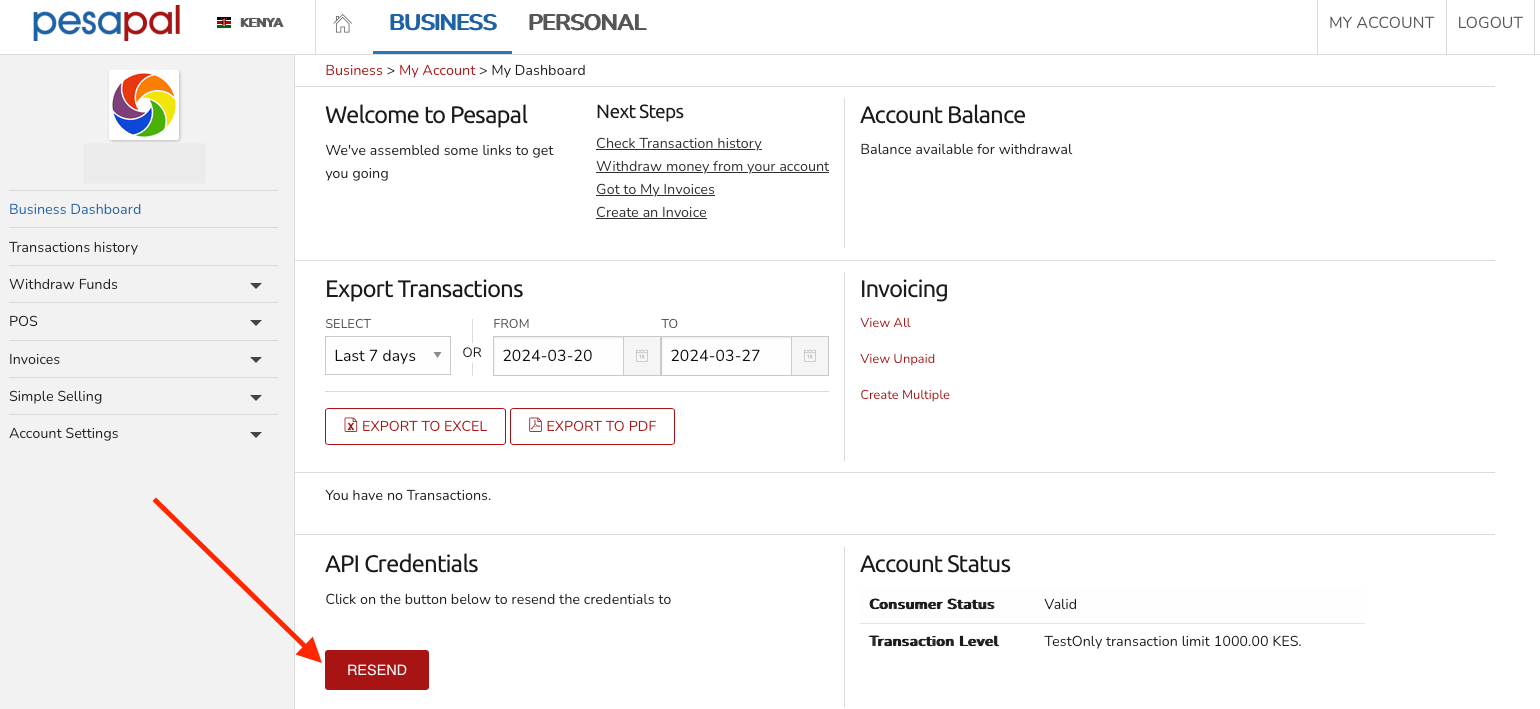
Resend API credentials
Adding PesaPal in Upmind
- Go to Settings > Payment Providers in your admin area.
- Click Add Payment Provider and select PesaPal.
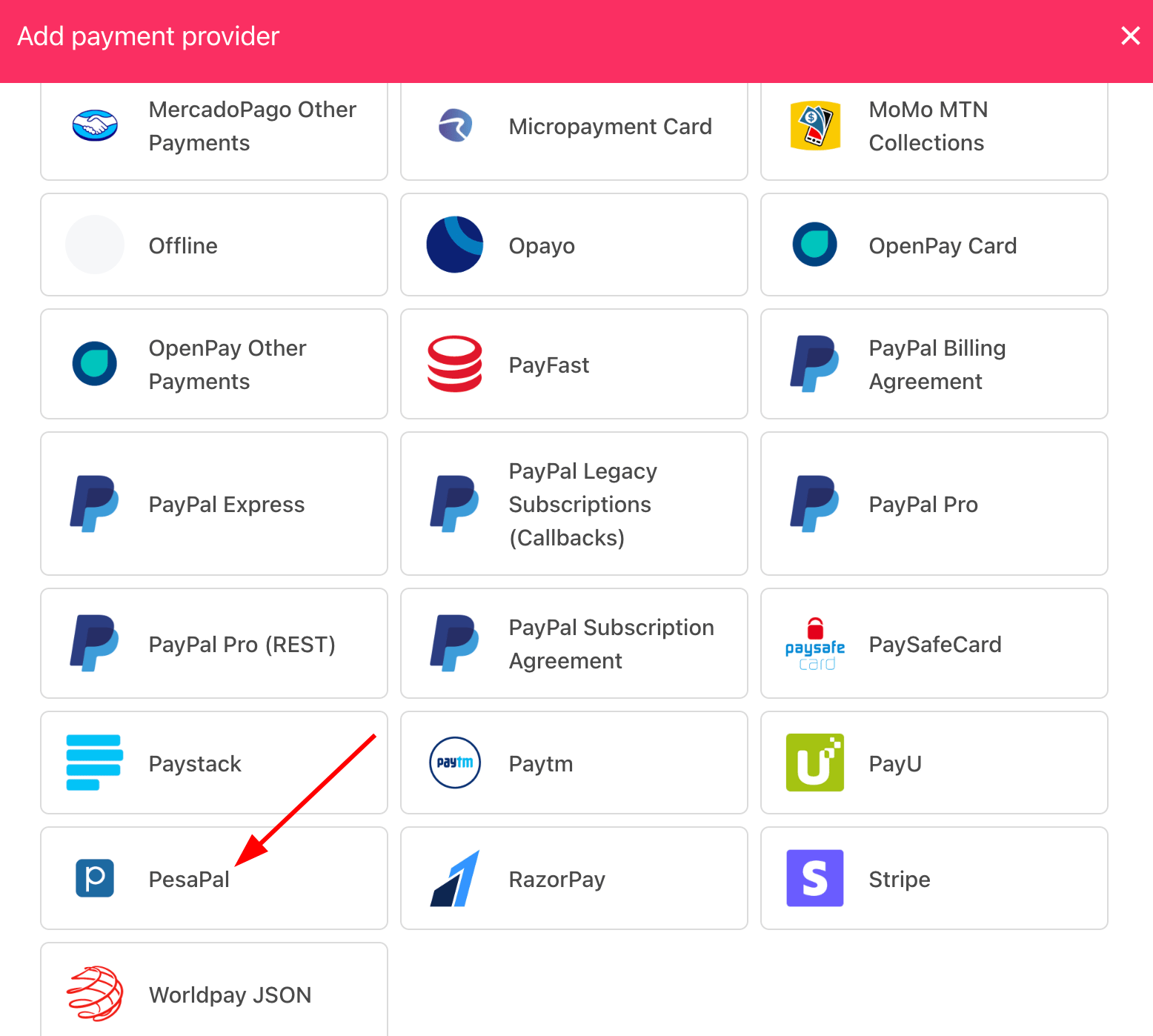
Select payment provider
Configuring details
- Enter a display name. We suggest PesaPal.
- Select the appropriate Test Mode option.
- Enter your Consumer Key and Consumer Secret.
- Click Test Credentials to verify.
- (Optional) Add supported currencies.
- (Optional) Enter payment instructions for your customers.
- Click Create.
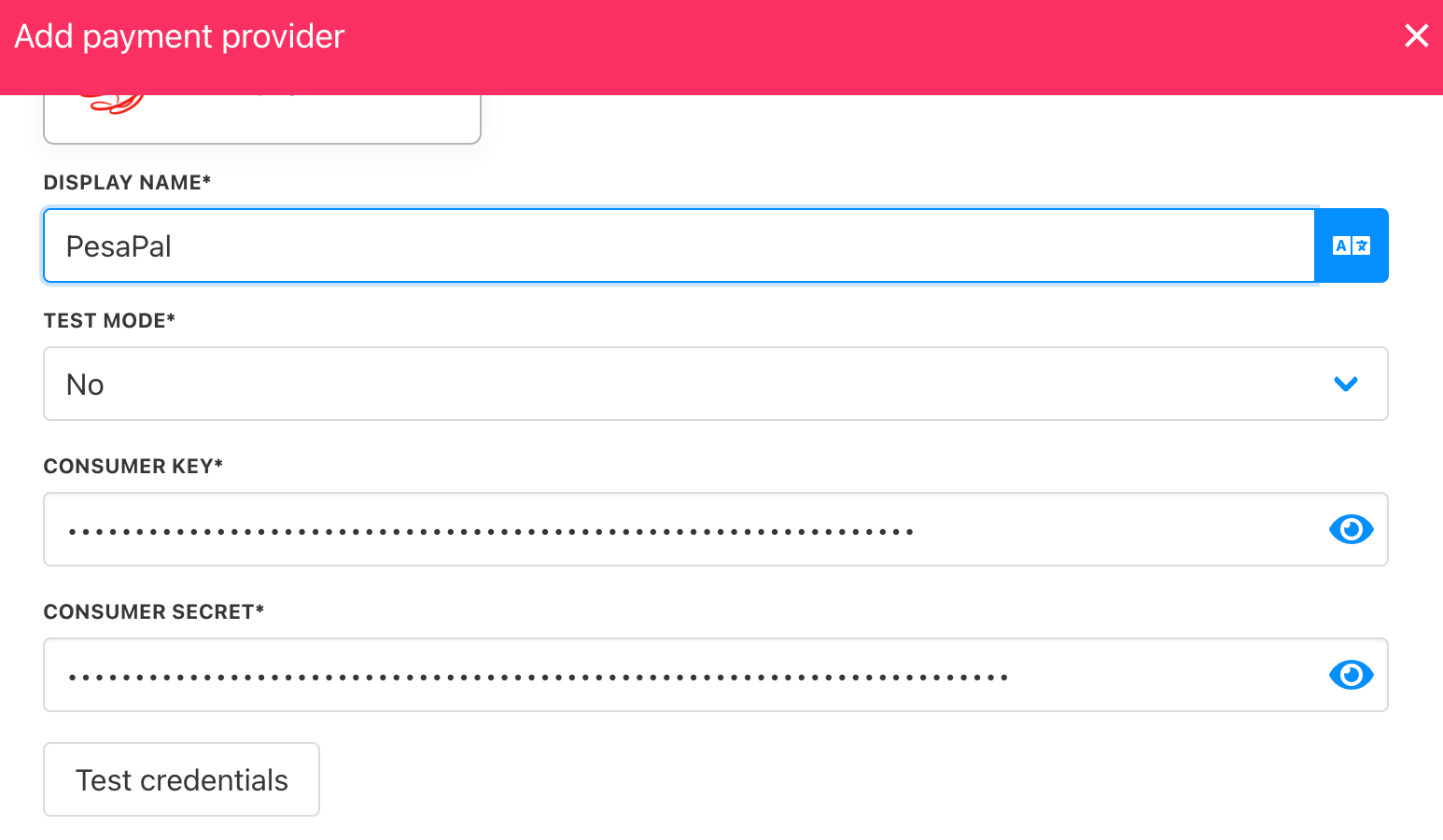
Add details
Editing the payment method
To update, go to Settings > Payment Providers, click the three dots next toPesaPal, and select Edit.