

- Log in to Upmind.
- Go to Manage My.Upmind (in the bottom left corner).
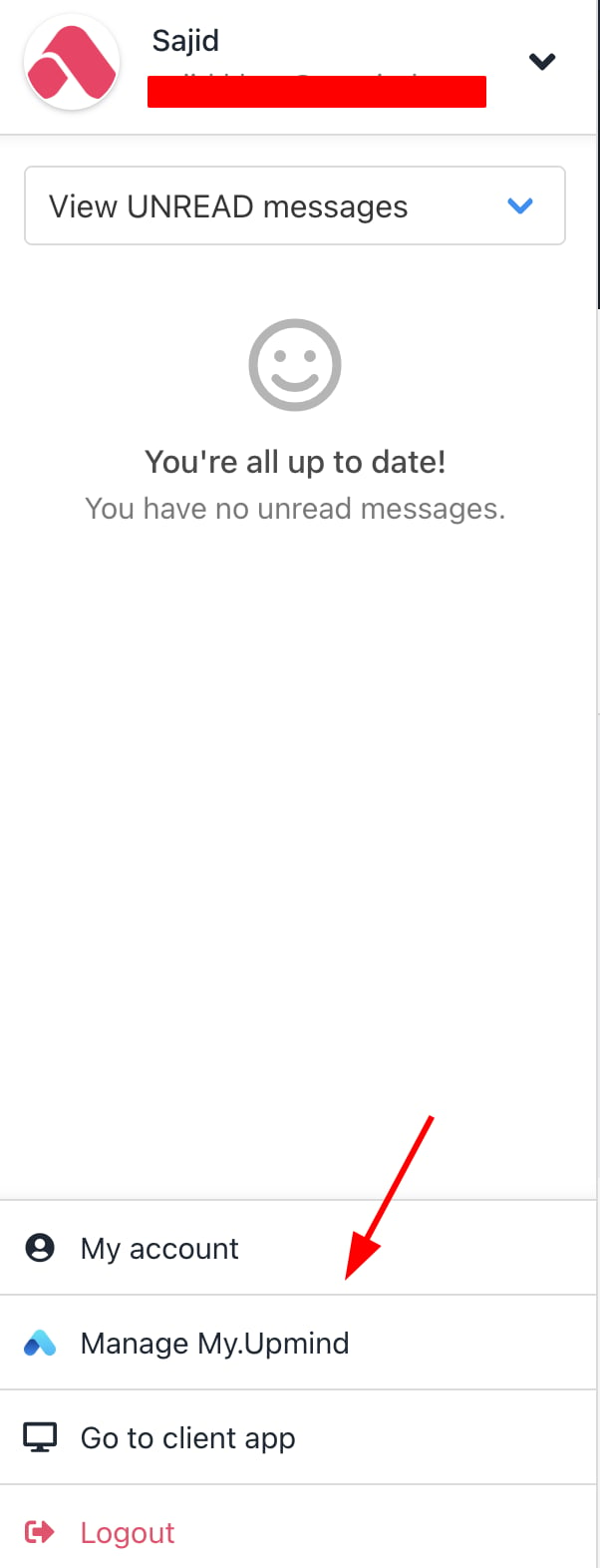
Click Manage My.Upmind
- Go to Products and Services > Subscriptions. Click Manage product.
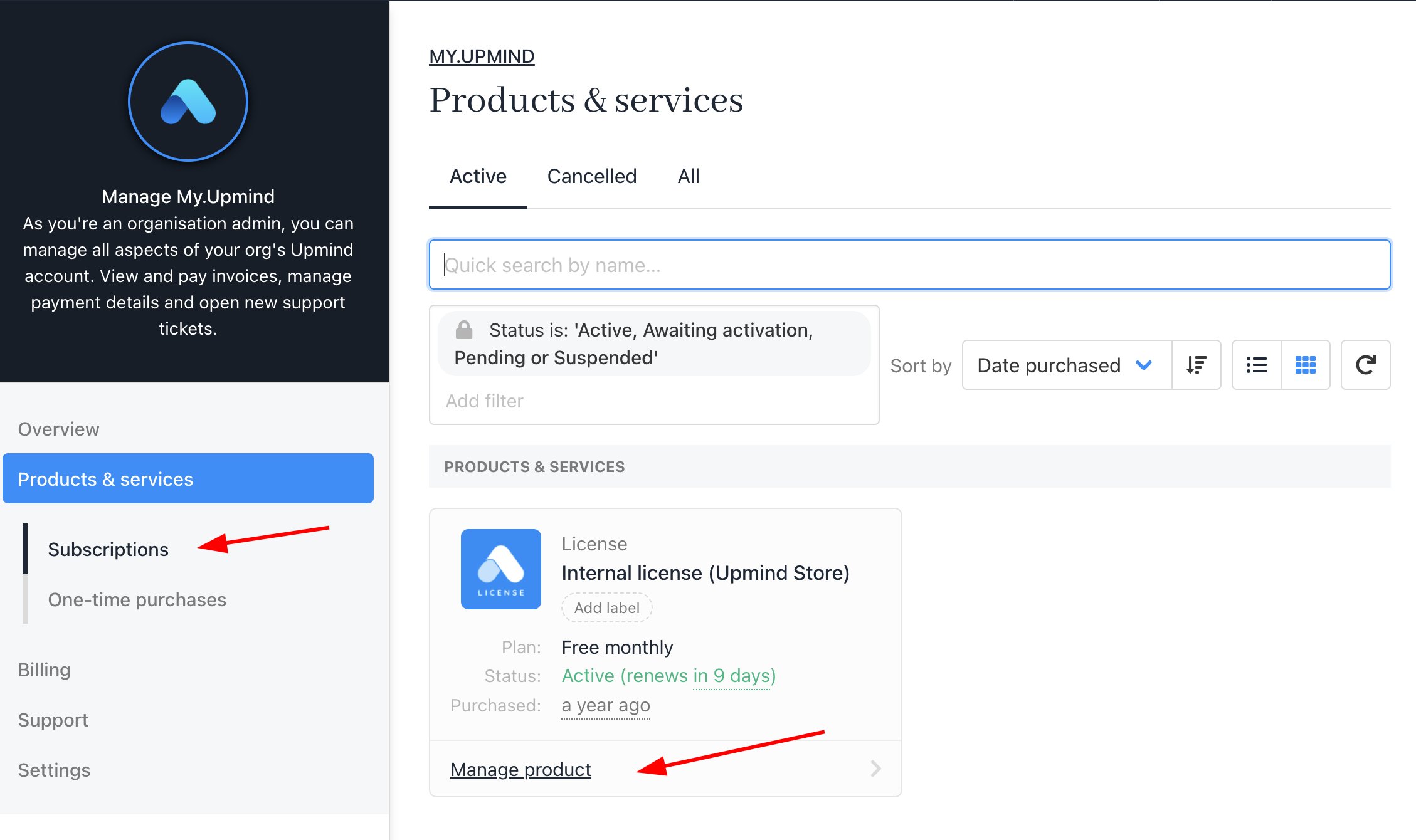
Products & Services > Subscriptions
- Under the tab Billing, find Manage your subscriptions and click Cancellation options.
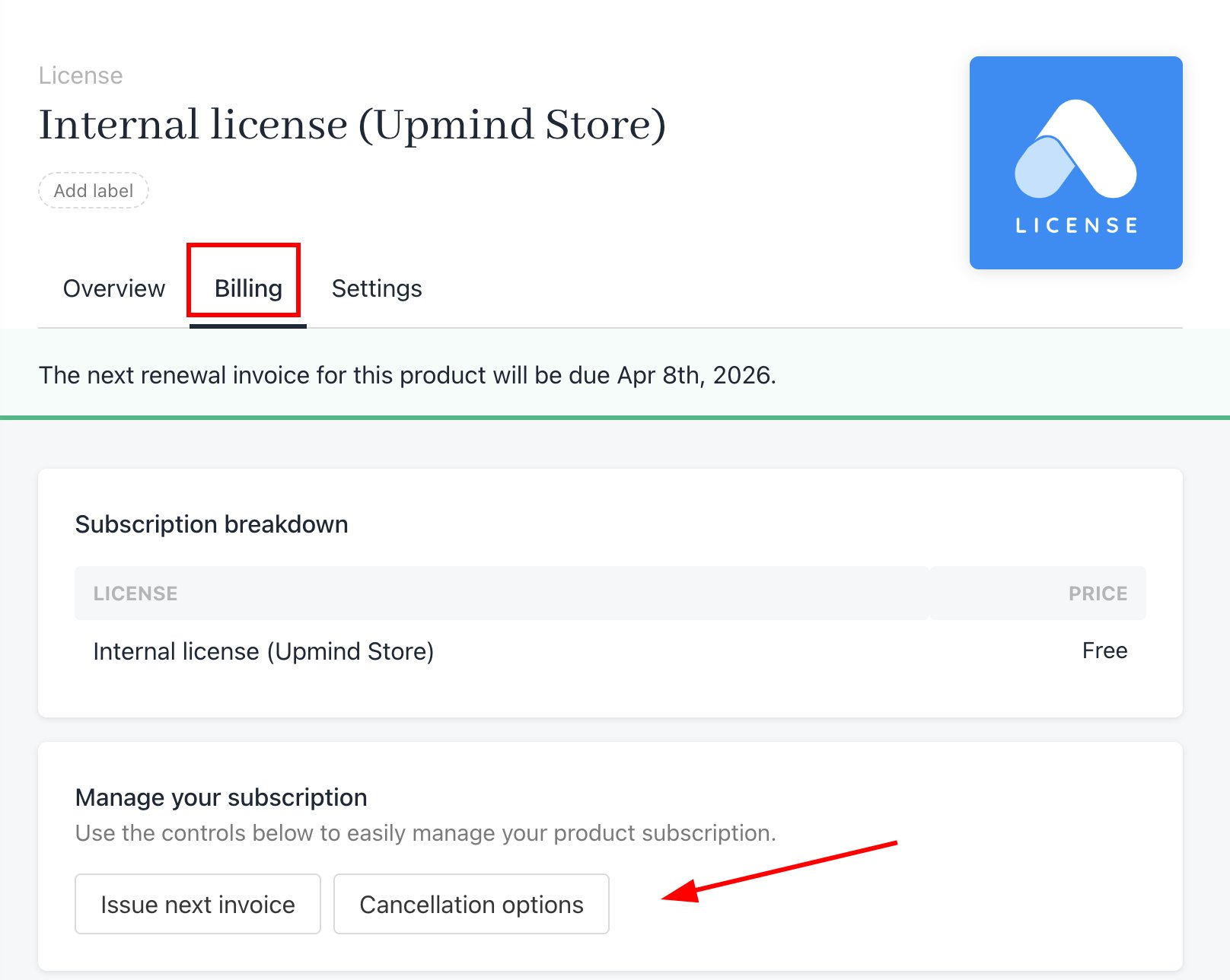
Billing > Cancellation Options