

Accessing payment options
- Log in to Upmind.
- Click Settings.
- Select the Payment Options tile.
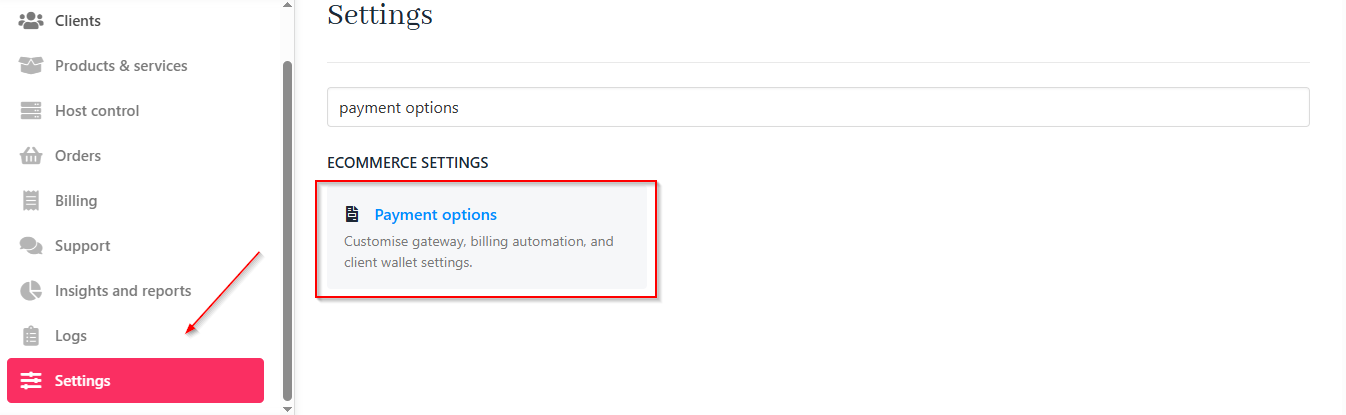
Settings > Payment options
Customising payment settings
Gateway settings
-
Choose a Capture Mode:
- Direct Capture (default): Charges immediately.
- Authorize: Places a hold, then captures after a set number of days.
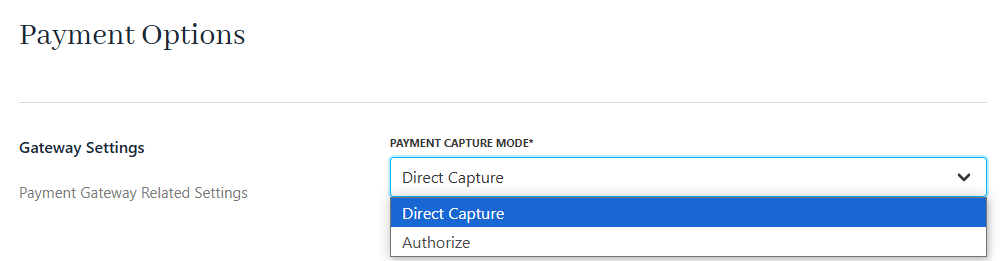
Payment capture mode
- Set the number of days before capturing an authorised hold (not required if you select Direct Capture).

Authorization capture delay days
- Enable or disable partial payments.

Enable/disable partial payments for clients
Billing automation
For payment automation, you can configure the following settings according to your needs.- Max Authorization Capture Attempts: Limit the number of tries to capture an authorised amount.

Max authorization capture attempts
- Invoice Charge Attempt Interval Days: Set the retry interval for failed payments to automatically charge an invoice.

Invoice charge attempt interval days
- Max Invoice Charge Attempts: Limit how many times Upmind will attempt to process a payment.

Max invoice charge attempts
- Days’ Notice Before Credit Card Expiry Notification: Notify clients with a reminder before their card expires.

Days’ notice before credit card expiry notification
- Attempt Other Saved Card on Failed Payments: Enable fallback to other stored cards if the automatic payment on the main one fails.

Attempt other saved card on failed payments
- Invoice Categories for Auto-Charging: Restrict auto-charging to selected invoice categories.
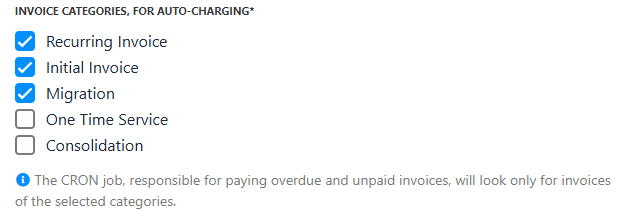
Invoice categories for auto-charging
- Charge Interval Before Due Date: Start charging invoices a set number of days before their due date.

Charge interval before due date
- Max Days to Attempt Payment After Charge Date: Set a limit for how long to keep automatically retrying after the charge date. This protection feature applies only to subscription clients added to the store through the Import tool.
Enabling automatic payments for clients
- Clients can enable automatic payments by saving a payment method in their portal and selecting Allow Automatic Payments.
- Admins can enforce auto-pay for specific products or clients if required.
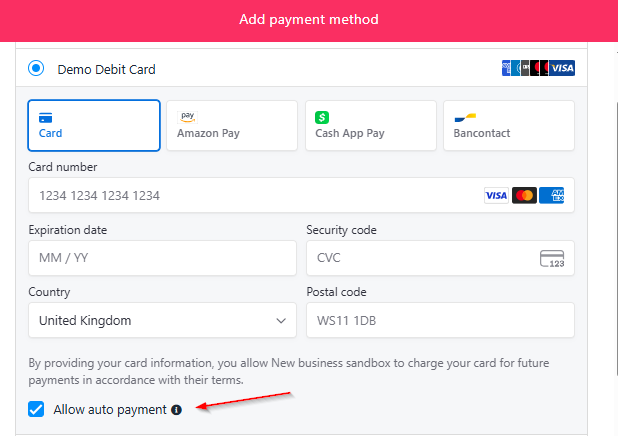
Allow auto payment for new payment methods
Managing subscriptions and plan changes
- Automatic payments will renew subscriptions on their due date.
- For plan changes (e.g., upgrades or downgrades), there are additional options for additional charges or refunds. Upmind automatically calculates the balance. For more information, follow this guide.