

- Payment Interval Before Due Date
- Payment Interval Before Due Date with Pending Payments
How to set the payment interval before the due date
- Go to
Settingsand select Payment Options.
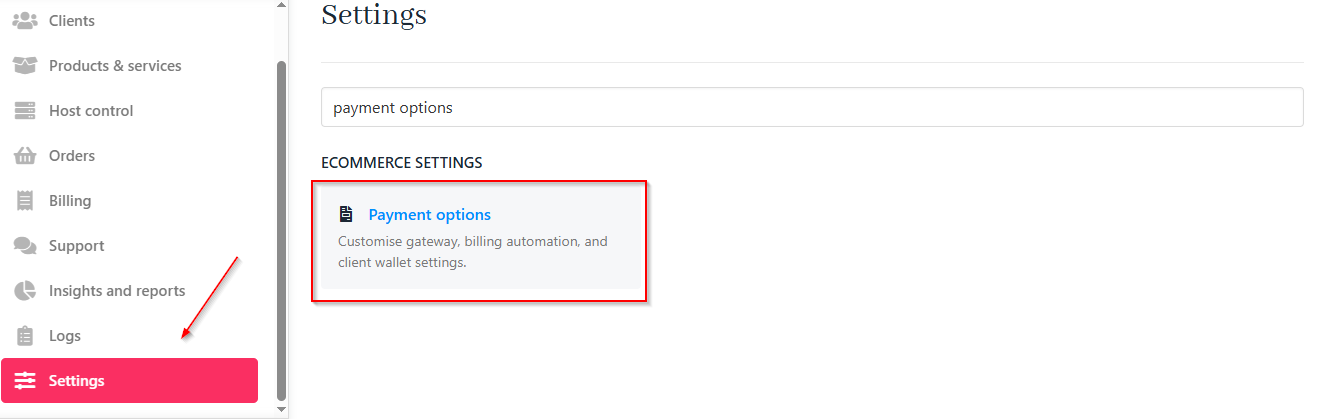
Settings > Payment options
- Under
Billing Automation, find Charge Interval Before Due Date. This is the number of days before the invoice due date that the charge will be applied.

Change interval before due date
- Set the Invoice Charge Attempt Interval Days to define how often Upmind retries failed payments.

Invoice charge attempt interval days
- Save your changes.
Override payment interval for individual clients
-
Go to
Clientsand select the desired client. -
Click Settings, then
Billing.
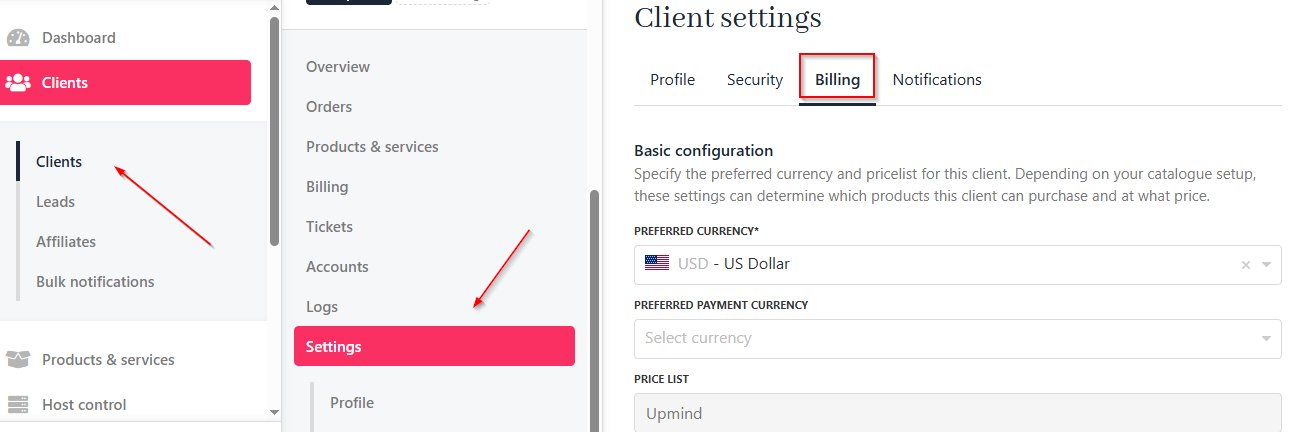
Clients > Settings > Billing
-
Scroll to
Billing Automation. - Enter a custom Payment Capture Interval (in days) for this client.
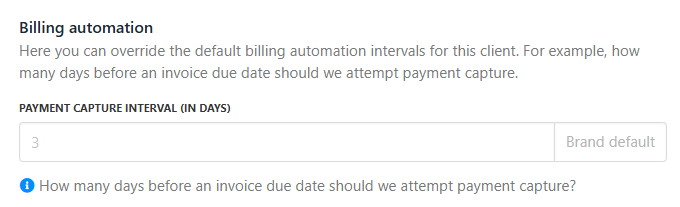
Payment capture interval for individual clients
- Click Save.
How to set the payment interval before the due date with pending payments
In the Billing Automation section, this setting works similarly to the Charge Interval Before Due Date, but it specifically applies to:- Direct debit payments.
- Invoices with pending payments (e.g., incomplete or failed transactions).
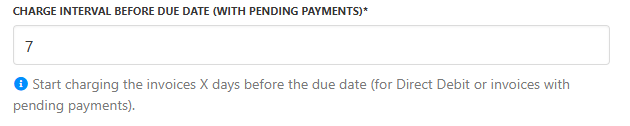
Charge interval before due date (with pending payments)
Managing pending payments (purge after inactivity)
If any pending payments have not been captured, the system will automatically purge them if they are older than X days. You can configure the Purge Pending Payment After X Days of Inactivity setting to automatically remove incomplete or abandoned payment attempts after the specified period.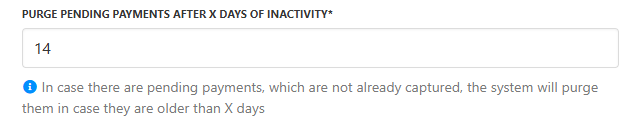
Purge pending payment after X days of inactivity