

- To set the currency for payments, you can refer to this guide.
- For more details on multi-currency support in Upmind, please refer to this guide.
Paying from the client area
- Log in to your Upmind client portal.
-
Navigate to the invoice for the purchased product or service from
Billingand click Pay Now.
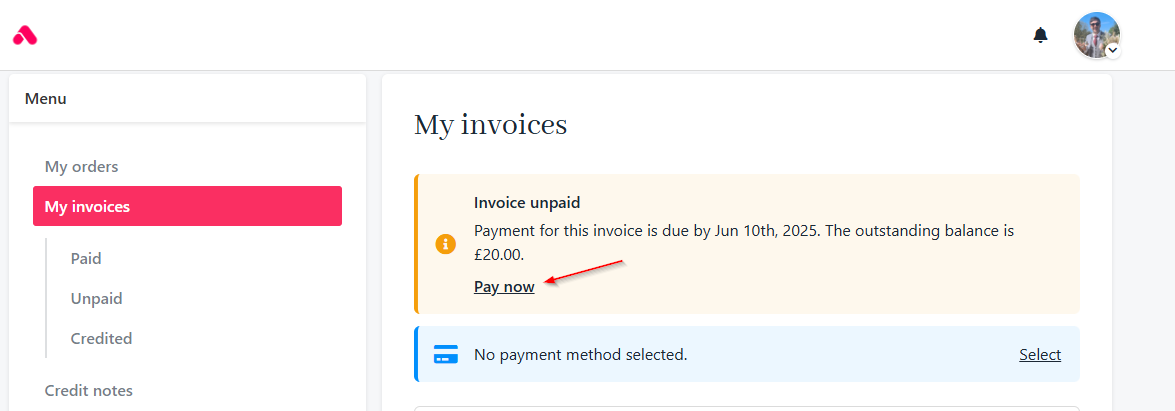
Click pay now
- Click Change Currency on the invoice page.
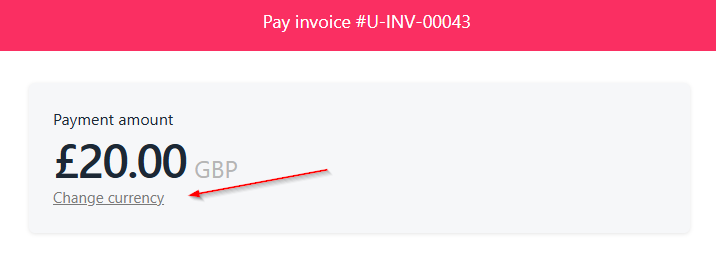
Change currency
- Select your preferred currency from the available list.
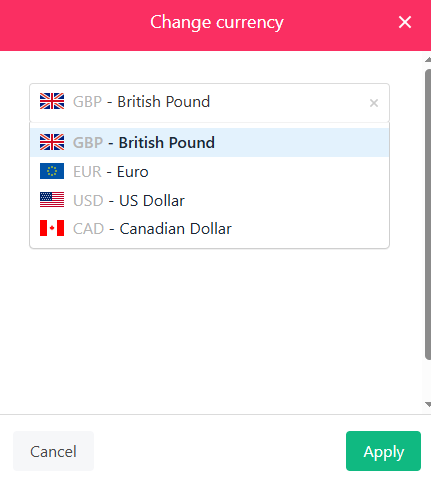
Select preferred currency
- Click Pay to proceed and complete the payment.
Paying from the admin area
- Log in to the Upmind admin dashboard.
-
Navigate to the client profile and under the
Billingsection, select the invoice to be paid.
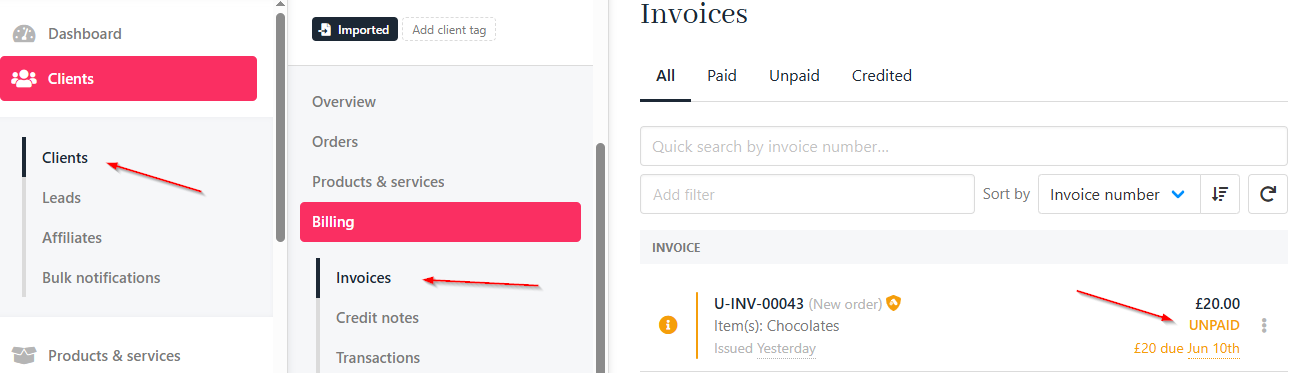
Clients > Invoices
- Click Pay Now.
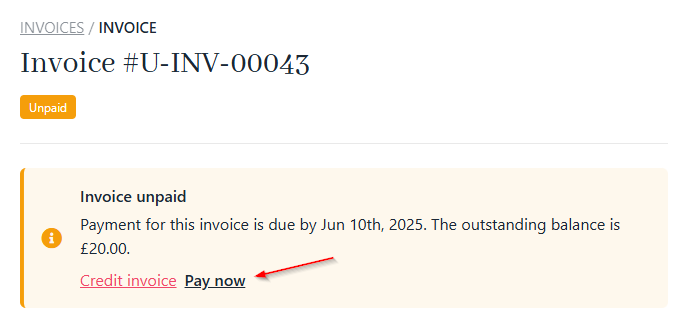
Click pay now
- Click Change Currency and choose the desired one for the transaction.
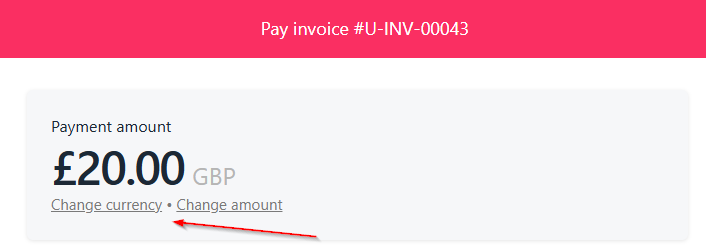
Change currency
- Click Pay to finalise the payment.
Currency selection is only available if the payment gateway supports the chosen currency.Exchange rates are automatically applied based on your store’s configuration.