

Getting Paystack API credentials
- Log in to your Paystack account.
- Go to Settings > API Keys & Webhooks.
- Copy your Secret Key and Public Key.
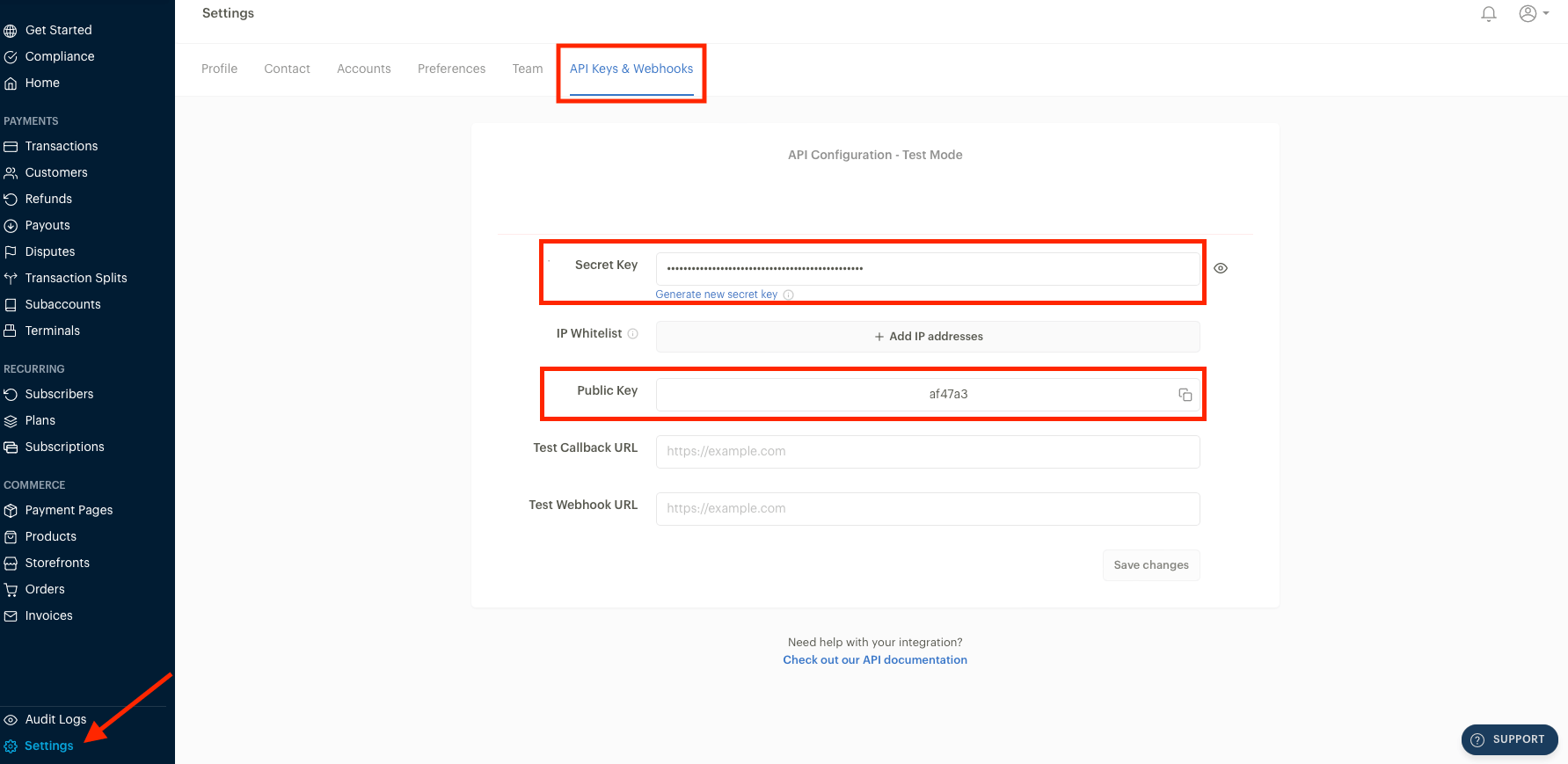
API Keys & Webhooks
Adding Paystack in Upmind
- Go to Settings > Payment Providers in your admin area.
- Click Add Payment Provider and select Paystack.
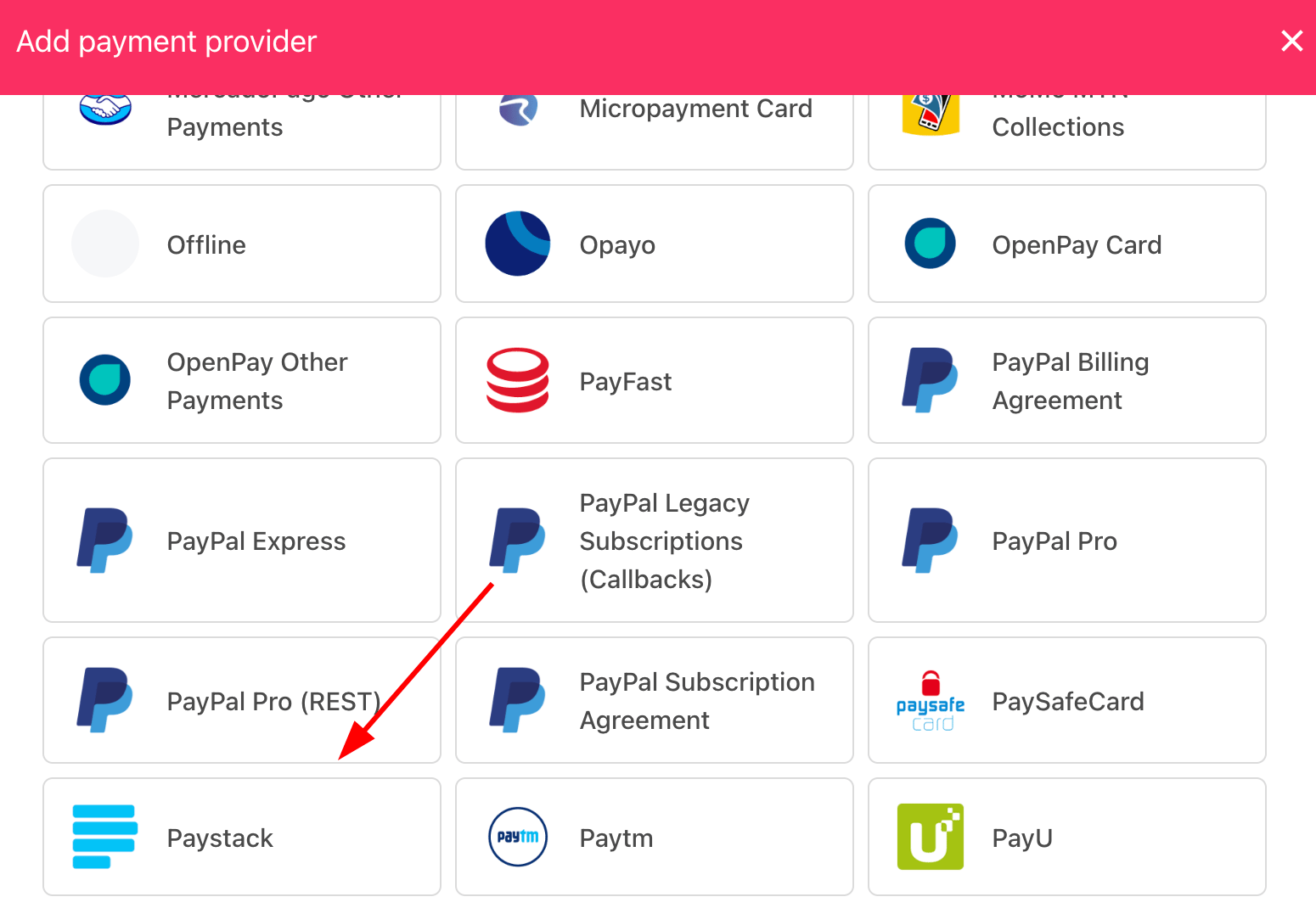
Select payment provider
Configuring details
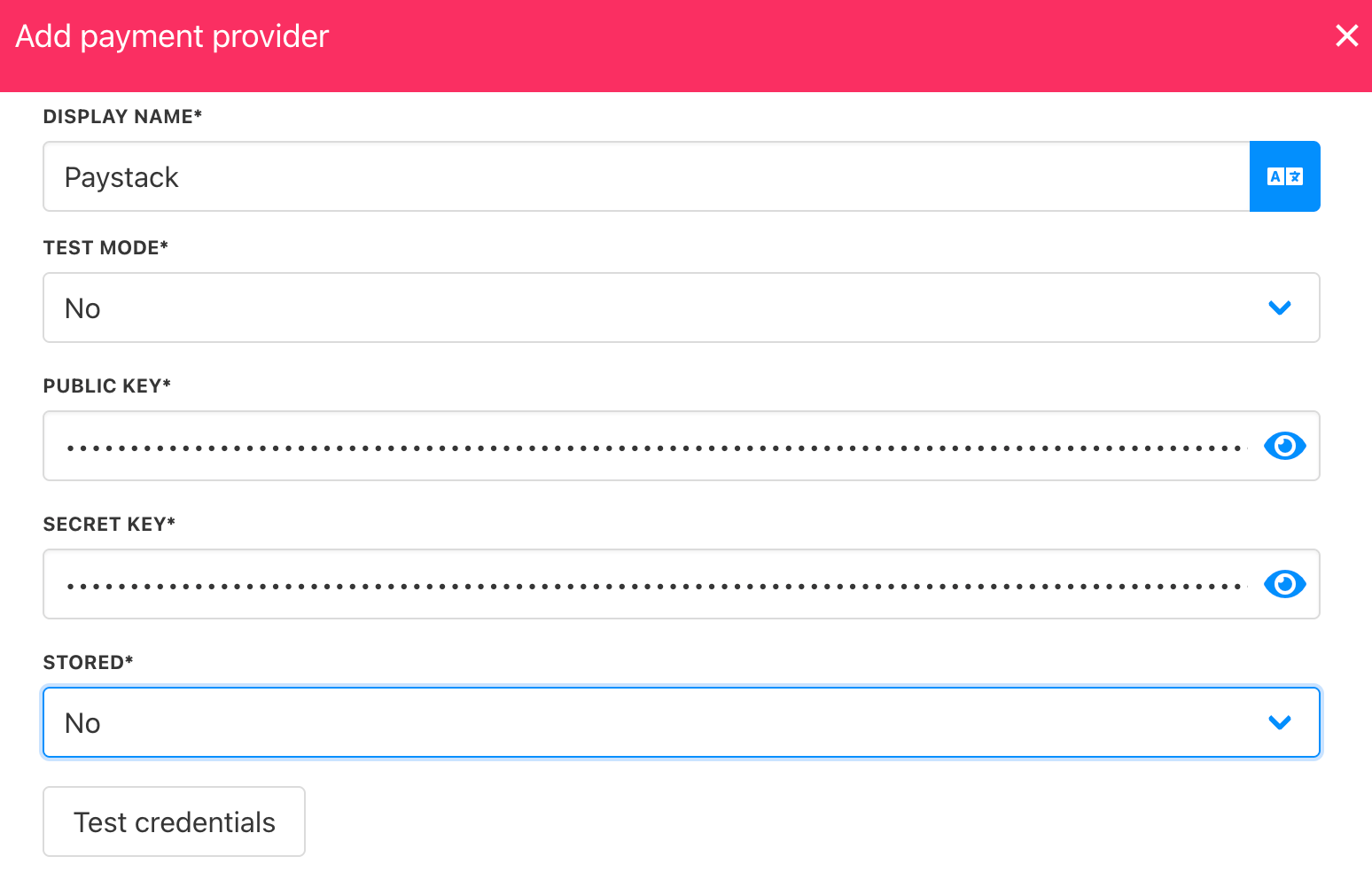
- Enter a display name. We suggest Paystack.
- Select the appropriate Test Mode option.
- Enter your Public Key and Secret Key.
- Click Test Credentials to verify successful authentication.
- (Optional) Add supported currencies.
- (Optional) Enter payment instructions for your customers.
- Click Create to enable Paystack.
Select payment provider
Editing the payment method
To update the payment method, go to Settings > Payment Providers, click the three dots next toPaystack, and select Edit.