

- Create and configure your Upmind account
- Verify your account
- Log into the admin panel
- Configure your domain
- Change organisation name display
- Set store currency
- Create a web server
- Set up billing and payment processing
- Add hosting products and packages
- Connect domain registrar providers
- Manage client accounts and support
- Launch your online store
- Use analytics and reporting to optimise your business
Create and configure your Upmind account
- Go to Upmind.com.
- Click on Start for free.

Start for free
- Enter your email and sign up.
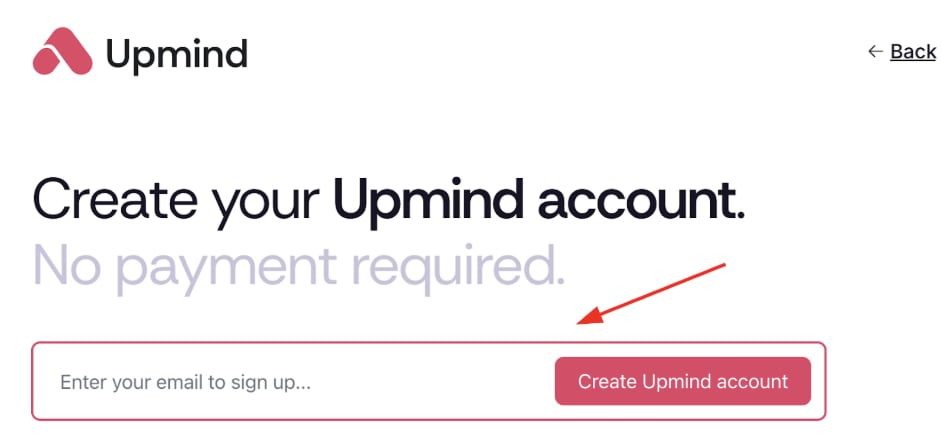
Sign up
Verify your account
- Check your email (and spam) for Upmind’s verification link within 5 minutes.
- Click the link to open your organisation’s admin dashboard. Your account is now live.
Log into the admin panel
-
Visit your
Admin Panellogin page at https://my.upmind.com/login. - Enter your credentials to log in.
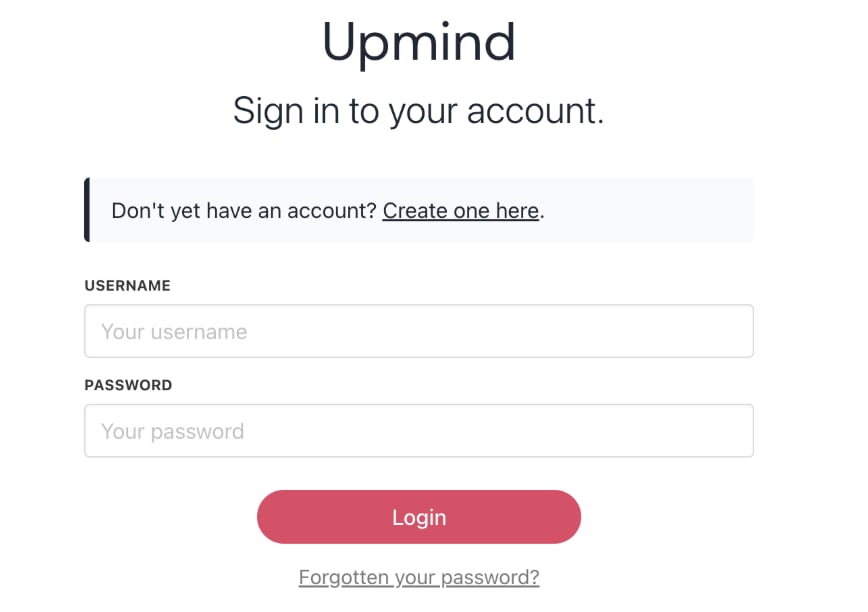
Log in panel
Configure your domain
- Upmind creates a unique subdomain for your store ending with .upmind.app.
- After setup, configure your own domain (e.g., yourdomain.com or clientarea.yourdomain.com).
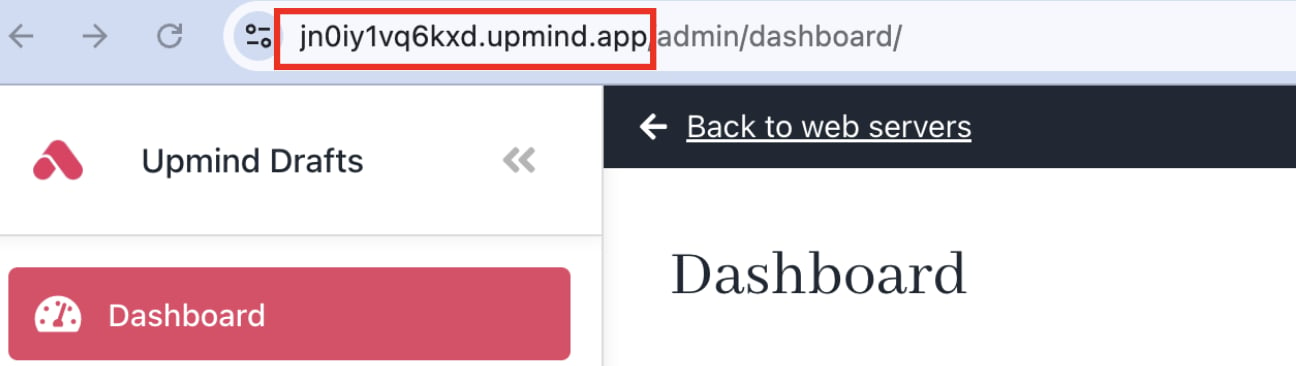
Unique subdomain
Change organisation name display
- Go to Settings > Brand Settings under Branding and Customisation.
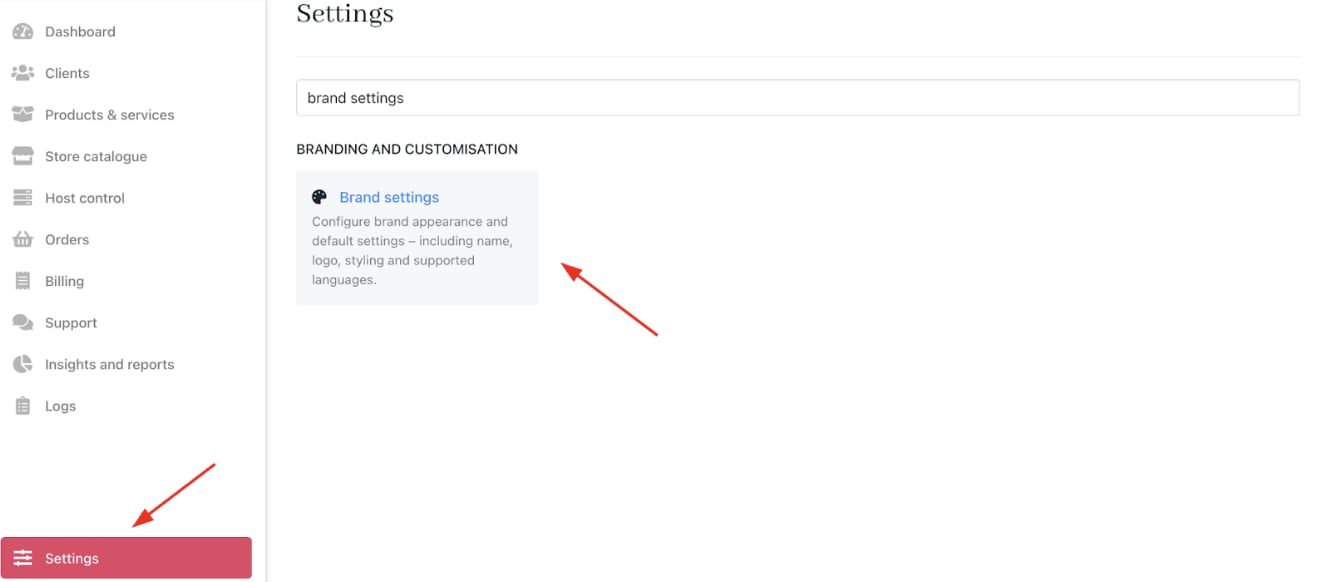
Settings > Branding and Customisation > Brand Settings
- Enter a new name and click Save.
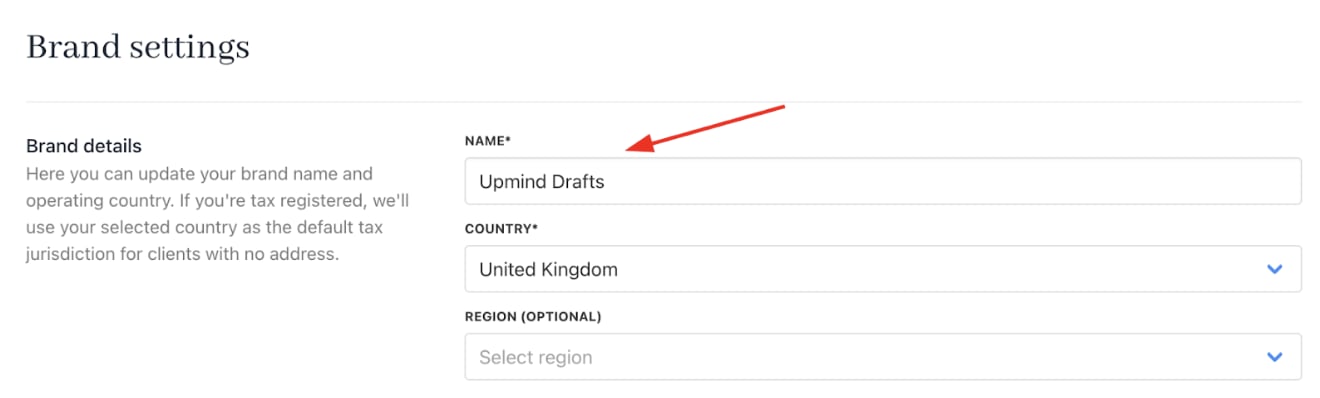
New brand name
Set store currency
- Go to Settings > Business Settings under E-commerce Settings.
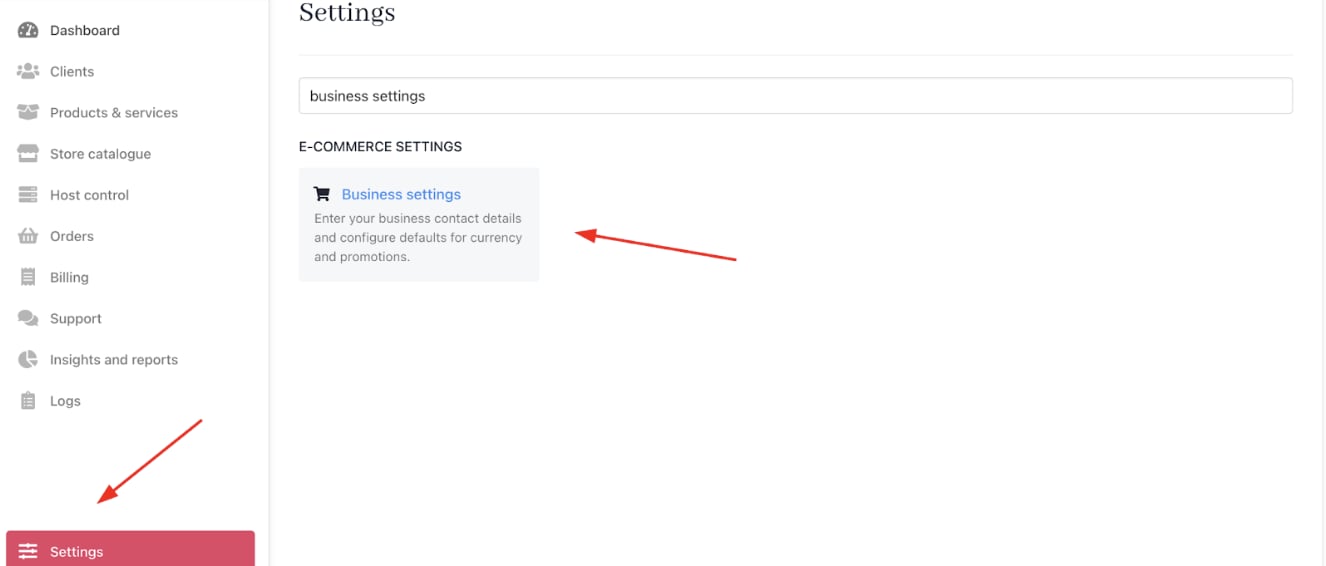
Settings > E-commerce Settings > Business Settings
- Set your Store Currency, which will be the primary currency.
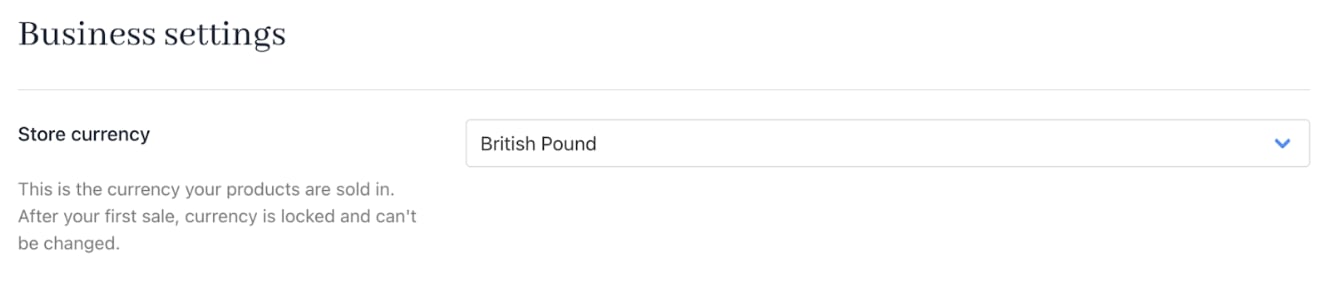
Store currency
Create a web server
- If you don’t already have one, create an account with any web hosting service, such as Plesk.
- You can create and provision a Web Hosting service on Host Control > Web Hosting from the Admin Dashboard or Settings > Provision Configurations under Provisioning.
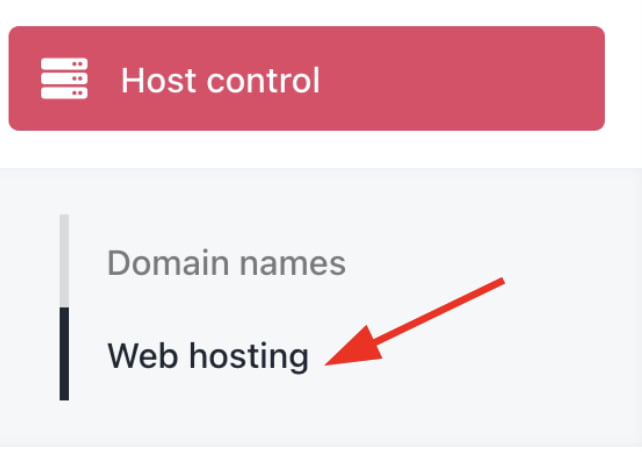
Host Control > Web Hosting
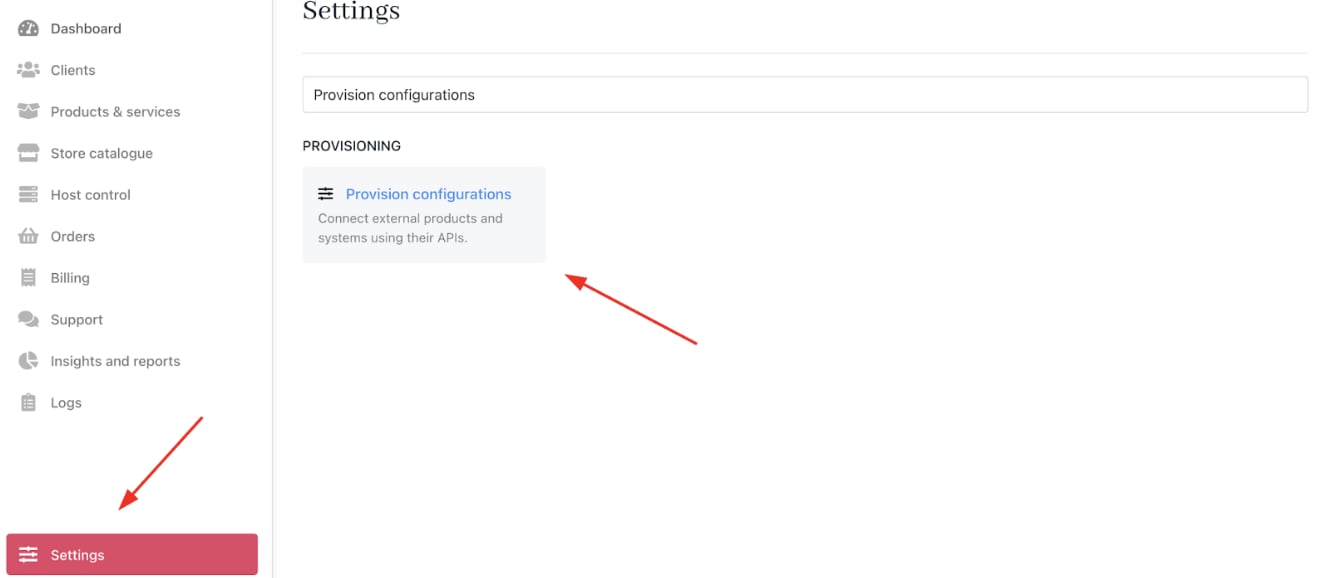
Settings > Provisioning > Provision Configurations
- Click on Add New and select Web Server.
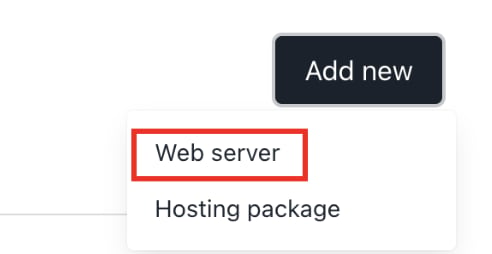
Add new > Web server
- Type your Web Hosting service name and choose Plesk.
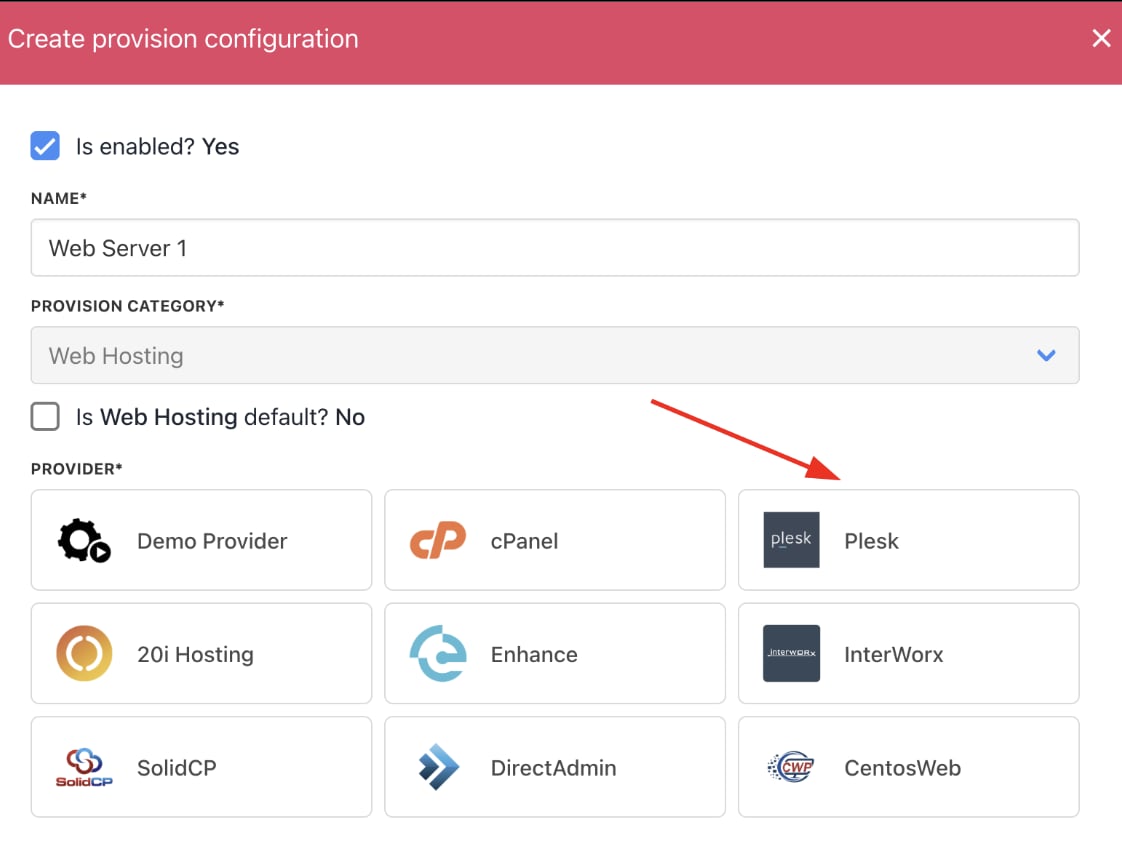
Choose provider
- Add all the necessary Provision Configurations, such as Host Name, Admin User Name, and Admin Password. All of the information can be found on your panel.
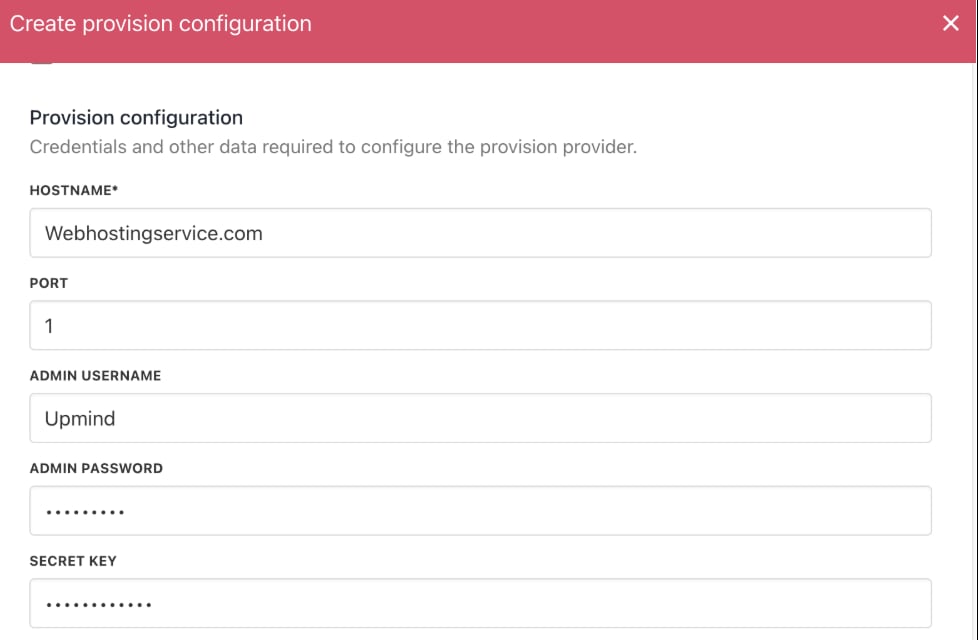
Enter provisioning details
- Afterwards, choose your operating system, fill in the optional configuration attributes, and then click Create.
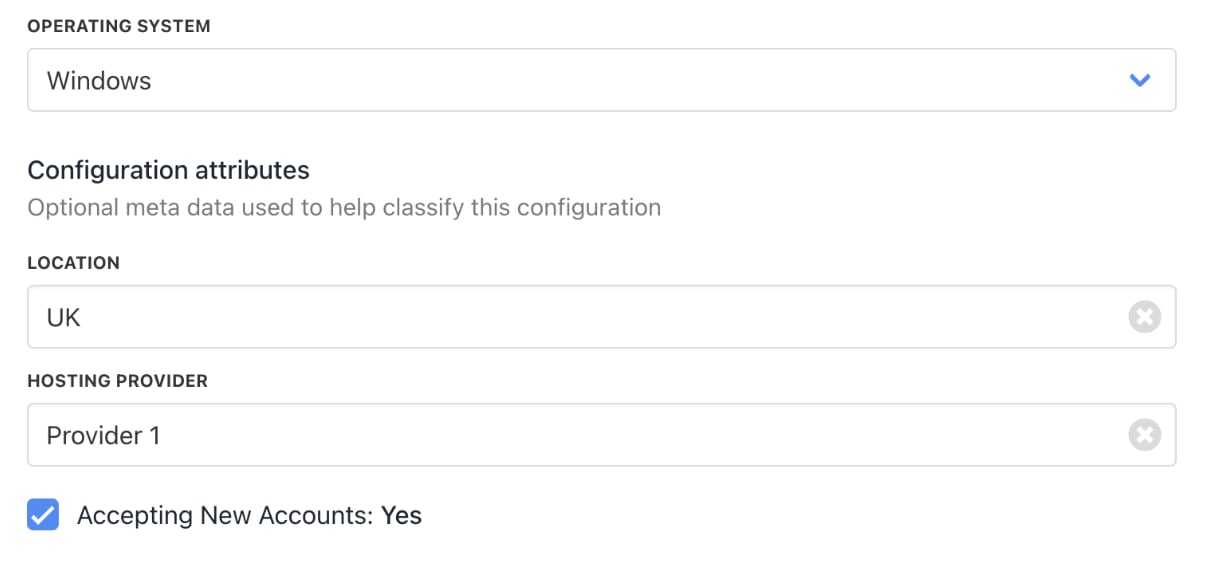
Enter configuration attributes
Set up billing and payment processing
- Go to Settings > Payment Providers under E-commerce Settings.
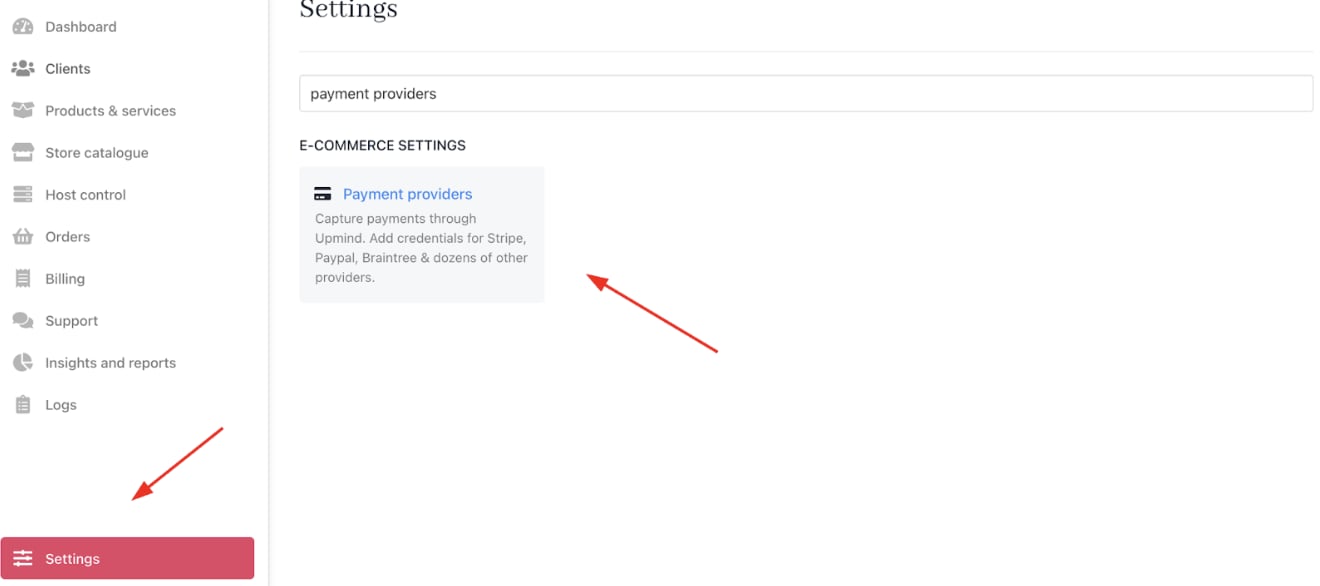
Settings > E-commerce Settings > Payment Providers
- Click Add payment provider and configure payment gateways like Stripe, PayPal, or offline payment methods.

Add payment provider
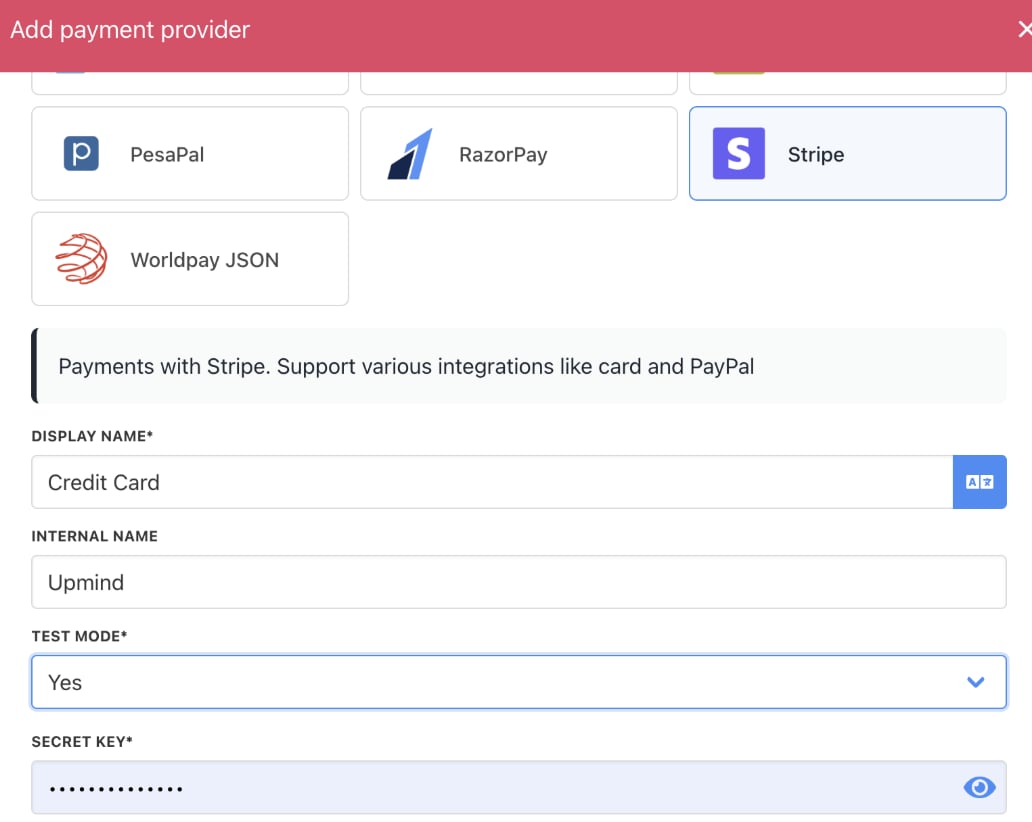
Enter payment provider details
Add hosting products and packages
- Go to Host Control > Web Hosting > Hosting Packages.
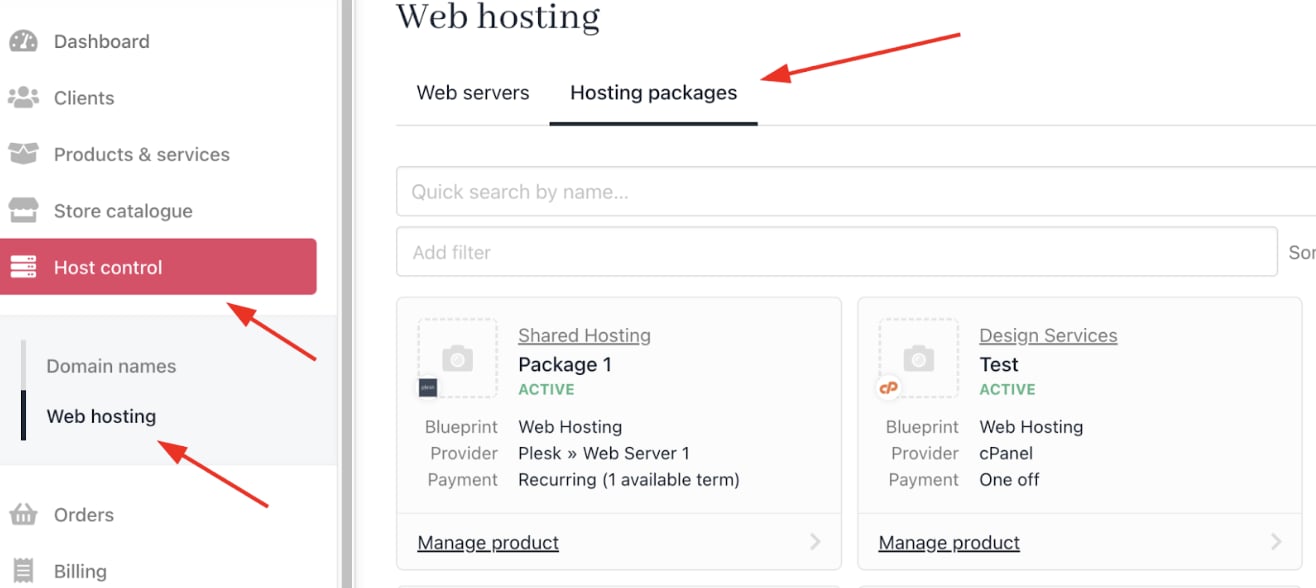
Host Control > Web Hosting > Hosting Packages
- Click Add New to create hosting plans (e.g., shared hosting, VPS, dedicated servers).
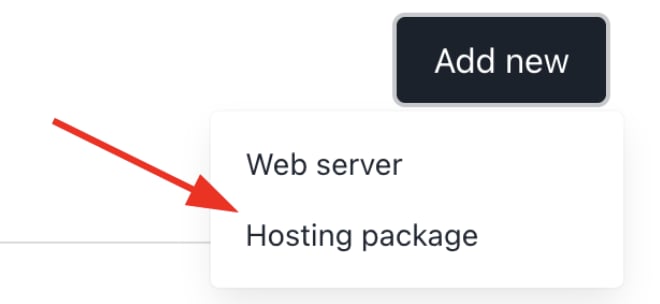
Add new > Hosting package
- Create a new Product Category or choose an existing one. Then choose product type, product name, and a description.
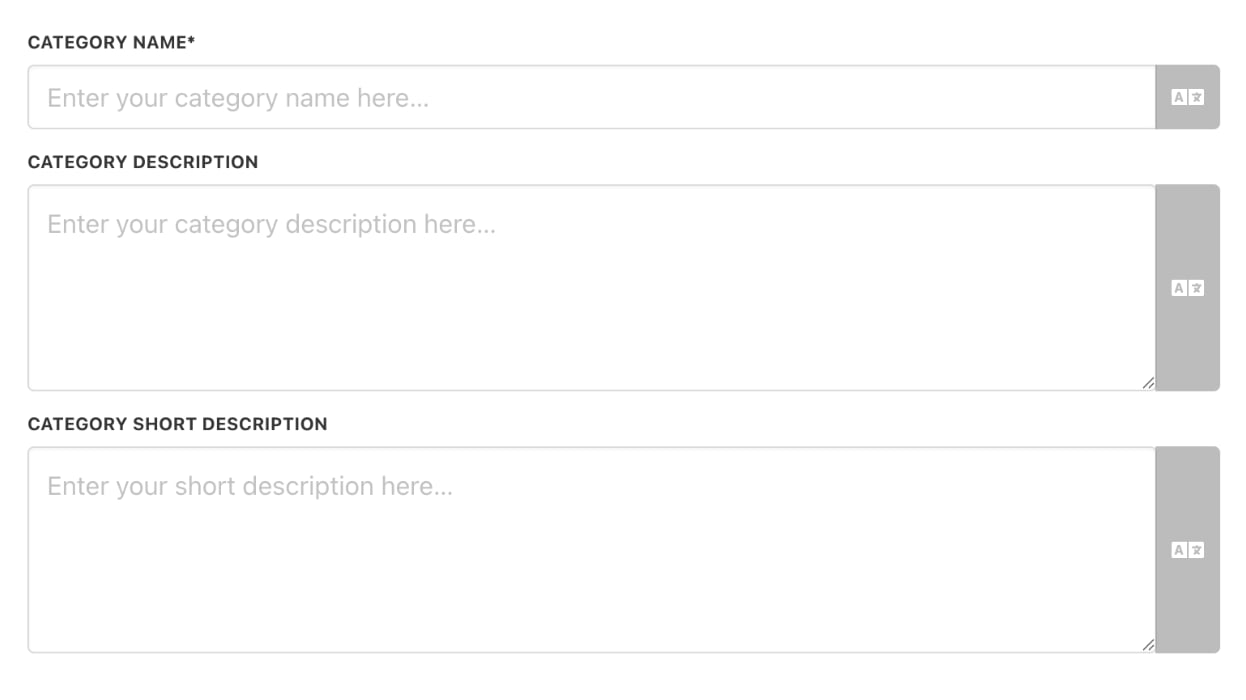
Enter product category details
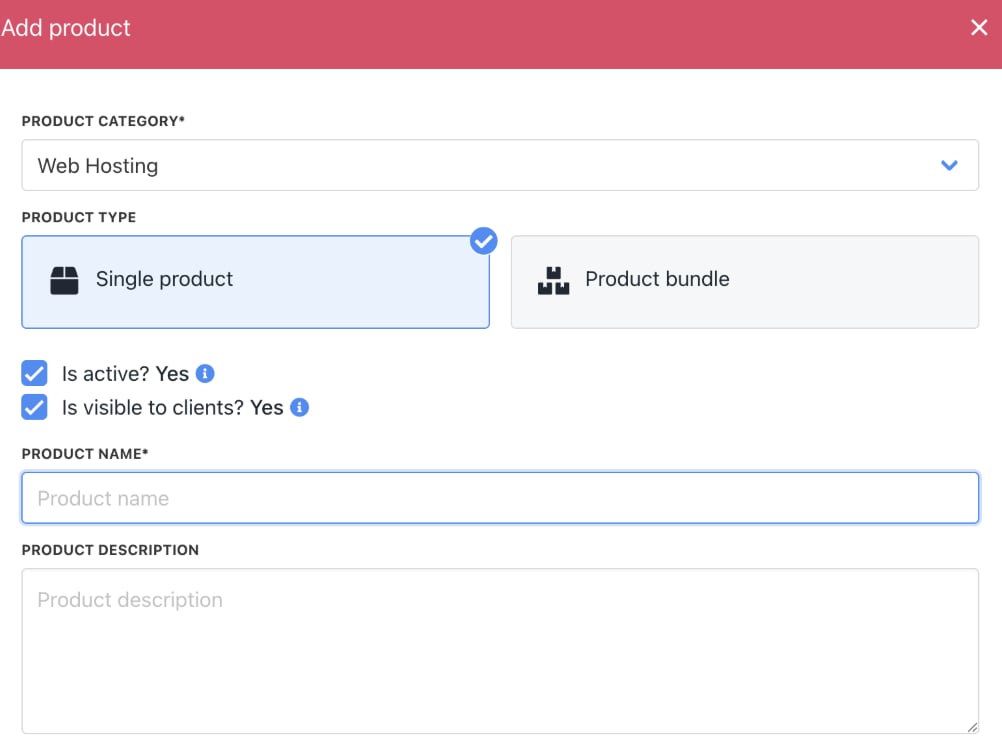
Enter product details
- Go to Product Details to add an image.
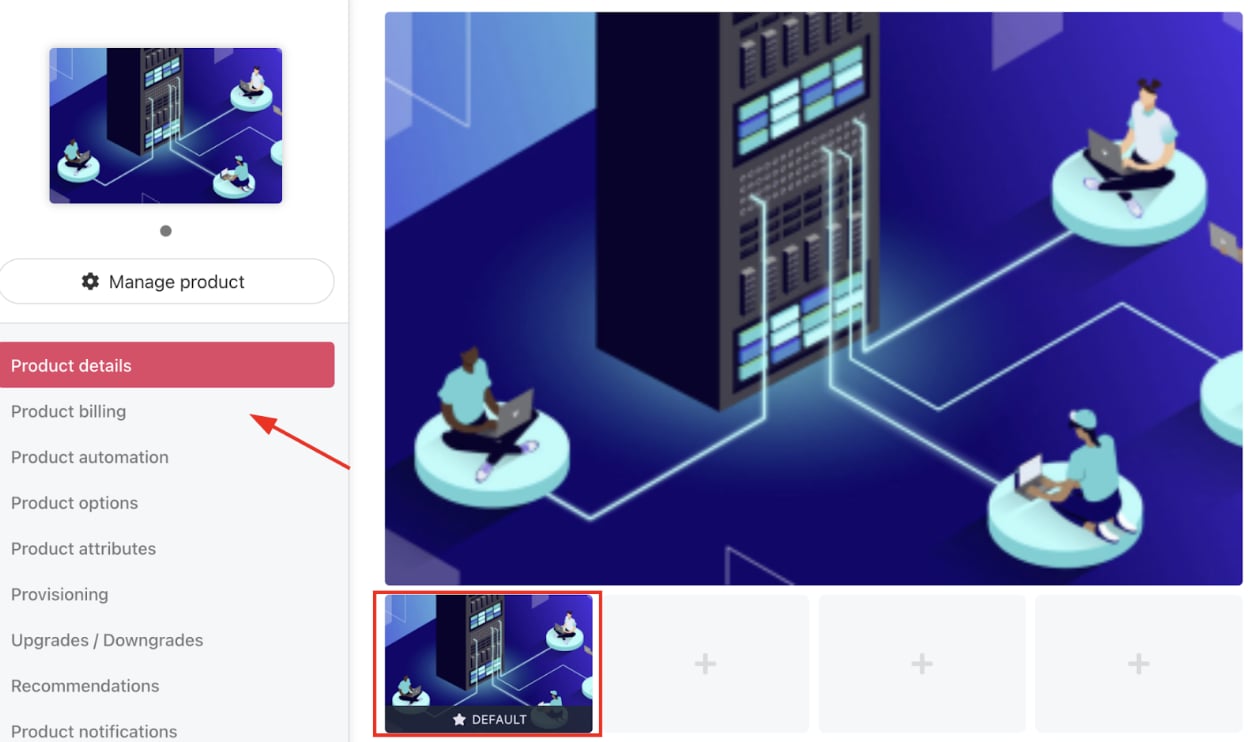
Add product image
- Go to Product Billing to include pricing and billing cycles (monthly, quarterly, annually).
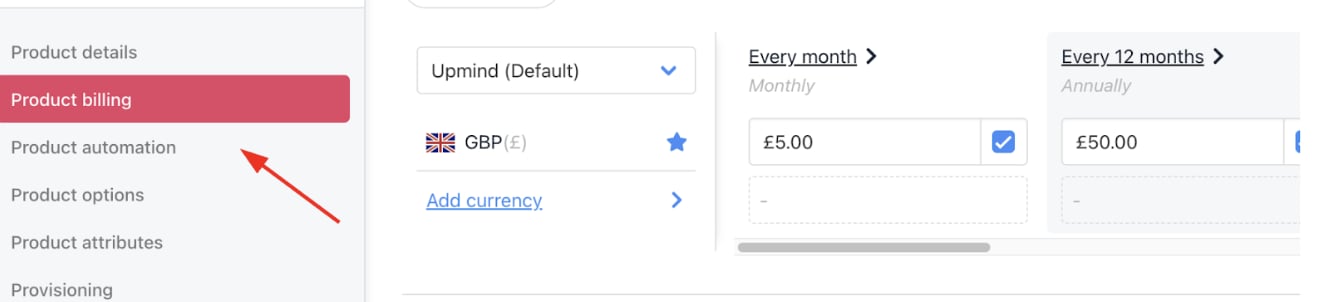
Add product pricing
- Go to Provisioning to choose your Provision Blueprint and Provider.
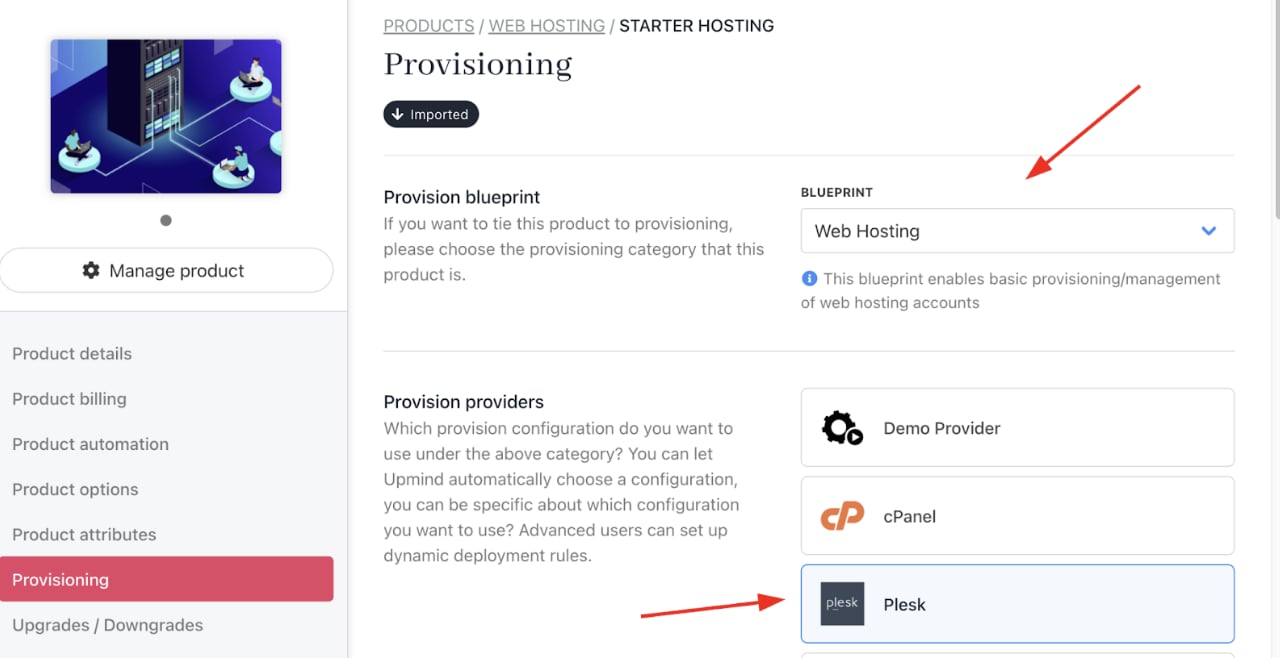
Choose provision blueprint and provider
- Select the Configuration Mode and choose your Provider Configuration (the Web Hosting that you created).
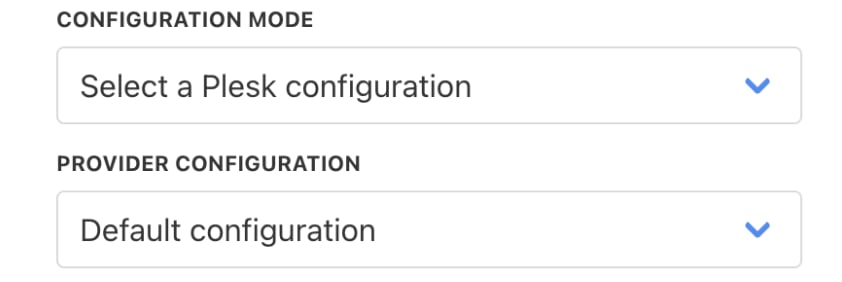
Choose configuration mode
- You can keep the Setup Functions as Default, and Order Setup Fields as Inherit from Category.
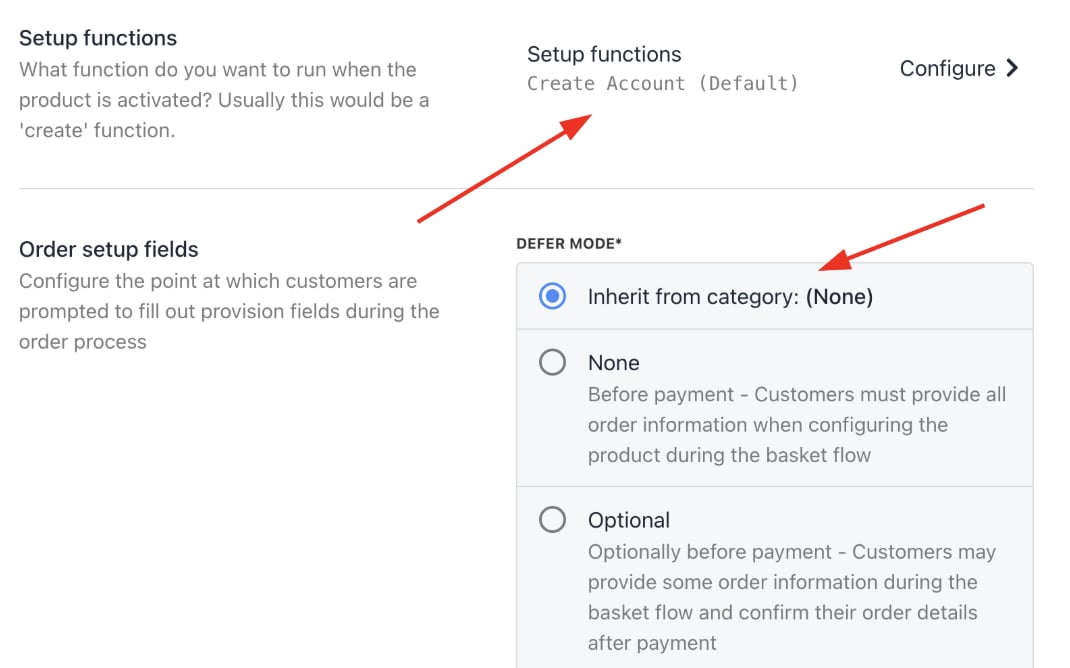
Setup functions and order setup fields
- Under Provision Fields, you need to configure your Package Identifier. You can create the Package with all the details (for example, disk space, monthly bandwidth limit, etc.) from your panel. Add the Package Name to the Package Identifier.
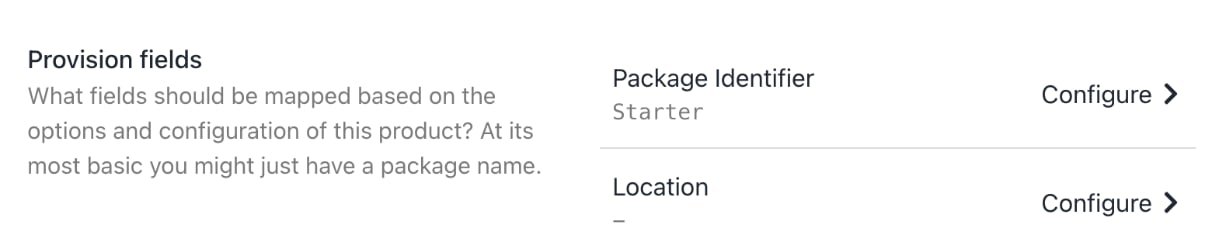
Package identifier
Connect domain registrar providers
- Navigate to Host Control > Domain Names > Registrars.
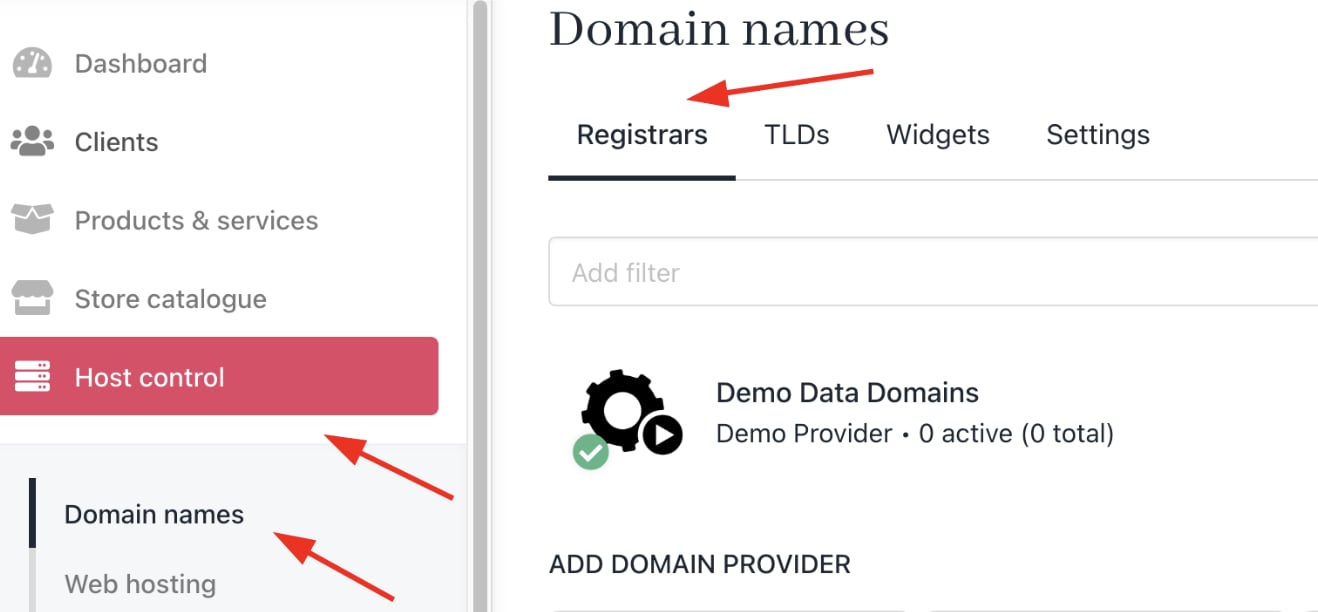
Host Control > Domain Names > Registrars
- Add Registrar Providers you work with (e.g., Hexonet, CentralNic, ConnectReseller).
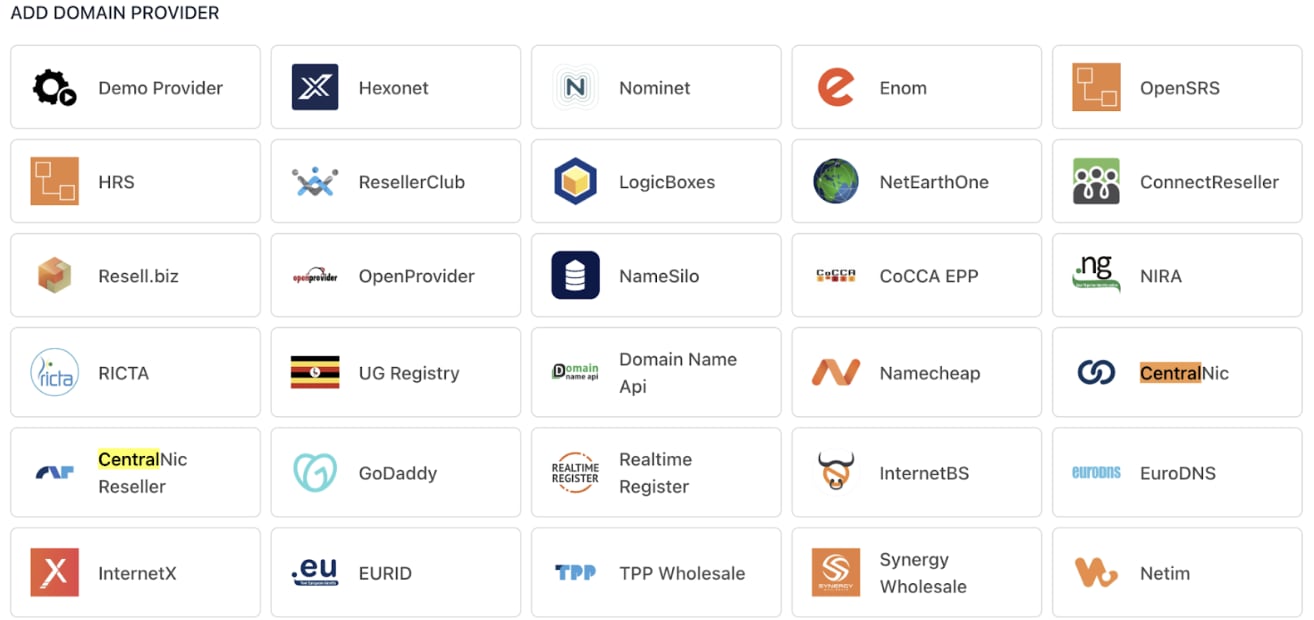
Domain provider
- Enter Provision Configurations, such as account credentials and API keys, to enable automated domain registration and management within Upmind.
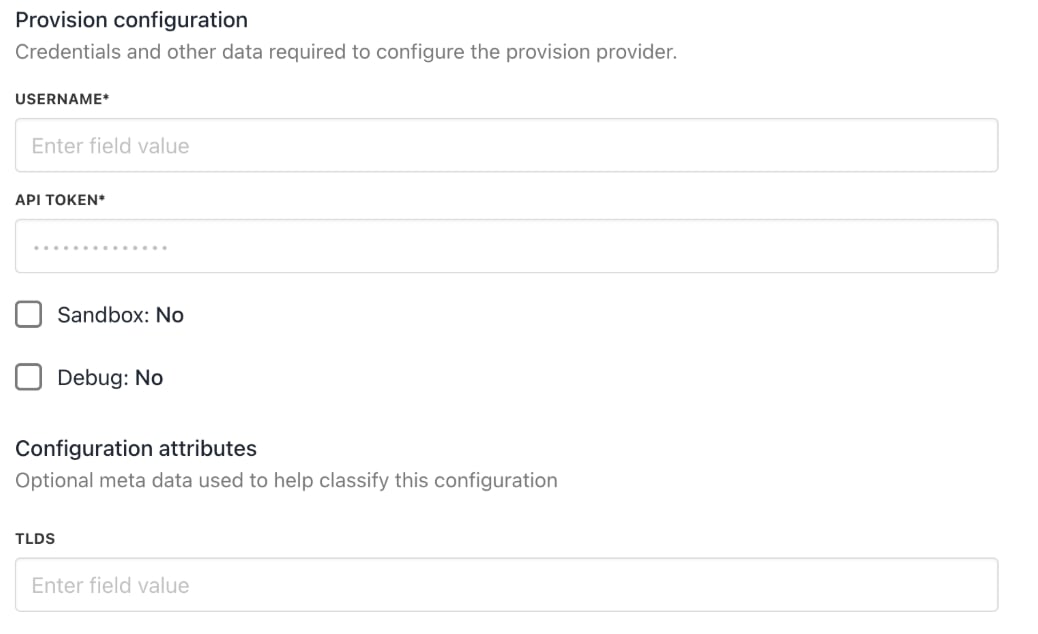
Provision configurations
Manage client accounts and support
- Add clients manually under Clients > Add New.

Clients > Add New
- Associate clients with hosting packages and contracts to trigger correct billing and provisioning.
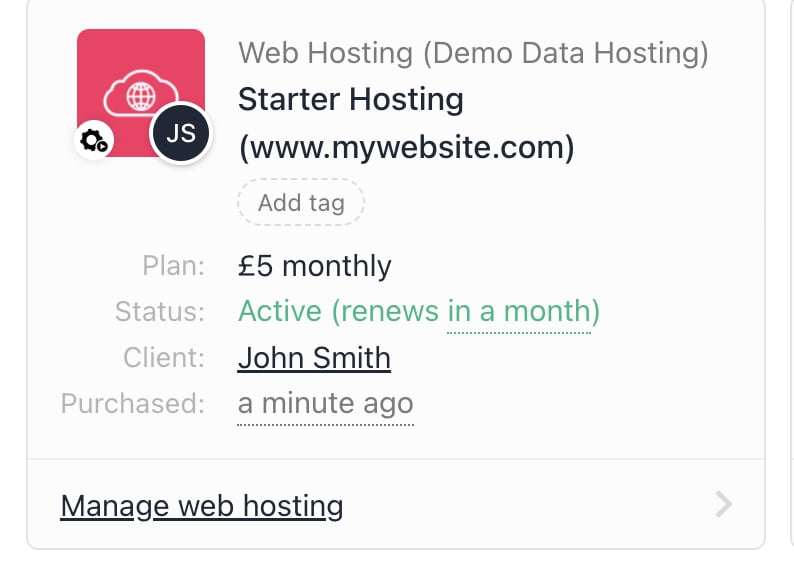
Client association
- You can configure email piping for support tickets by going to Settings > Support Departments under Branding and Customisation.
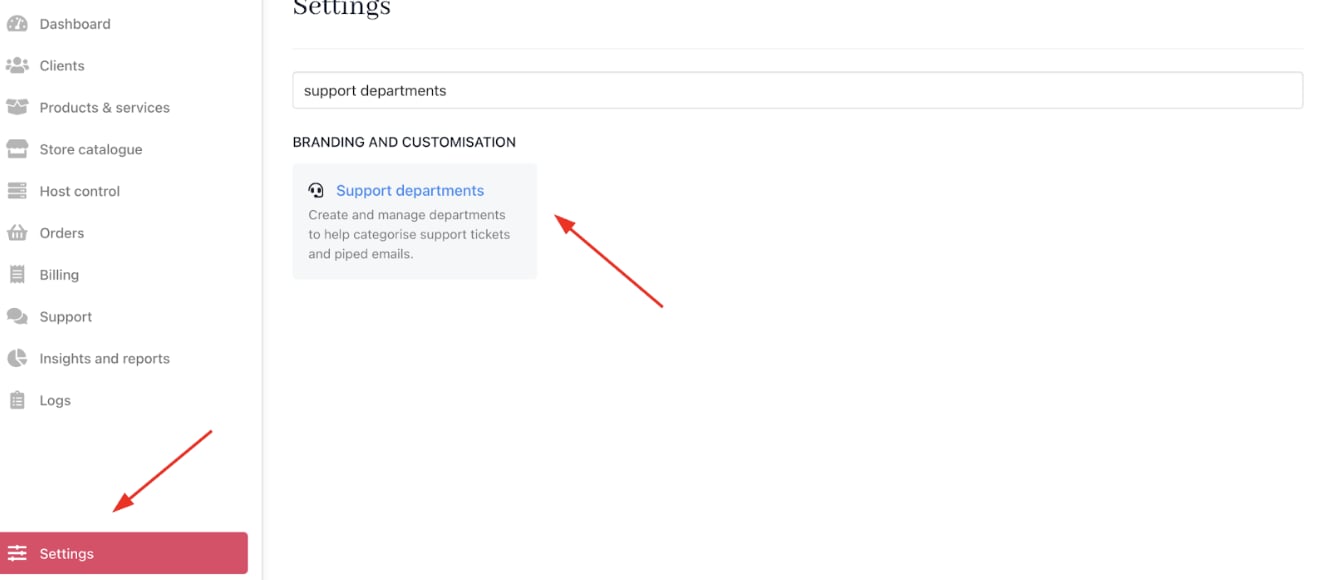
Settings > Branding and Customisation > Support Departments
- You can also implement Upmind’s built-in ticketing system to handle customer inquiries or technical support. Tickets link to client records for holistic case management.
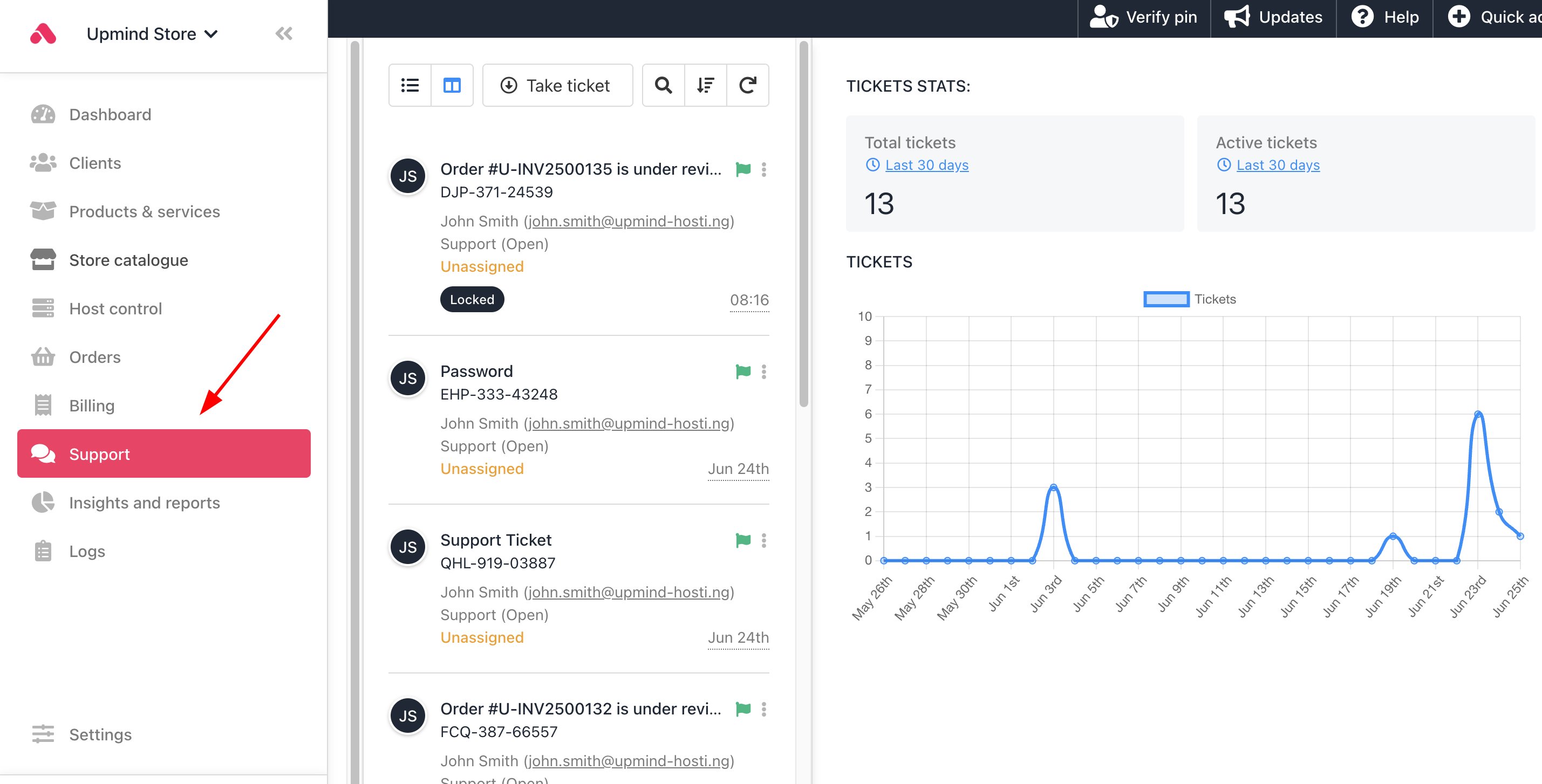
Support tickets
Launch your online store
- List hosting packages and additional services for customer self-service ordering.
- Customise pricing, offers, and promotions to attract new customers.
- Configure checkout flow, payment options, and communication templates.
- You can check the customer journey by impersonating a client and seeing the purchase process.
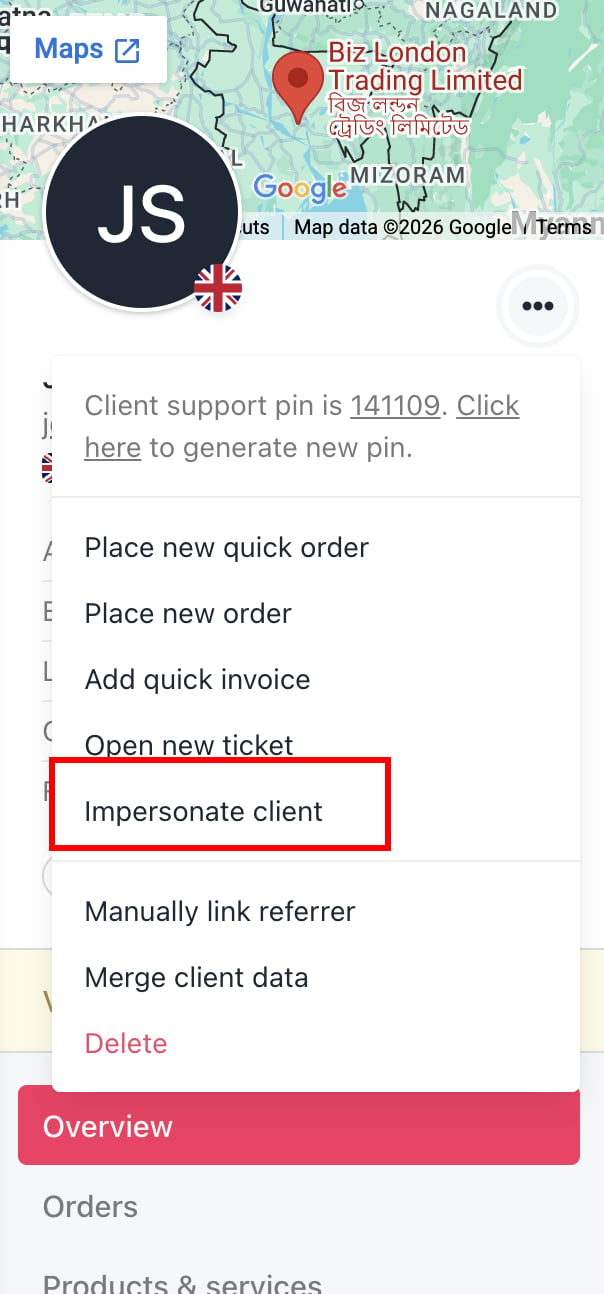
Impersonate clients
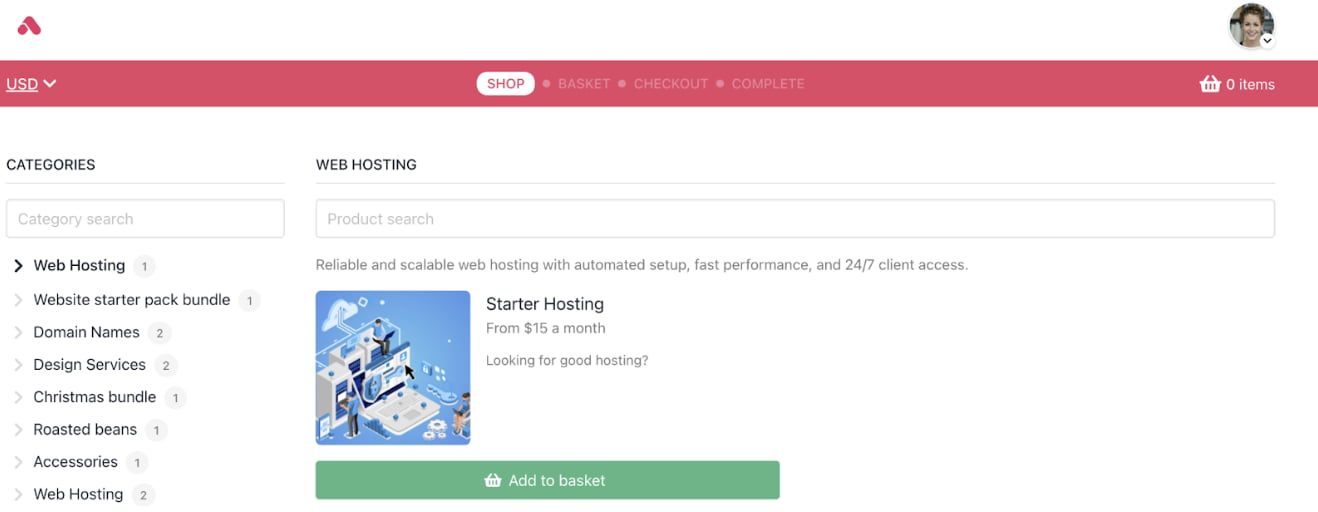
Customer journey
Use analytics and reporting to optimise your business
- Review Insights and Reports to track sales, client growth, revenue by product, churn, and LTV.
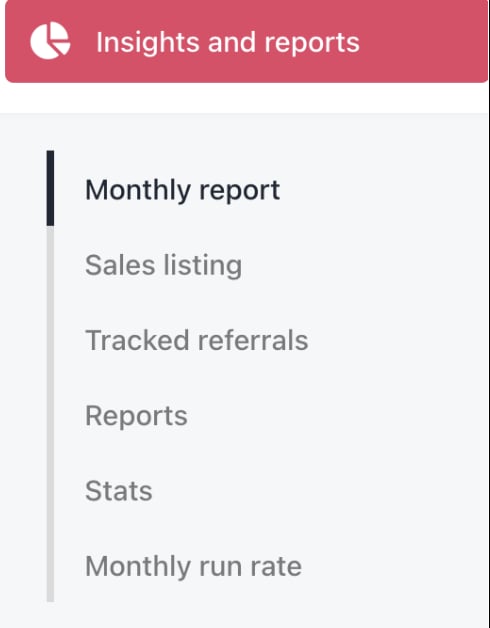
Insights and reports
- Monitor billing performance and customer payment behaviour from the Admin Dashboard.
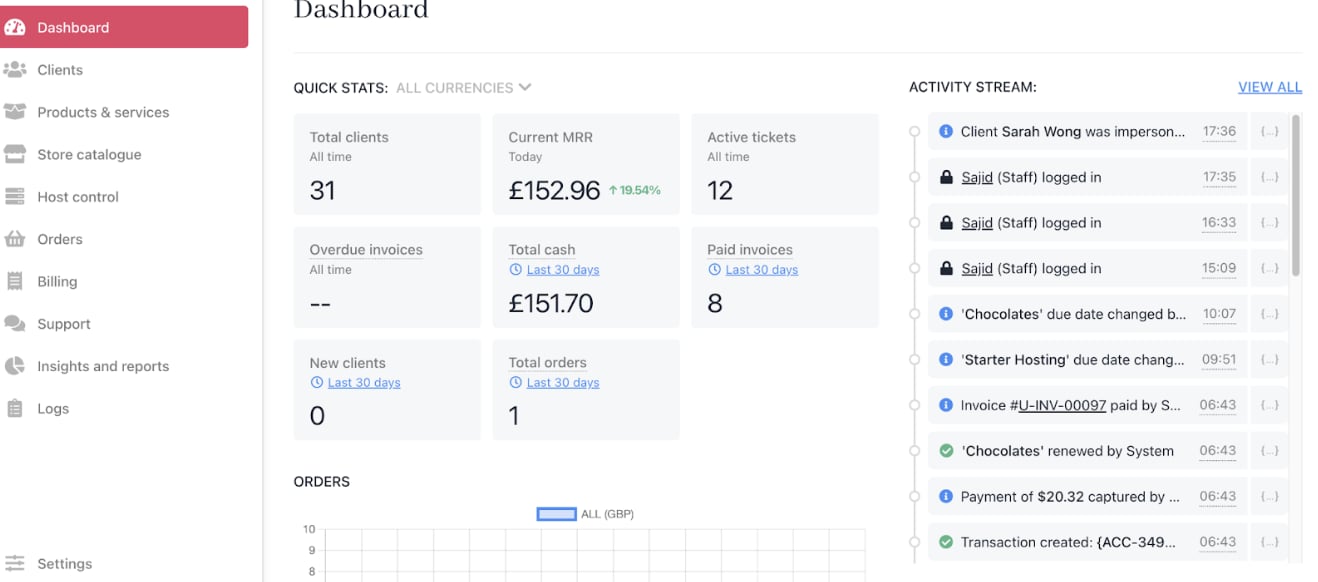
Admin dashboard
- Use Google Analytics and Tag Manager integrations to gain website and portal insights.
- Adjust pricing, marketing, or support strategies based on data.