

Changing a password
- Log in to your Upmind admin dashboard.
- Click the logo at the bottom of the left pane.
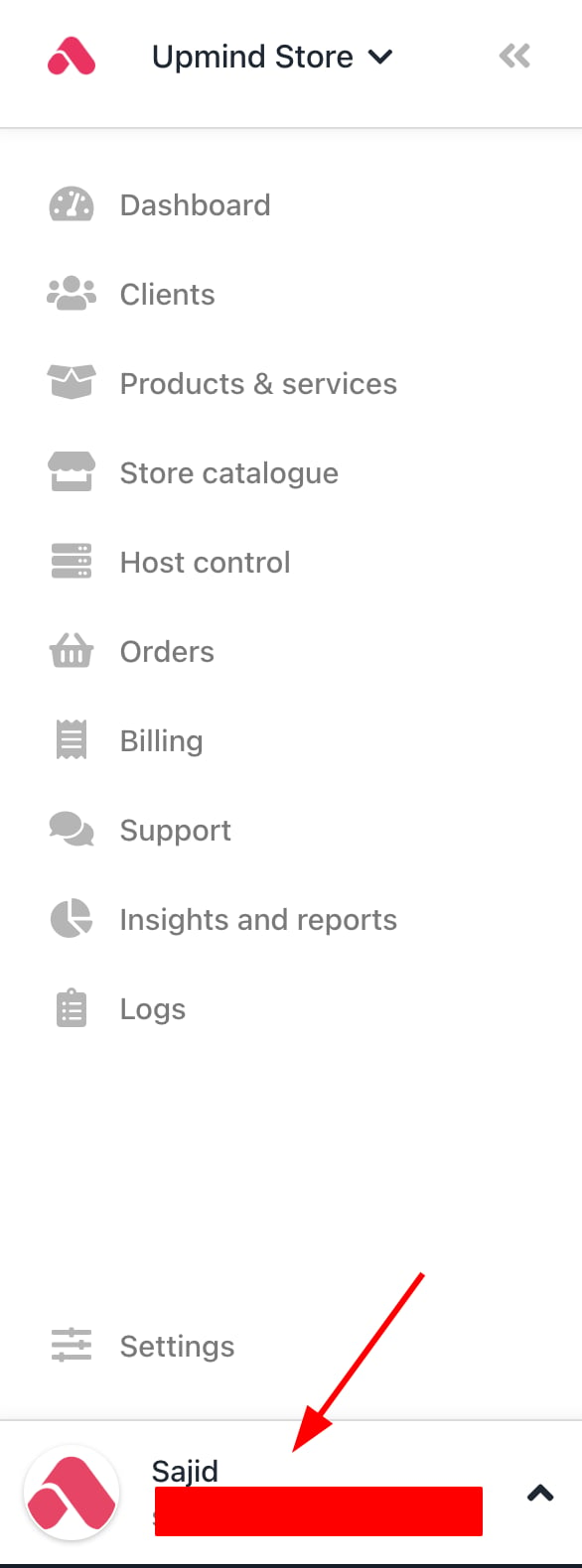
Click logo
- Click My Account.
- Click the Security tab under the avatar.
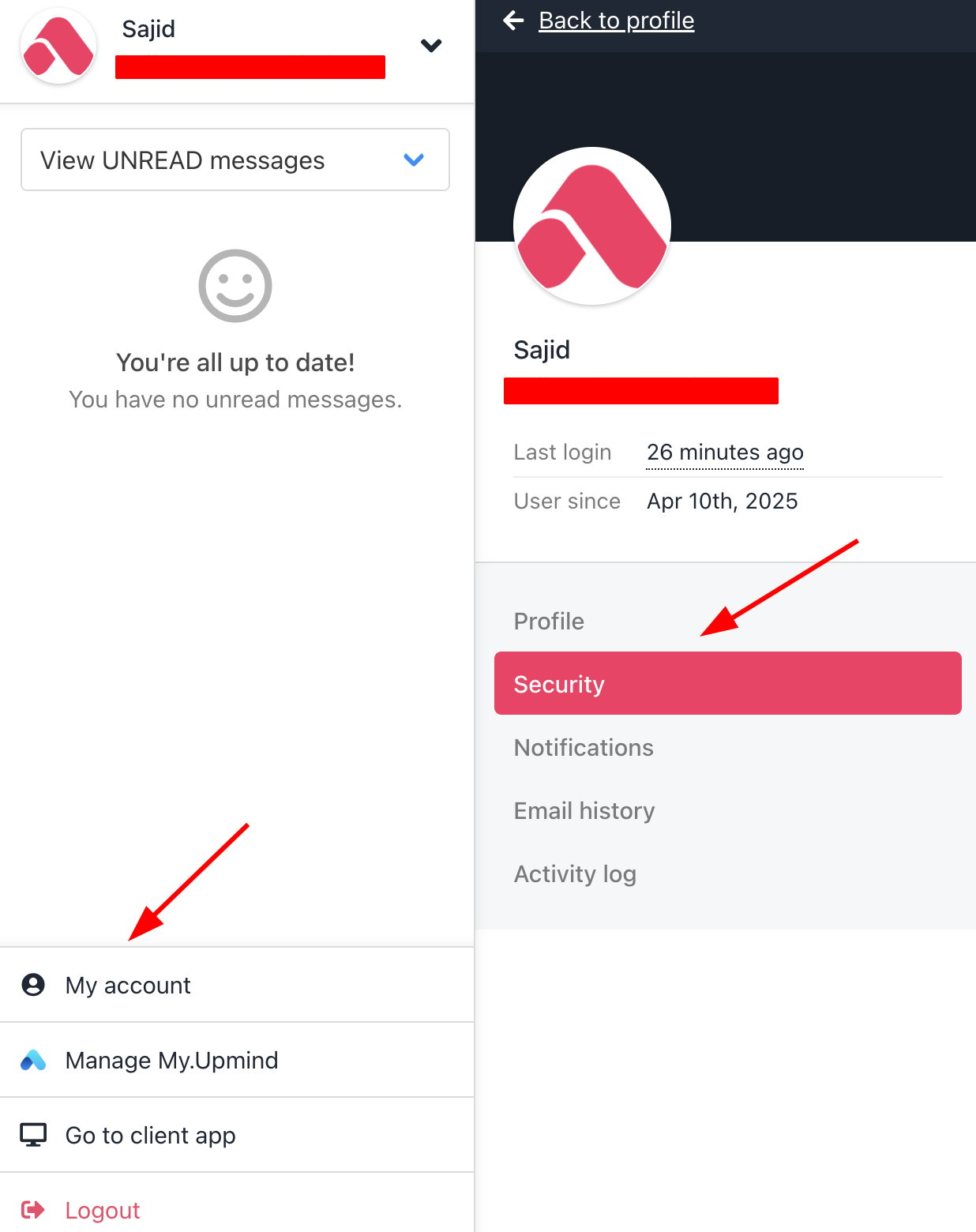
My Account > Security
- Enter the old and new passwords. Make sure the new password format generates a green check for each security line.
- Click Change password.
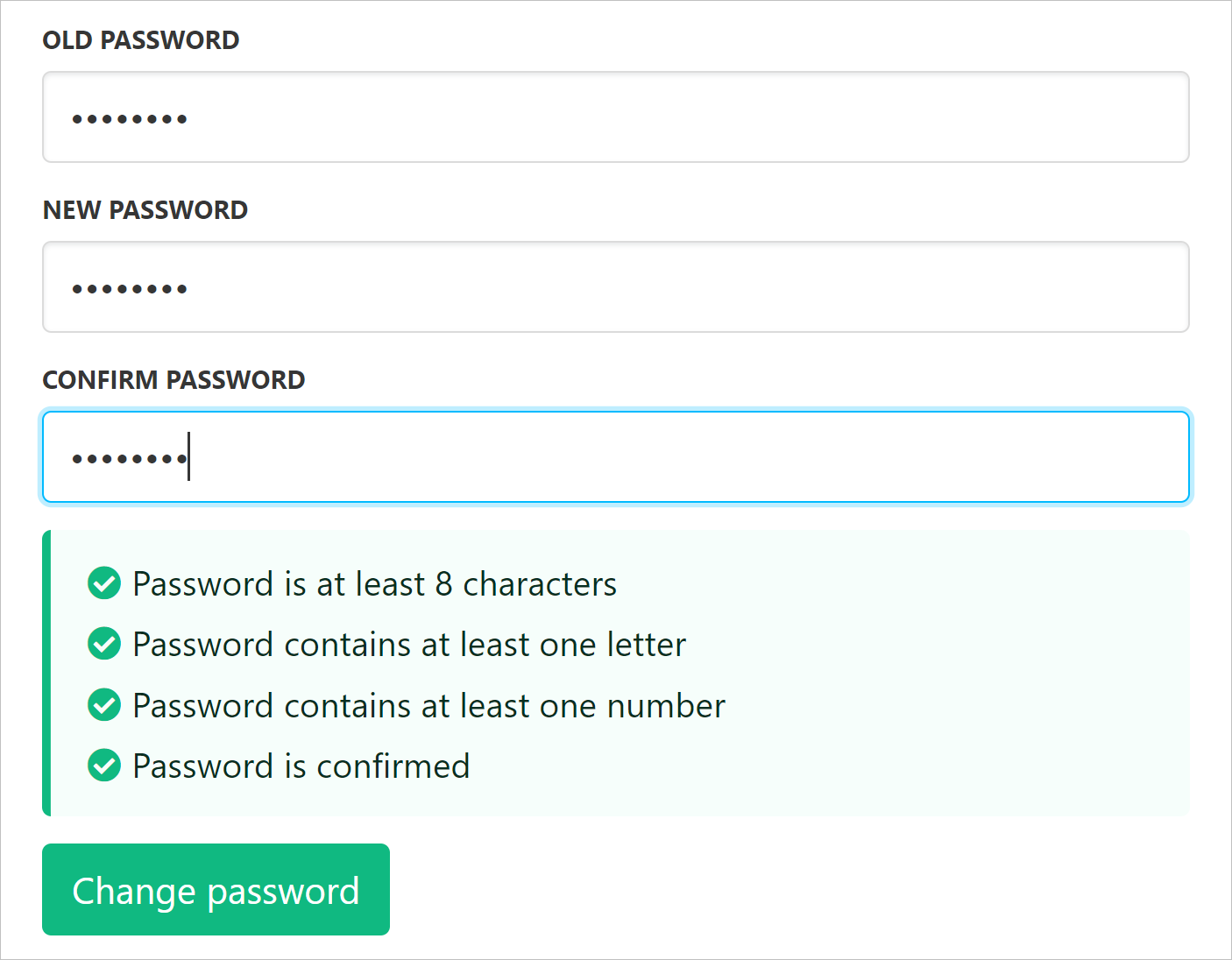
Green check for each security line