

Getting dLocal credentials
- Log in to your dLocal dashboard.
- Navigate to Settings > Integration.
- Locate your x-login, x-trans-key, and secret key.
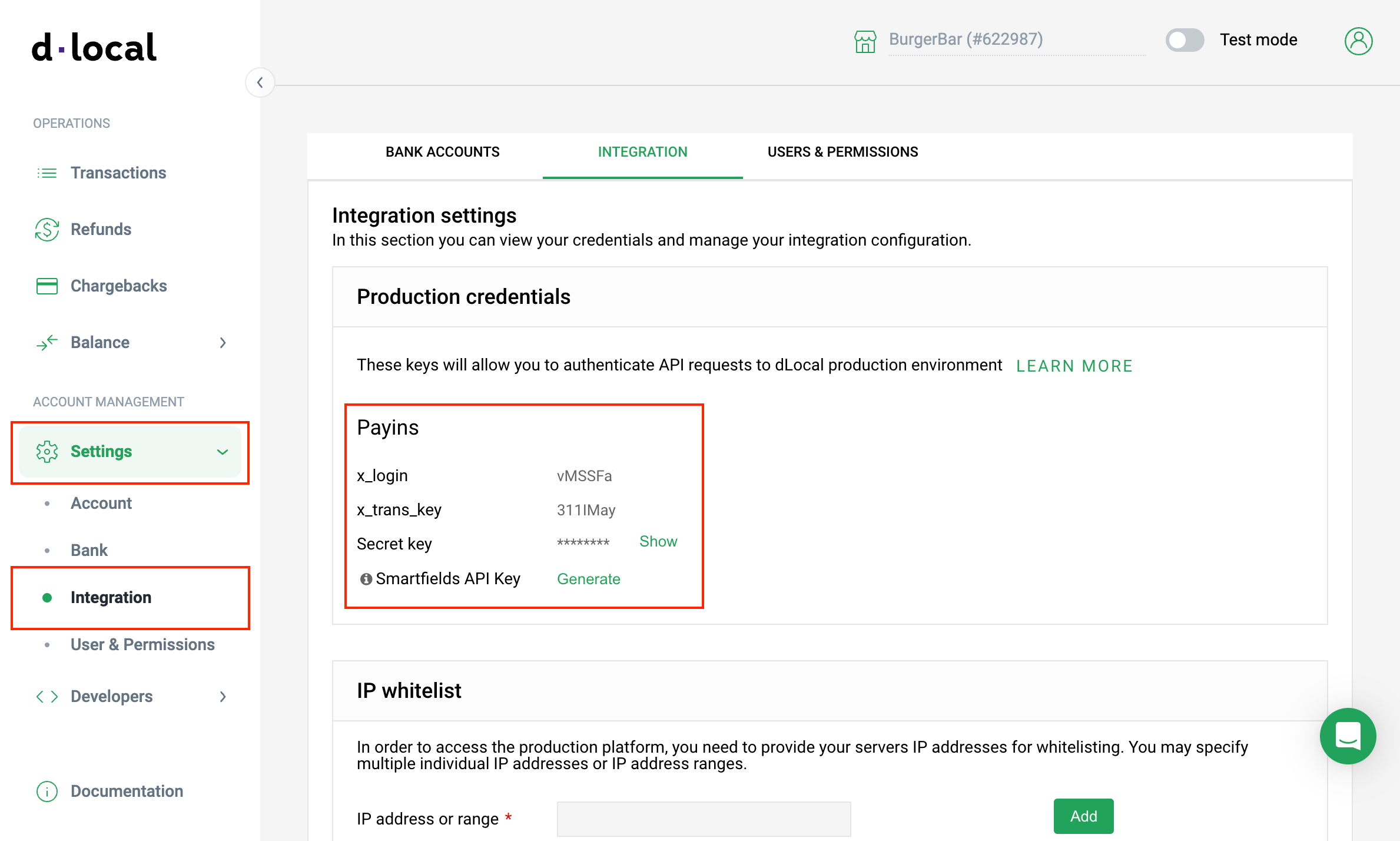
Settings > Integration
Adding dLocal in Upmind
- Go to Settings > Payment Providers in your Upmind admin area.
- Click Add Payment Provider and select dLocal.
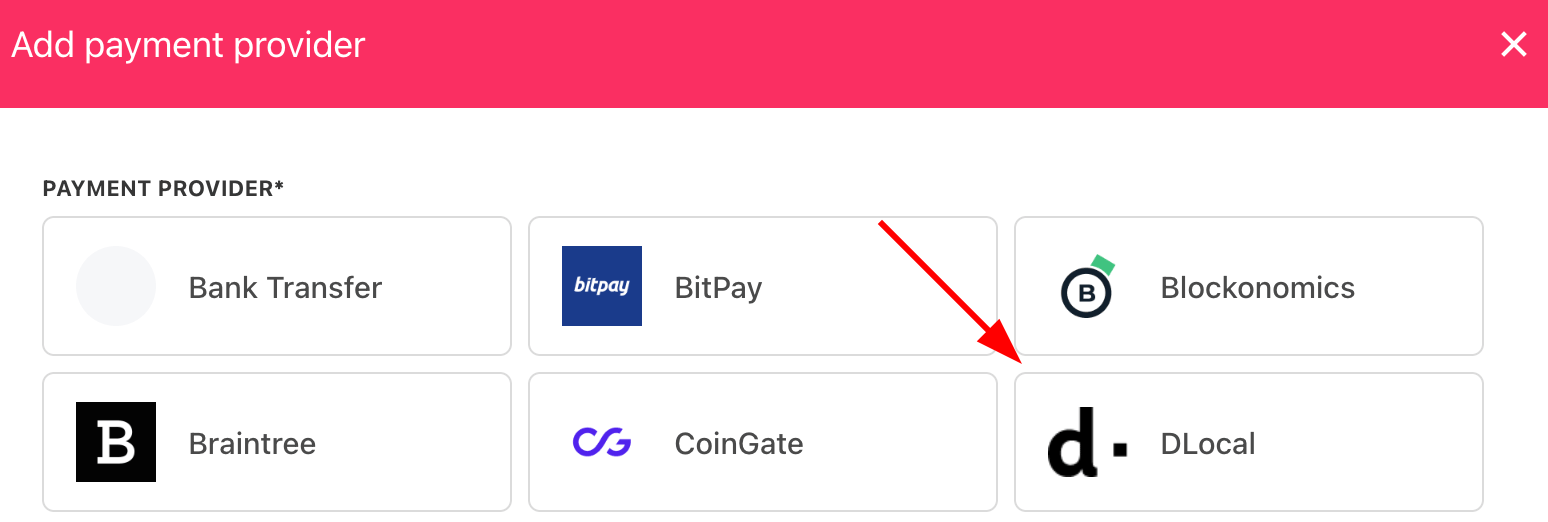
Select payment provider
Configure details
- Enter a display name. We suggest dLocal.
- Select the appropriate Test Mode option.
- Enter your x-login, x-trans-key, and secret key from your dLocal dashboard.
- (Optional) Click Test Credentials to verify your connection.
- (Optional) Add supported currencies.
- (Optional) Enter payment instructions for your customers.
- Click Create to activate dLocal.
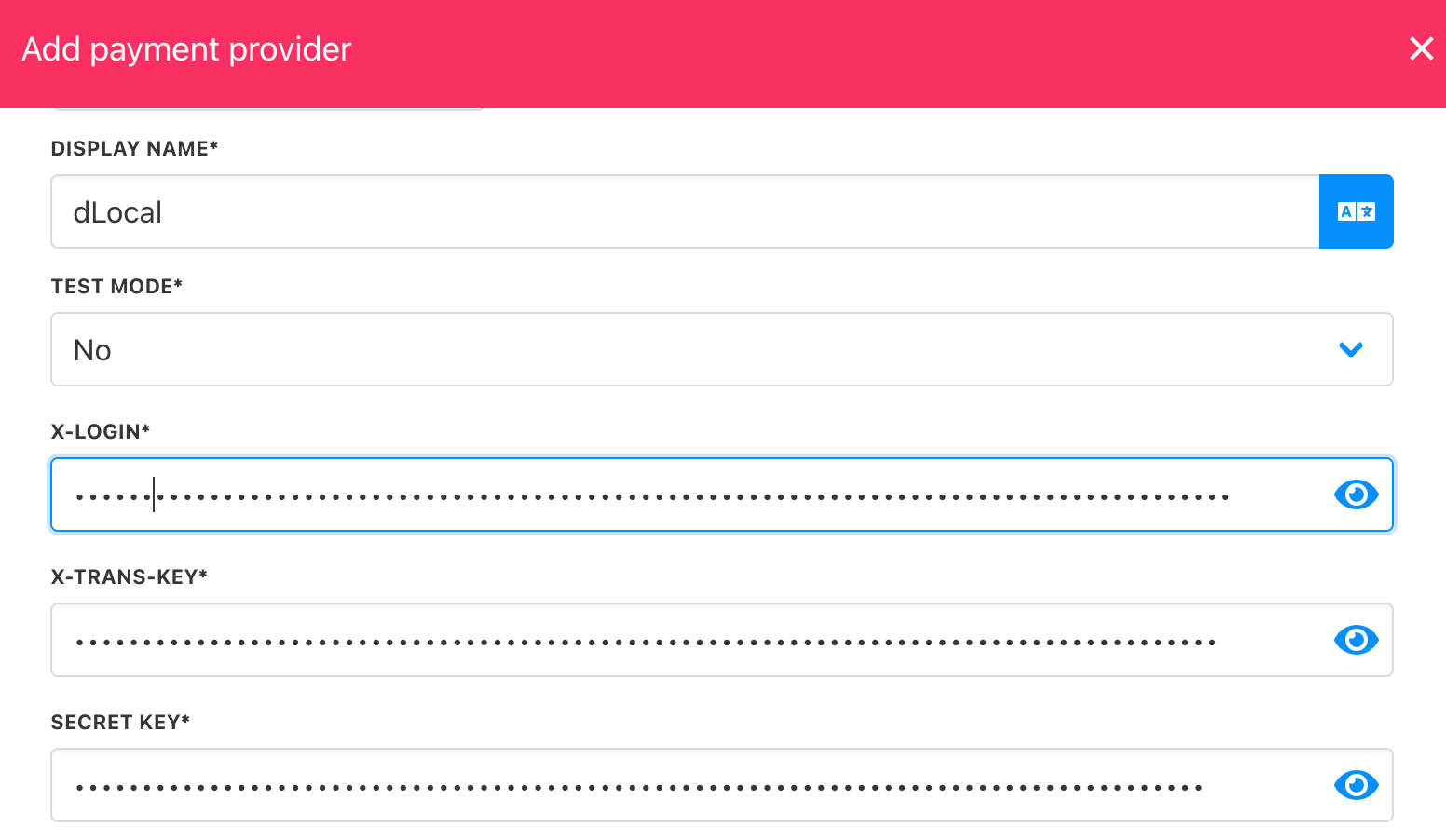
Add details
dLocal requires a document number from customers at checkout in order to process payments. Make sure the document number field is enabled on your checkout to avoid payment failures.
Editing the payment method
To update, go to Settings > Payment Providers, click the three dots next todLocal, and select Edit.