

Check payment gateway and currency support
Products require enabled payment gateways to be displayed, since customers need a payment method to complete purchases. You can verify your payment gateways under Settings > Payment Providers under E-commerce settings, to make sure they support the currencies assigned to your products (found in Product > Billing). A mismatch in supported currencies blocks product display and ordering. For detailed setup, see this guide on [topic/link].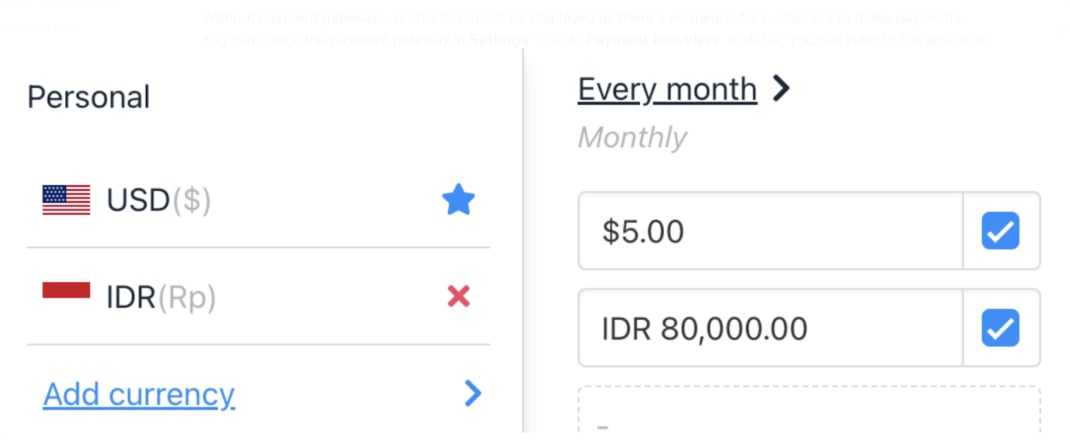
Product billing cycle in USD and IDR
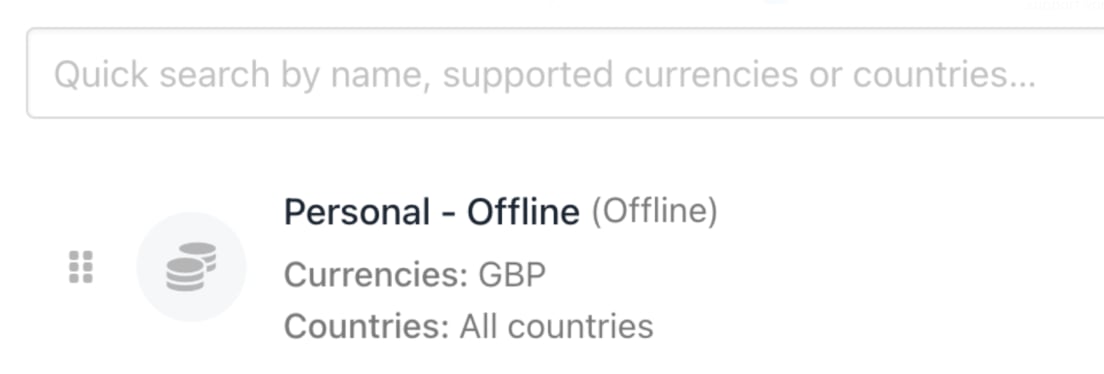
Gateway that only supports GBP
Ensure catalogue display is activated
- Go to Settings > User Interface under Branding and Customisation.
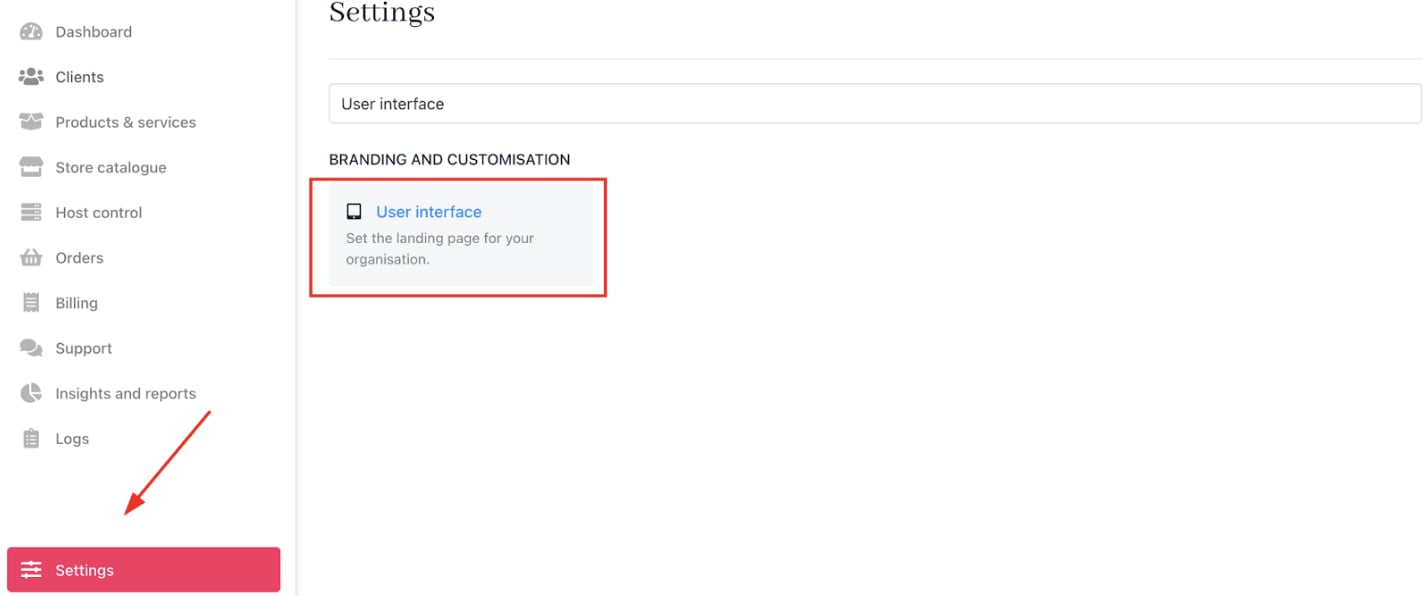
Settings > User Interface
- In the
Client Areasettings, findShow Catalog.

Show catalog
- Choose one of:
- Always Show — Catalogue visible to all visitors.
- Show to Logged in — Catalogue visible only to logged-in customers.
- Hide — Catalogue hidden from customers.