

Open the recommendations page
- Log in to the Upmind dashboard.
- Access it from the dashboard by clicking on Store Catalogue.
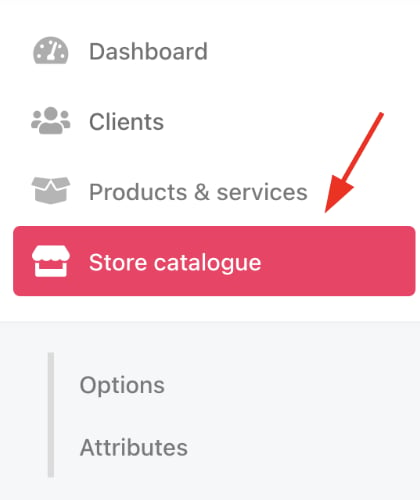
Store catalogue
- You can also click Settings and select the Product Catalogue tile under Products and Promotions.
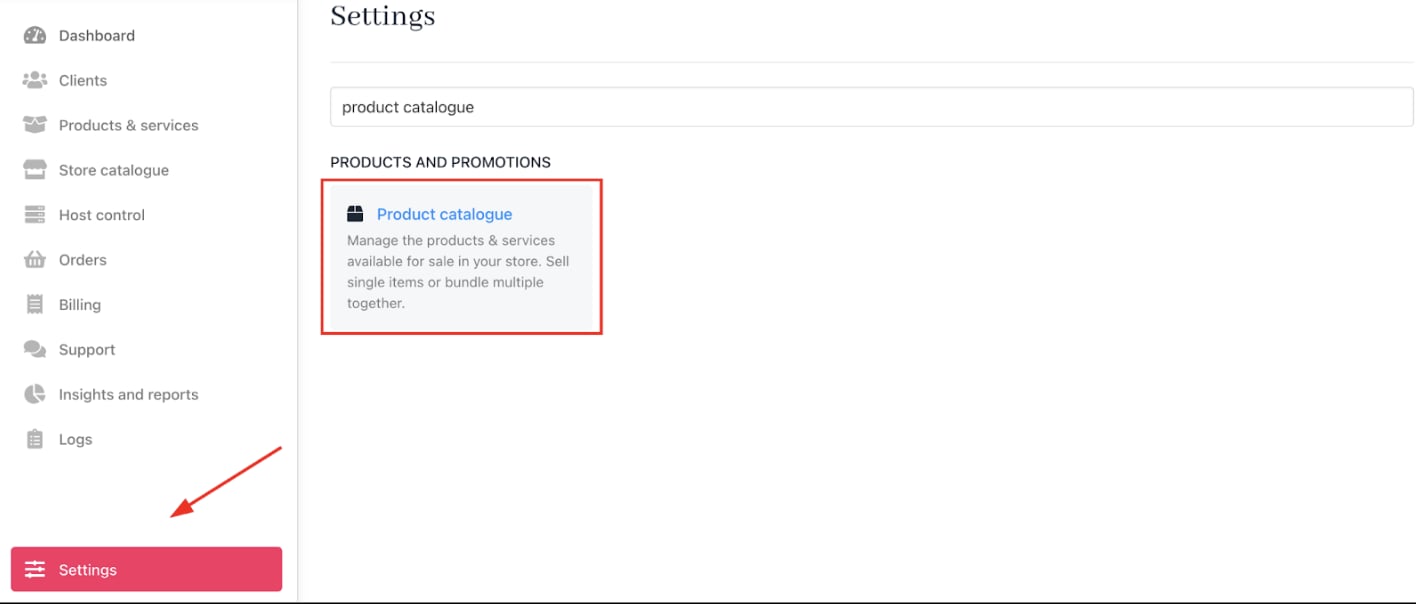
Settings > Products and Promotions > Product Catalogue
- Select the product you want to add recommendations for.
- Click Recommendations.
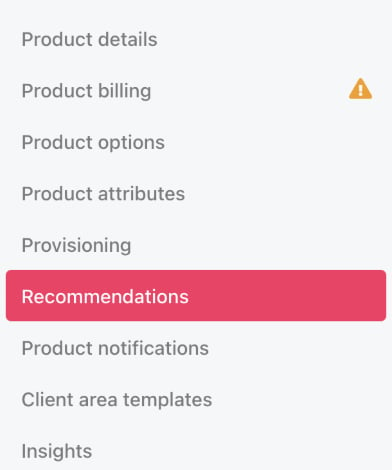
Recommendations
Create a recommendation
- Click Manage on the
Recommendationspage. - Scroll through the product catalogue and select the items to recommend alongside the base product.
- Click Save.
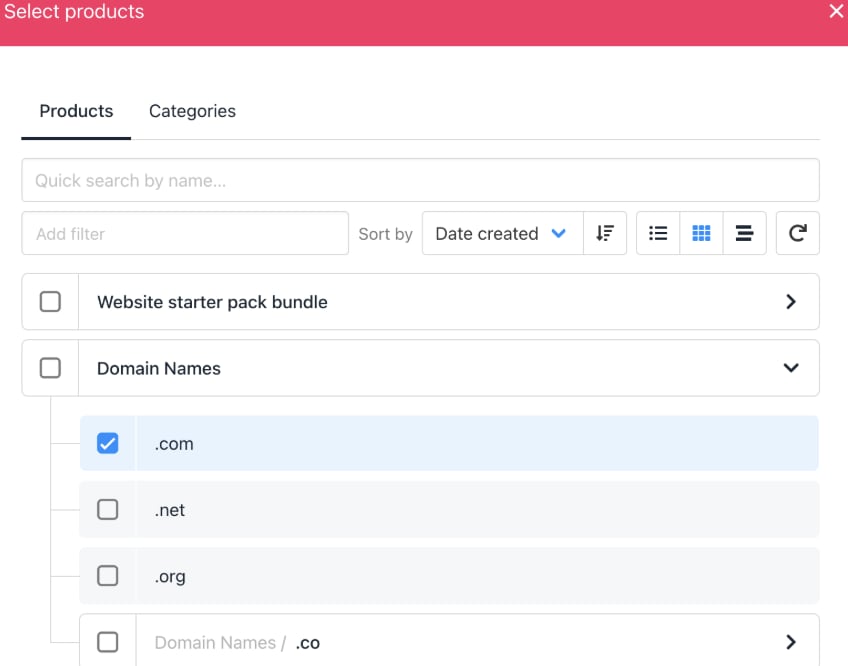
Select products
Customise recommendation text (Optional)
- Click the gear icon to edit the description shown with the recommendation popup.
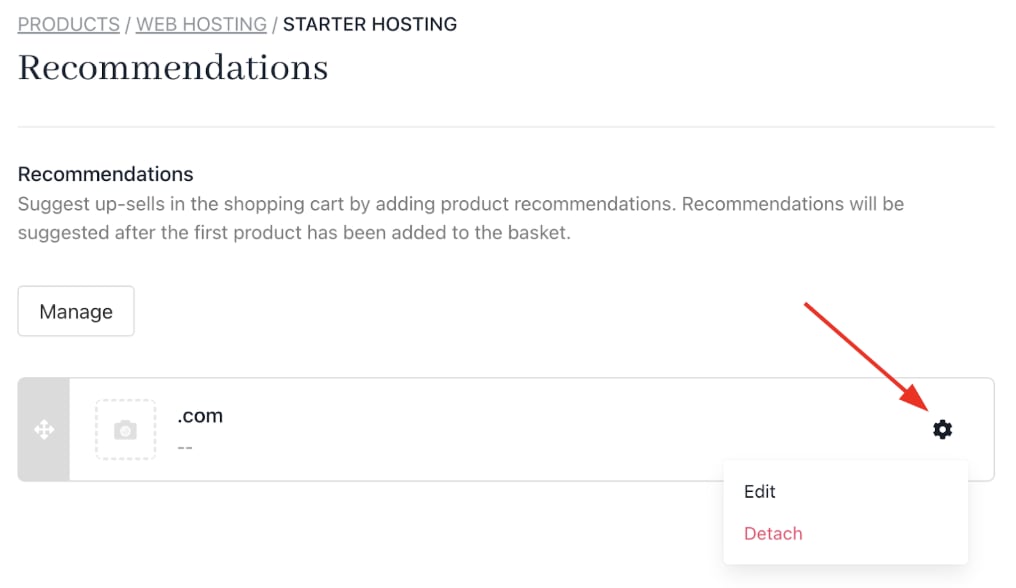
Edit recommendation
- To override the default product description, uncheck the box and enter custom text.
- The Is active box makes the product visible to customers and staff on the product/service order section.
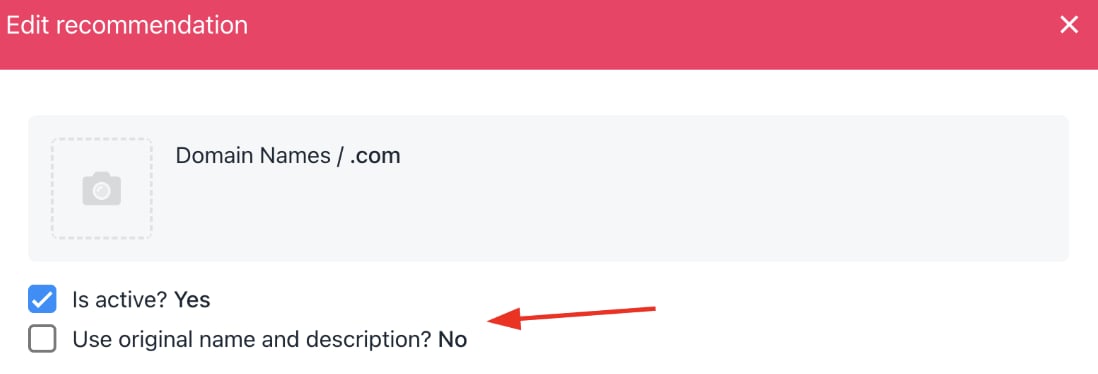
Check the box
Edit the button label (Optional)
- Click the
Labelfield on the recommendation popup settings. - Enter custom text for the action button (default is
Addto basket).
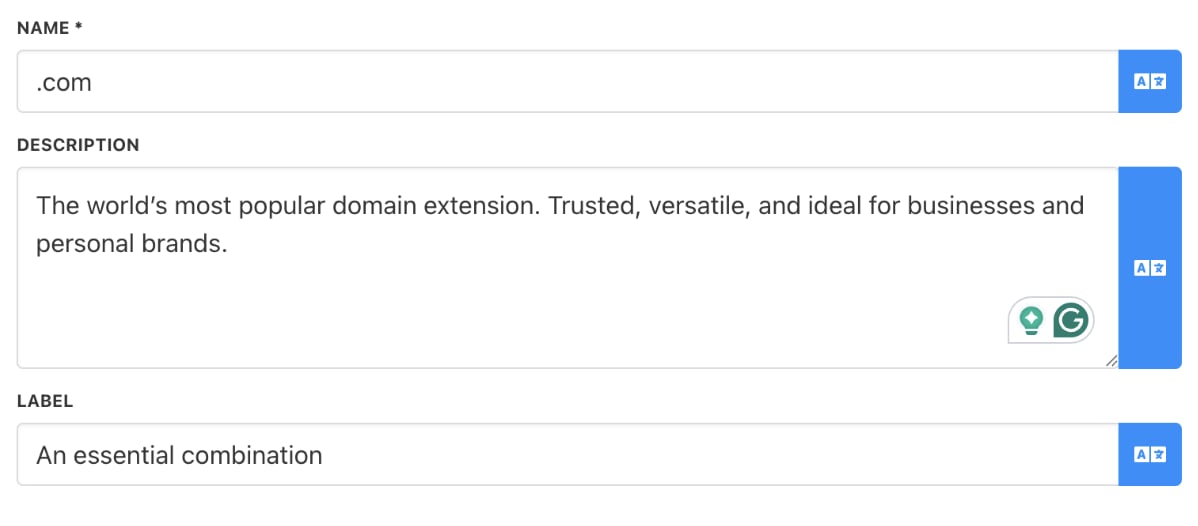
Edit button label
Customer experience
When purchasing the base product, customers see a pop-up recommending the selected products with an option to add them to their basket or proceed to checkout.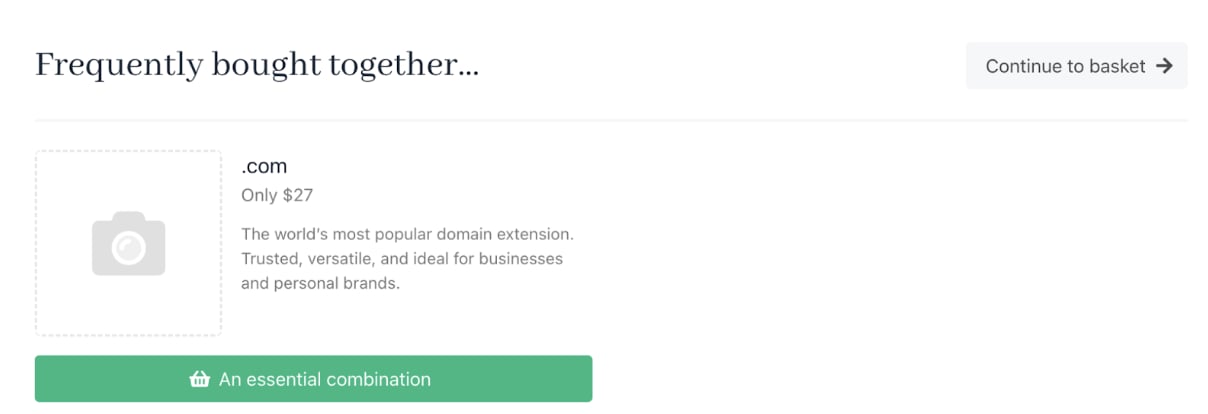
Frequently bought together