
Quickly identify and review products by manual status across your entire inventory. You can filter products and services by status, making it easy to find and manage specific groups of products without searching manually. This is especially useful for handling large product inventories where efficiency and accuracy matter.

Filtering products by status

  1. Go to Products & Services.
  2. Select the product type you want to view:
    • Subscriptions
    • One-Time Purchases
    • All
Products & Services

Products & Services

  1. Click Sort by Status.
  2. Select Product/Service Manual Status.
Sort status and choose manual status filter

Sort status and choose manual status filter

  1. Choose the relevant filter condition.
Choose filter conditions

Choose filter conditions

  1. Your results will update to show only the products with a manual status.
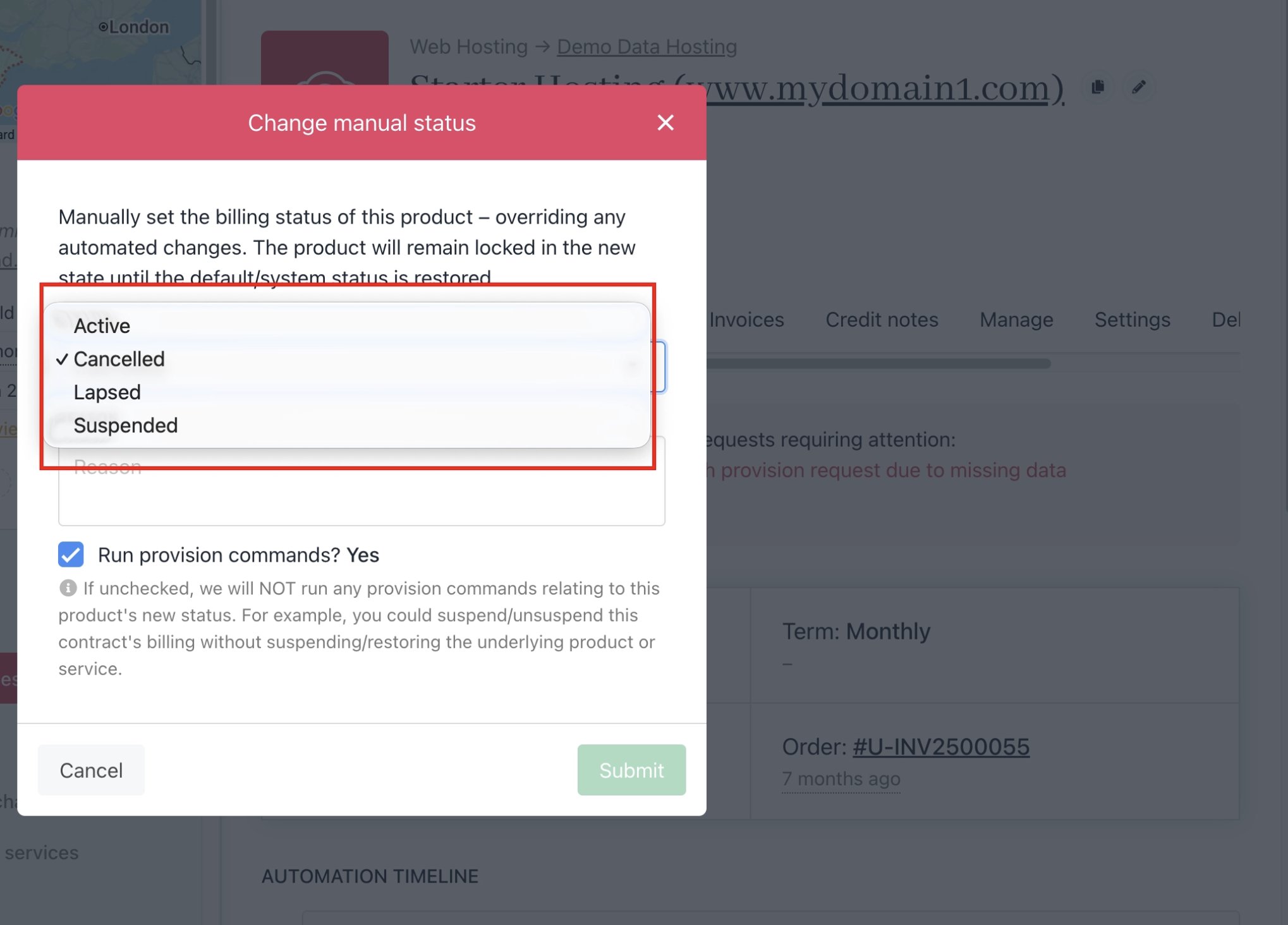
The manual status can be configured by the following statuses.
Available manual statuses

Available manual statuses

Filter conditions

The Product/Service Status filter can be configured using the following conditions: