

Setting up upgrade/downgrade paths
To allow clients to upgrade or downgrade products in the client area, specify which products are eligible.- Log in to the Upmind dashboard.
- Access it from the dashboard by clicking on Store Catalogue.
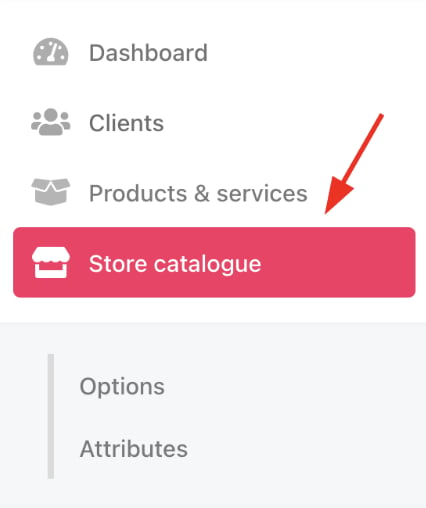
Store catalogue
- You can also click Settings and select the Product Catalogue tile under Products and Promotions.
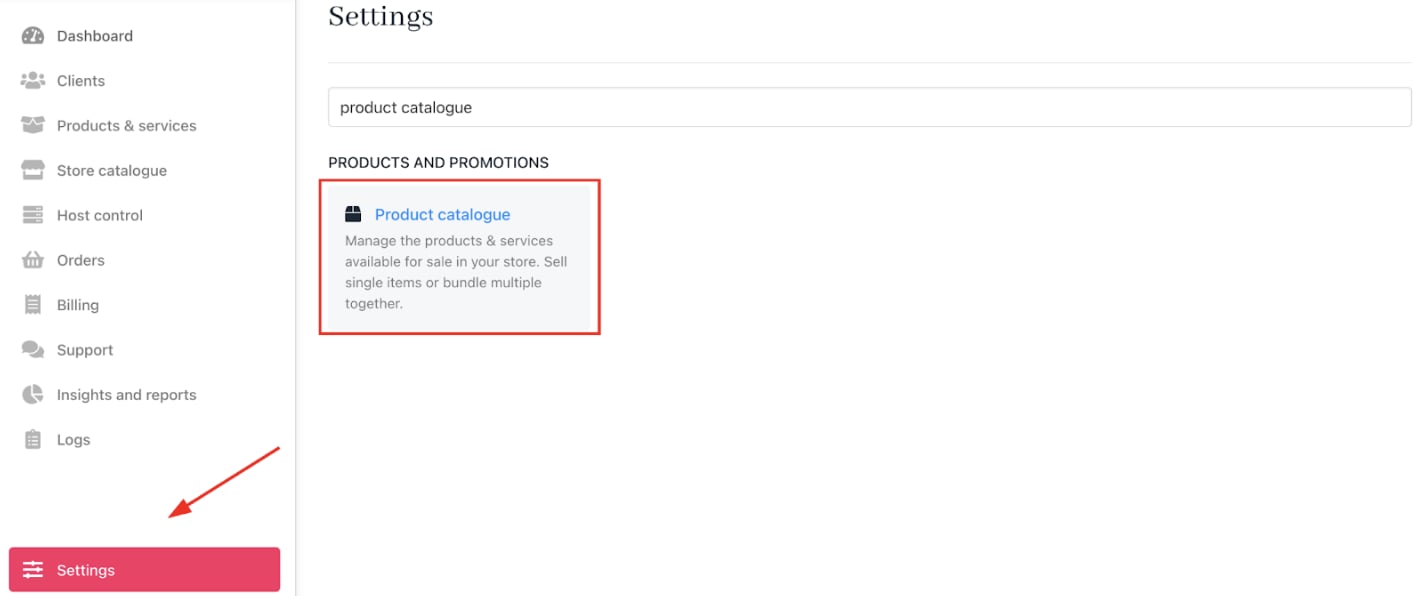
Settings > Products and Promotions > Product Catalogue
- Open
Upgrades/Downgradesand click Manage.
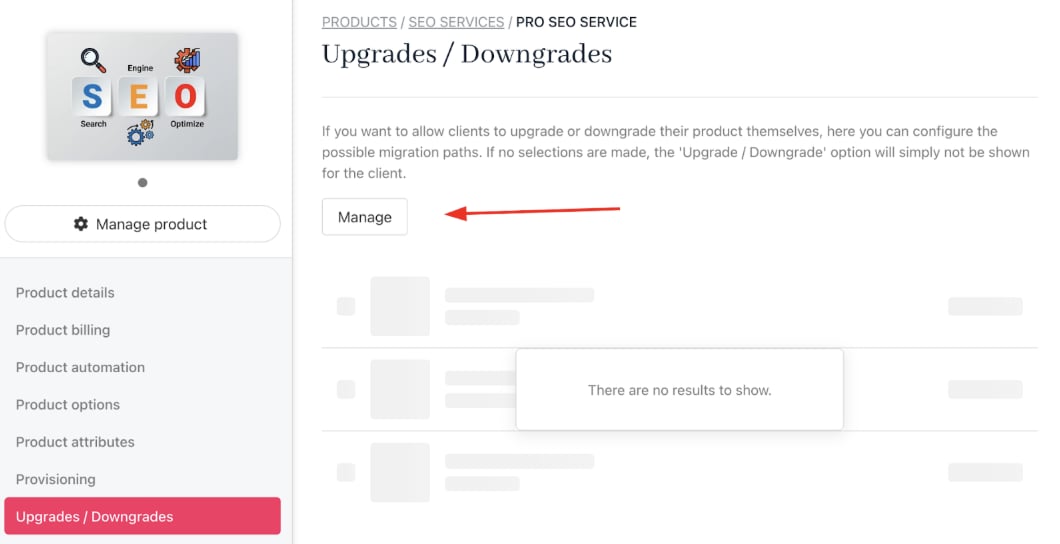
Click manage
- Select the products eligible as upgrade or downgrade options.
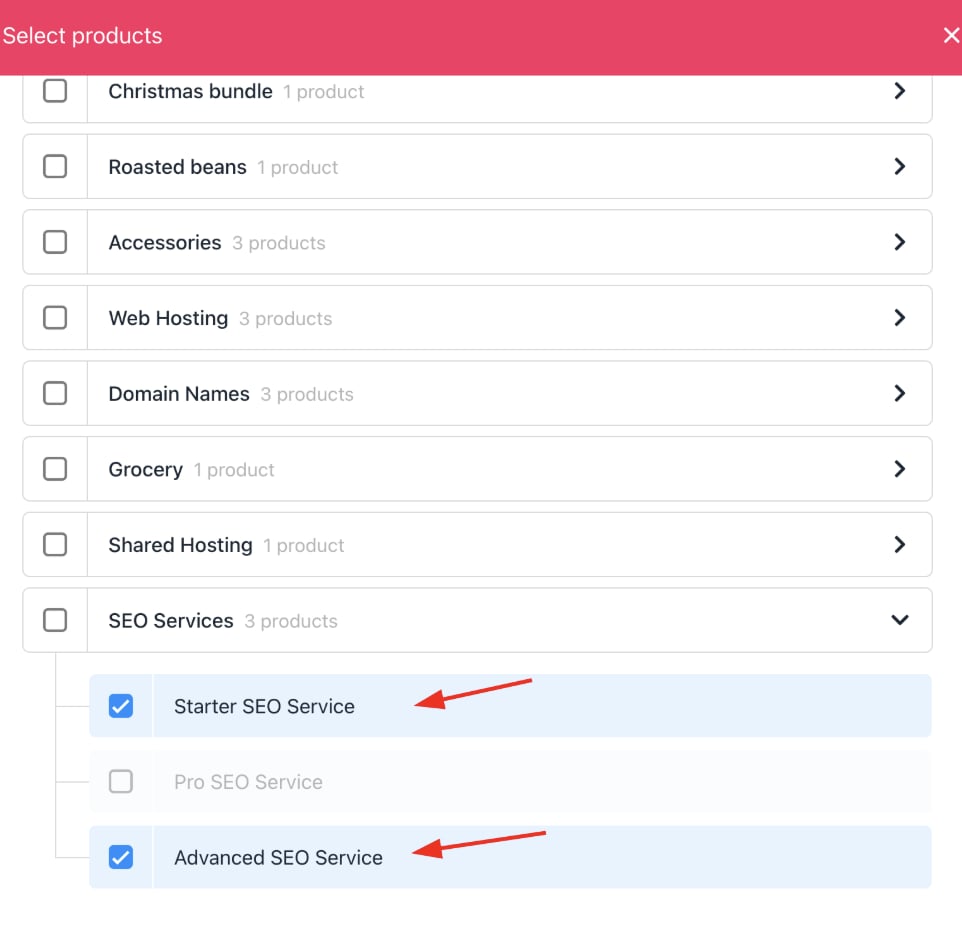
Select product
- Save your changes.
How clients can upgrade/downgrade their product
- In the client area, customers navigate to
Products & Services.

Products and services
- Select the product to change.
- Click Upgrade/Downgrade under
Quick Actions. - Choose among the permitted products and confirm the choice.
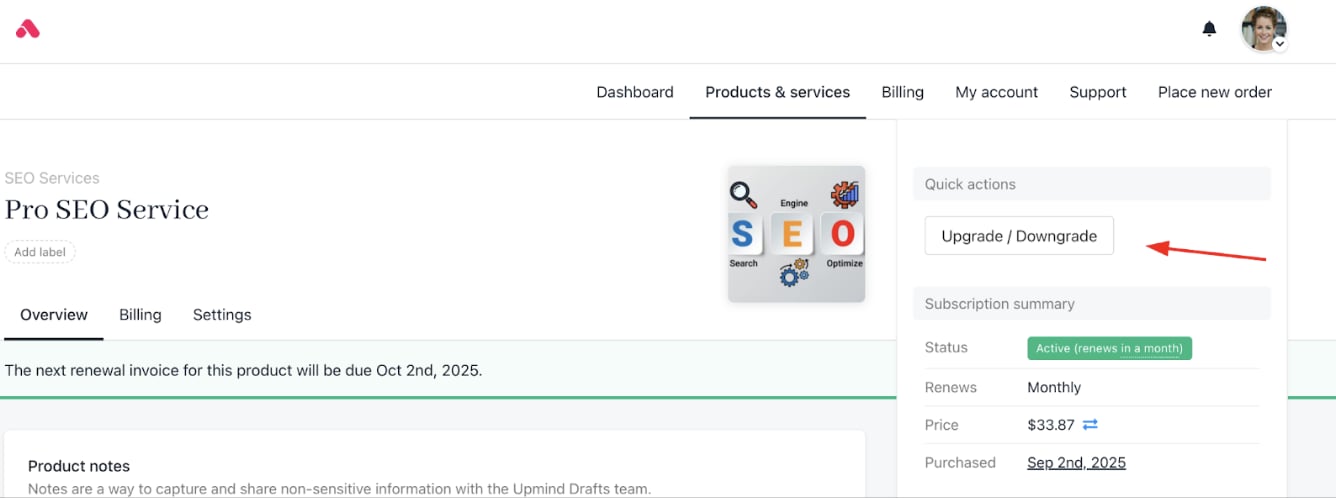
Quick actions > upgrade/downgrade
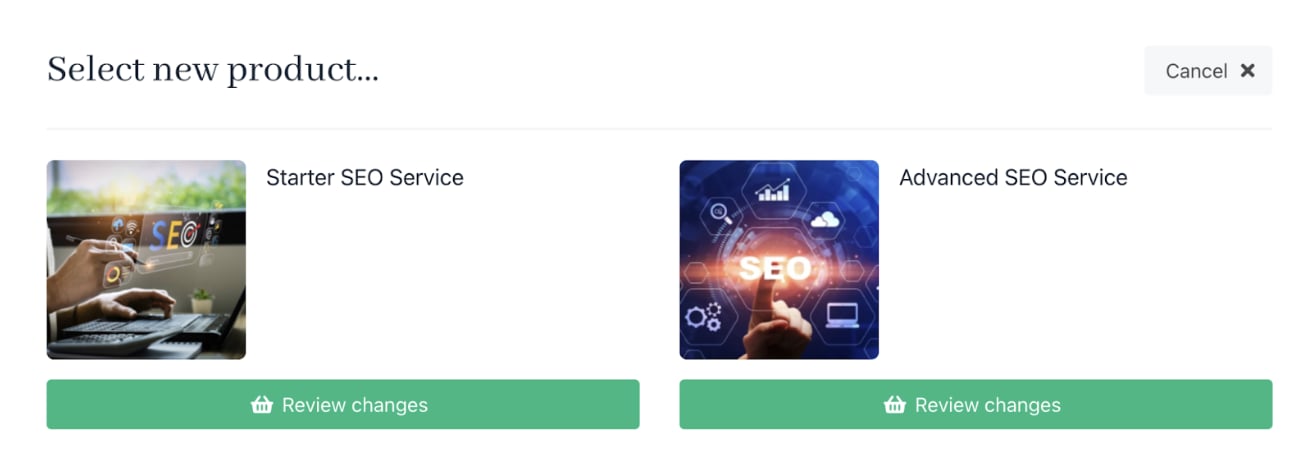
Choose the products
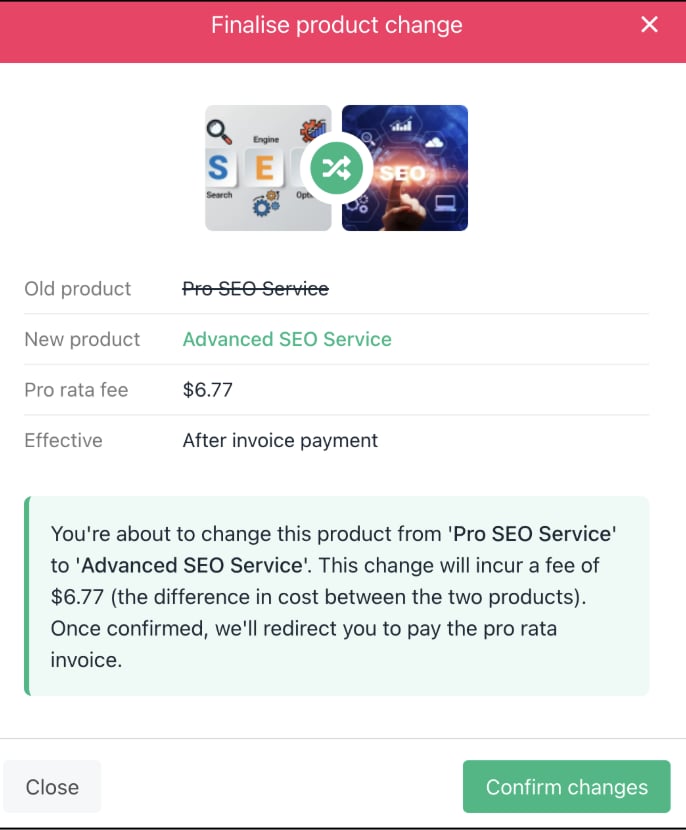
Upgrading
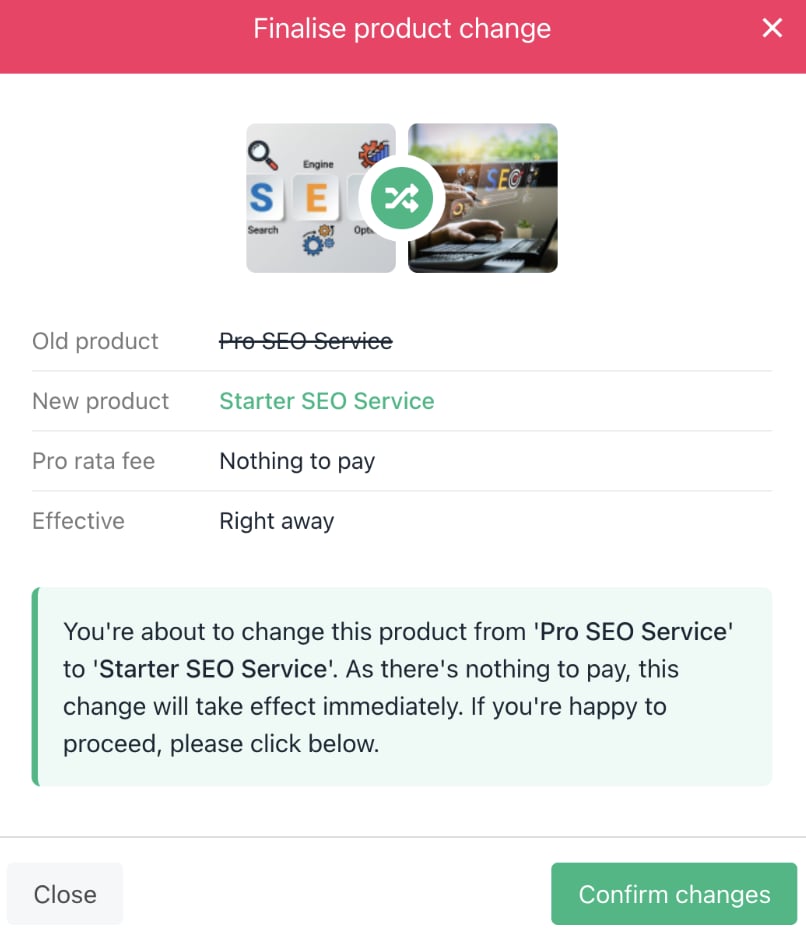
Downgrading