

Enable bulk order splitting for your brand
- Log in to your Upmind Admin panel.
- Navigate to Settings > Order Options under E-commerce Settings.
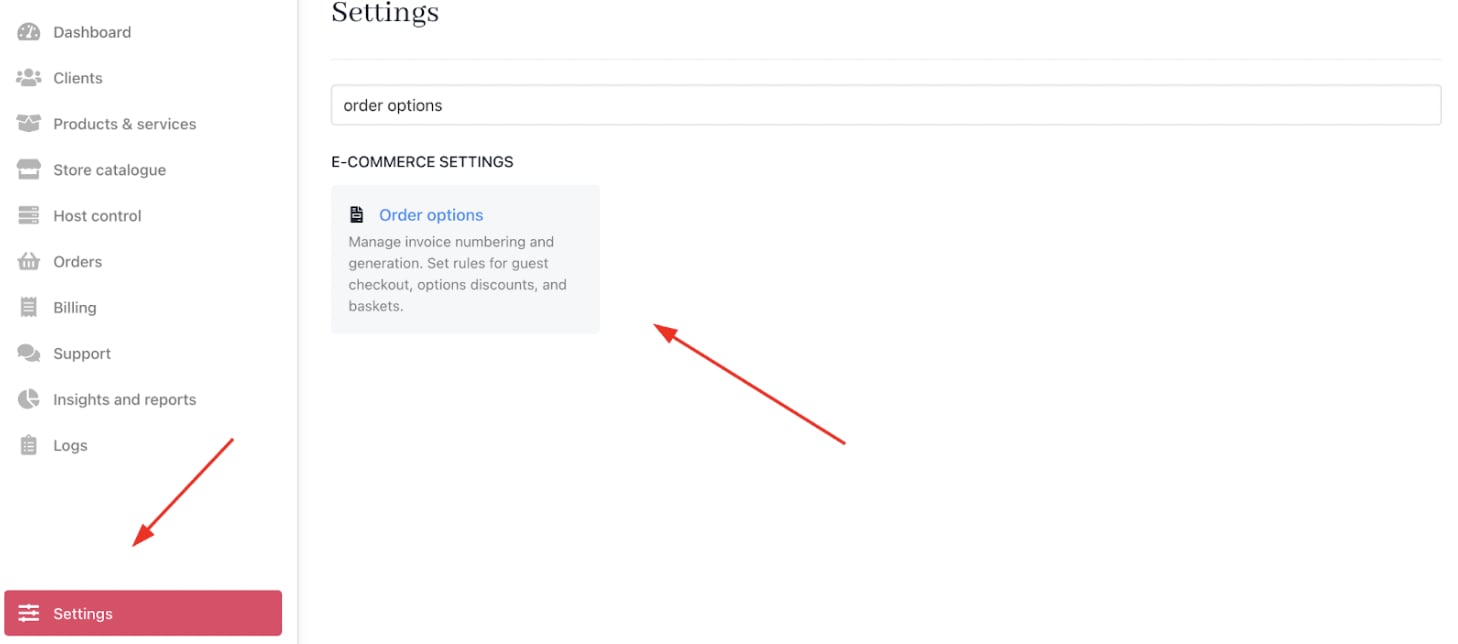
Settings > E-commerce settings > Order options
- On Basket, check the option Split product into separate baskets if possible.

Basket
- Save your settings.
Configure individual products to support bulk splitting
- Go to Store Catalogue > Products.
- Select the product to enable bulk splitting for.
- Scroll to the
Product Detailssection. - Find the setting Can this order be in bulk? and set it to Yes.
- Tick the checkbox Split multiple items into separate contract products.
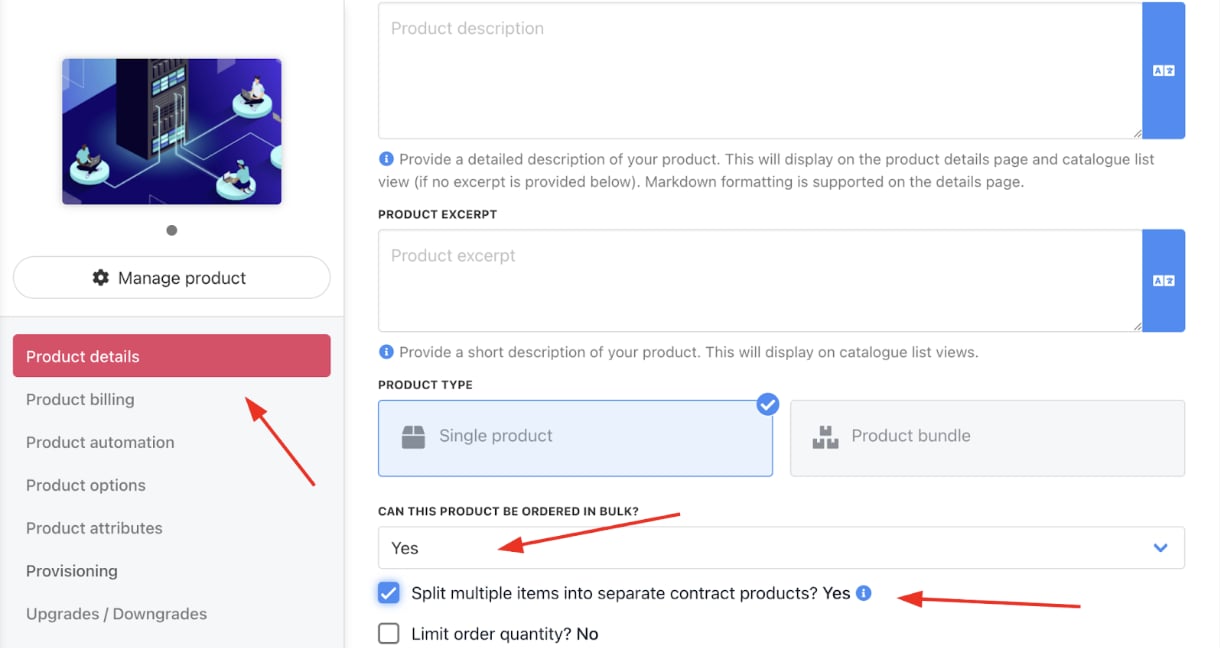
Store catalogue > Product > Product details
- Click Save.