

Create the setup fee product option
- Log in to the Upmind dashboard.
- Access it from the dashboard by clicking on Store Catalogue.
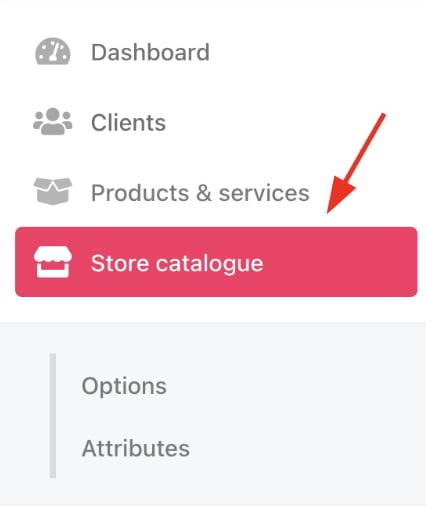
Store catalogue
- You can also click Settings and select the Product Catalogue tile under Products and Promotions.
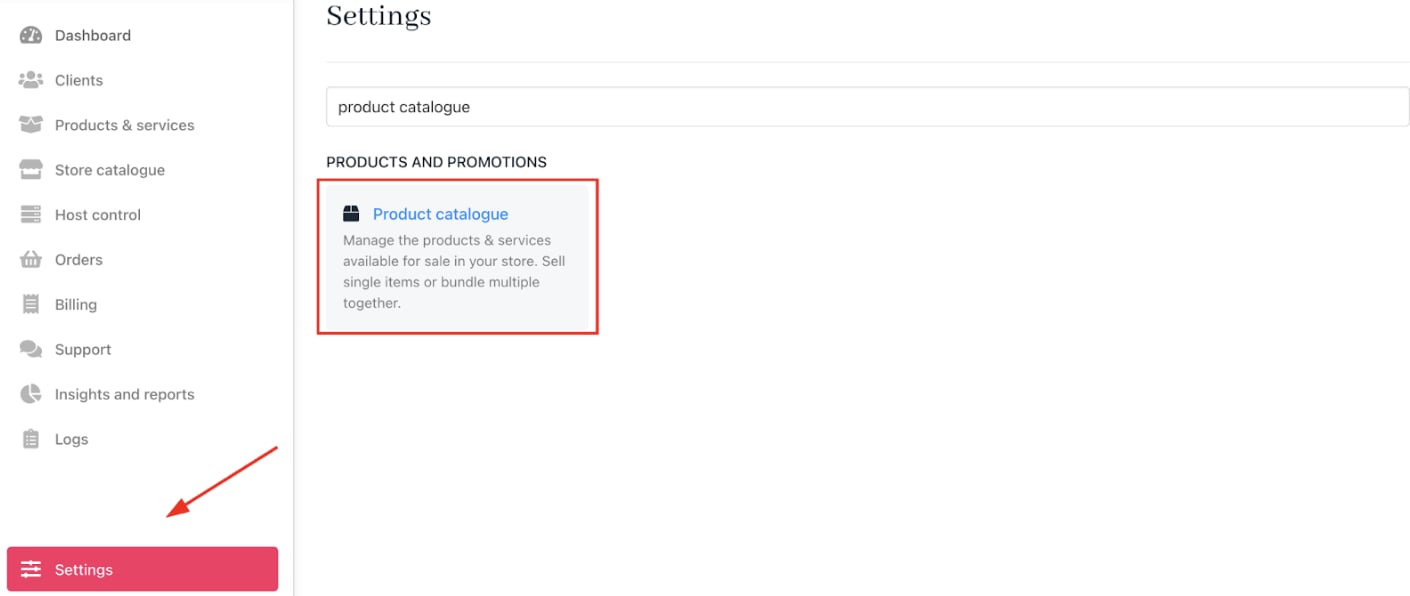
Settings > Products and Promotions > Product Catalogue
- Click the Product Options tab.
- Click Add New and select
Product options category.
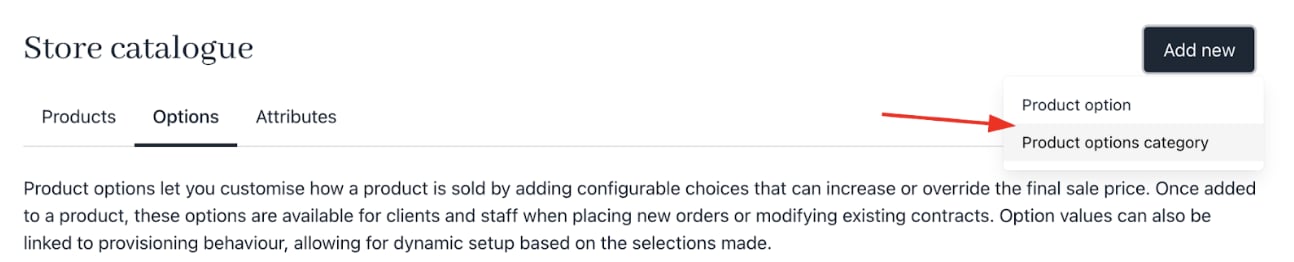
Add a new product option category
- Enter a category name. The description is optional.
- Make sure the Is required? checkbox is ticked to enforce selection.
- Click Create to add the option category.
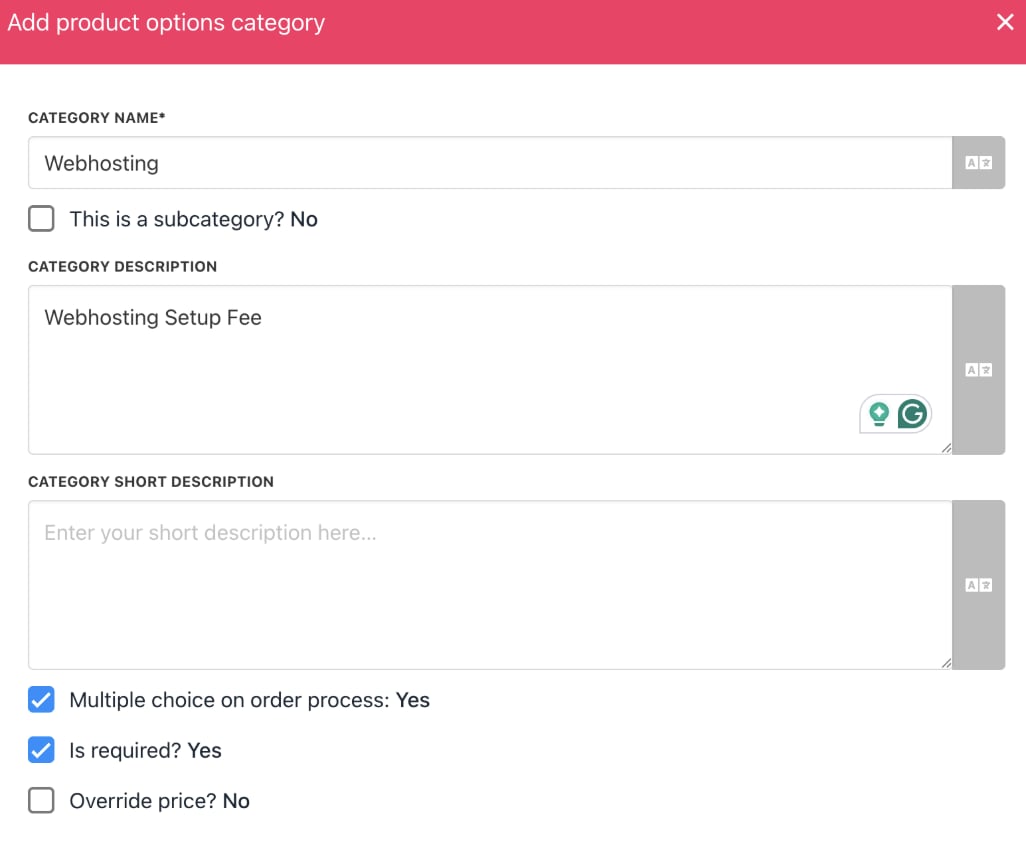
Add a subcategory of product option
Add the setup fee option
- In the
Product Optionssection, click the three-dot menu next to your new category.

Add product option
- Select Add product option.
- Enter the name and set the desired price.
- Click Create.
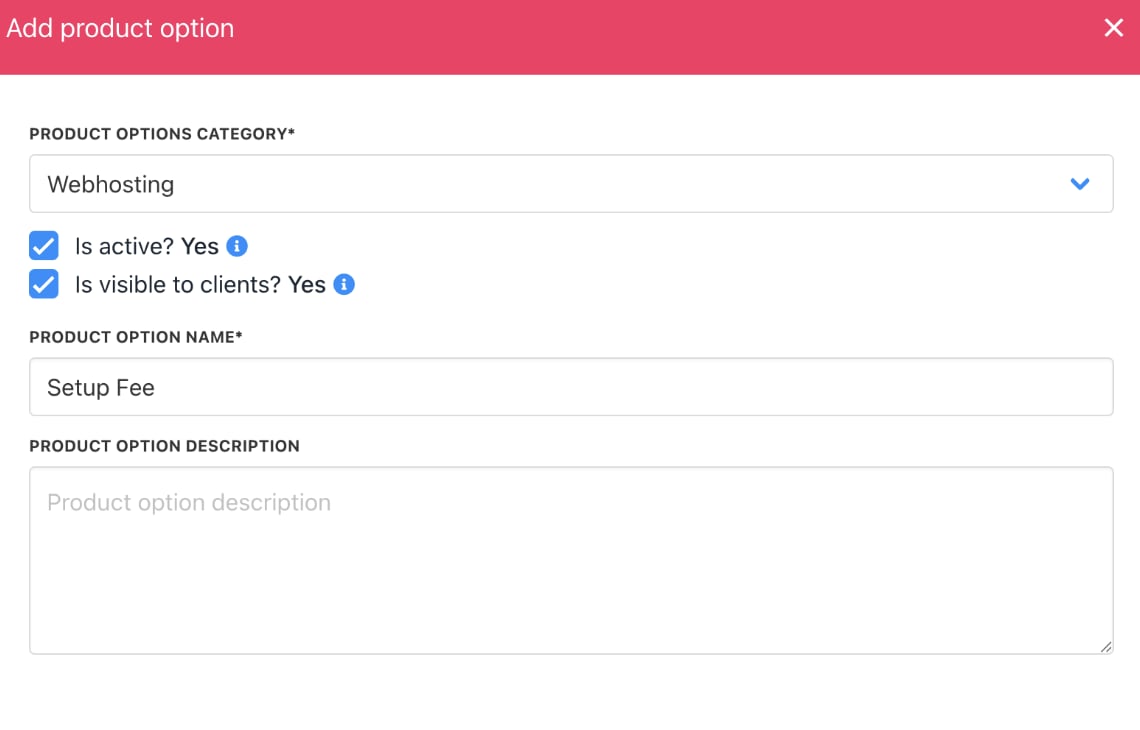
Add product option
Assign the setup fee to products
- Go to
Store Catalogue. - Select the product or service to which you want to add the setup fee.
- Click the three-dot menu on the product and choose Edit.
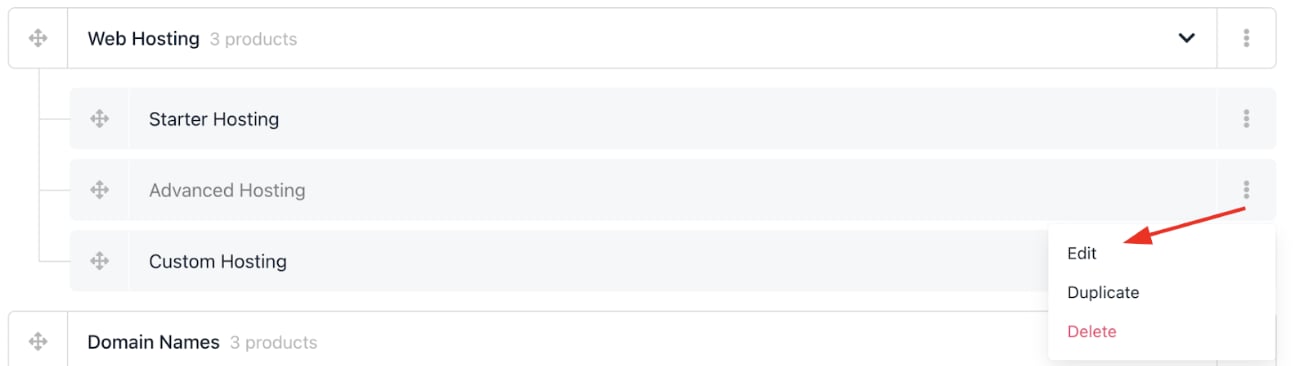
Edit product
- In the product menu, go to the
Product Optionssection and click Manage. - Choose the setup fee option you just created and apply it to the product.
- Save your changes.
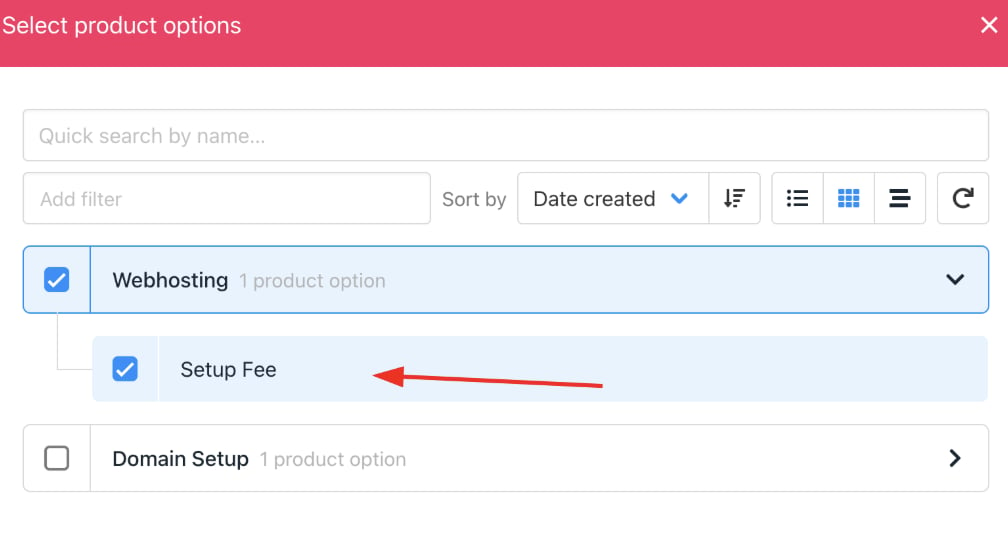
Select the product option > setup fee