

Where to find legacy invoices
Legacy invoices can be accessed in two places. From the Billing section:- Go to Billing in the left menu.
- Select the Legacy Invoices tab.
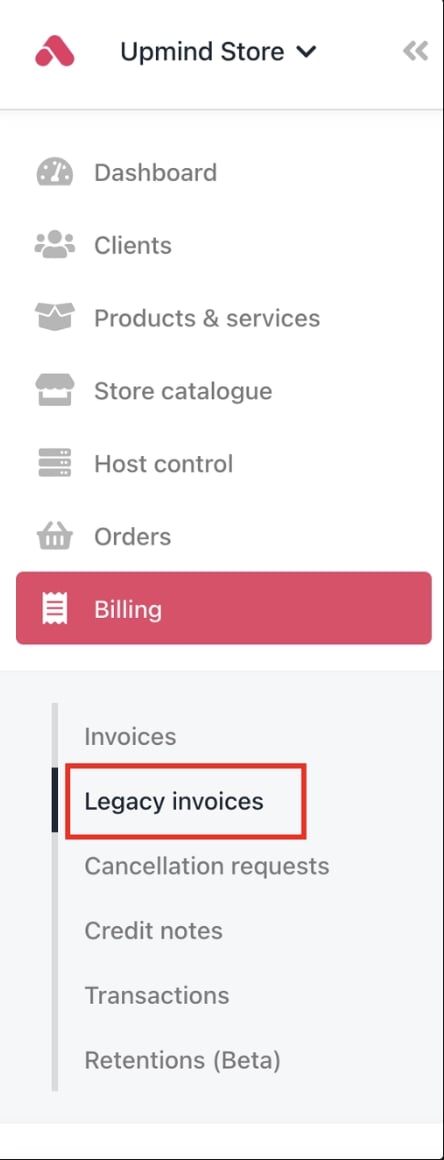
Billing > Legacy invoices
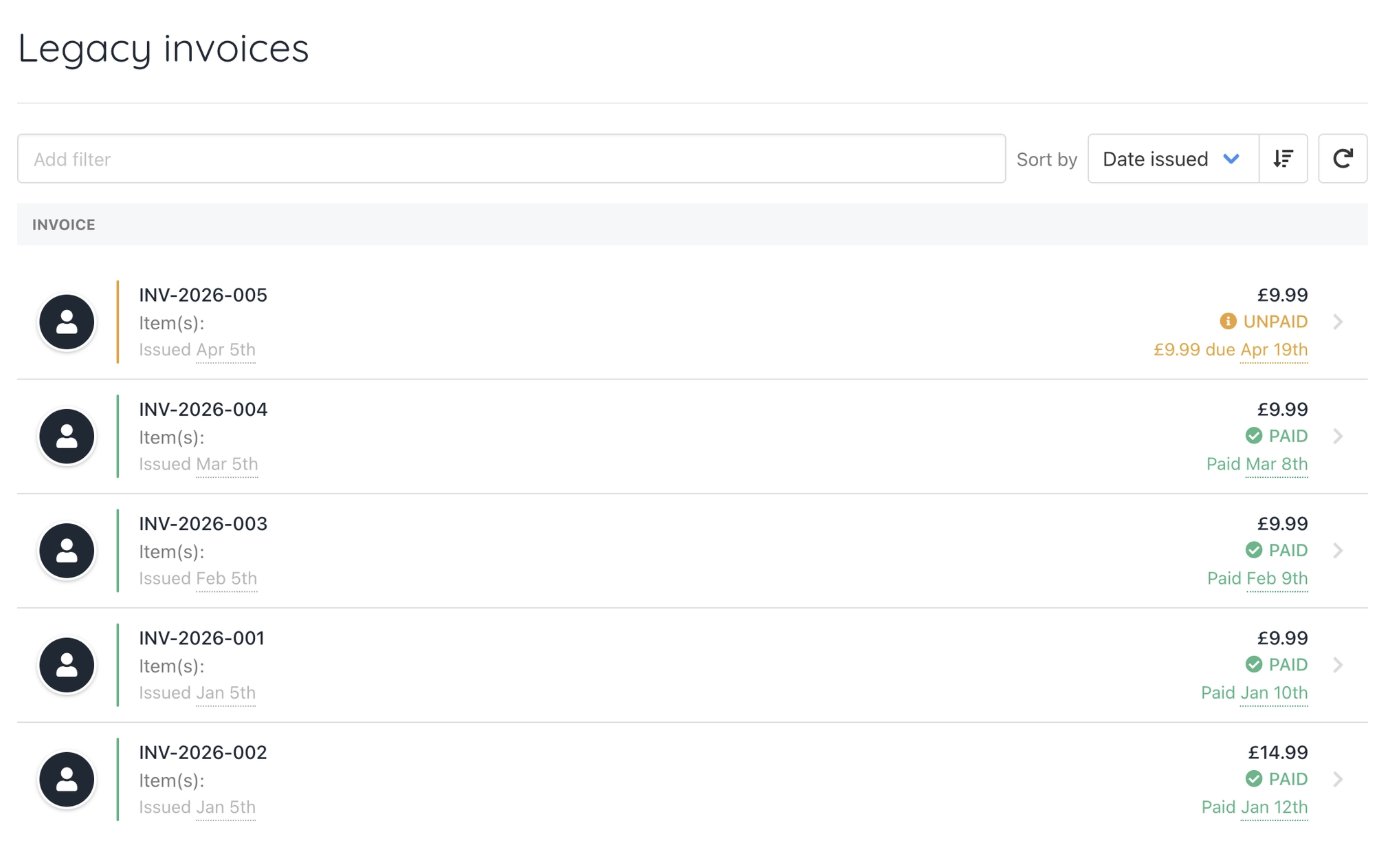
Legacy invoices
- Go to Clients and select the client.
- Click Billing in the client profile.
- Select the Legacy Invoices tab.
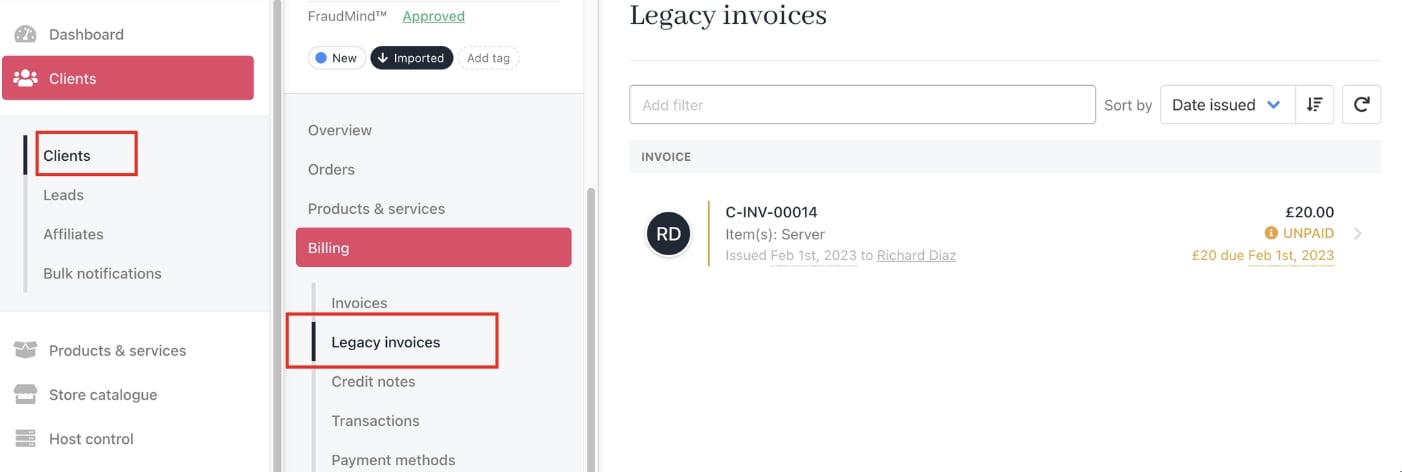
Clients > Billing > Legacy invoices
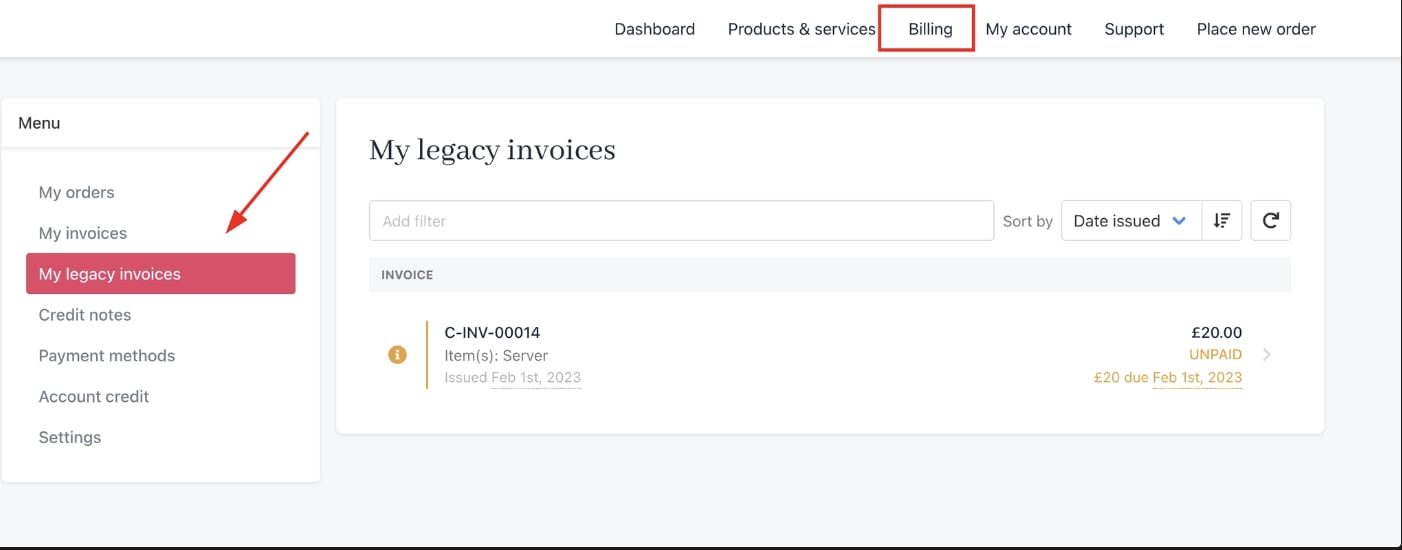
Billing > My legacy invoices
What legacy invoices can and cannot do
Legacy invoices are strictly read-only records. Once imported, they reflect the billing history from your previous platform exactly as it was at the time of migration. You can:- View invoice details, line items, and amounts.
- Reference historical billing records for a client.
- Collect payment on a legacy invoice.
- Cancel or void a legacy invoice.
- Issue a refund against a legacy invoice.