

Watch the YouTube tutorial about Schedule Price Changes for Contract Products.
Scheduling a price change
-
Go to
Products & Servicesand select the contract product. -
In the
Overviewtab, findSchedule Price Changein Quick Actions.
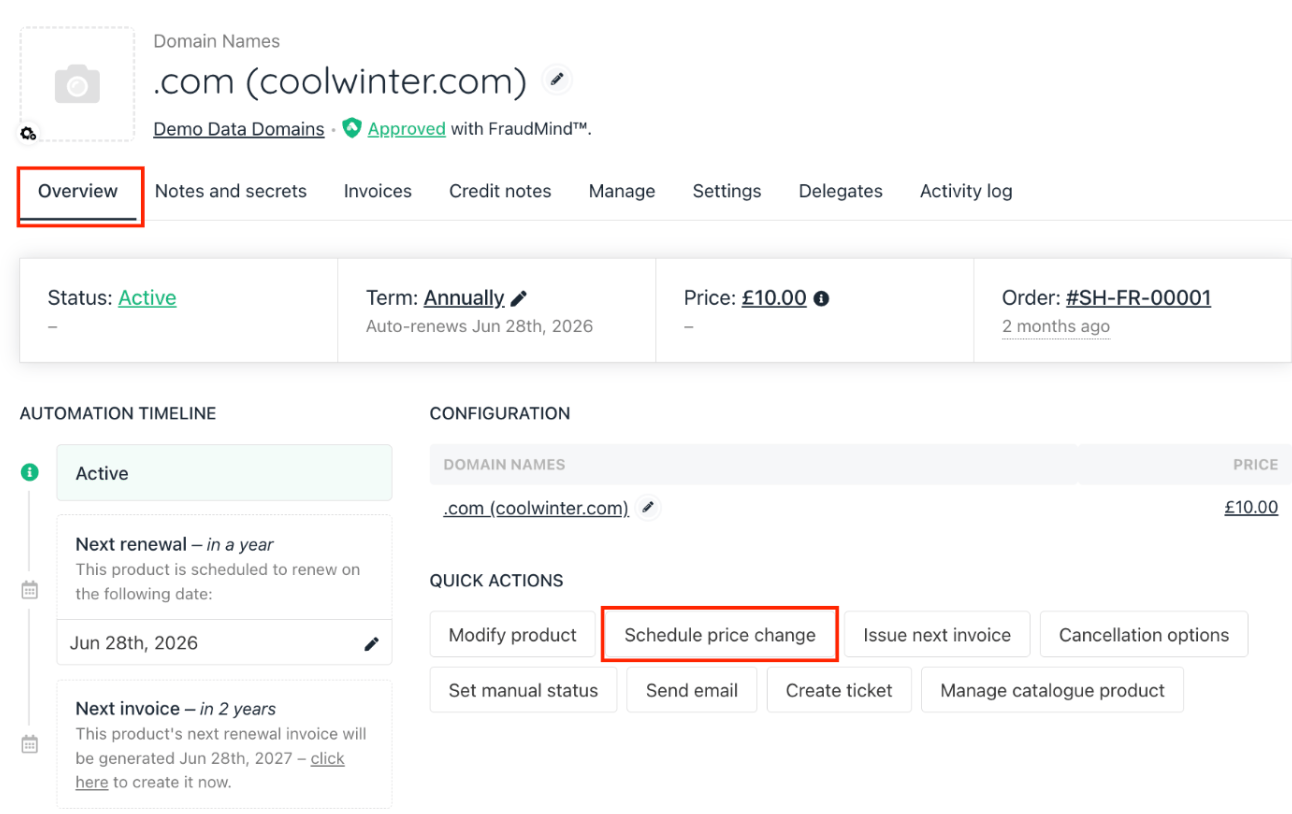
Product & service > Contract product
- You can choose to set a total price for the entire product if only the product price needs changing, or set individual prices for the product and its options to adjust option prices too.
- Enter the new price (fixed amount or percentage).
- Select the billing term if applicable.
- If the contract product has options, adjust their prices as needed.
- Click Create to schedule.
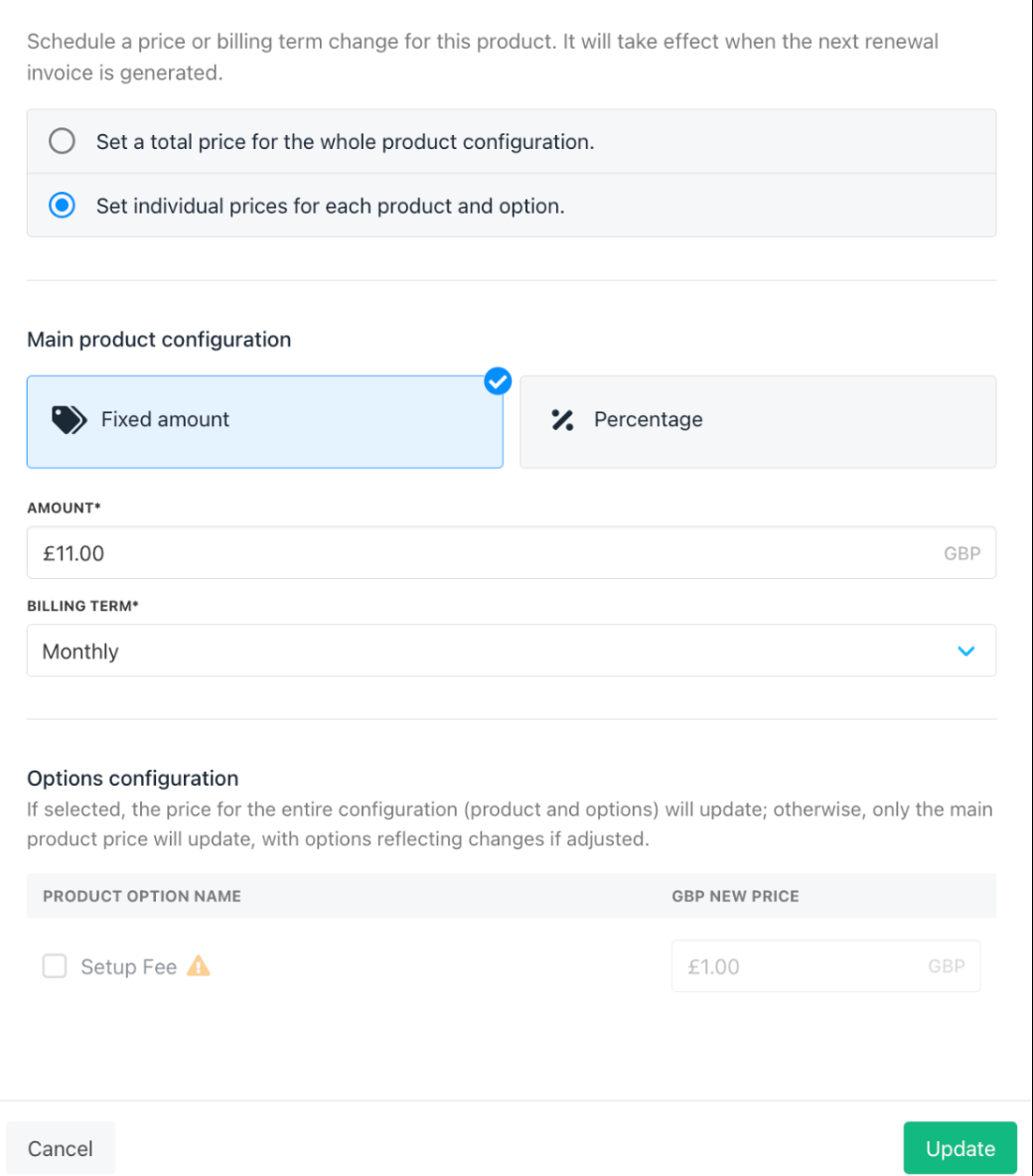
Contract product price changes
Editing or deleting scheduled changes
-
From the
Overviewtab, click View more details on the scheduled change. - Edit the price or details as needed.
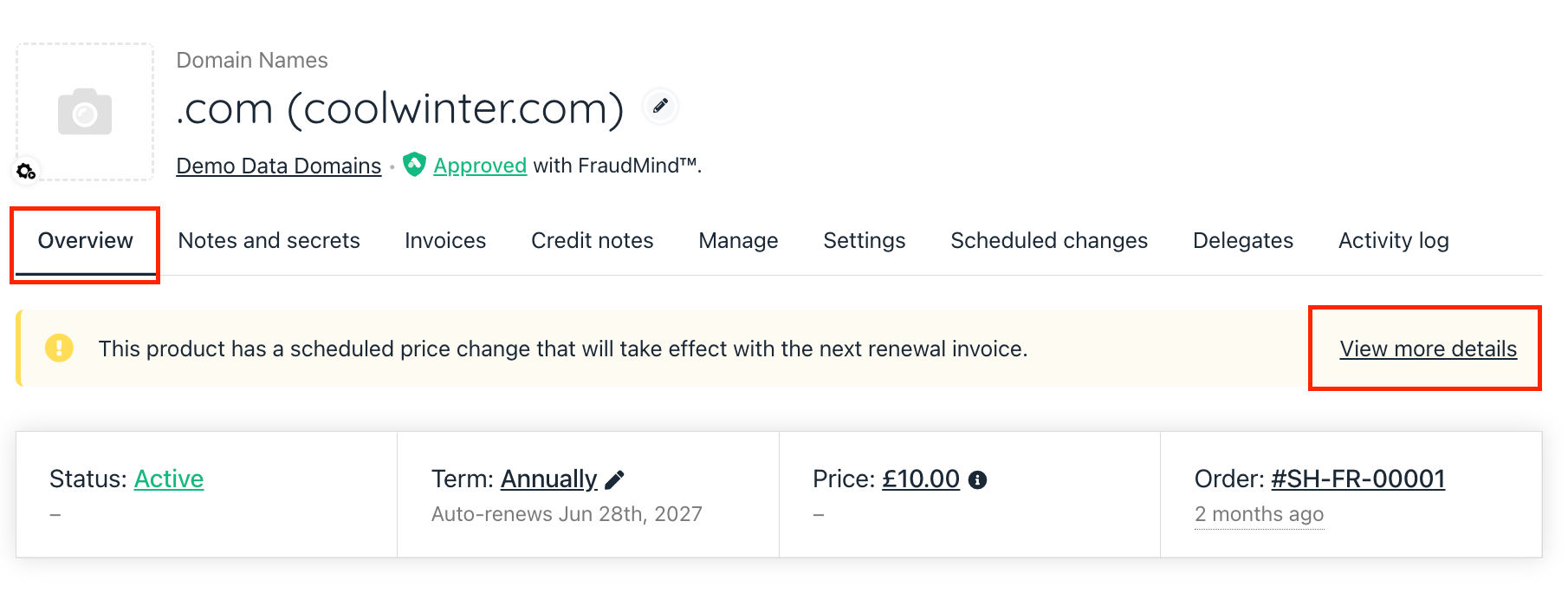
Contract product > Overview
- Alternatively, go to the
Scheduled Changestab and use the three-dot menu to Edit or Delete the schedule.
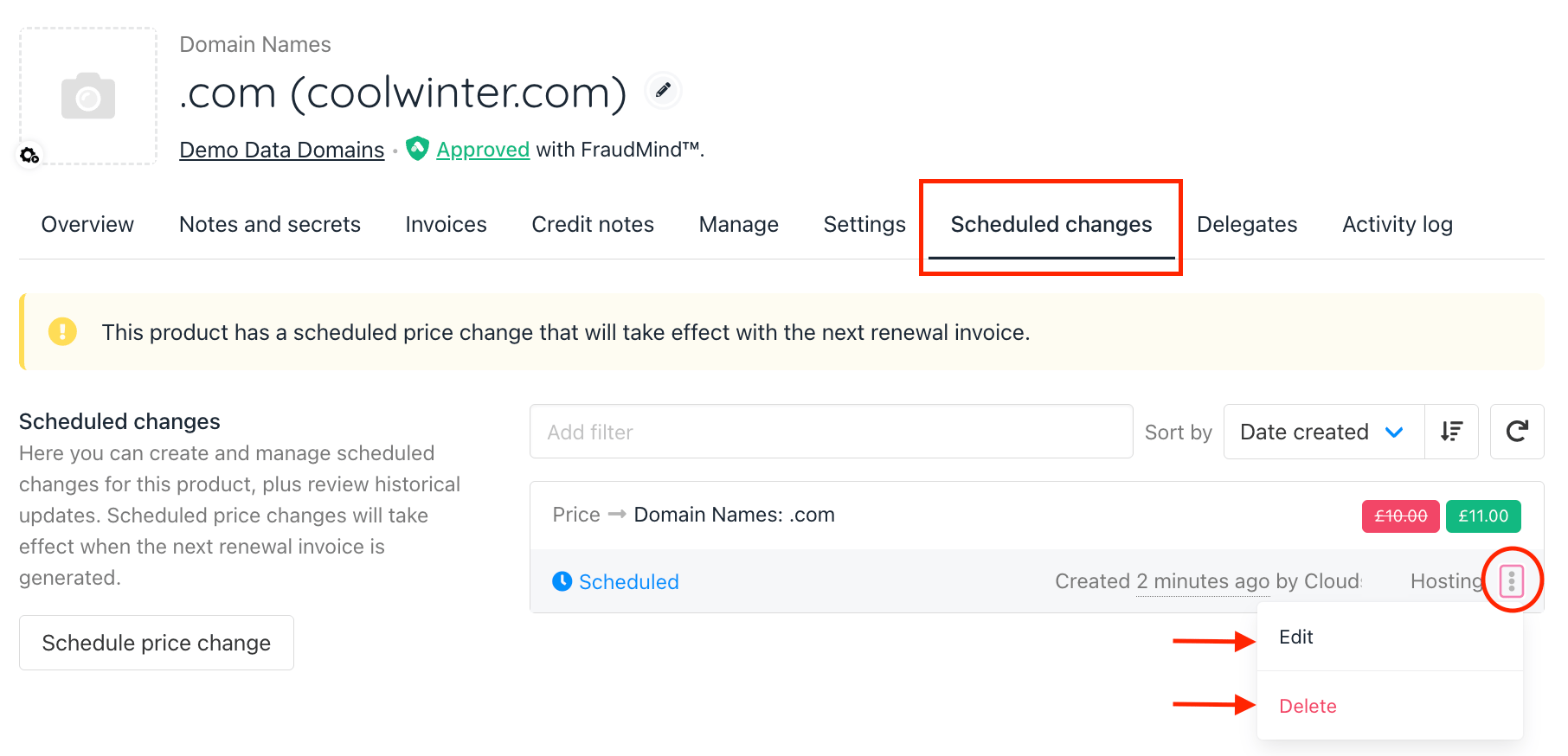
Contract Product > Scheduled changes