

This action is available only within the admin panel.
Steps to use swap payment on an invoice
- Log into the Upmind admin area.
- Locate the specific invoice you wish to modify.
- Click the three-dot menu (⋯) on the invoice detail page.
- Select Swap Payments.
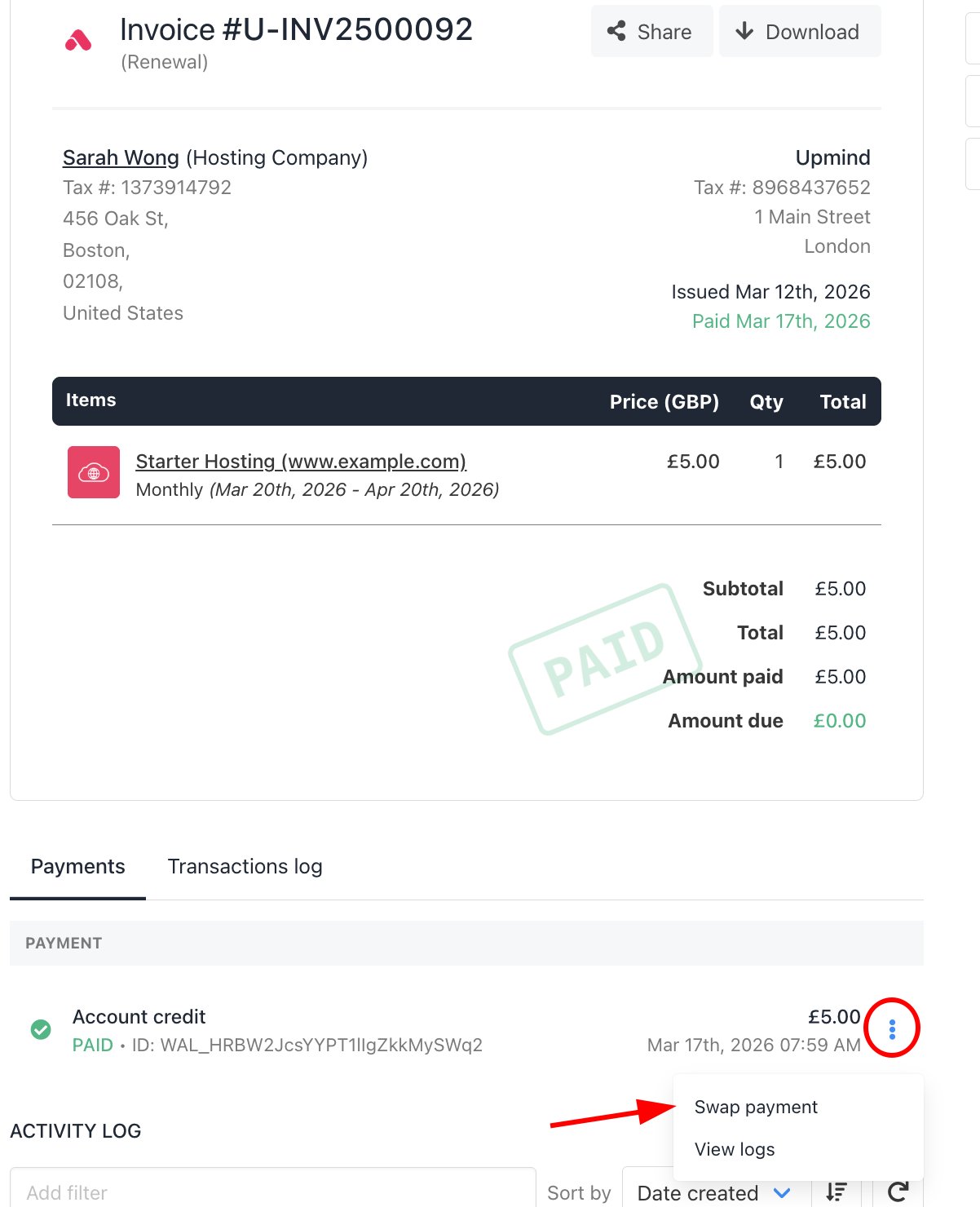
Invoice > Click swap payment
- Configure the Swap Options:
- Refund Destination: Choose whether to refund the original payment back to the payment source or as account credit.
- New Payment Provider: Select a different payment method (such as card, PayPal, or offline payment).
- Transaction ID (Optional): Enter a reference or transaction ID if you are linking an external or manual payment.
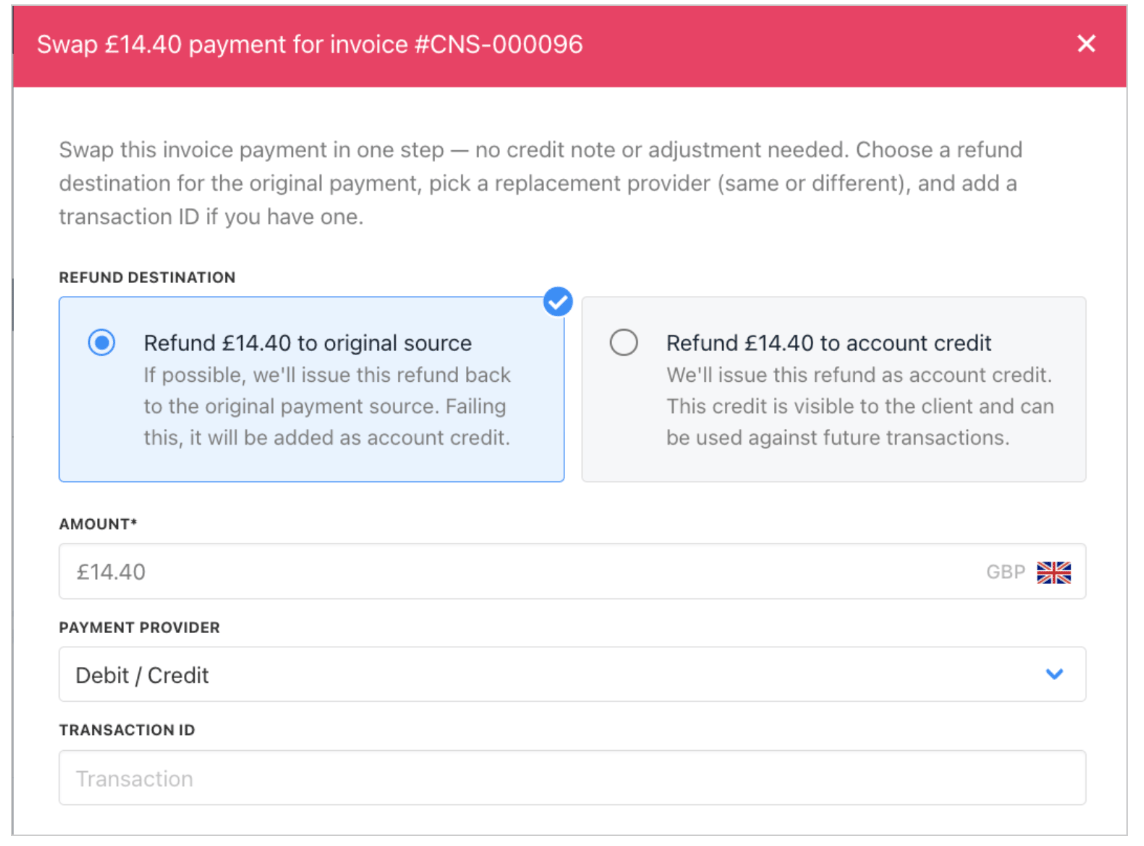
Configure details
- After making your selections, click Save to complete the swap.