

How to enable a proforma invoice
- Go to Settings > Order Options.
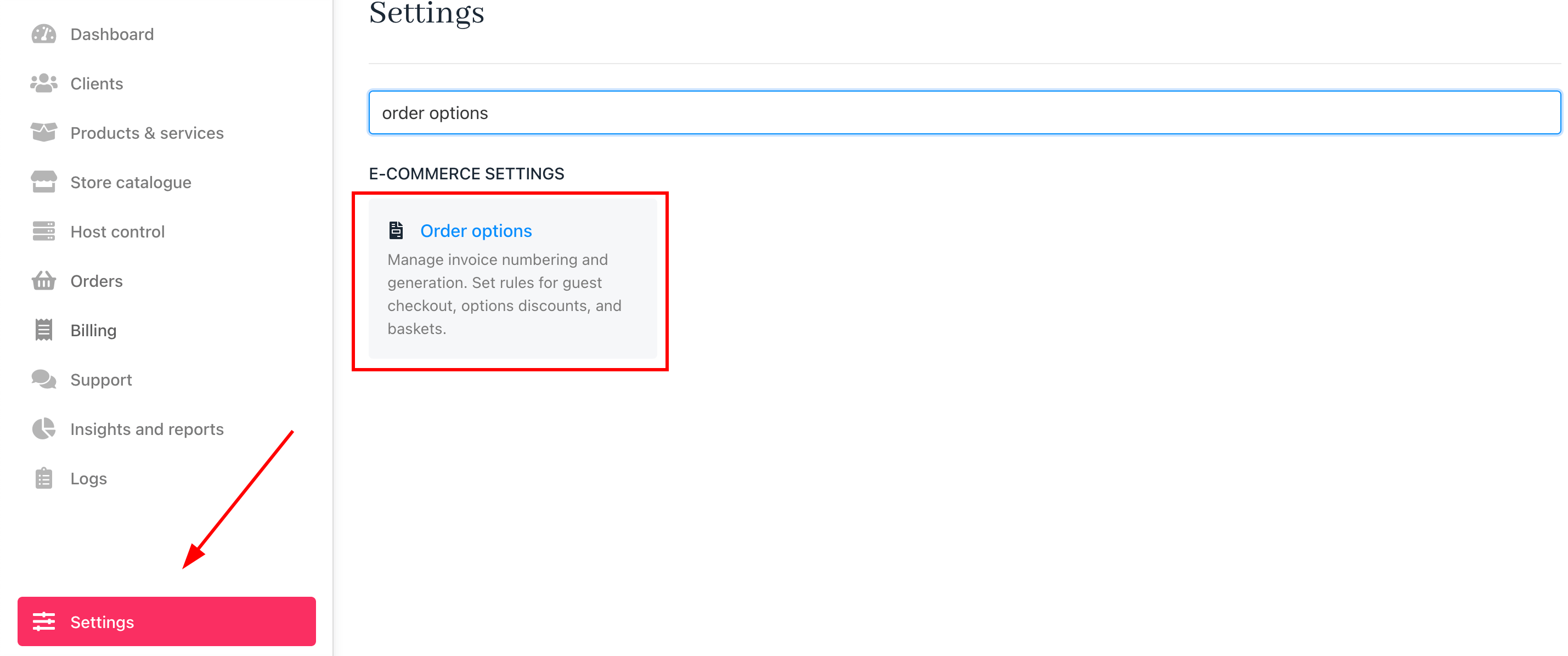
Settings > Order options
-
Scroll to the
Proforma Invoicesection. -
Toggle
ONto enable proforma invoices.
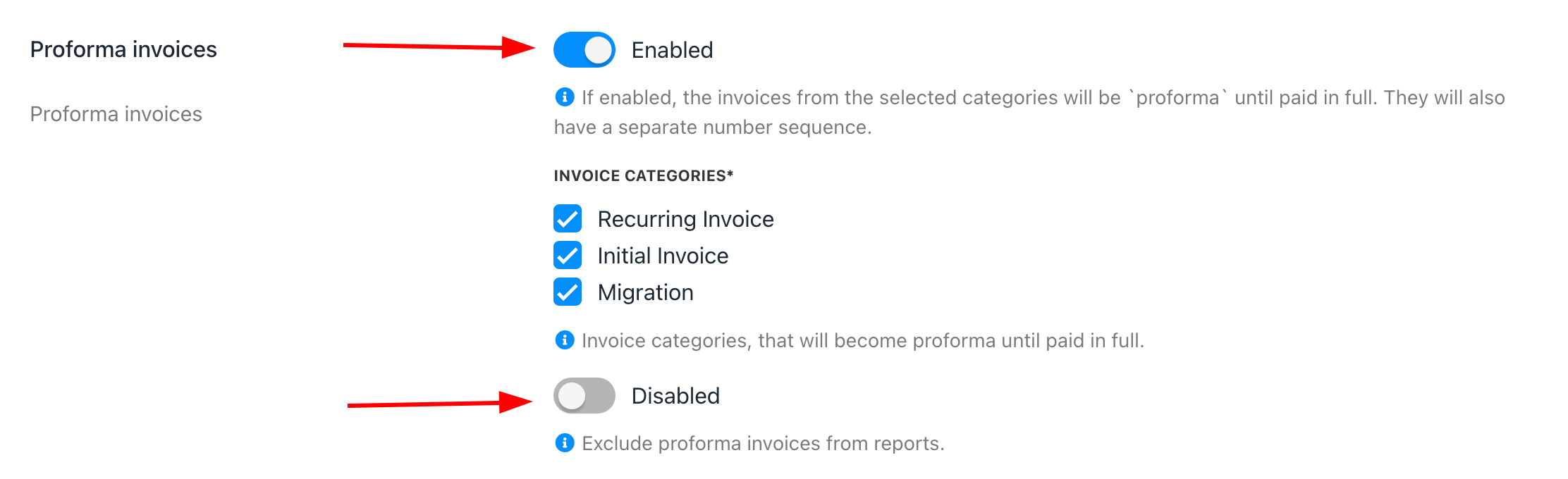
Proforma invoice
- Choose which invoice categories will apply to proforma invoices.
- You can exclude proforma invoices from reports. (Optionally)
How to separate the invoice number sequence
To use a different number sequence for proforma invoices, follow these steps:- In Order Options > Miscellaneous, tick Separate number sequence for proforma invoices.

Separate number sequence for proforma invoices
- The proforma invoice number will appear separately, starting at
#PRF-000001, and will convert to a regular invoice upon payment.
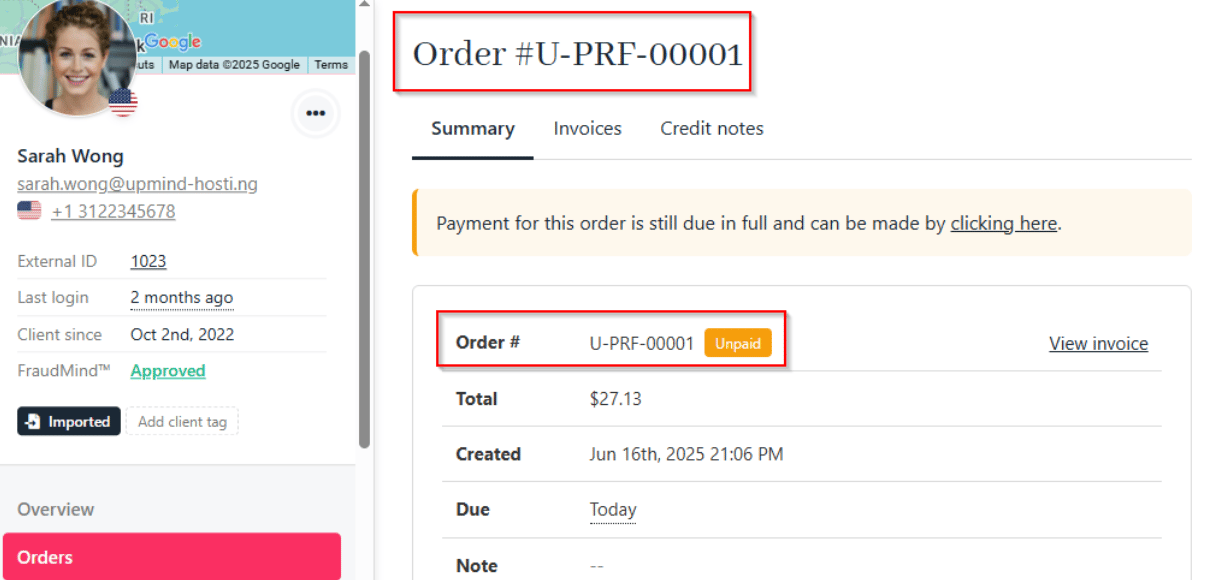
Proforma invoice number
- After payment, the invoice number switches to your regular numbering sequence.
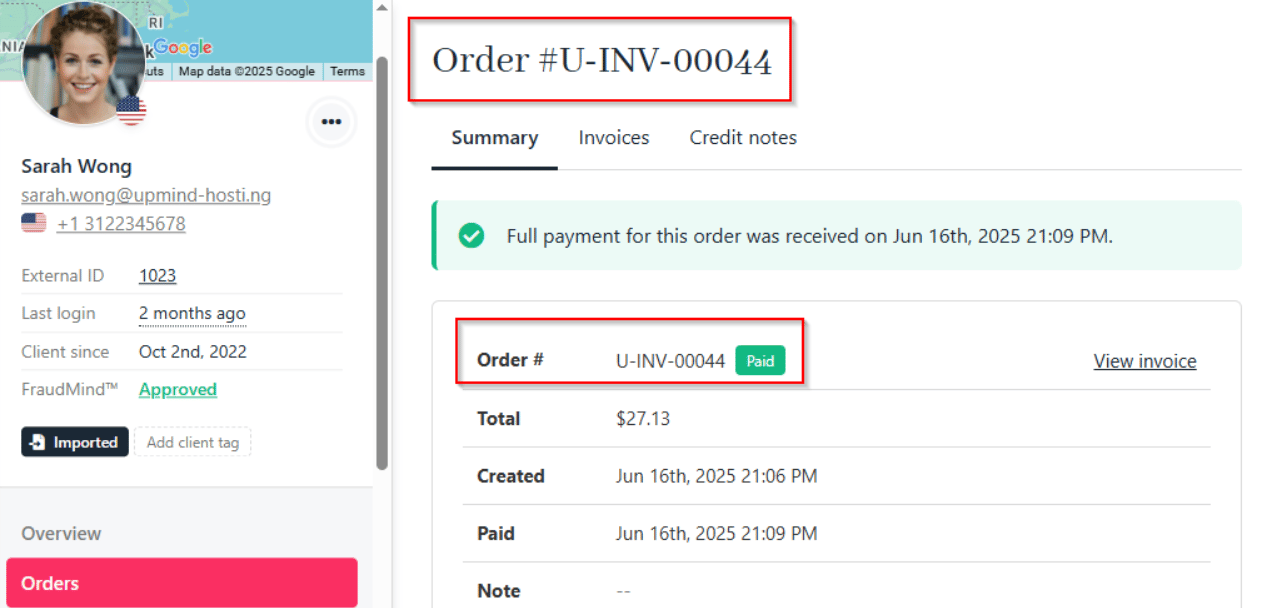
Automatically converted to a regular invoice
How to manage the proforma invoice number and prefix
By default, proforma invoices start at#PRF-000001. To change the number or prefix, follow these steps:
- Go to Settings > Order Options > Invoice Number.
- Set the prefix and starting number for proforma invoices.
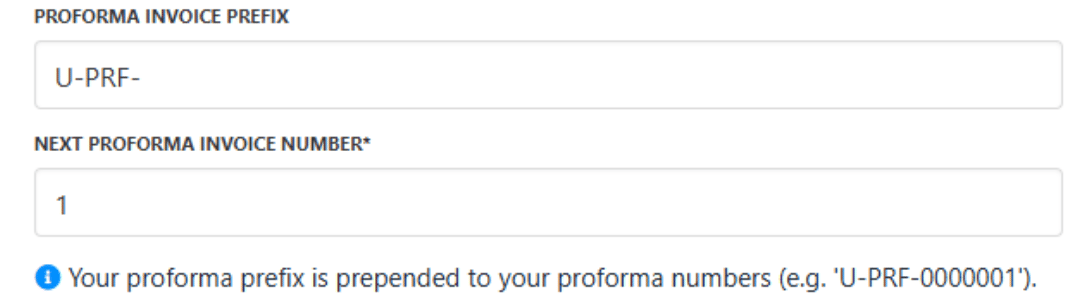
Proforma invoice number and prefix