

Adding metadata to an invoice
- Go to Client > Billing.
- Select the invoice you wish to update.
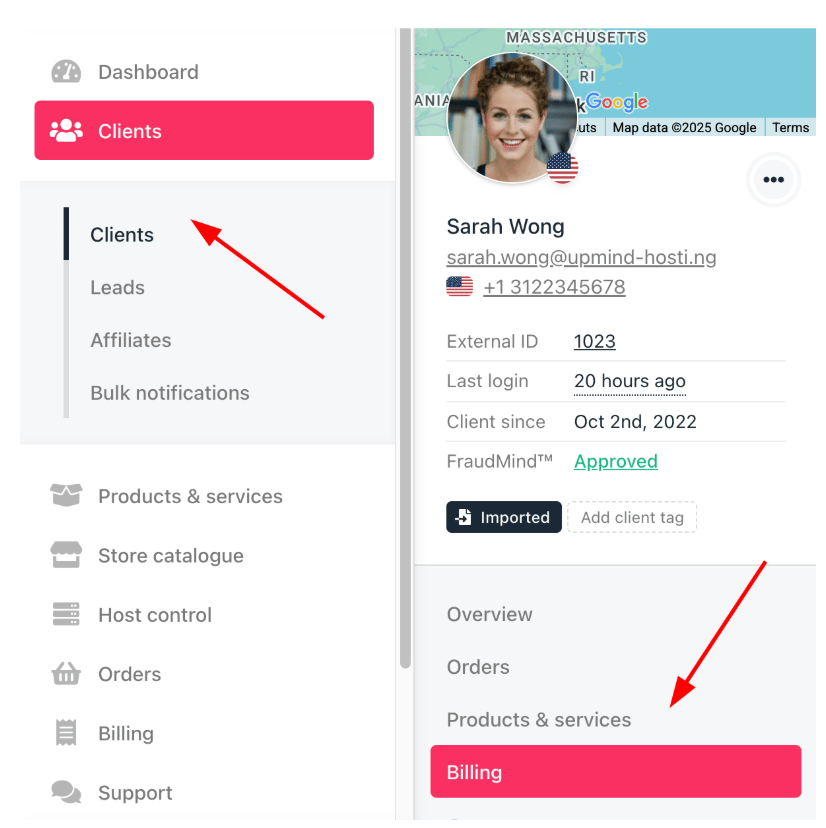
Clients > Billing
- Select an invoice, scroll down, and click Manage metadata under Quick Actions. This is useful for adding fiscal authority references, purchase order numbers, or custom notes.

Manage metadata
- Enter a Meta Key and Meta Value.
- A meta key is a unique identifier or name used to store specific information.
- A meta value is the actual data.
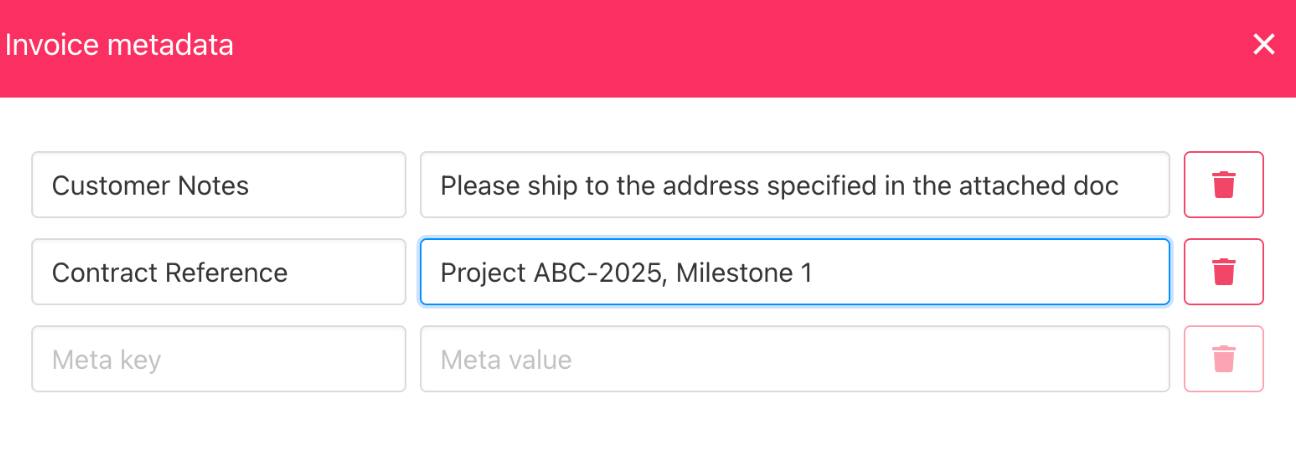
Meta key and meta value
- Click Save to add the information to the invoice.
- Metadata is displayed on the invoice, visible to both admins and clients as needed.
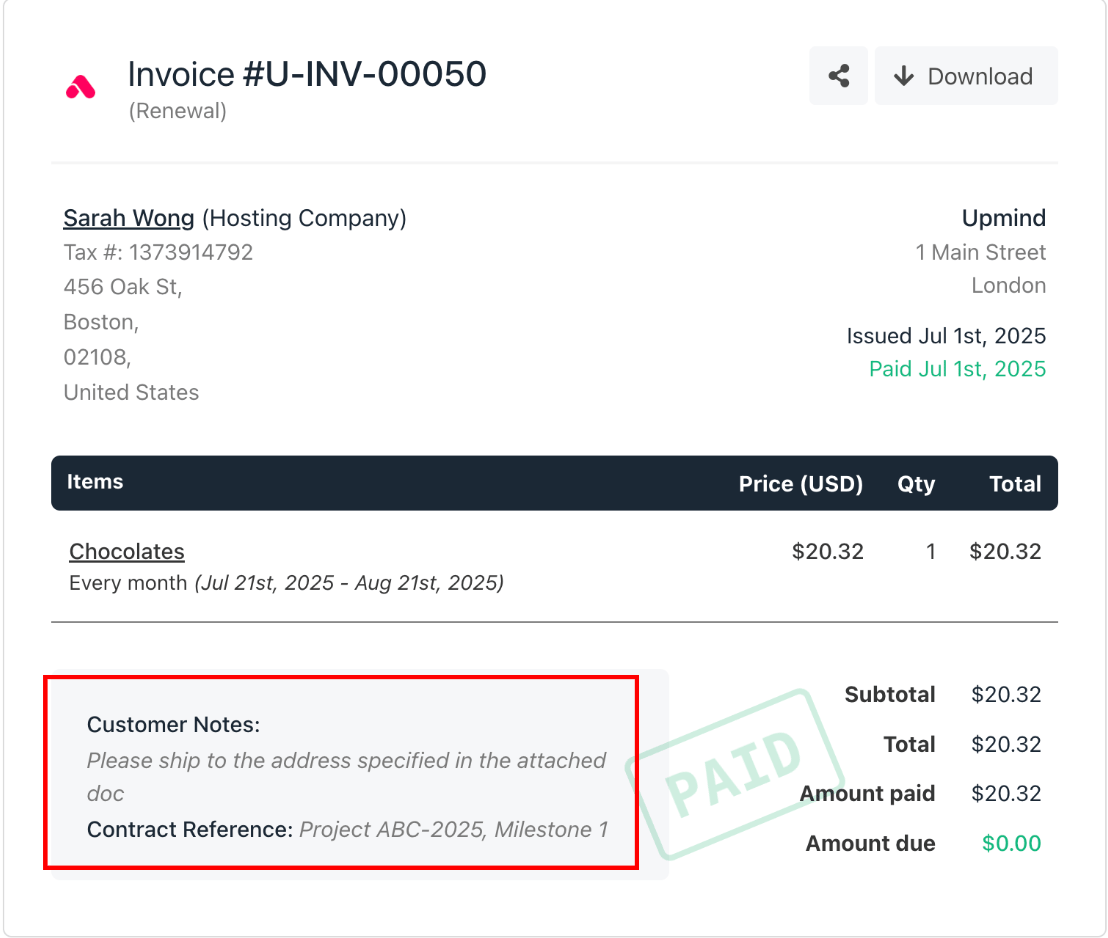
Updated invoice with metadata