

Accessing subscription options
- Log in to Upmind.
-
Go to
Settings. - Click the Subscription Options tile under Branding and Customisation.
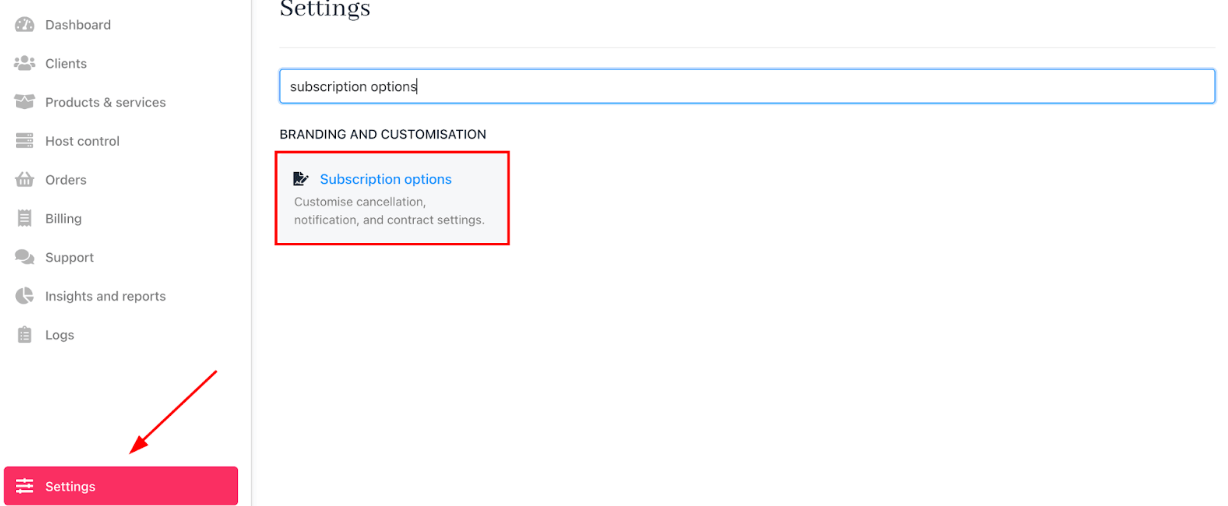
Settings > Subscription options
Setting notification terms
Define how your store sends notifications for overdue invoices by customising the timing, notice intervals, and the number of reminders. You can set up when and how clients are notified about overdue invoices and subscription events, ensuring timely and effective communication.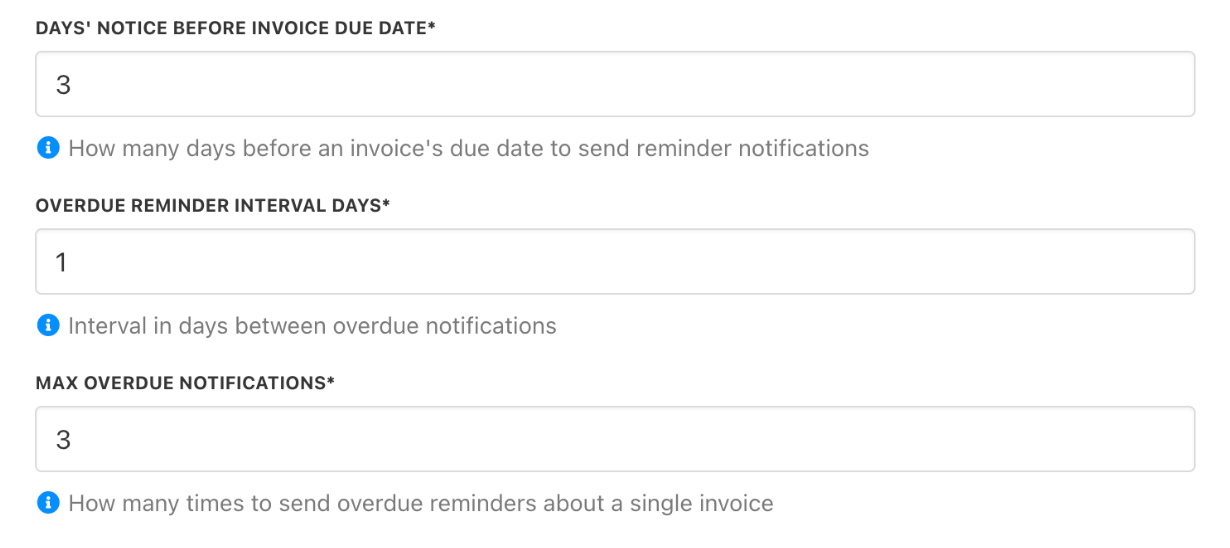
Notification settings from Notifications
Setting contract terms
Set configuration for new contracts
- You can restrict the manual issuing of recurring invoices by setting an interval during which clients cannot create them.
- This interval specifies how many days before the due date clients may manually generate a recurring invoice.
- Review the checkbox for unpaid invoices. The default shows that unpaid invoices are cancelled when contracts are closed.
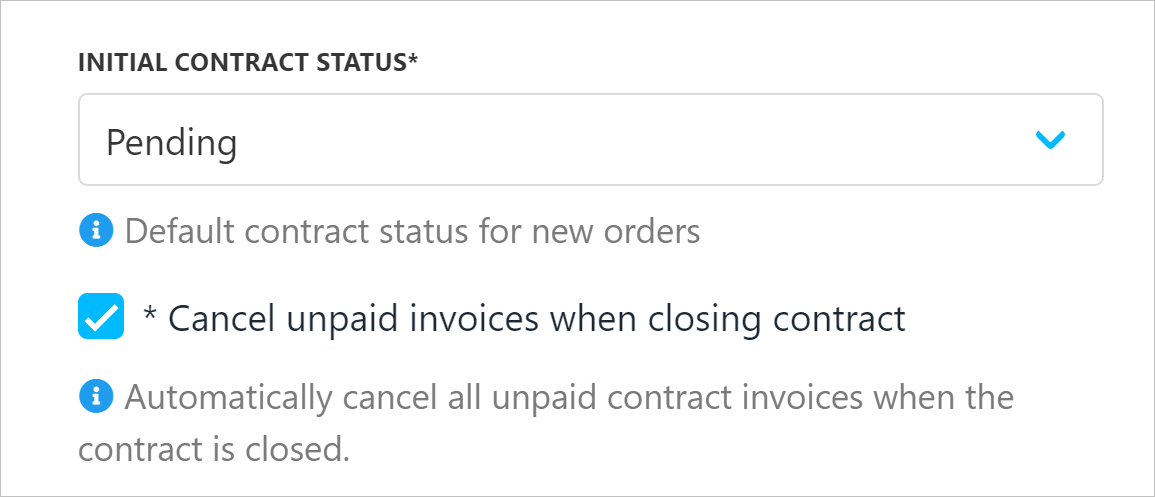
Manage closed contracts
Set delay terms
Enter the number of days to define when an overdue contract should be suspended, cancelled, or terminated.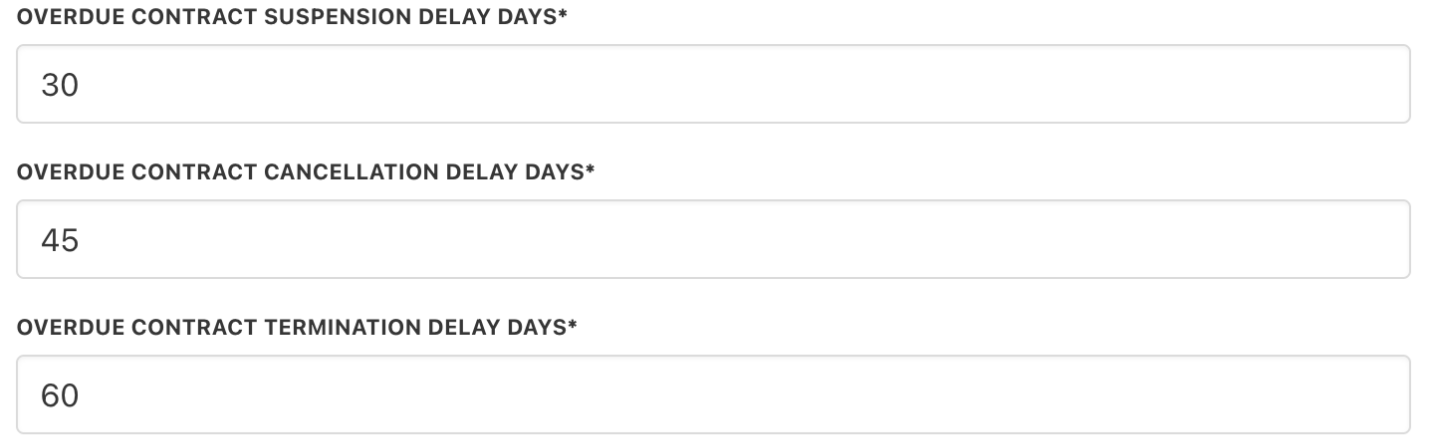
Manage delay settings