
How to Link OpusDNS to Upmind
OpusDNS is a DNS management platform that allows you to manage DNS zones, records, and configurations for domains.
Acquiring credentials
- Log in at app.opusdns.com
- Go to Developer > API Credentials and click “New API Credential”.
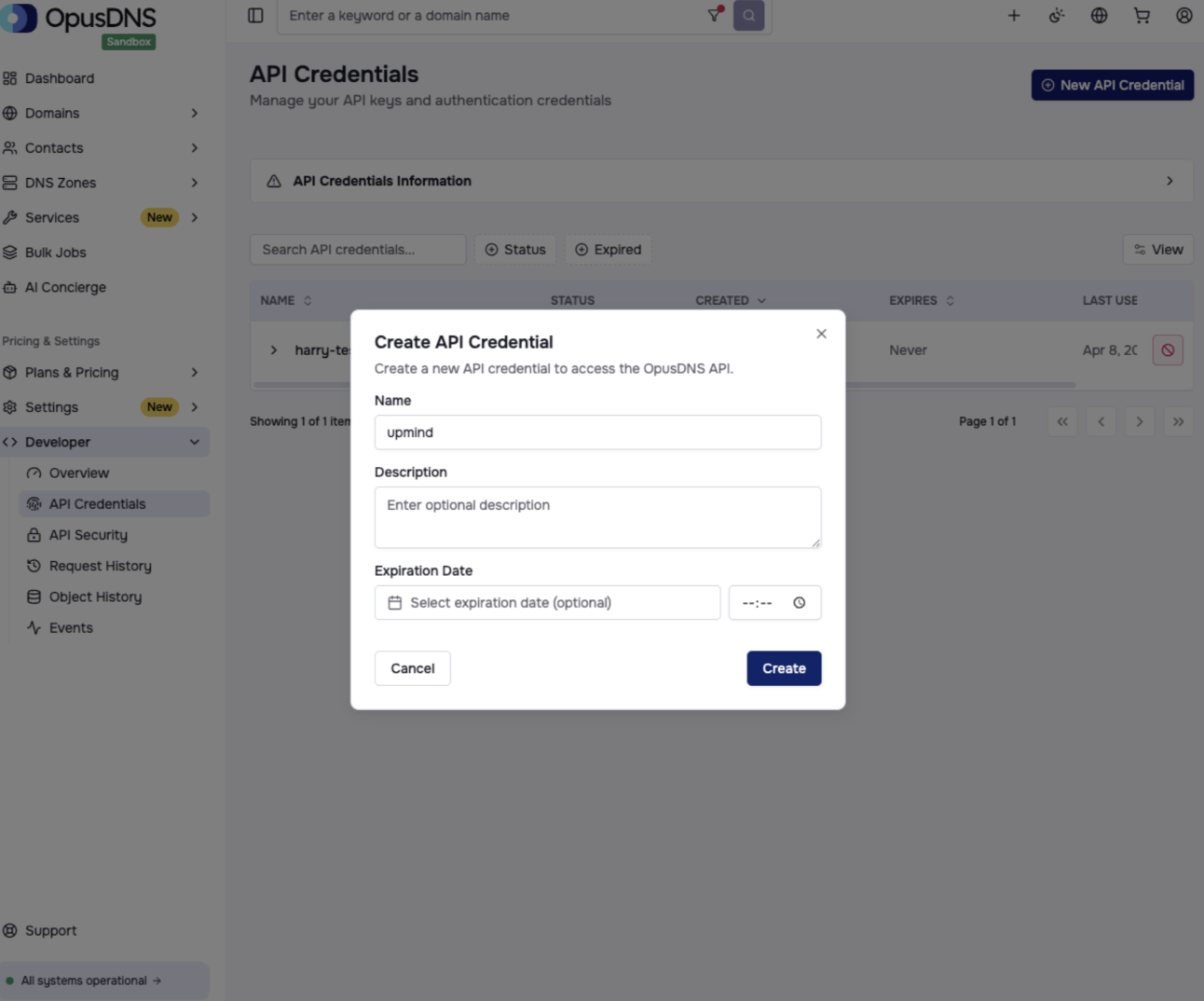
Developer > API Credentials
- Click “Create” and copy the API Key.
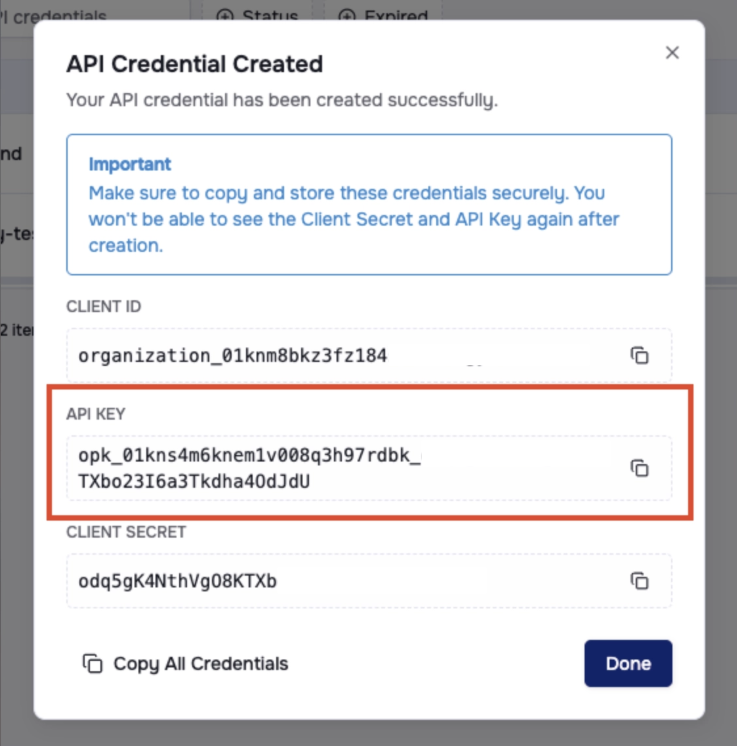
Copy API key
Linking to OpusDNS
- In the Upmind admin area, navigate to Host Control > Domain names.
- Under Add Domain Provider heading, choose OpusDNS. A side panel opens.
- Enter a name.
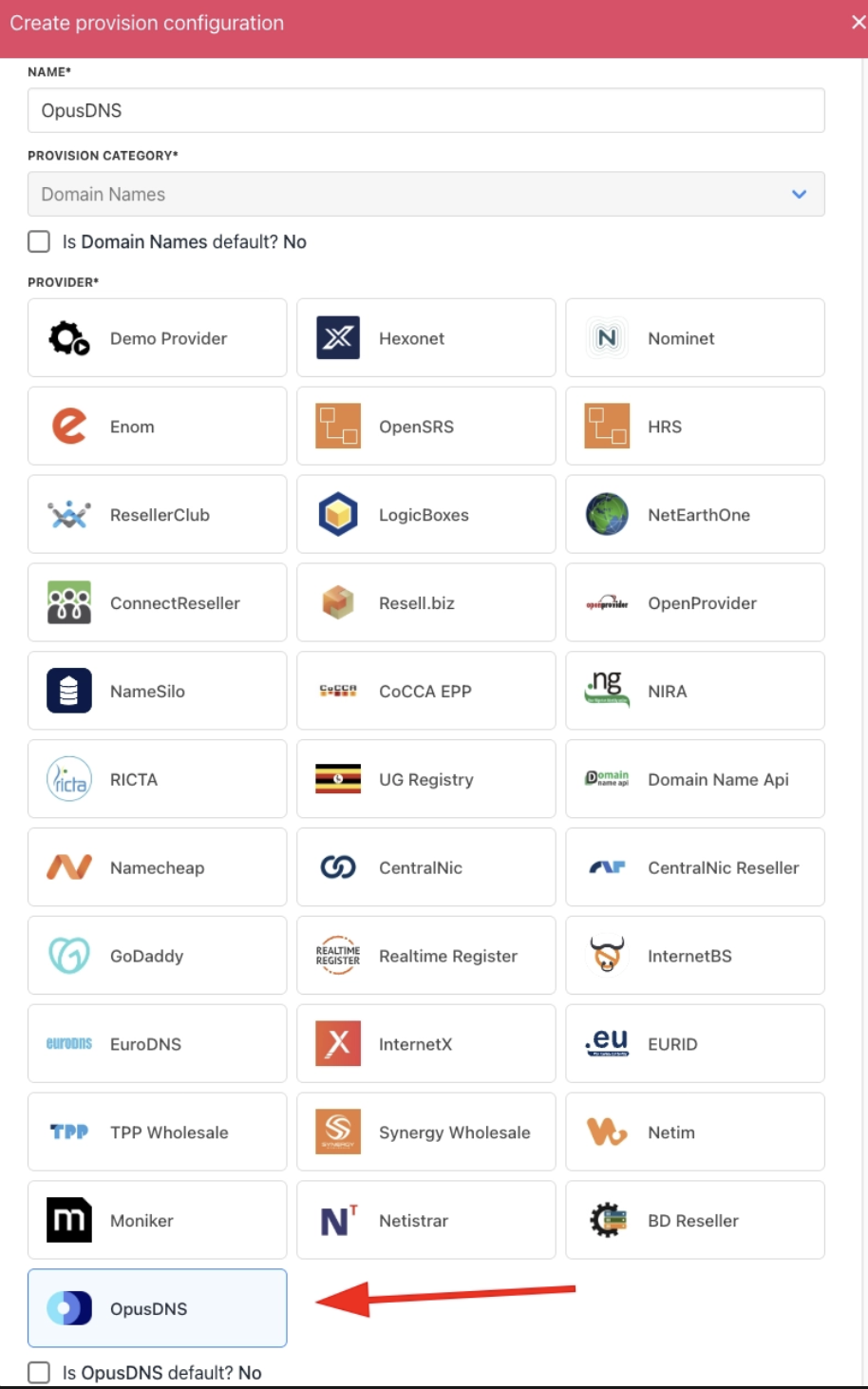
Choose OpusDNS
- Enter the API Key.
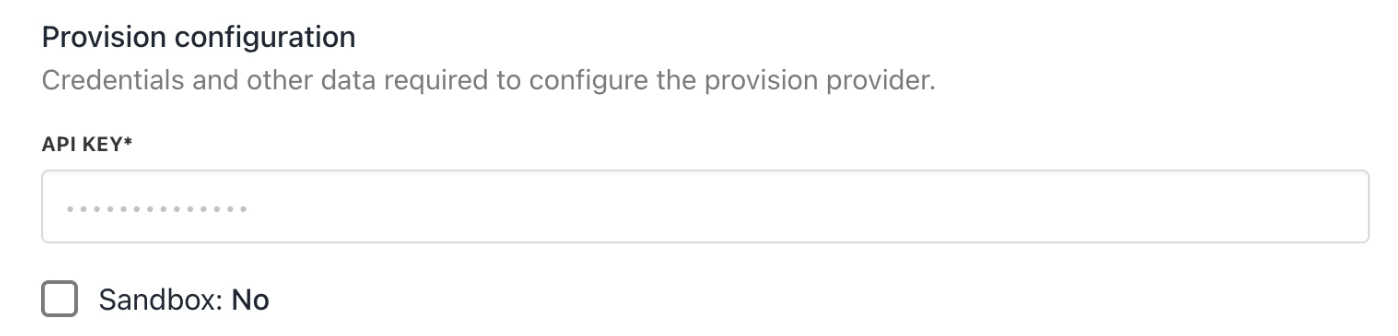
Enter details
- Click Create.
- Verify the information on the Settings page.
That’s it! Your account is now linked. You can now create a TLD available for sale by following this guide on how to create TLDs.