

Details needed
To link your Realtime Register account to Upmind, you will need the following details:- Realtime Register account.
- Customer and API Key.
- Log in to your Realtime Register account.
- Go to Users under Account on the left side of the screen.
- Select the user for whom you wish to create one or multiple API keys. Once selected, click on API keys.
- Click on Create API Key. Note: You can only obtain the API key at the time of creation. If an API key is lost, a new one will need to be created.
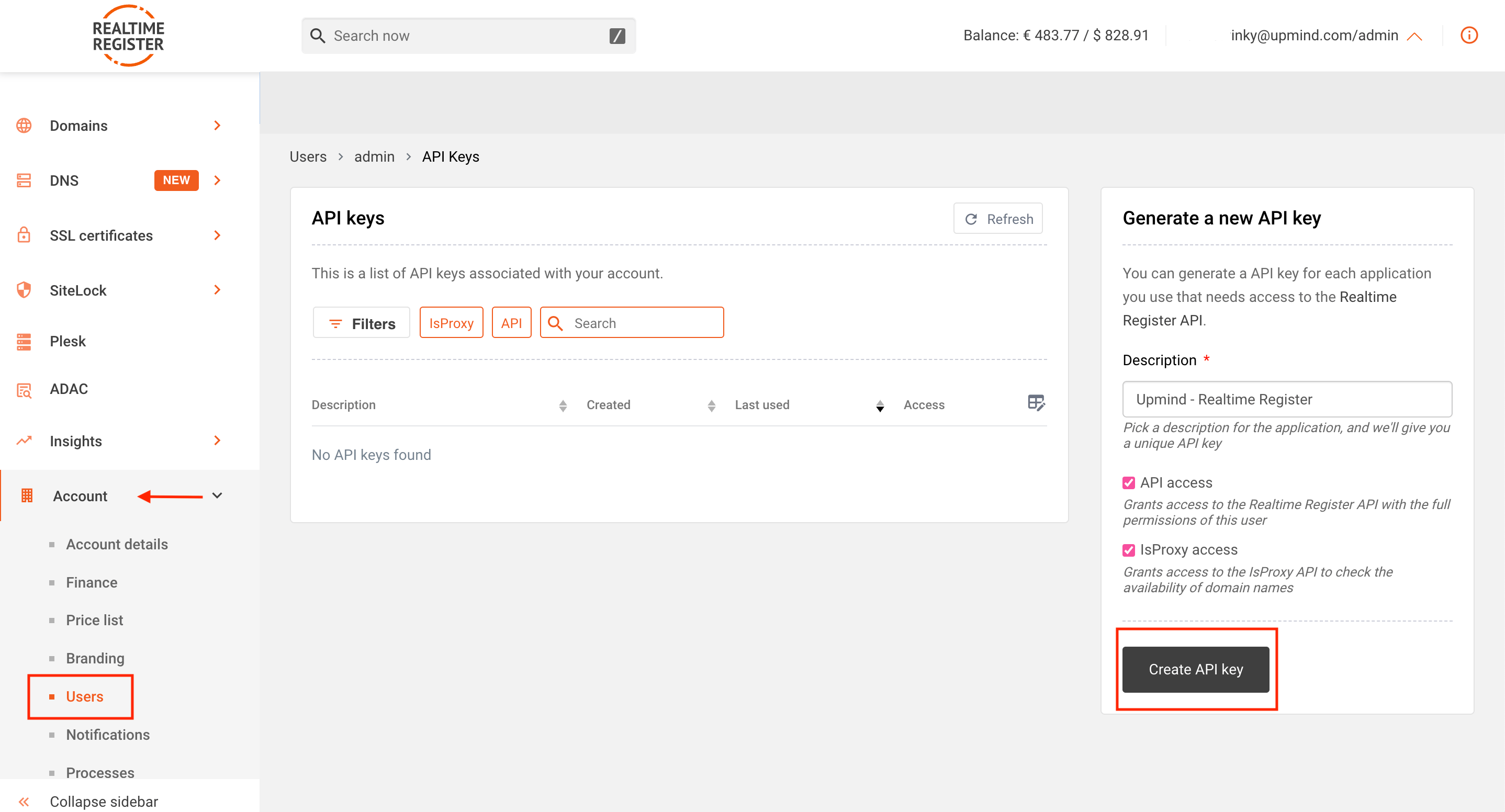
Create API Key
- To create a new API key, enter a description, then click on Create API Key.
- Enter your login password.
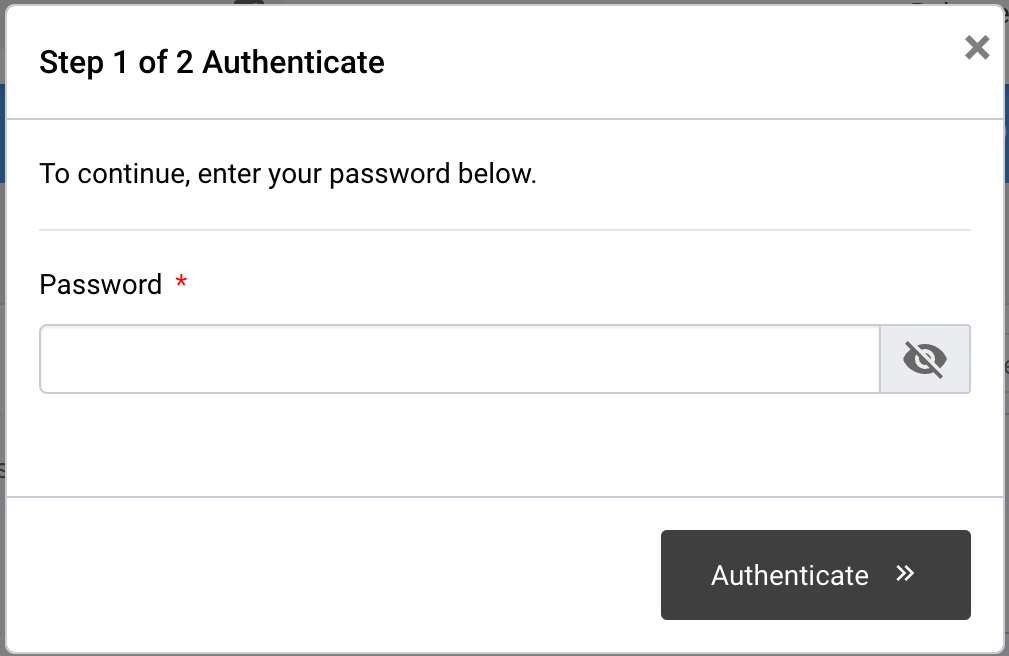
Enter Your Realtime Register Password
- The API key will appear on your screen. Be sure to save the API key, as you will not be able to see it again once the pop-up containing the API key is closed.
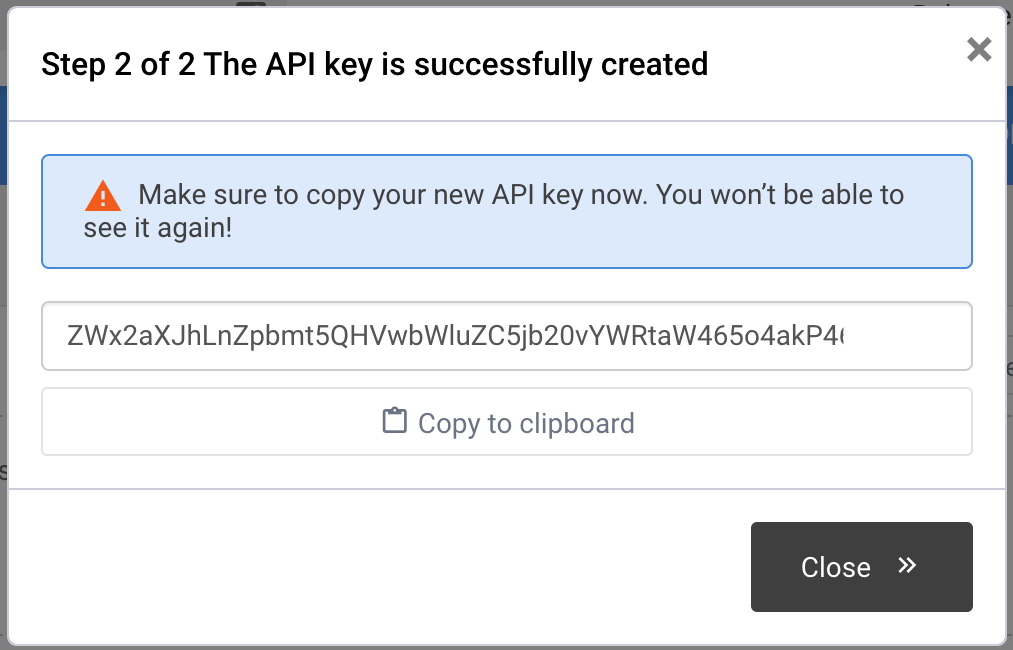
API Key Generated
Linking Realtime Register to Upmind
- In Upmind, navigate to Host Control > Domain names > Registrars.
- Click on Realtime Register.
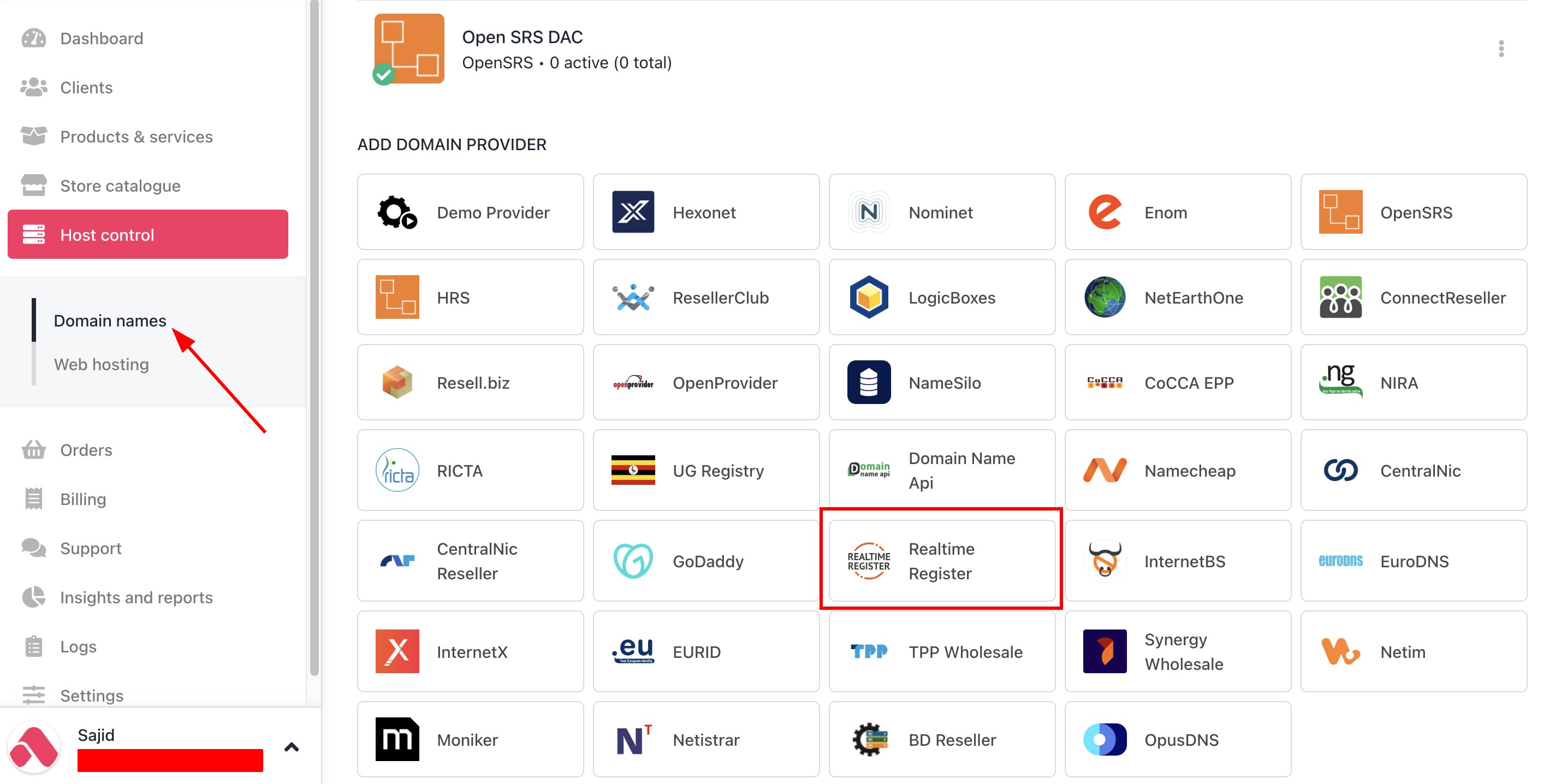
Host Control > Domain names > Registrars
- Enter a Name. This identifier is not visible to clients. We recommend entering the name Realtime Register unless you have two separate accounts that you want to label differently.
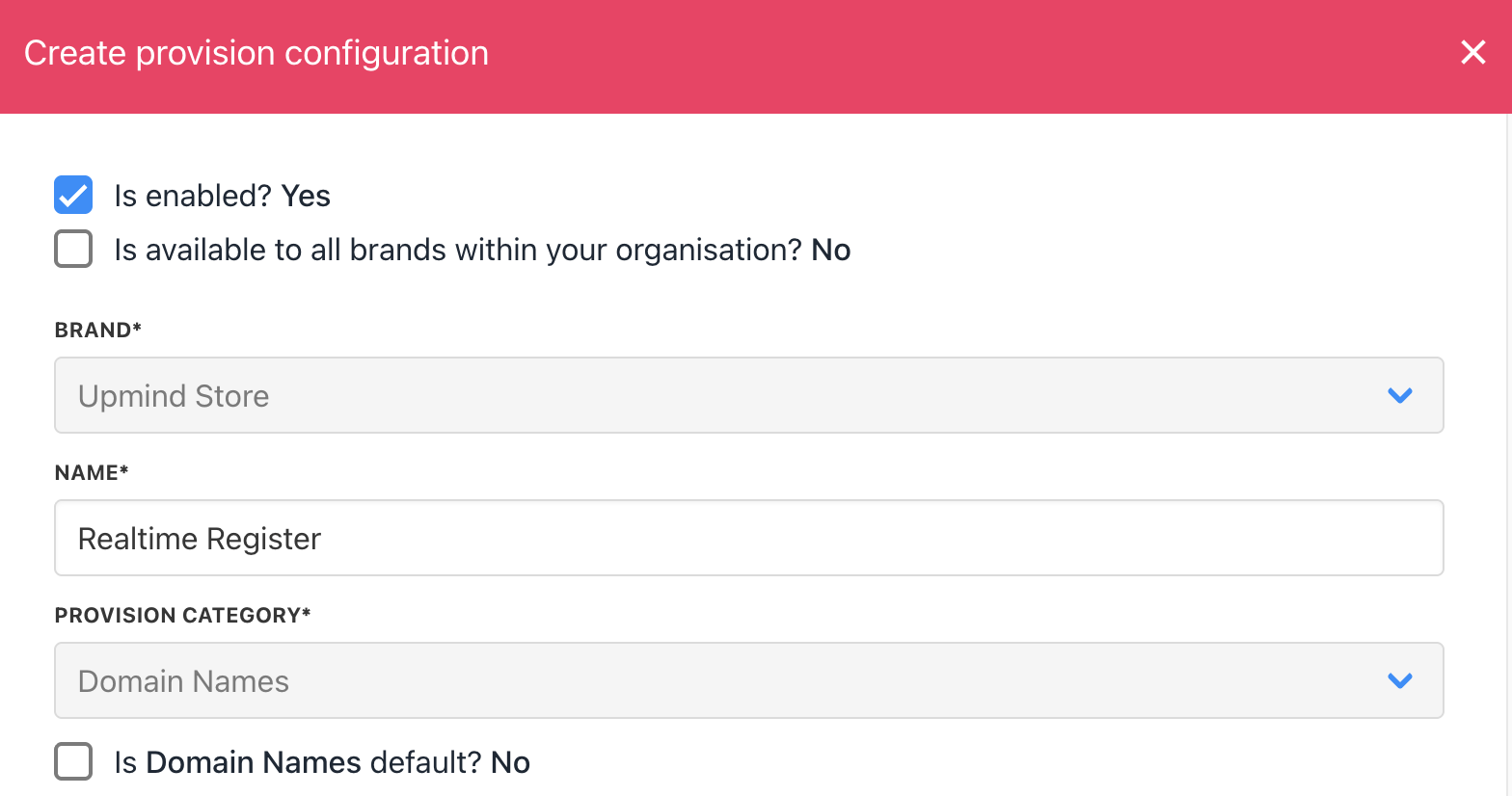
Enter name
- Enter your Realtime Register Customer and API Key.
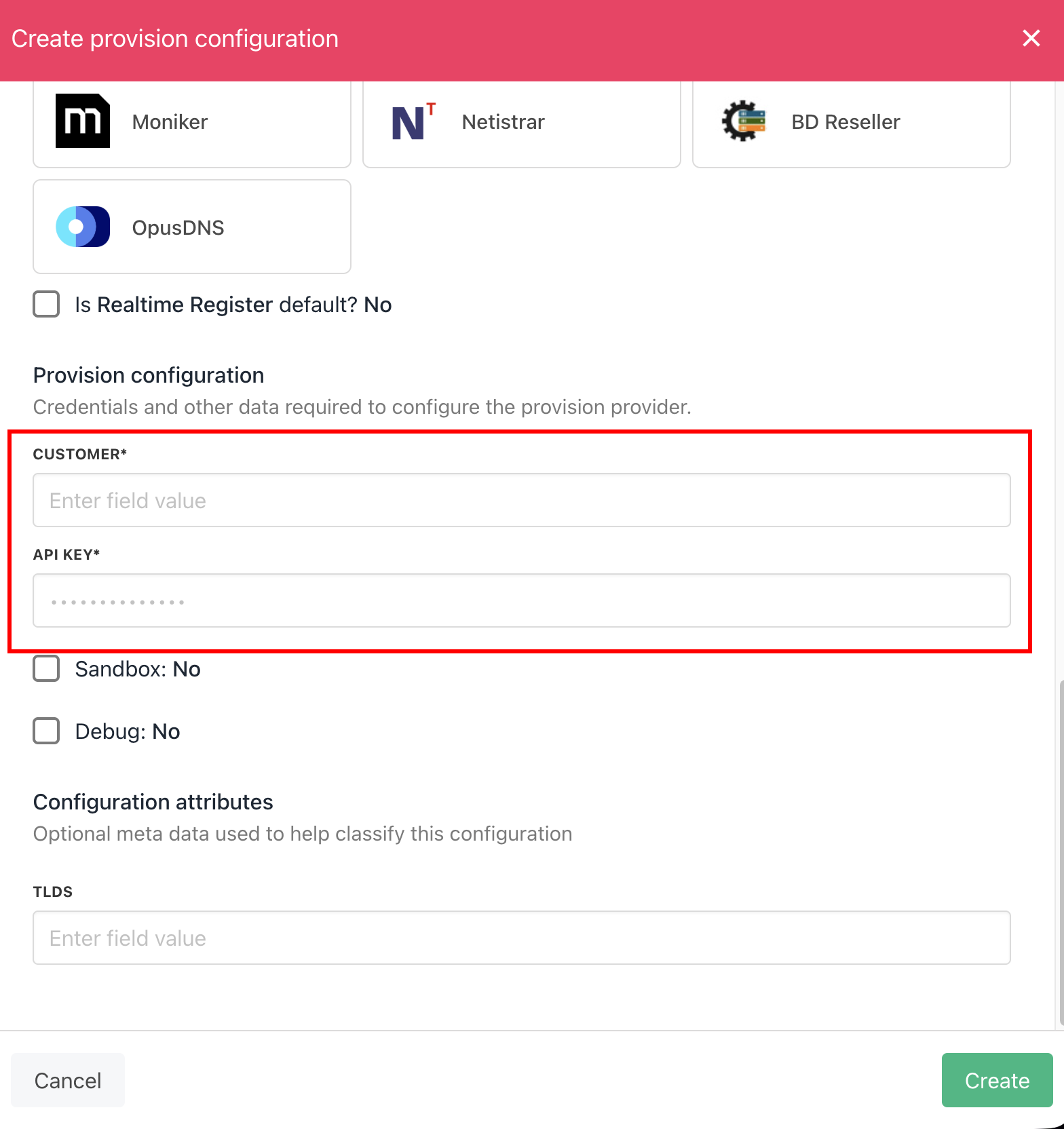
Enter details
- Click the Create button.
- Verify the information on the Domain Settings page.