

Details needed
To link your Namecheap account to Upmind, you will need a username and API Key from your Namecheap account. To generate an API Key, follow these steps:- Log in to your Namecheap account.
- Go to the Profile section.
- Select Tools.
- Choose Namecheap API Access under the Business & Dev Tools section.
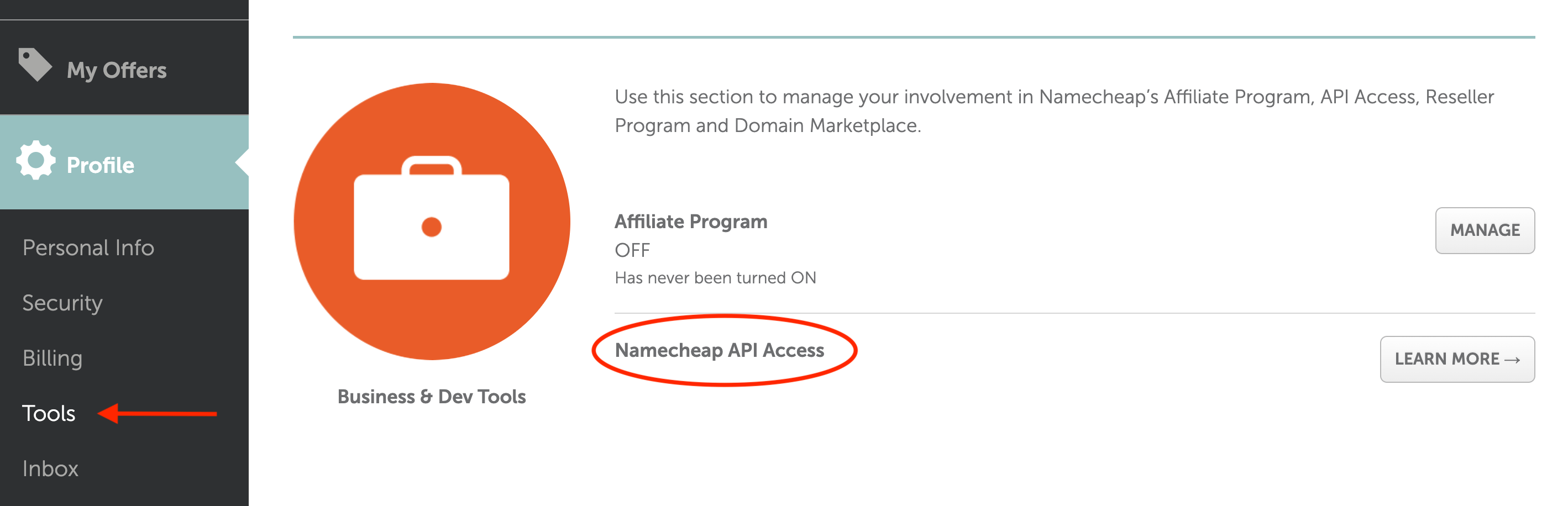
API Key
Linking Namecheap to Upmind
- In Upmind, navigate to Host Control > Domain names > Registrars.
- Click on Namecheap.
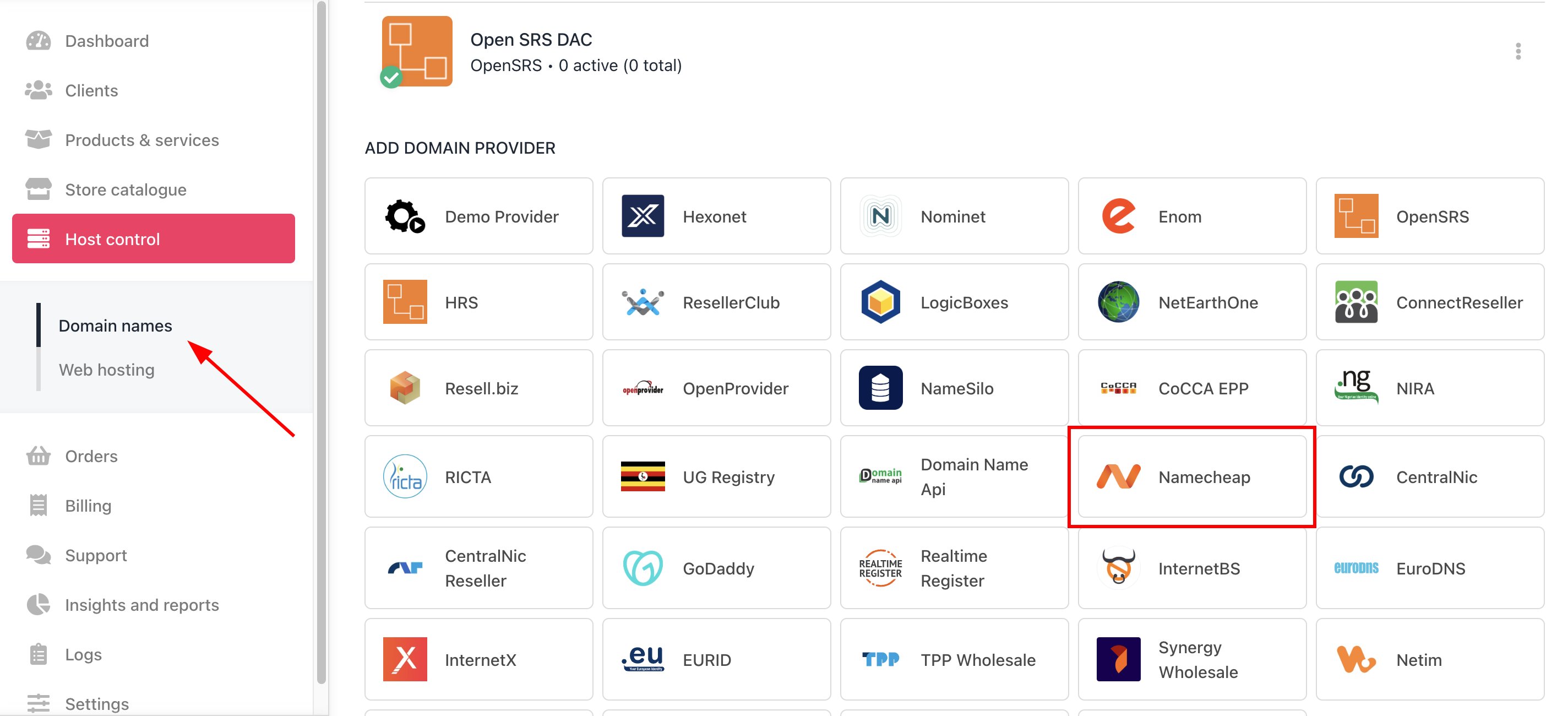
Host Control > Domain names > Registrars
- Enter a Name. This identifier is not visible to clients. We recommend entering the name Namecheap unless you have two separate accounts that you want to label differently.
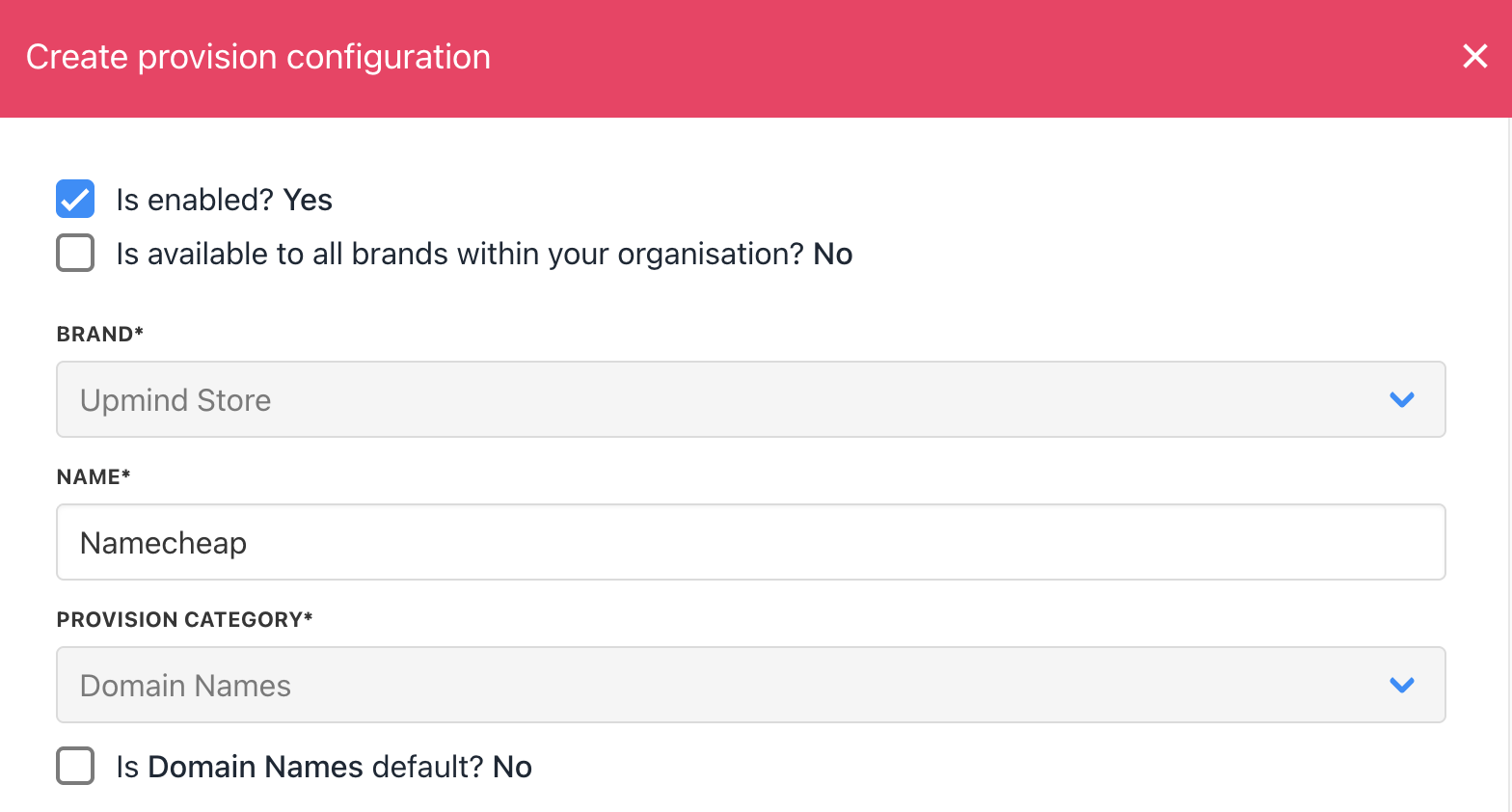
Enter name
- Enter your Namecheap username and API Key.
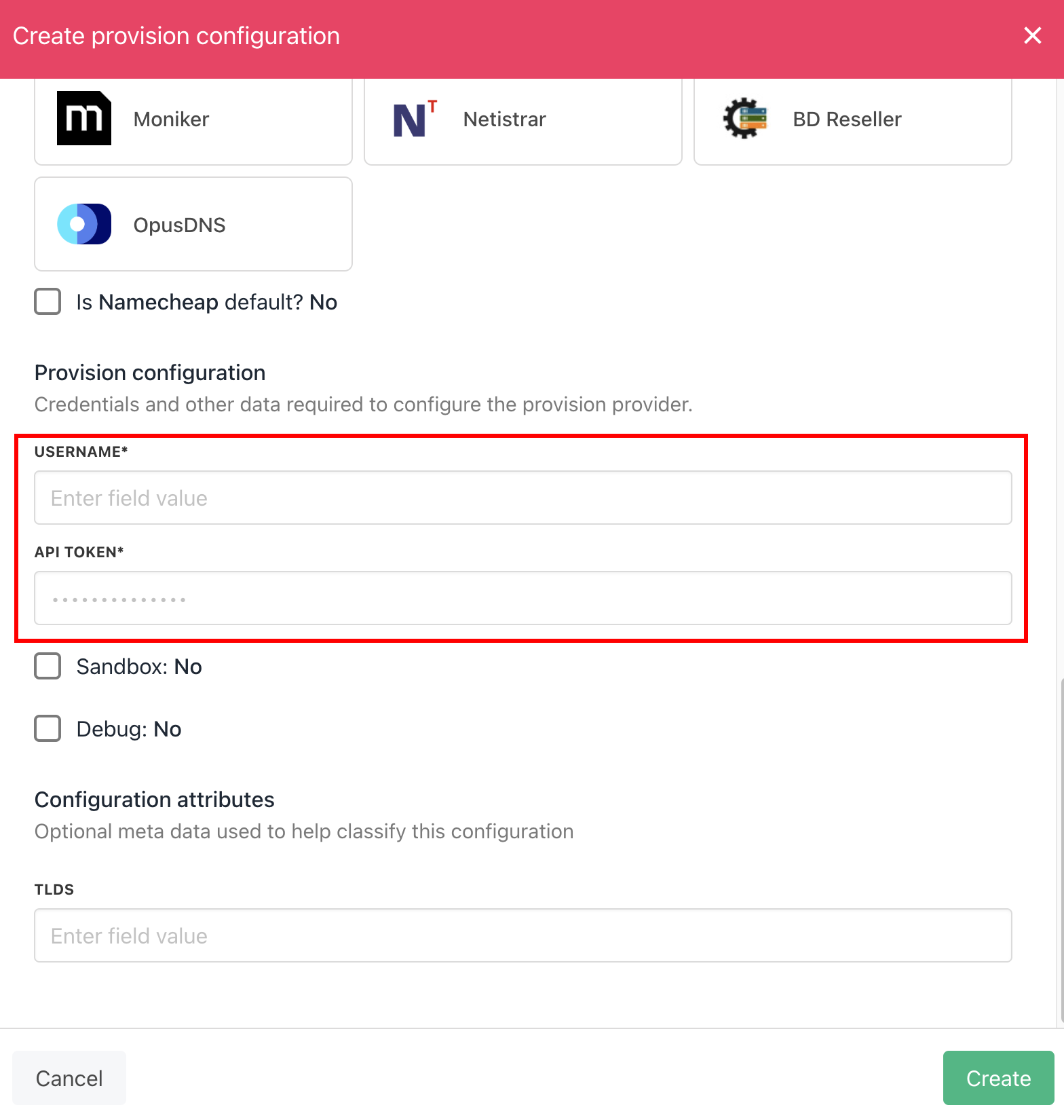
Enter details
- Click the Create button.
- Verify the information on the Domain Settings page.