

Details needed
You will need to obtain the following information in your NetEarthOne account.- Your Reseller ID. You can get this on the top right under your profile.
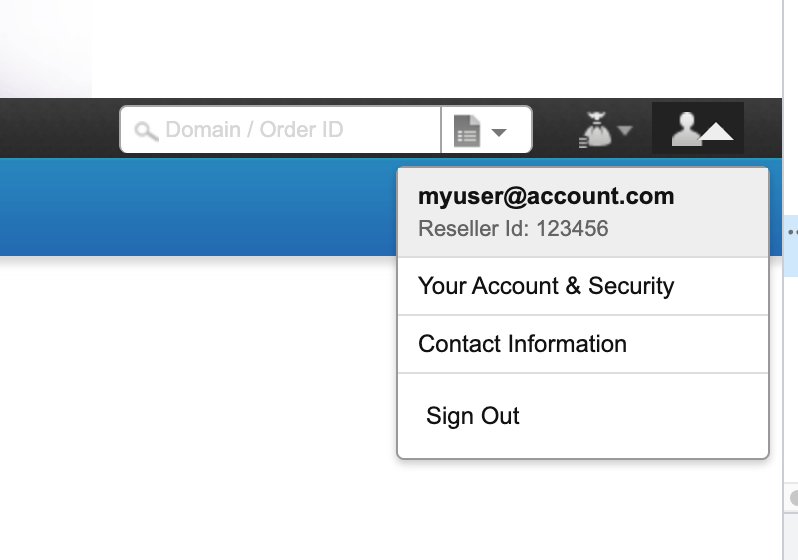
Get Reseller ID
- Your API key. You can get this from Settings > API.
- You will also need to whitelist the following IP addresses
- 91.240.229.1
- 91.240.229.2
- 91.240.229.3
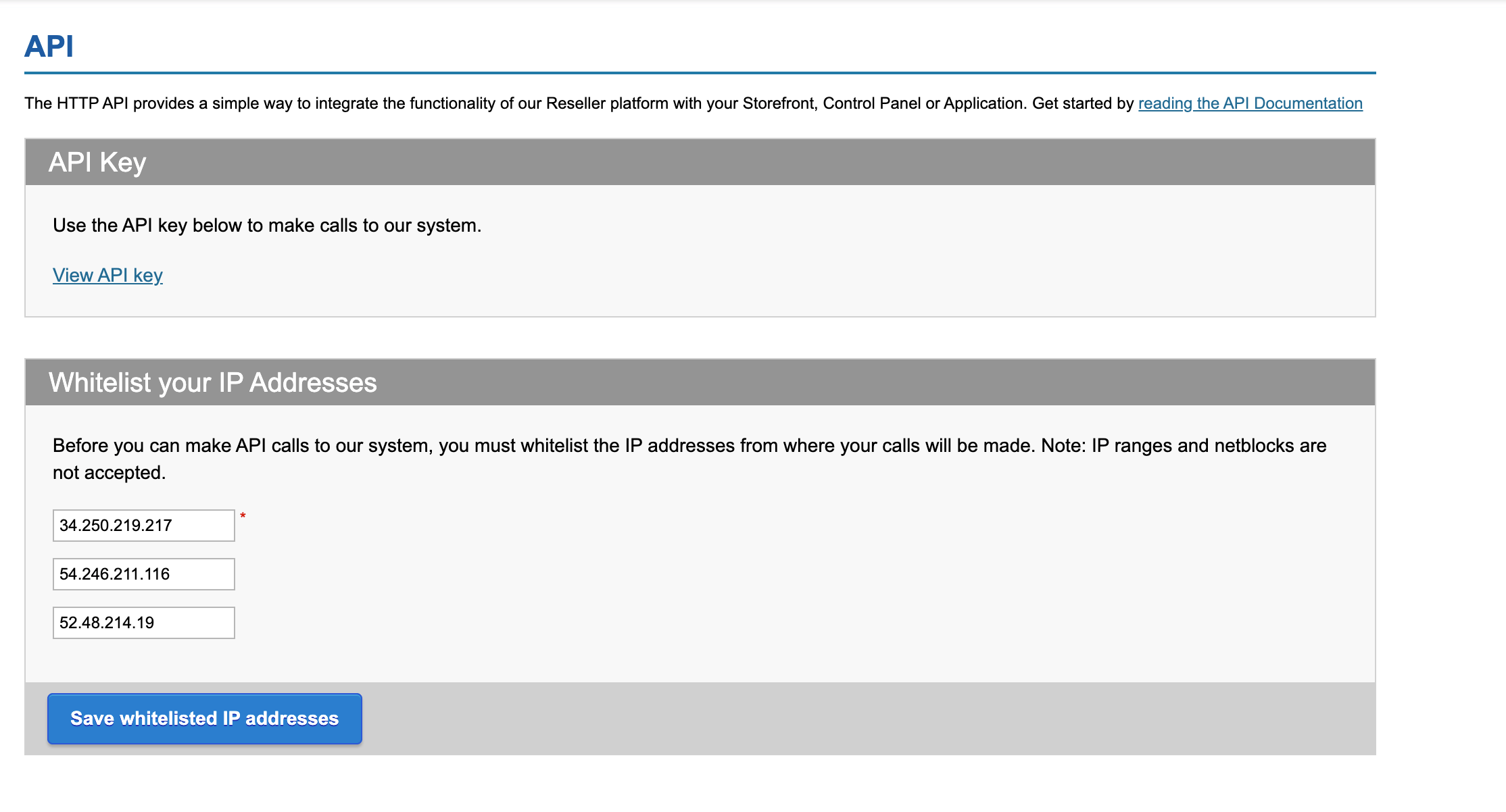
Get API key
Connecting to Upmind
- In Upmind, navigate to Host Control > Domain names > Registrars.
- Select NetEarthOne from the list of providers.
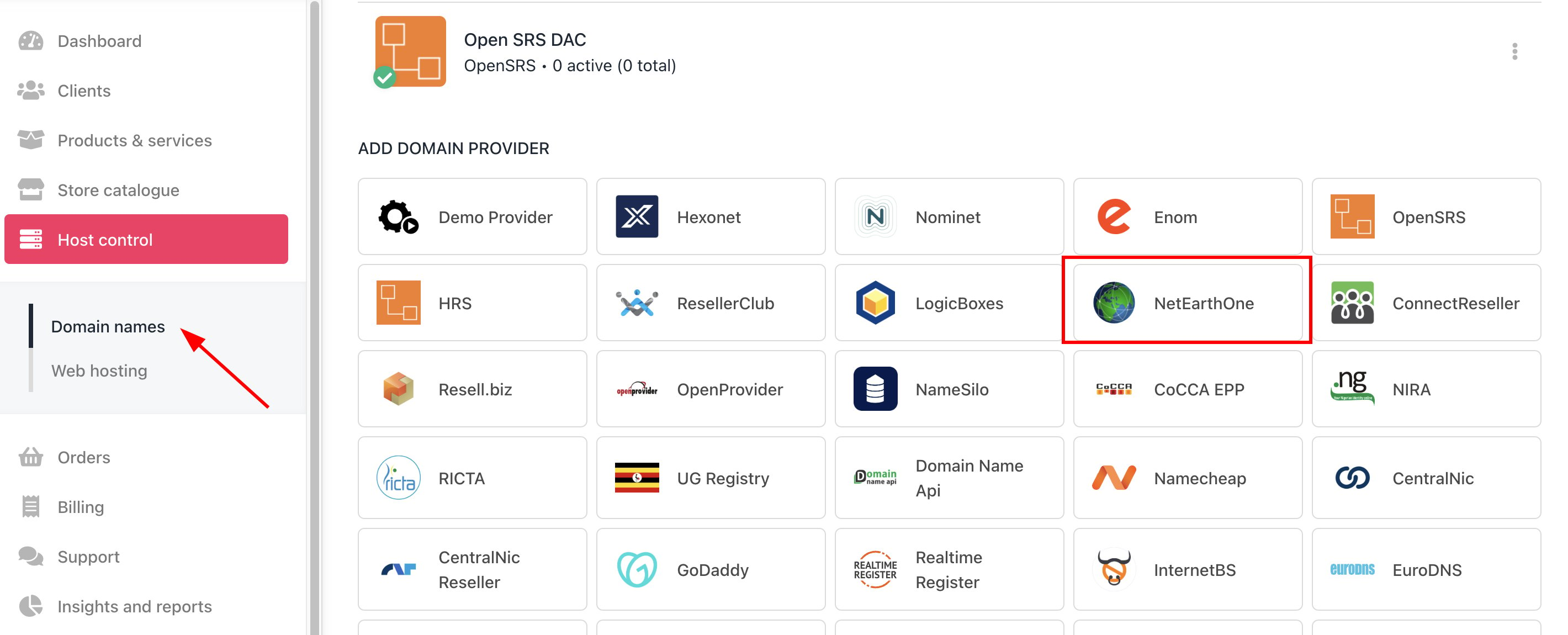
Host Control > Domain names > Registrars
- Enter a Name. We recommend NetEarthOne.
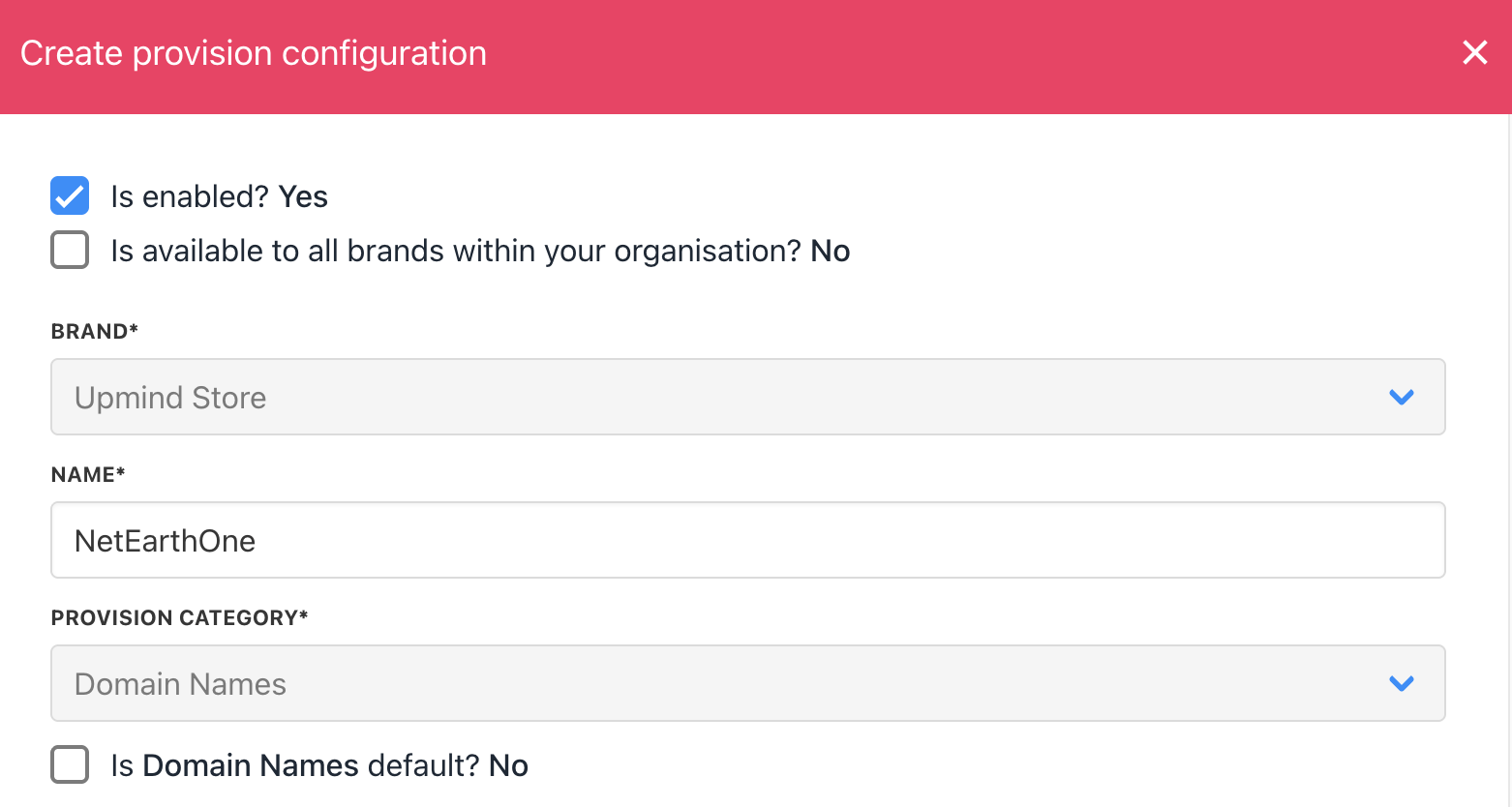
Enter name
- You will need to enter your Reseller ID and API Key.
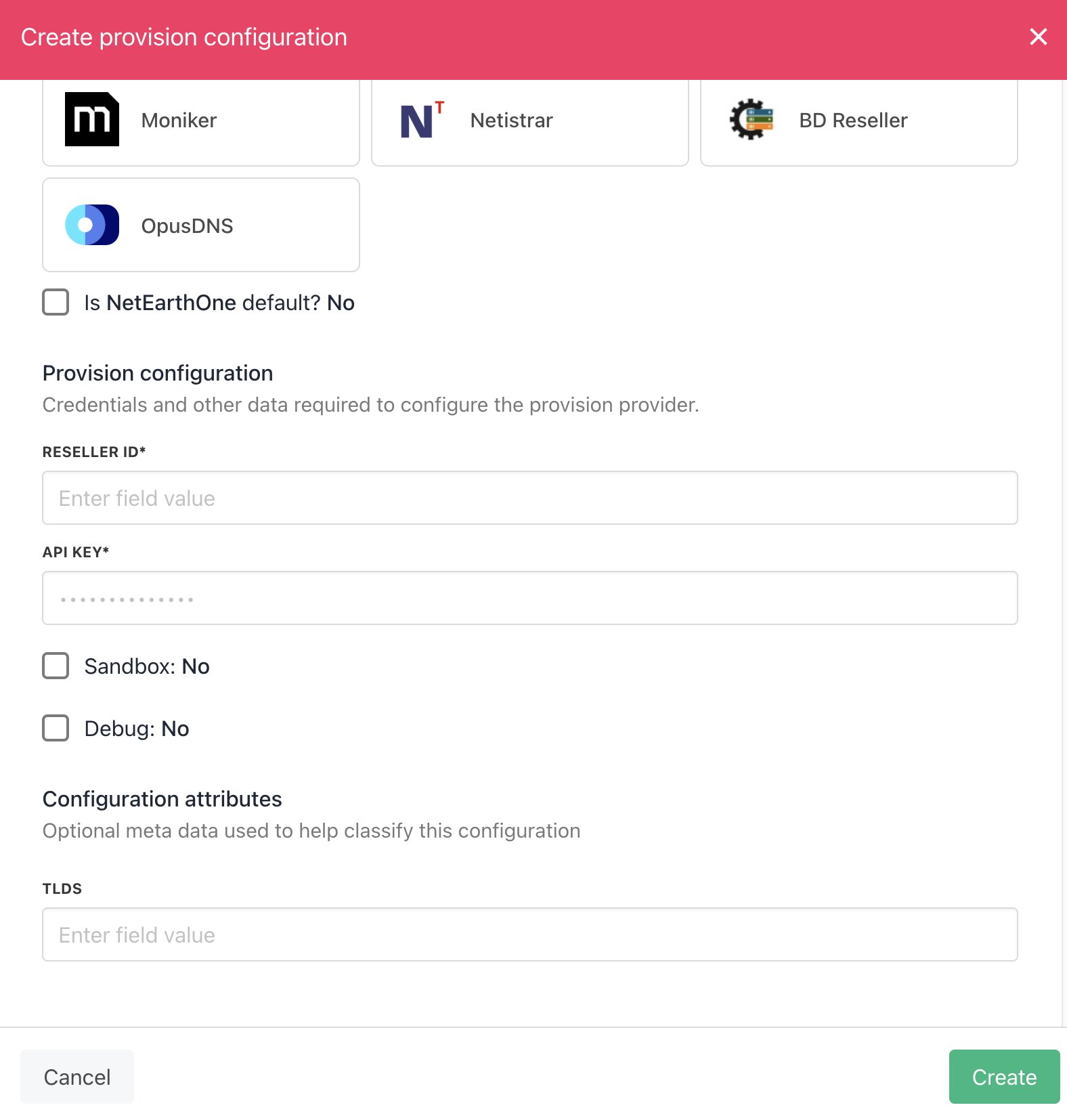
Enter details
- Hit Create. Then you should be fully connected.
- Verify the information on the Domain Settings page.