

Connect Synergy Wholesale with Upmind
- In Upmind, navigate to Host Control > Domain names > Registrars.
- Click on Synergy Wholesale.
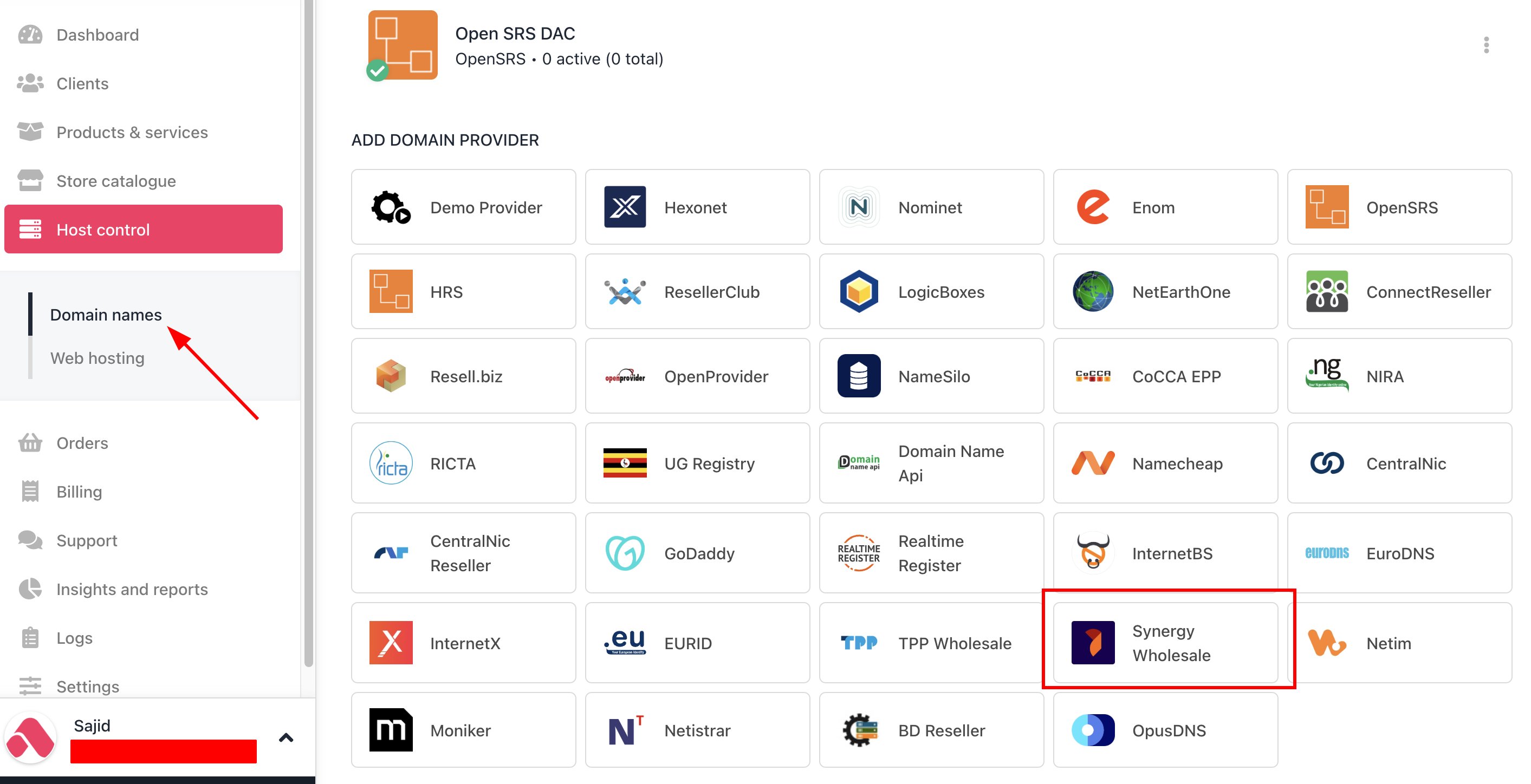
Host Control > Domain names > Registrars
- Enter a Name. This identifier is not visible to clients. We recommend entering the name Synergy Wholesale unless you have two separate accounts that you want to label differently.
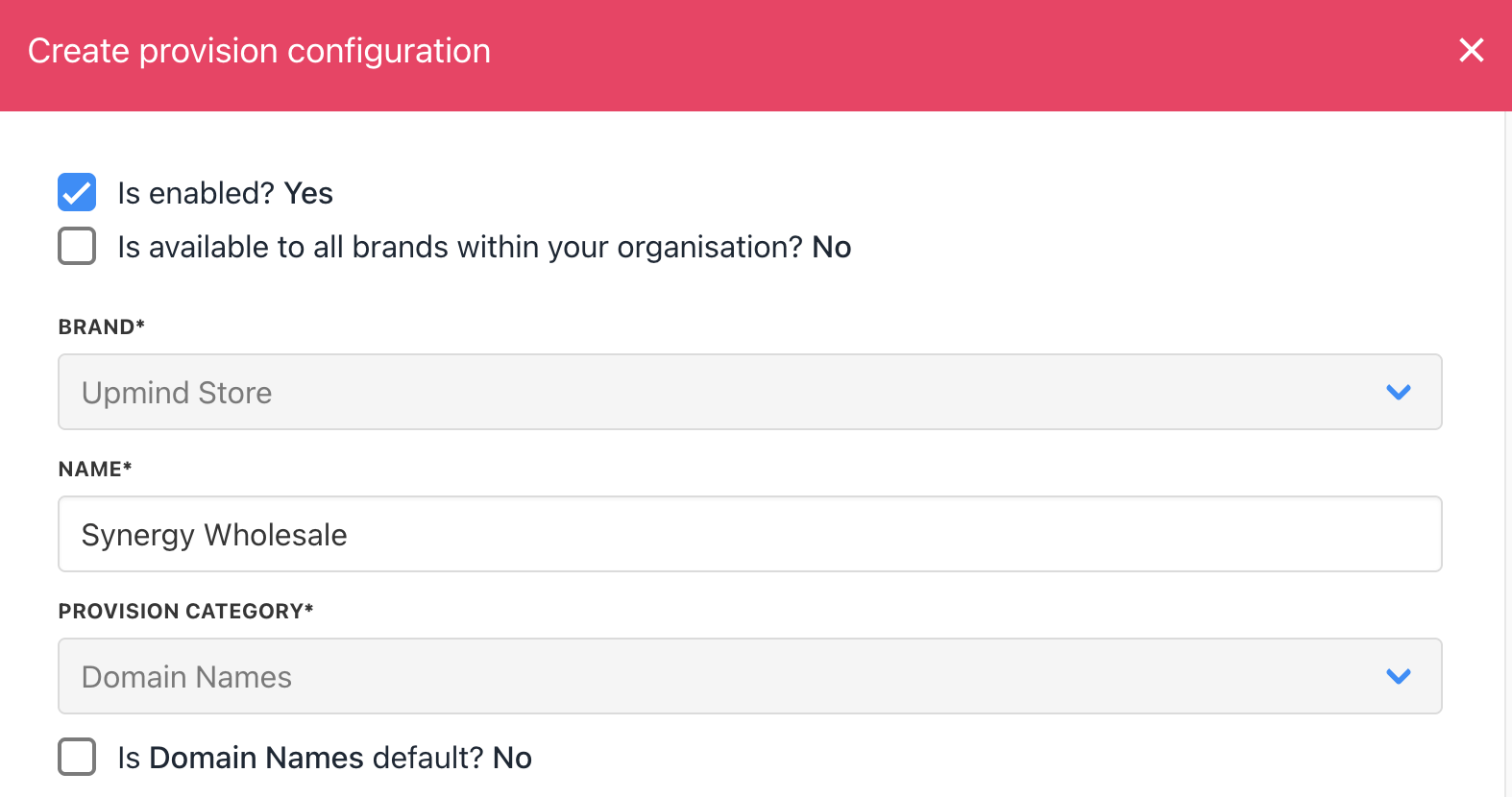
Enter name
- Contact Synergy Wholesale support or log into your reseller account to get your Reseller ID and API Key. These credentials authorise Upmind to manage domains on your behalf.
- Input your Reseller ID and API Key into the respective fields.
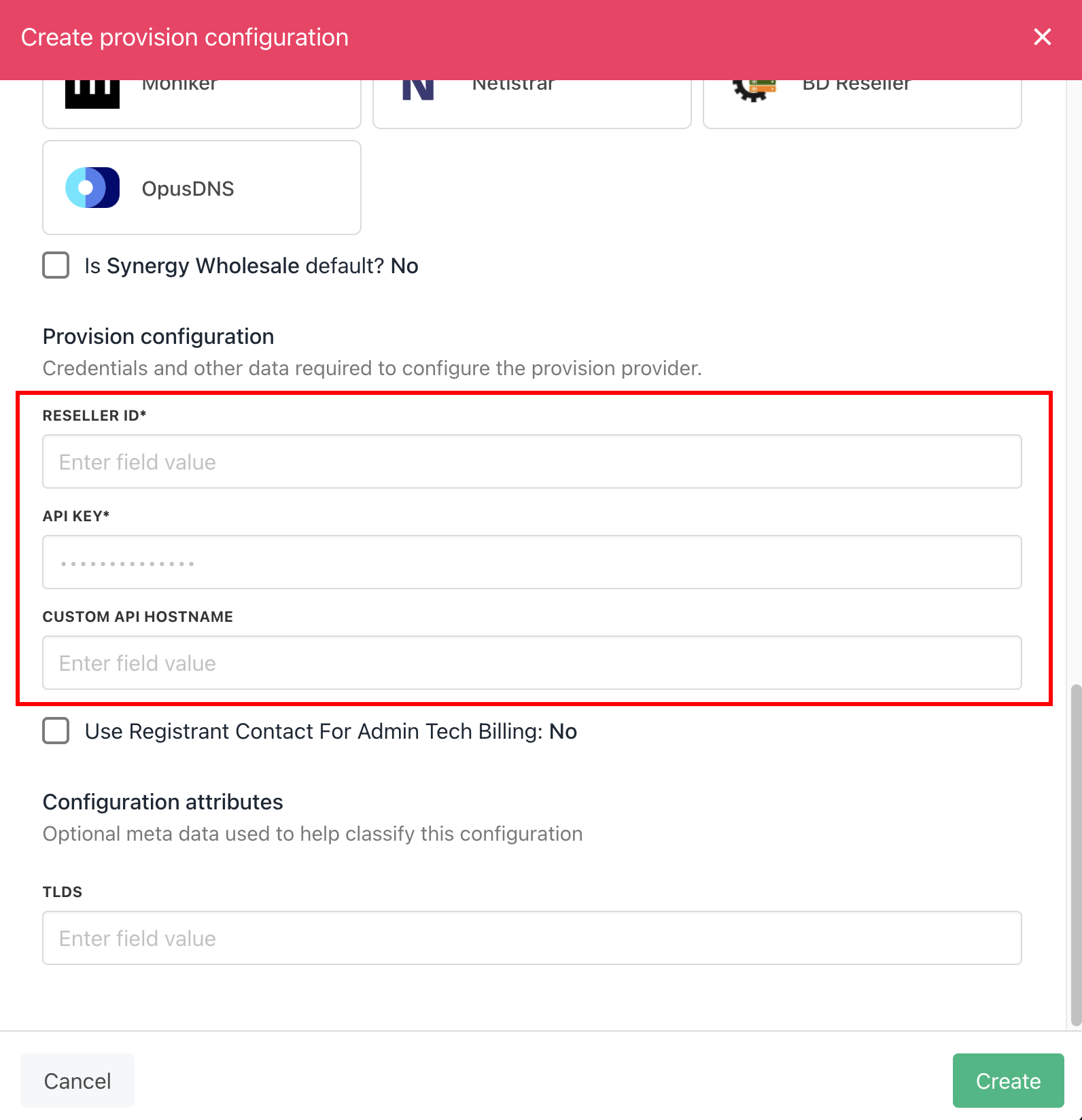
Enter details
- Click Create to save and activate the integration.
- Verify the information on the Domain Settings page.