

Getting the mandate token from GoCardless
- Log in to your GoCardless Dashboard at manage.gocardless.com.
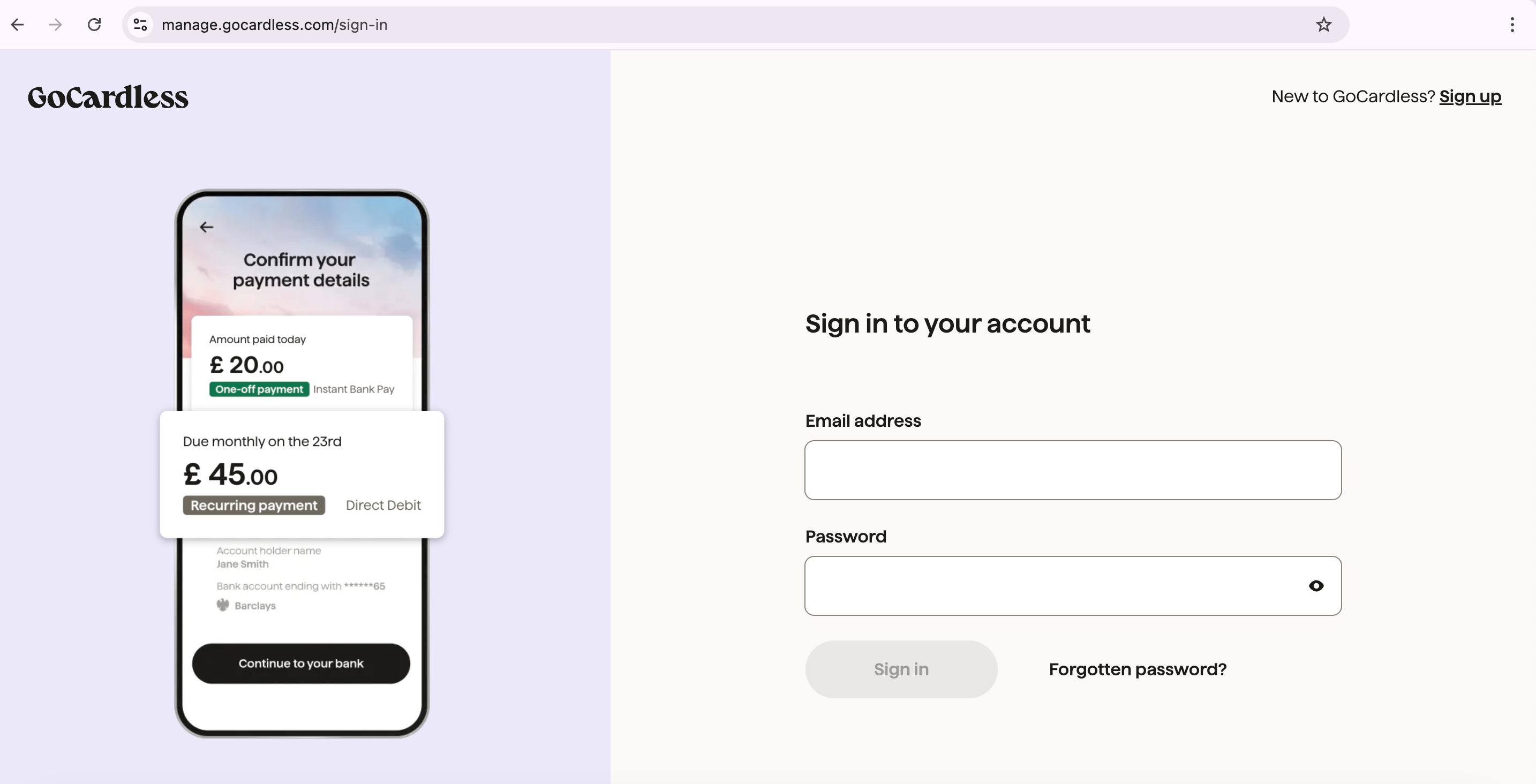
GoCardless account login
- In the left menu, click
Customers.
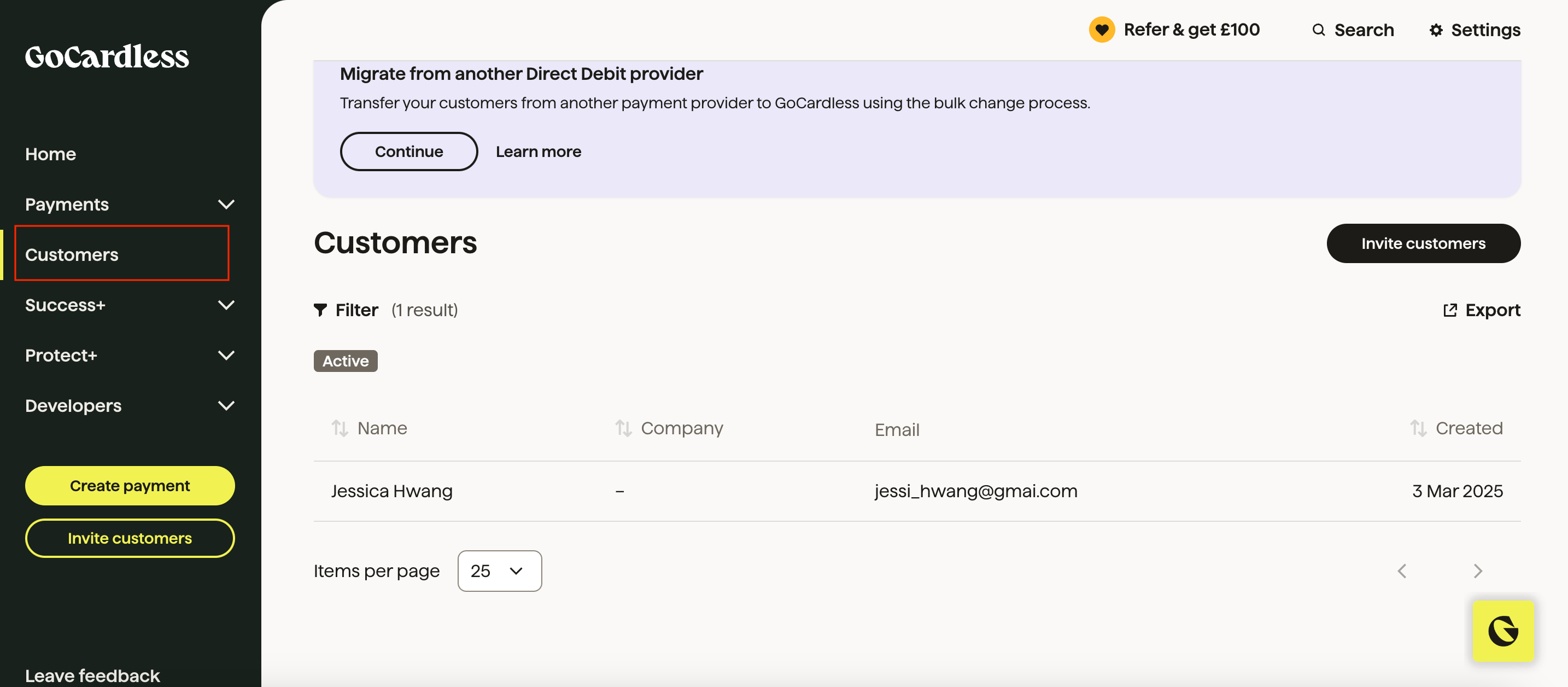
Customers > Choose the customer
- Select the customer whose mandate you want to link.
- Click Bank Accounts under the customer profile.
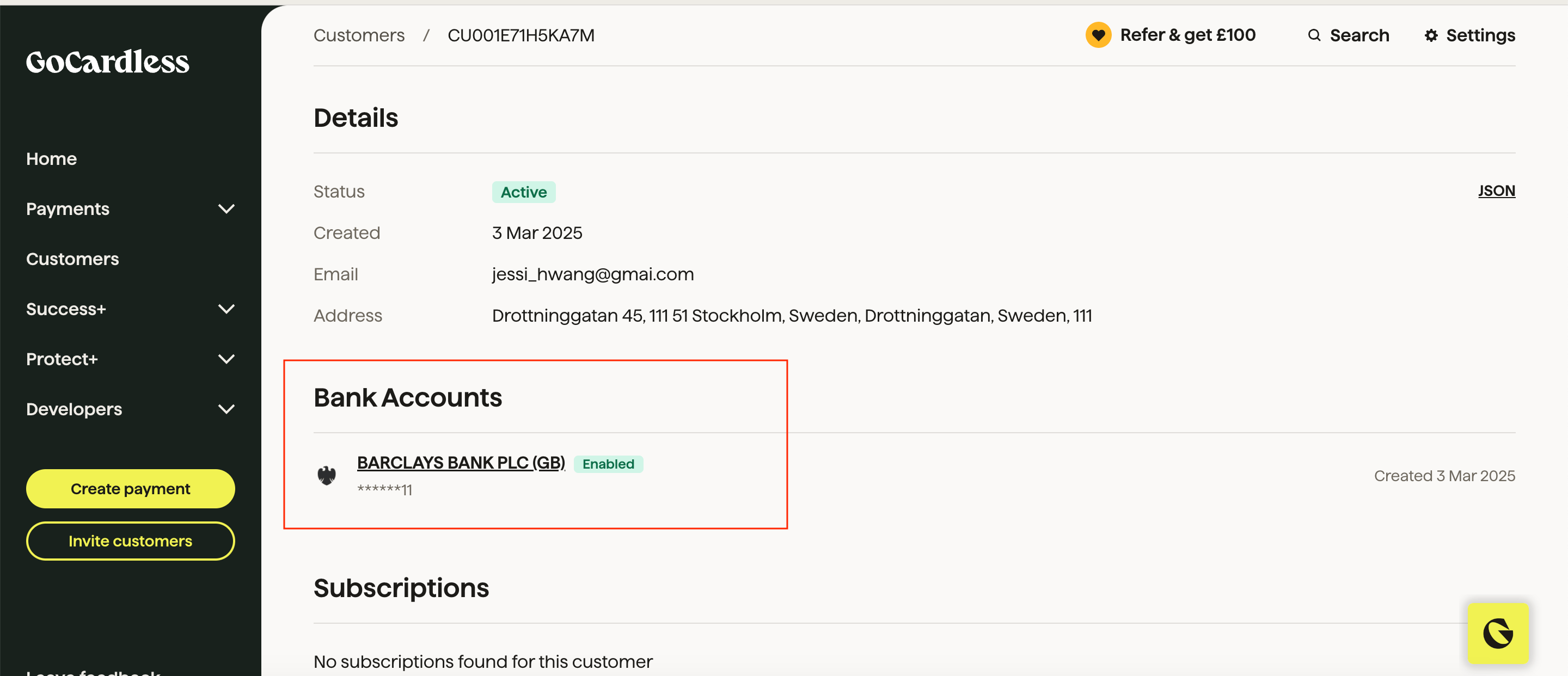
Bank account under customer profile
- Locate and copy the Mandate Code (the unique identifier for the mandate).
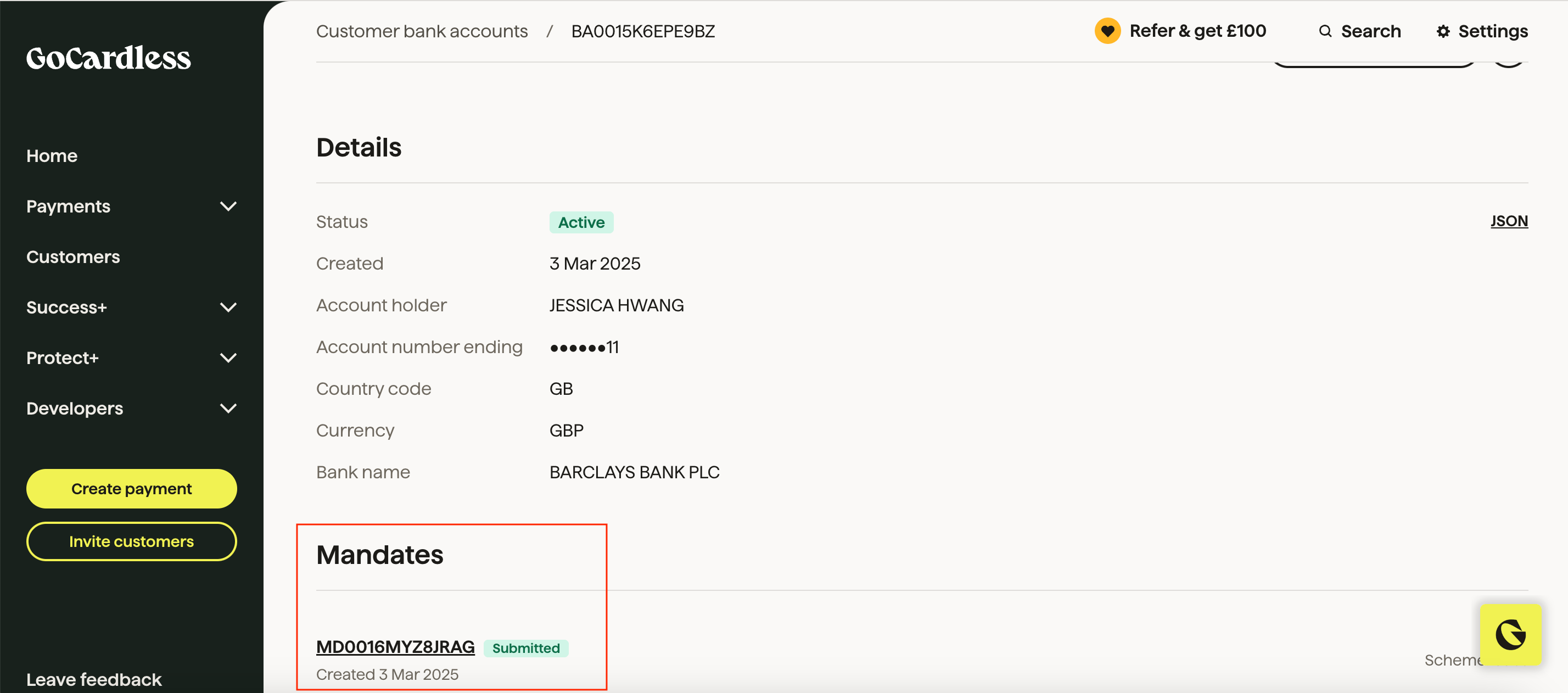
Copy the mandate code
Manually adding the mandate token in Upmind
- Log in to your Upmind admin panel.
- Select the client to whom you want to assign the mandate.
- Go to Billing > Payment Methods and click Add Payment Method.
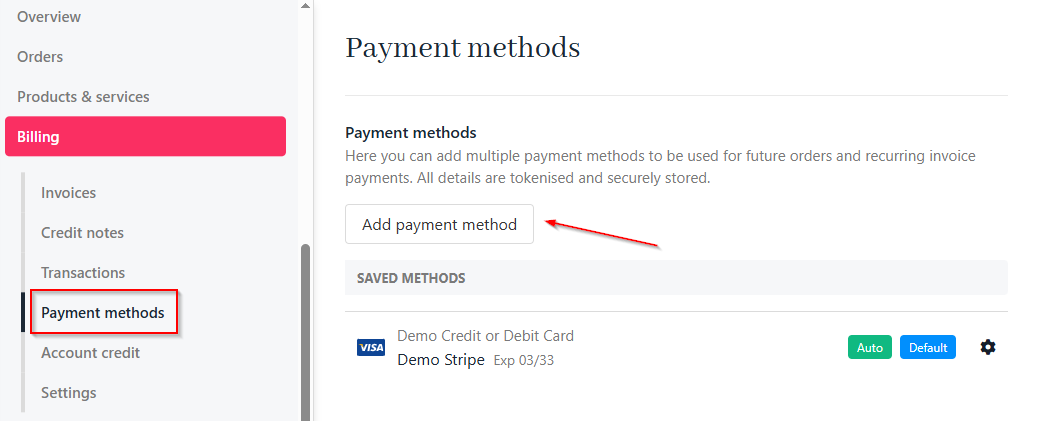
Billing > Payment methods
- In the Advanced section, choose the option to add a mandate token manually.
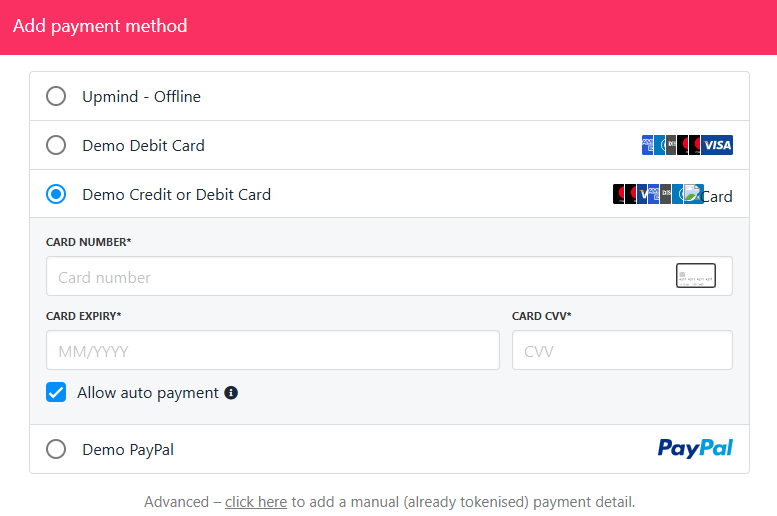
Manually add mandate token
- Select GoCardless as the provider.
-
Paste the copied mandate code into the
TOKENfield.
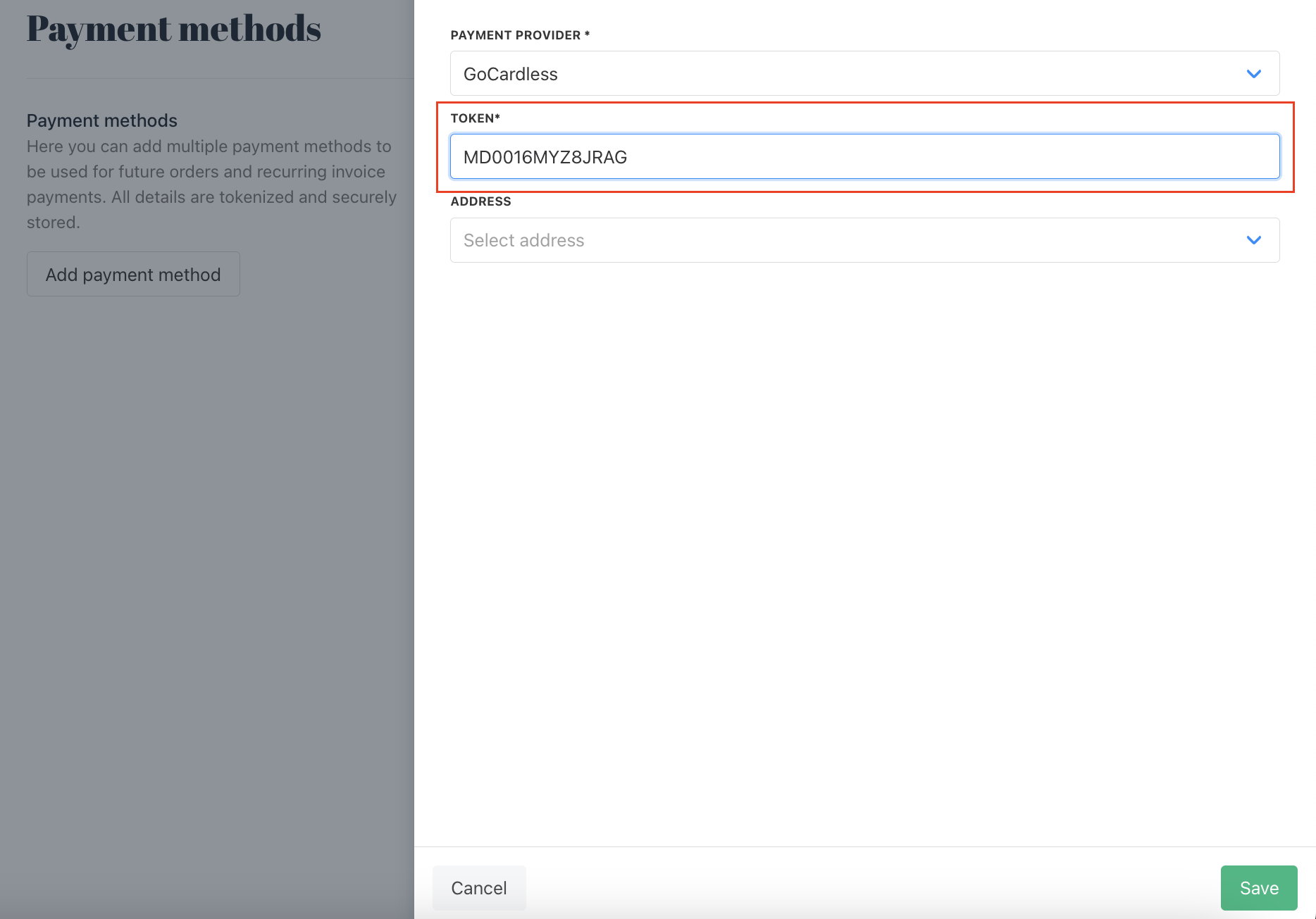
Paste the mandate token
- Click Save to store the mandate.
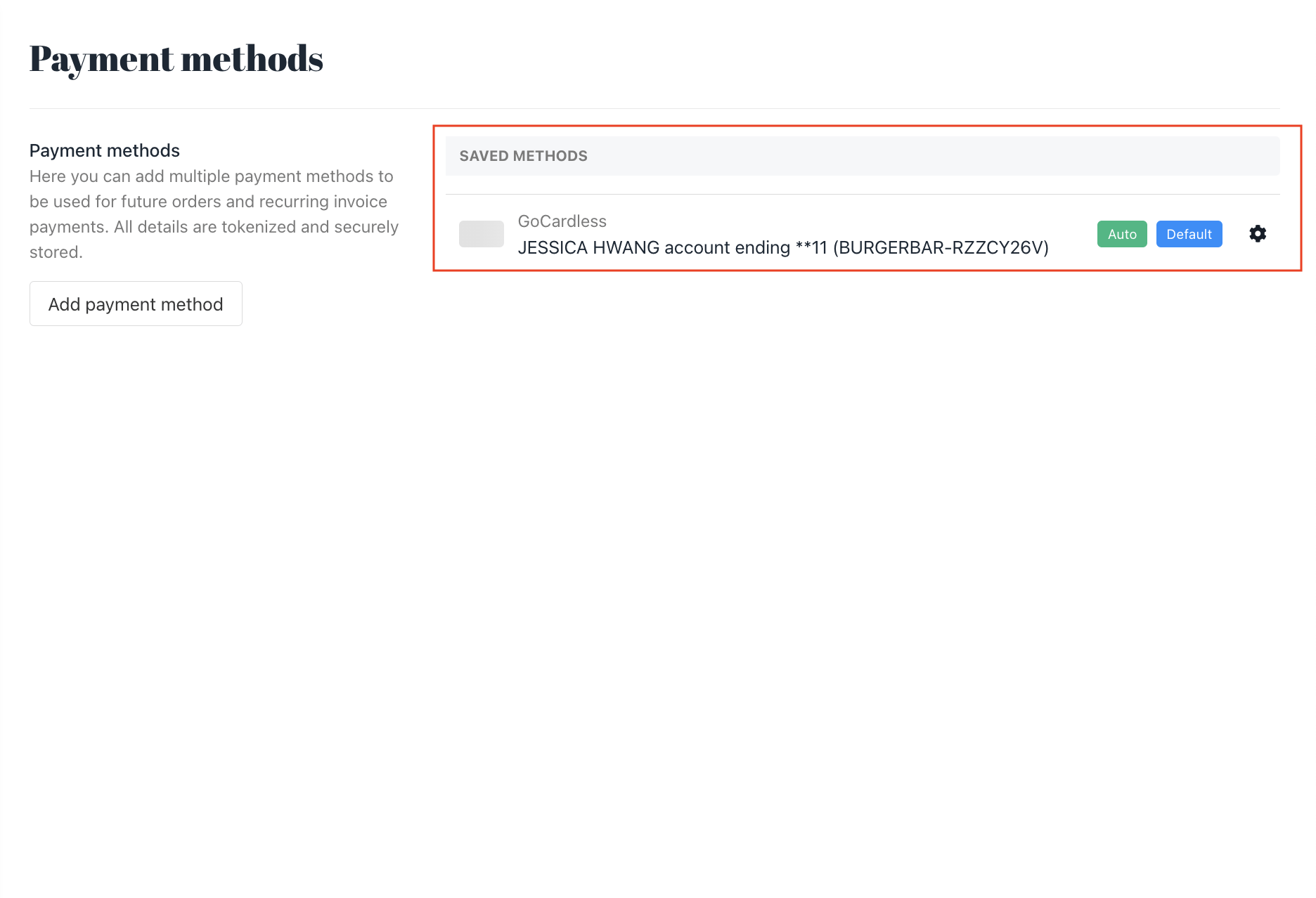
Store the mandate