How to Add Delegates from Your Admin Area
If your client needs assistance adding their delegates, you can do this through your admin area. Follow these steps:- Go to the client’s profile > Navigate to Product & Service > Click the Product.
- Go to the Delegates section > Add Delegates
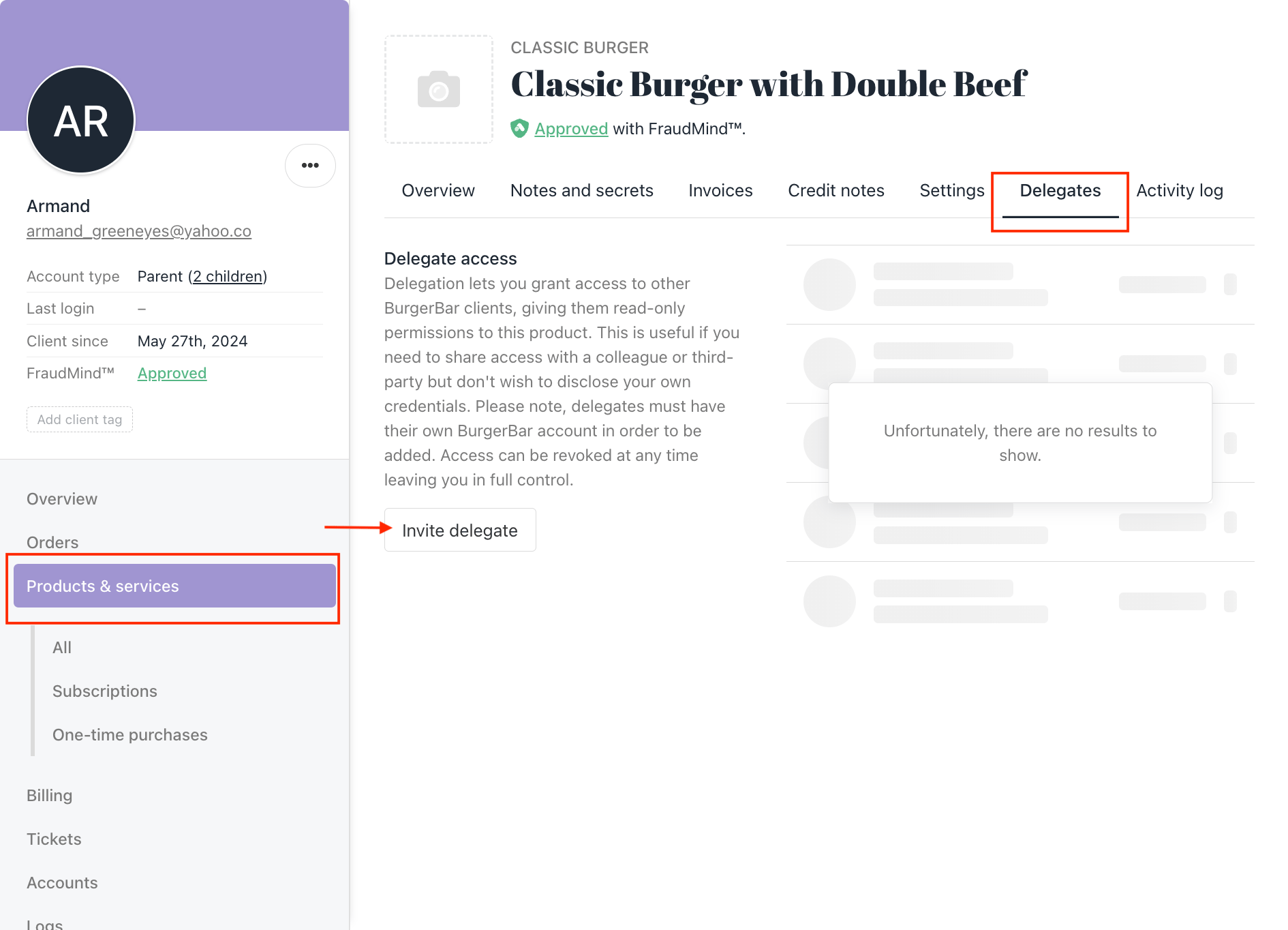
Client's profile > select product > invite delegates
How to Add Delegates from Your Client Area
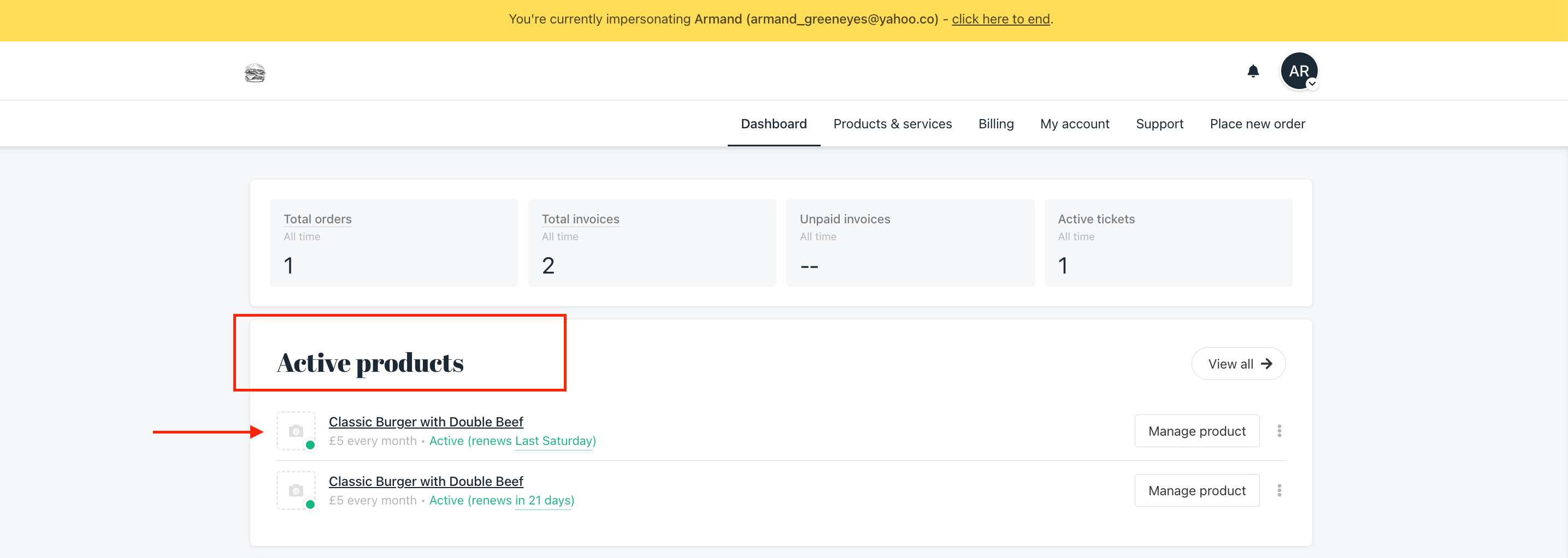
If your client wants to add their delegates themselves, they can do it through their client area. Follow these steps:- From your client area, go to the Active Product > choose the Product
- Click the Setting section > Navigate to the Delegates section > Click Add Delegates.
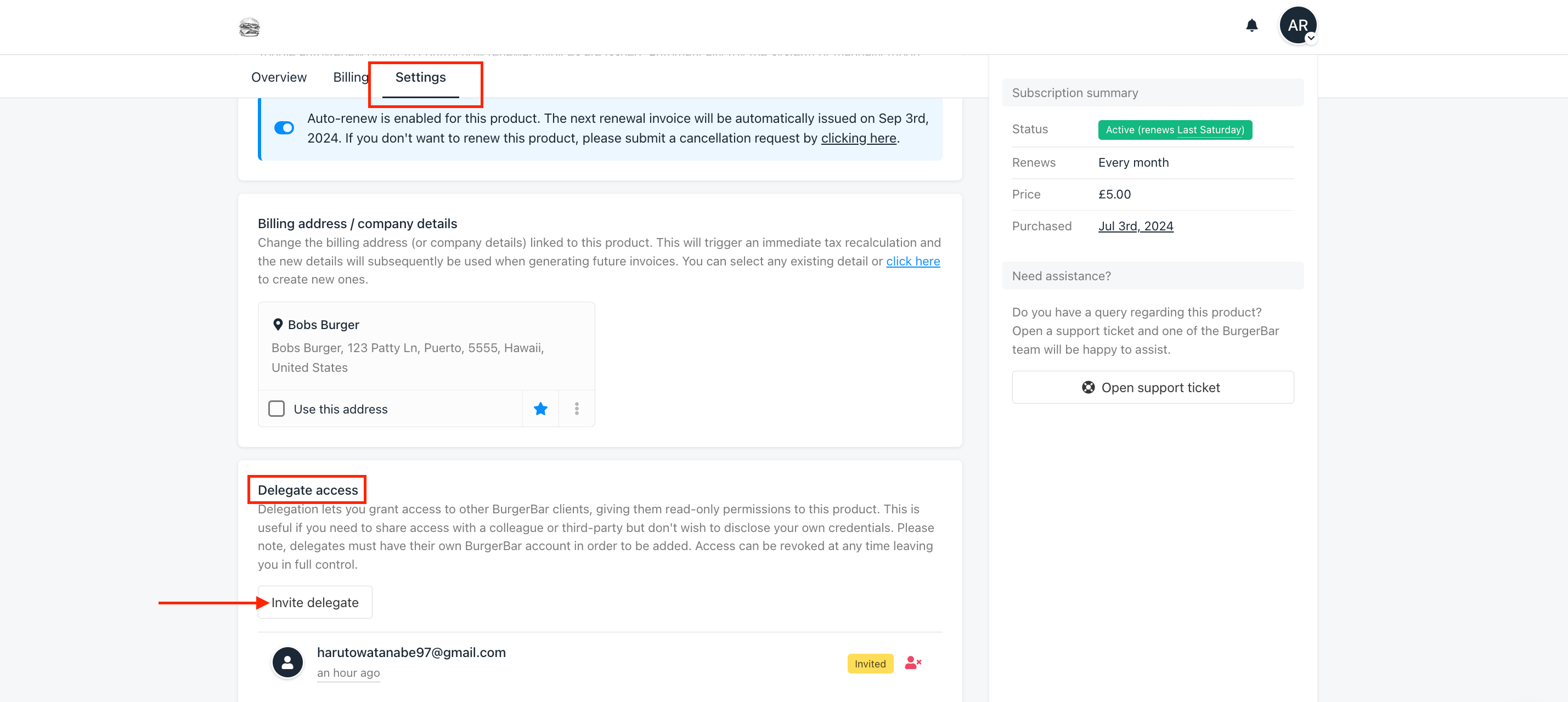
Setting section > Delegates section > Invite delegates
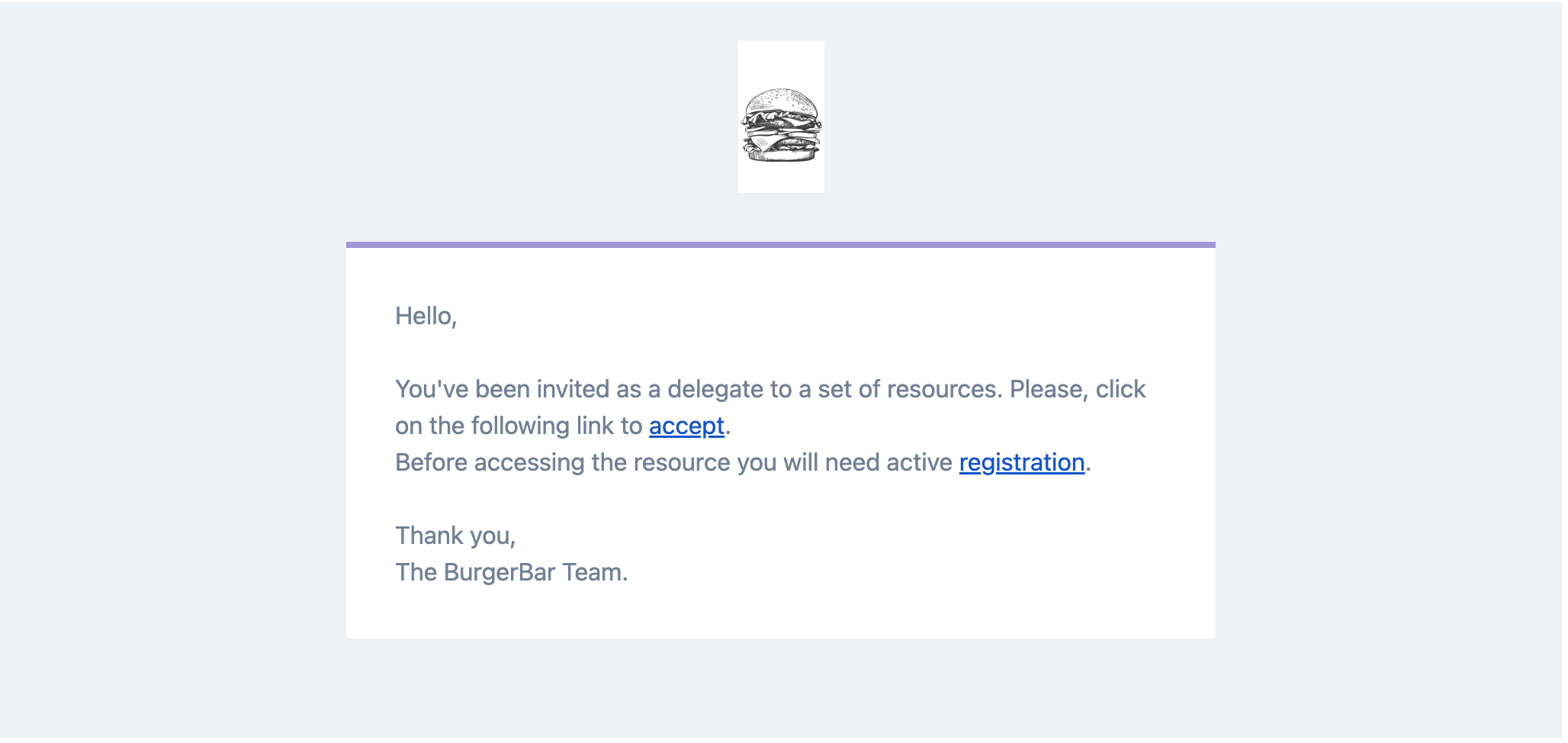
Delegate Access Invitation
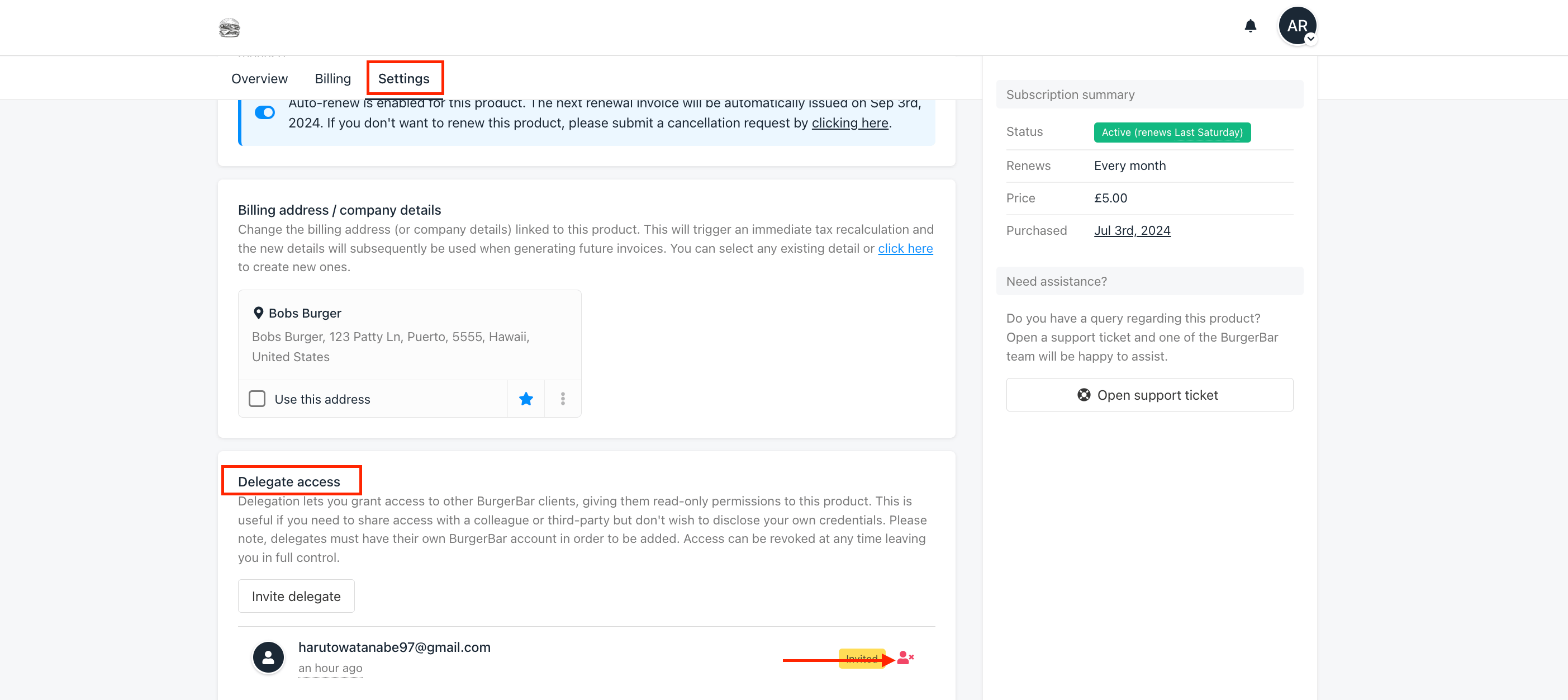
How to Remove Delegates
If you need to remove delegates, you can do so from either your admin area or client area. Follow these steps: From your admin area:- Go to the client’s profile > Navigate to Product & Service > Click the Product.
- Go to the Delegates section > Click the delegates > Click revoke
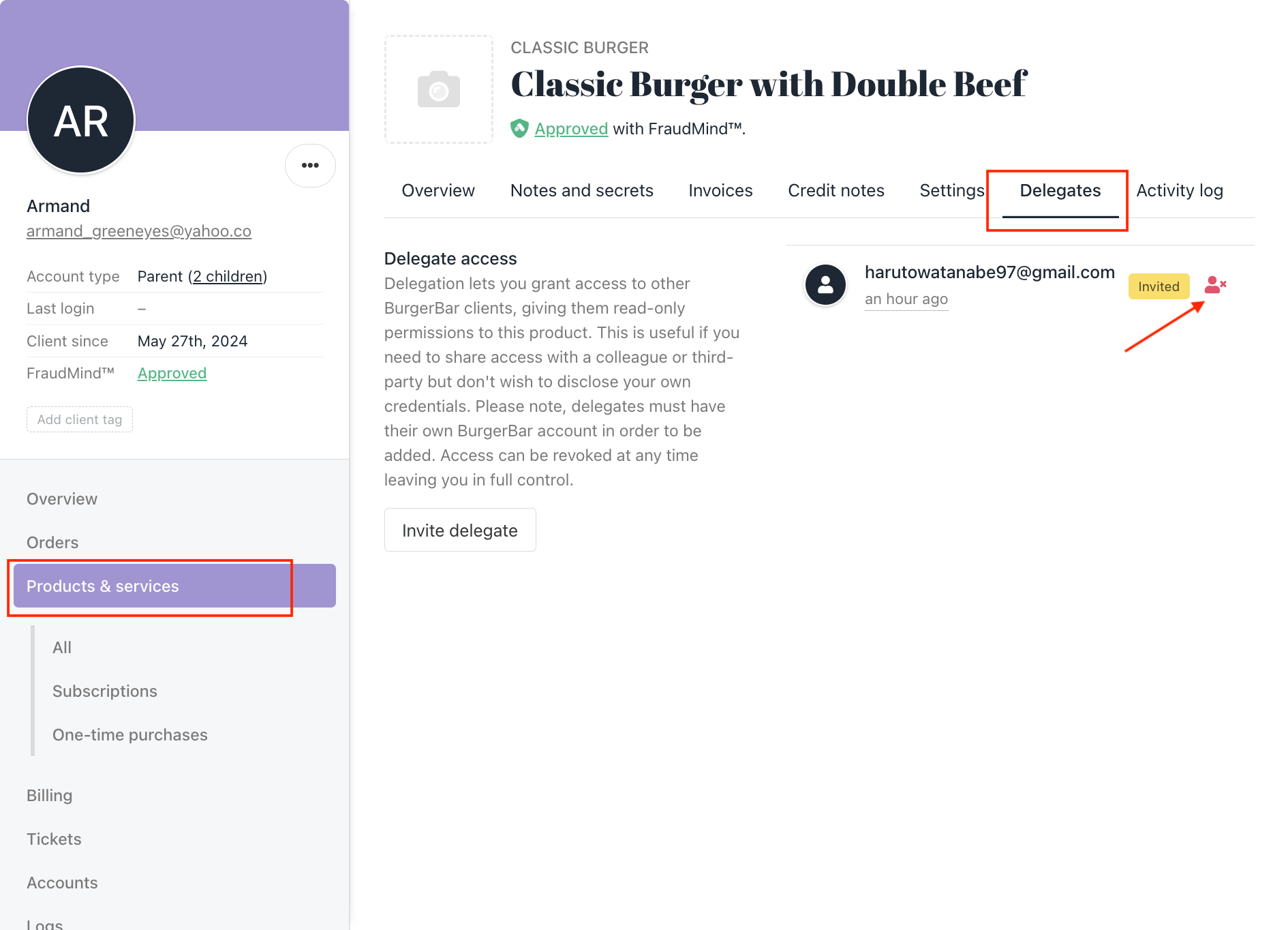
- Go to the product and click the Settings section.
- Navigate to the Delegates section > Find the delegate you want to remove > Click Remove.