

Reviewing the Default Options
Each Upmind store comes with a working public ticket system that your clients can use right away.- The ticket system has one department (called General).
- If you’re fine with the default settings, no further action is required.
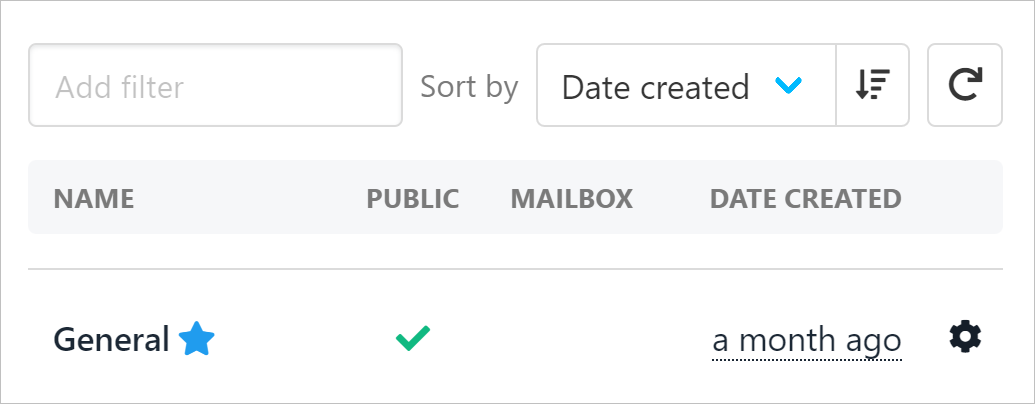
Default ticket system
Creating Support Departments
- Go to Settings
- Find the Support Department Tile
- Then, click Create Department.
- Fill in the Name; the code will be automatically filled once you enter the name. Then, click Create.
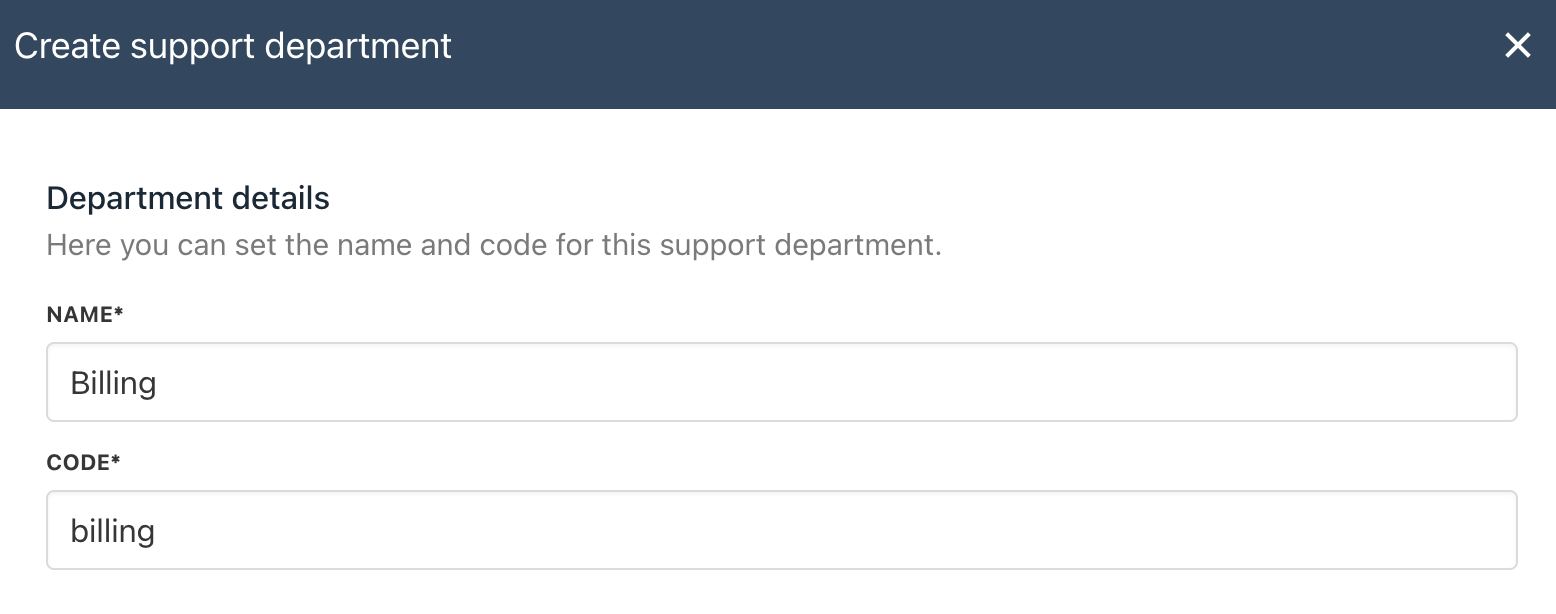
Create Support Department
- You need to toggle the button to enable the department.
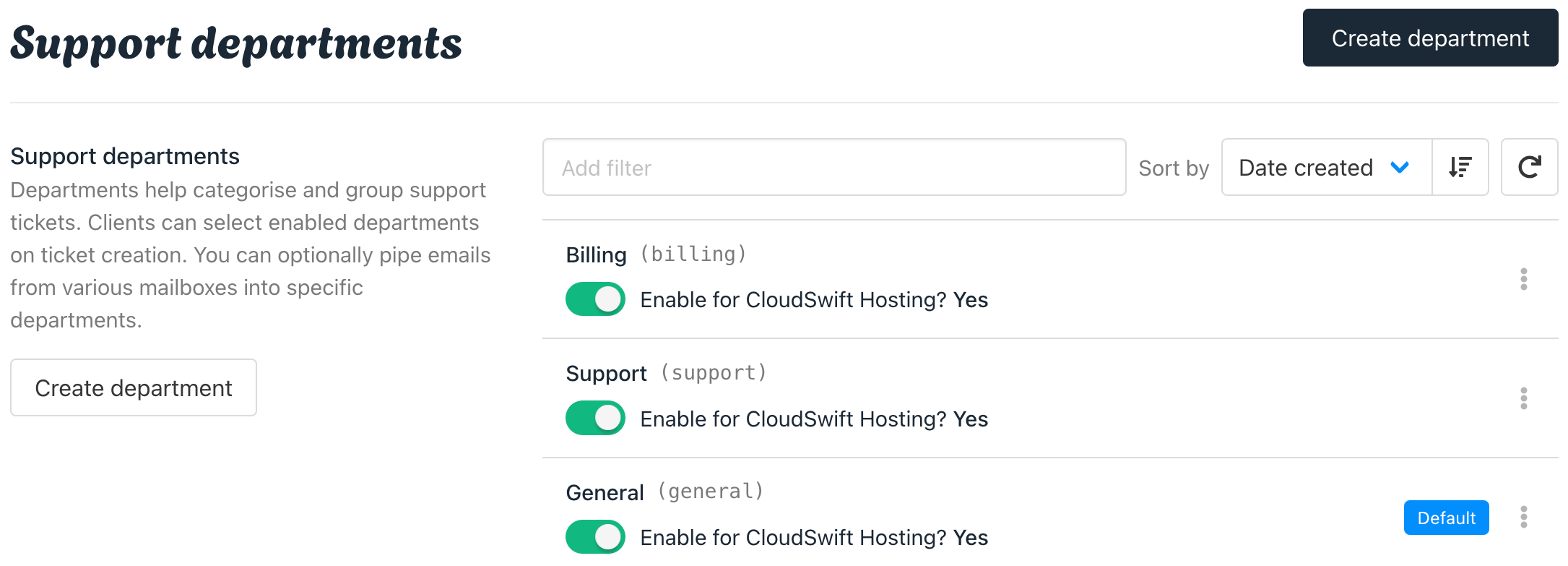
A new department has been added
- When you toggle the button, you will see the option to grant staff access when enabling support departments.
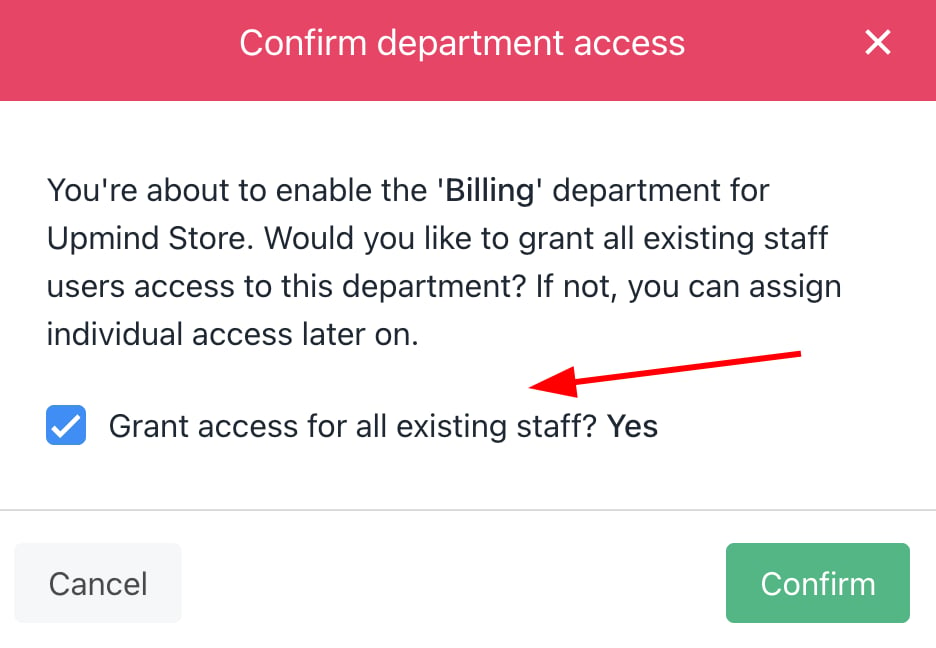
Grant staff access
Editing Support Departments
If you want to Edit the department, you can follow:- Click the three buttons, then click edit.
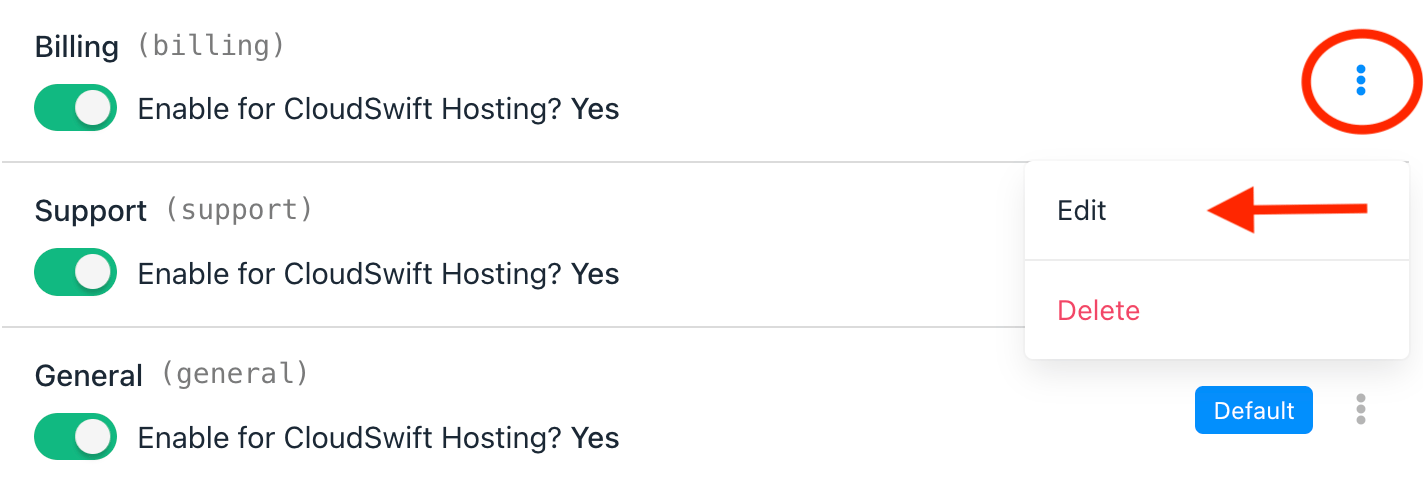
Edit Departments
- On the next screen, you can set the Brand Department Settings. You also can manage the destination mailbox for automated email piping based on the department.
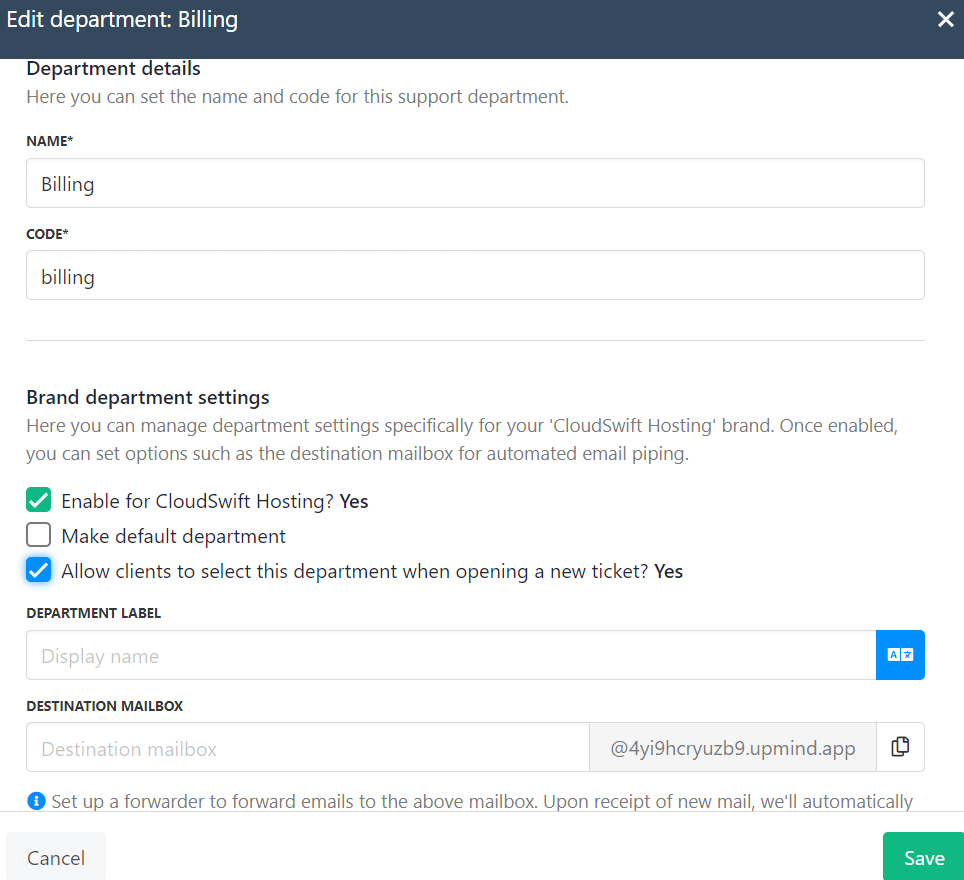
Edit departments and add destination mailbox
Managing your Department by Brand
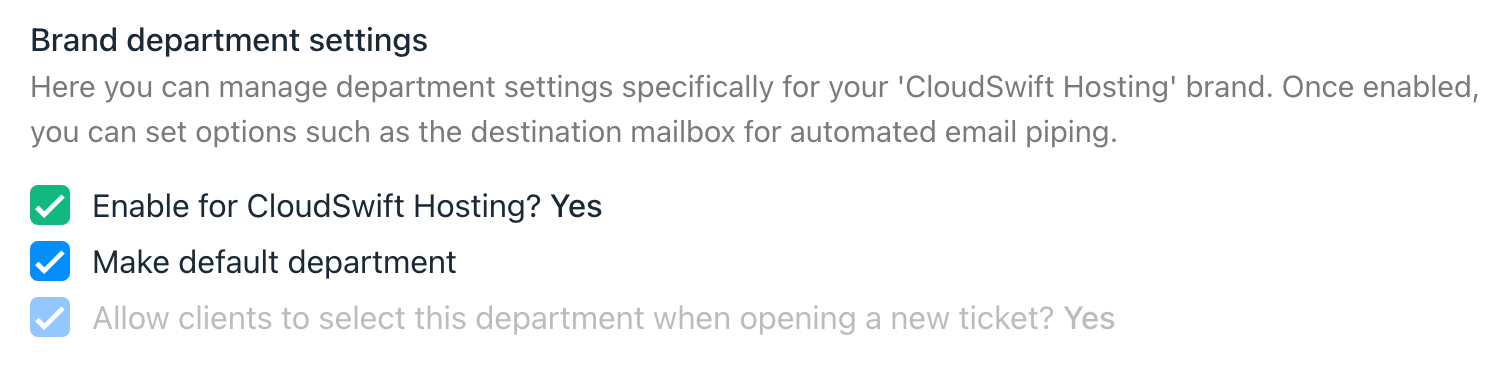
Brand Department Settings
- By default, all the tickets will be coming to General, so once you create another department and decide to make it the default, you can tick the box “Make default department”.
- Ensure that you tick the box to “Allow the client to select this department when opening the ticket”. It will be shown in your client area.
Adding a Department Email Address
On the same page, create a separate Upmind email address for each department.- Enter the department name.
- Click Save.
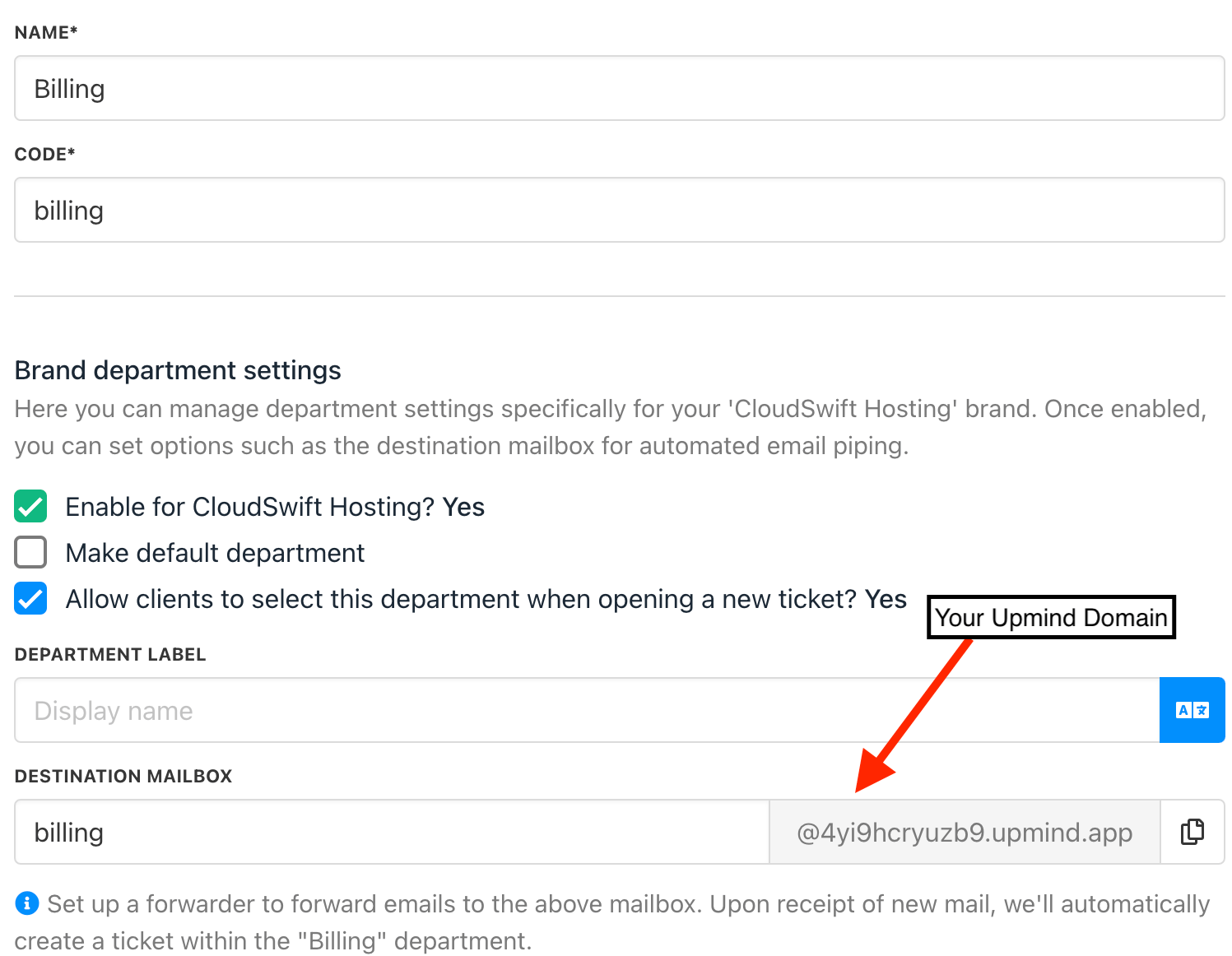
Create custom email address
Creating a Forwarded Message Mailbox
If you own your own domain, you can forward email messages to an Upmind department email. Here’s an example. You have a domain called bigcookies.com. You want to forward messages sent to billing@bigcookies.com to an Upmind department email account.- Open your hosting account dashboard (e.g. cPanel).
- Go to the forwarding section.
- Create a forwarder to send billing@bigcookies.com messages to billing@4yi9hcryuzb9.upmind.app.
Email forwarding may not work if the Upmind email address uses dashes or hyphens. Because the Upmind email address is based on your Upmind organisation name, we suggest that you create an organisation name without dashes or hyphens.
What do clients see in the client area?
If your client wants to create a ticket, they can select which department they refer to (it could be General, Billing, or Support based on your department created).- Log in to the client area
- Go to Support.
- Click Open new ticket

Create a new ticket on the client area
- Then, the client can select which department they refer to
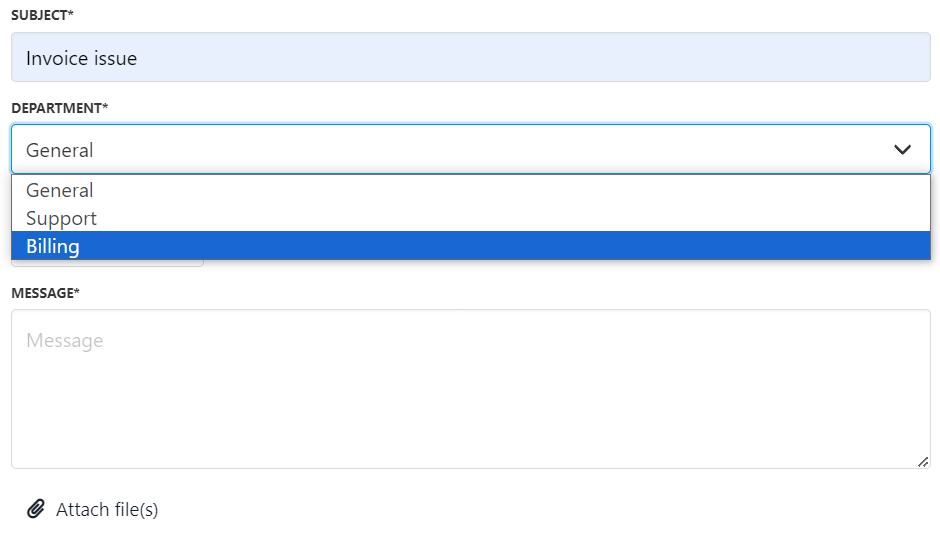
Select a related department in the client area