

- A PayPal account
- An Upmind account
Please make sure this feature is enabled on your PayPal account. You may need to contact PayPal or check their guide.
Obtaining API credentials from PayPal
- Log in to your PayPal Business account.
-
Go to the
Developersection (top right).

Go to developer
- Click Apps and Credentials.
- Click Create App or select an existing app to view the Client ID and Secret.
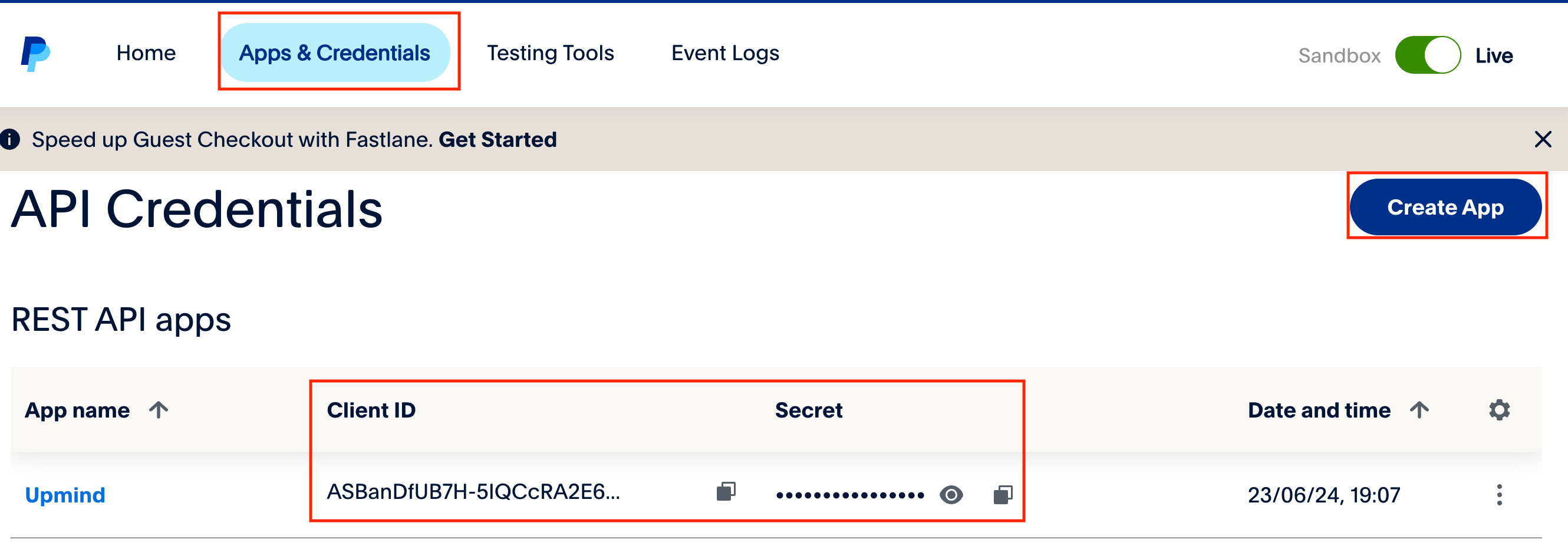
Create app
Adding PayPal Subscription Agreement in Upmind
- In Upmind, go to Settings > Payment Providers.
- Click Add Payment Provider.
- Select PayPal Subscription Agreement.
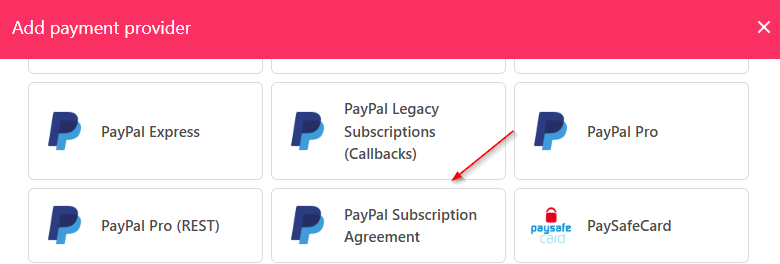
Select PayPal Subscription Agreement
- Enter a display name. We suggest PayPal.
- Set Test Mode to No.
- Enter your Client ID and Secret.
- Choose if you want it Stored.
- Click Test Credentials.
- (Optional) Add currencies and payment instructions.
- Click Create.
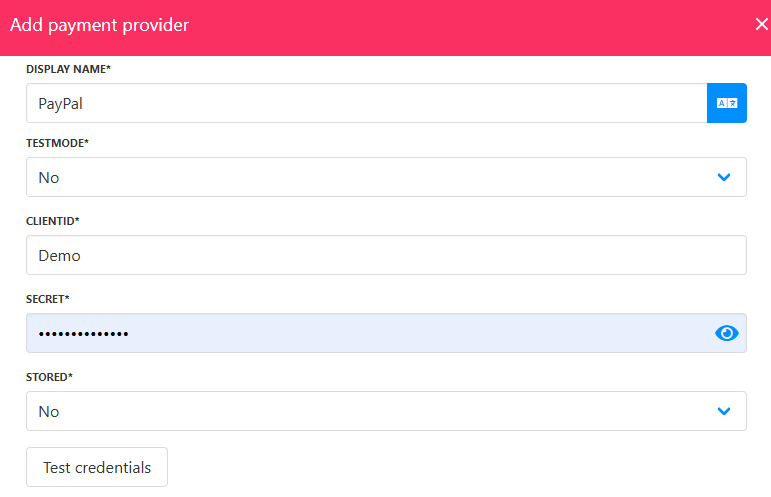
Fill in the details