

- Navigate to Settings > Actions under Automation.
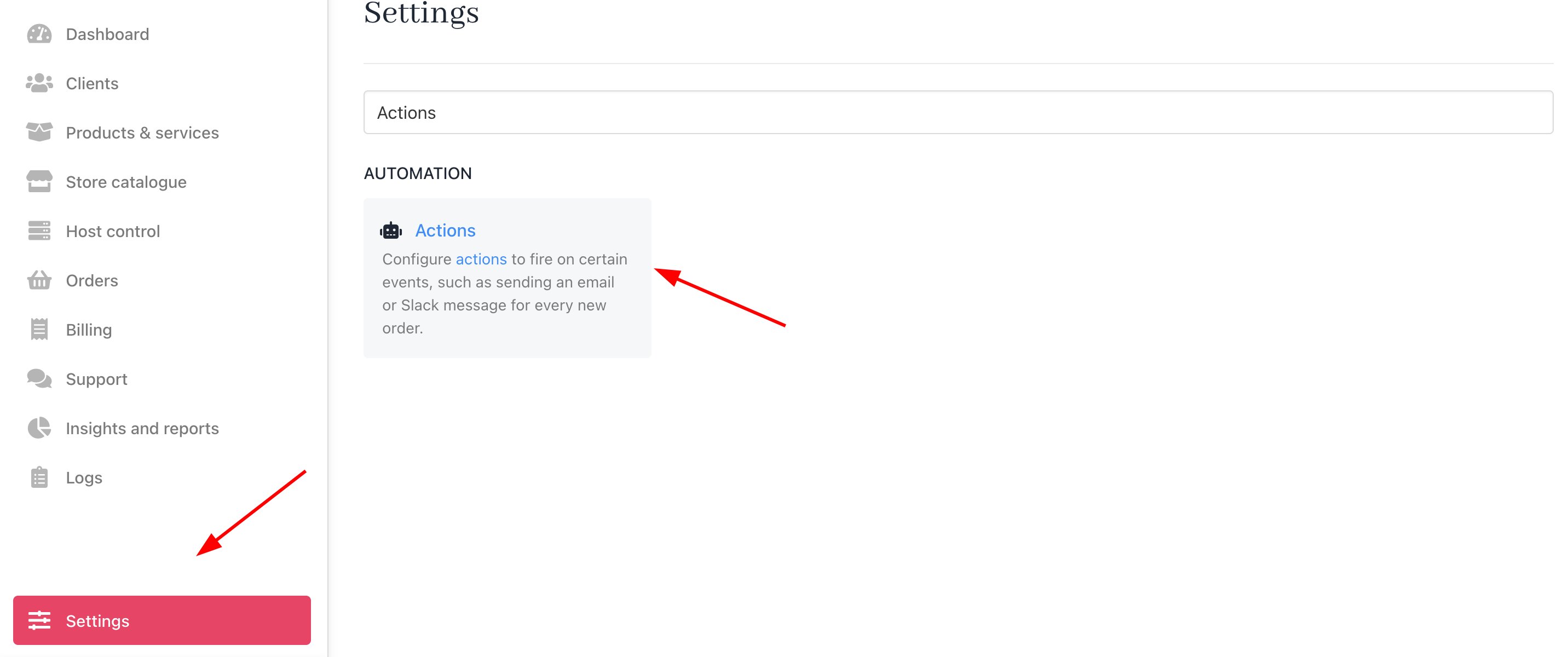
Settings > Automation > Actions
- You can either apply a filter to quickly find the New Order Staff Email section or simply scroll through until you see the template.
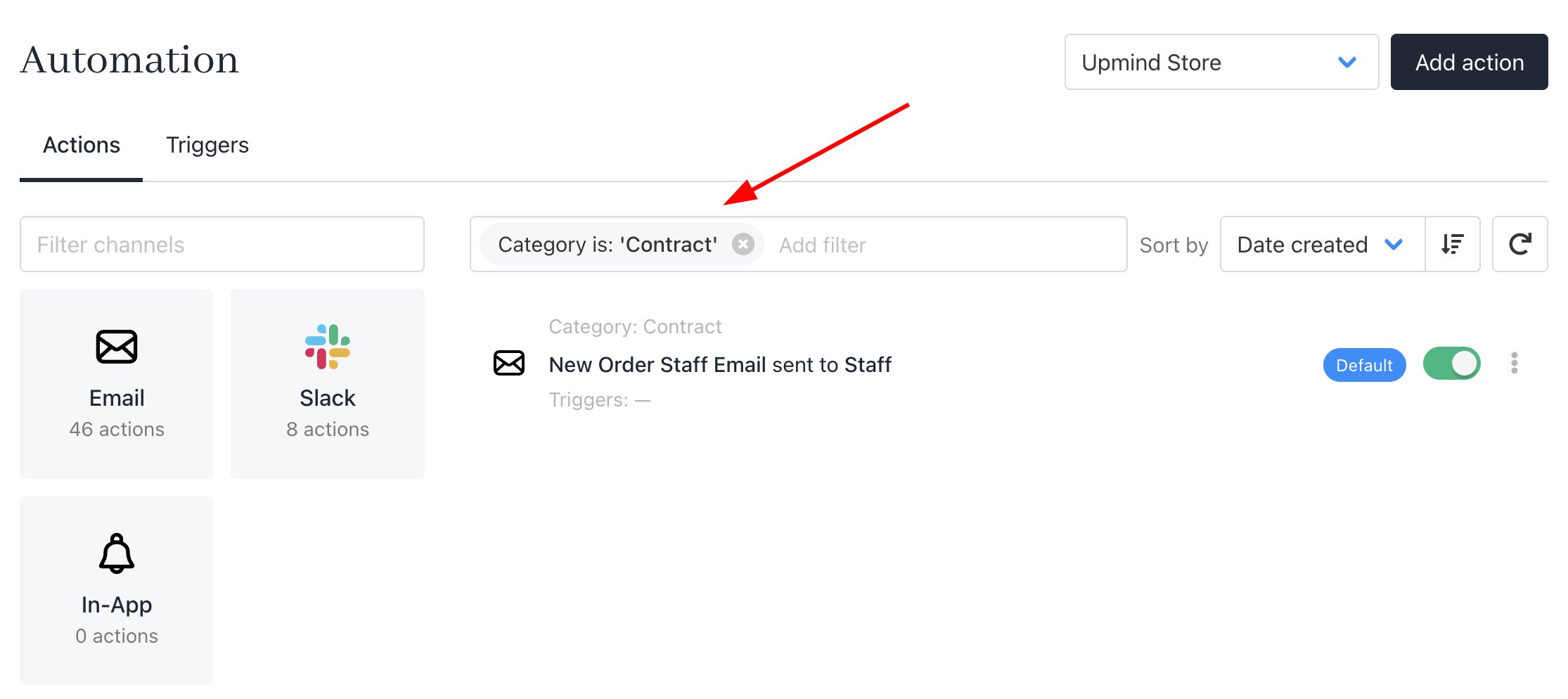
Apply filter

Scroll and search
- Add a trigger for the Order Created event and click Save.
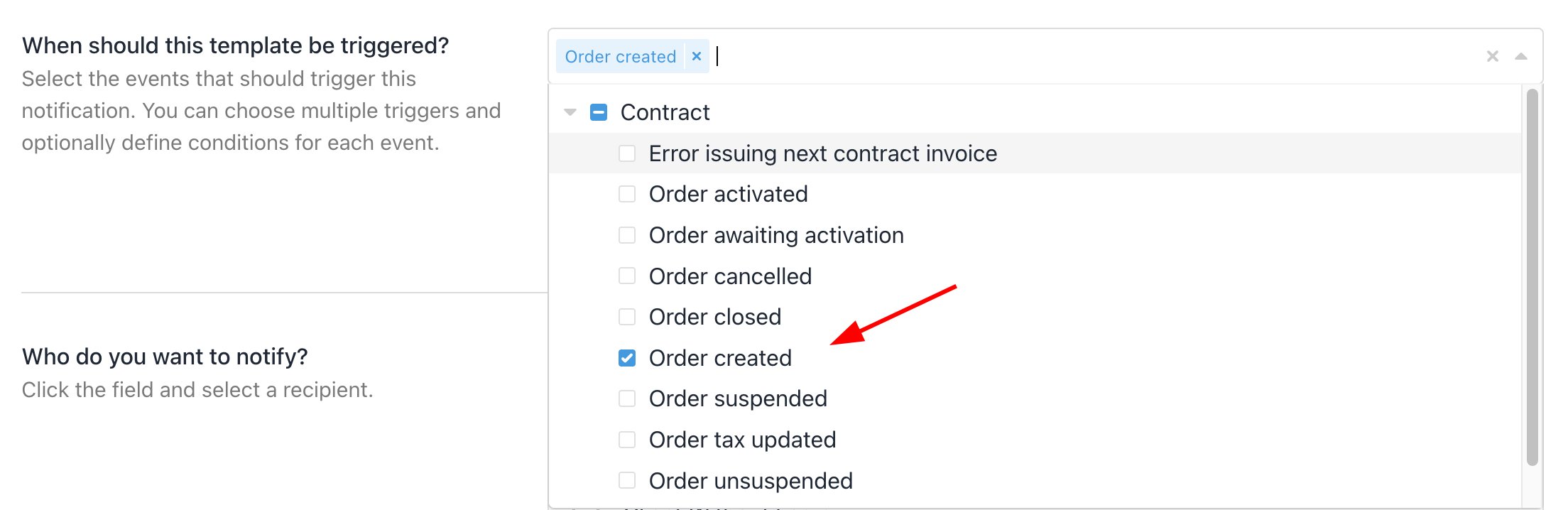
Add Order Created trigger
- To review sent emails, click Sent Email History.
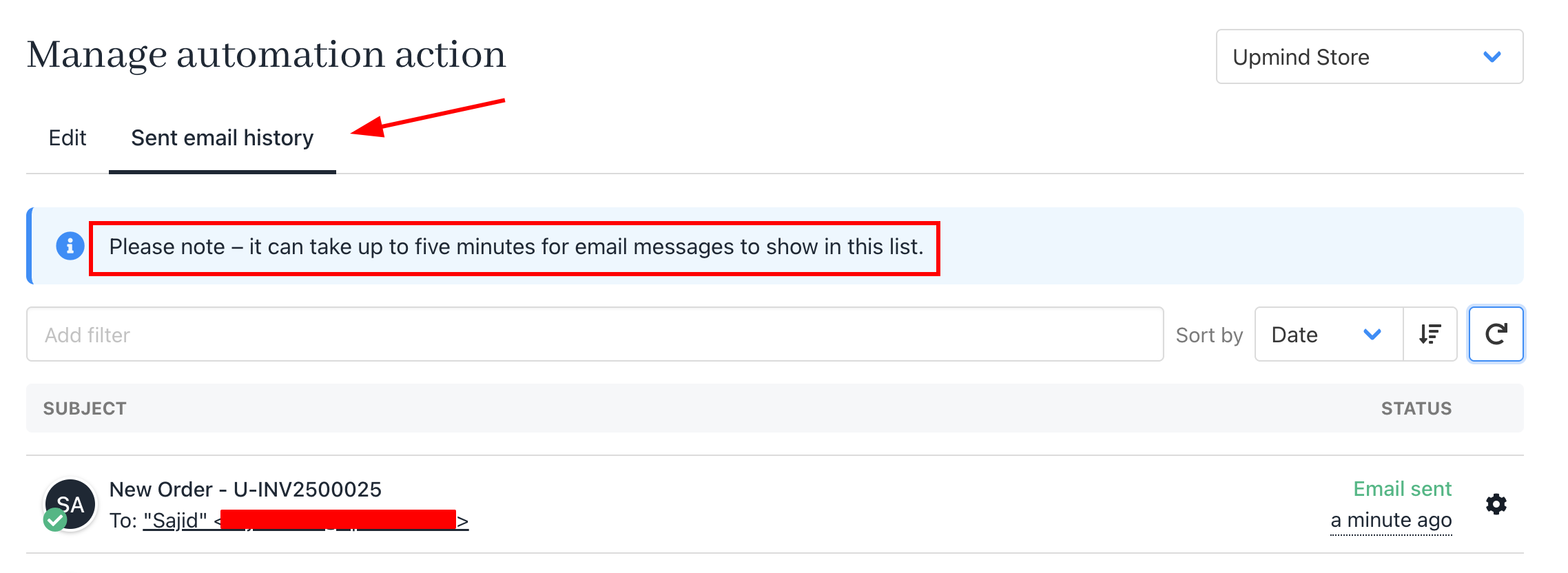
Review sent email history
Emails may take up to five minutes to appear.
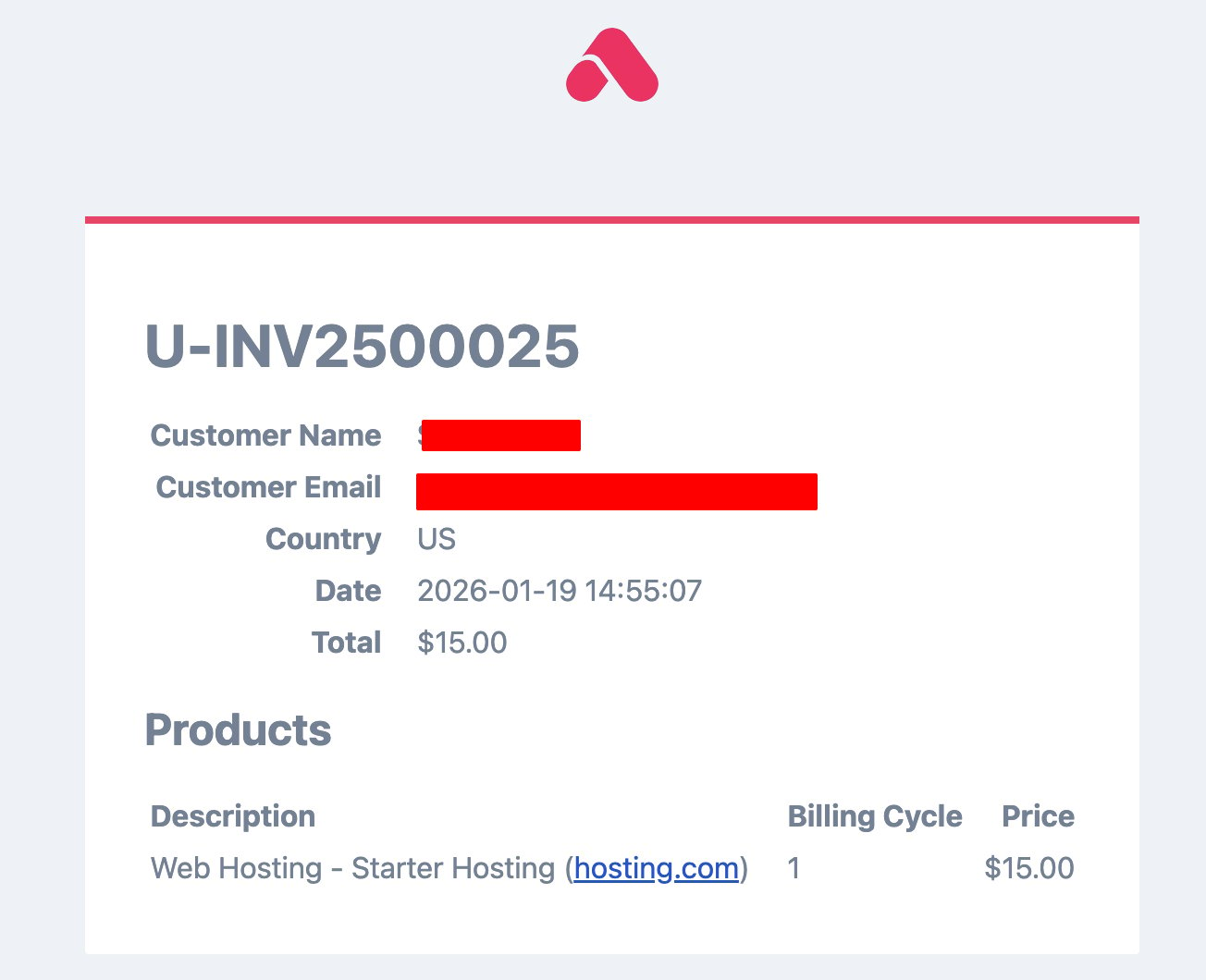
Example invoice