

- Go to Settings > Triggers under Automation.
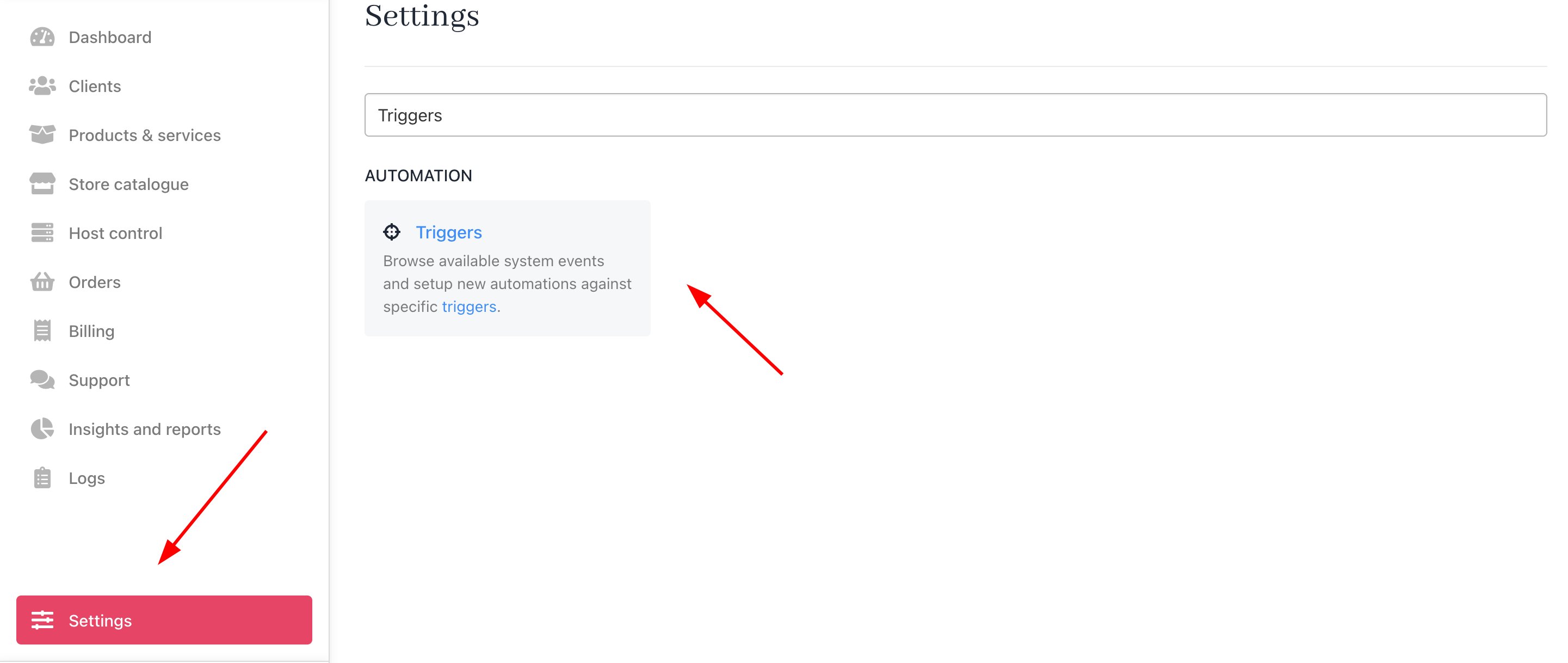
Settings > Automation > Triggers
- Click Add Action.

Add action
- Enter a trigger name (e.g., Open Support Ticket) and select the notification channel (e.g., Email).
- Choose
Ticketas the Category.
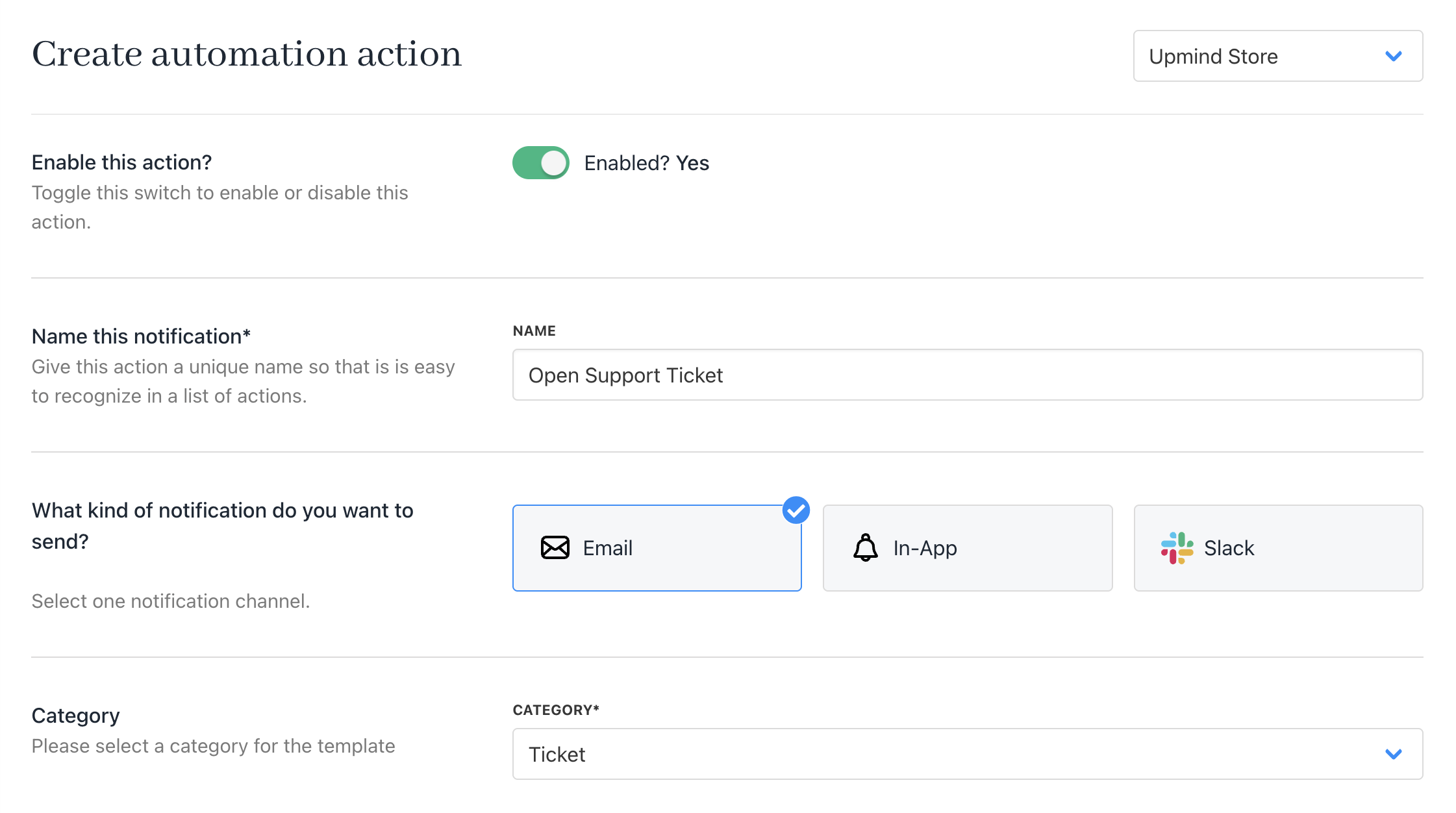
Enter name, choose notification channel, and category
- Choose
Supportas the Topic. - Select
New Ticket Opened by Clientas the Event. - Under Who do you want to notify, pick
Staff.
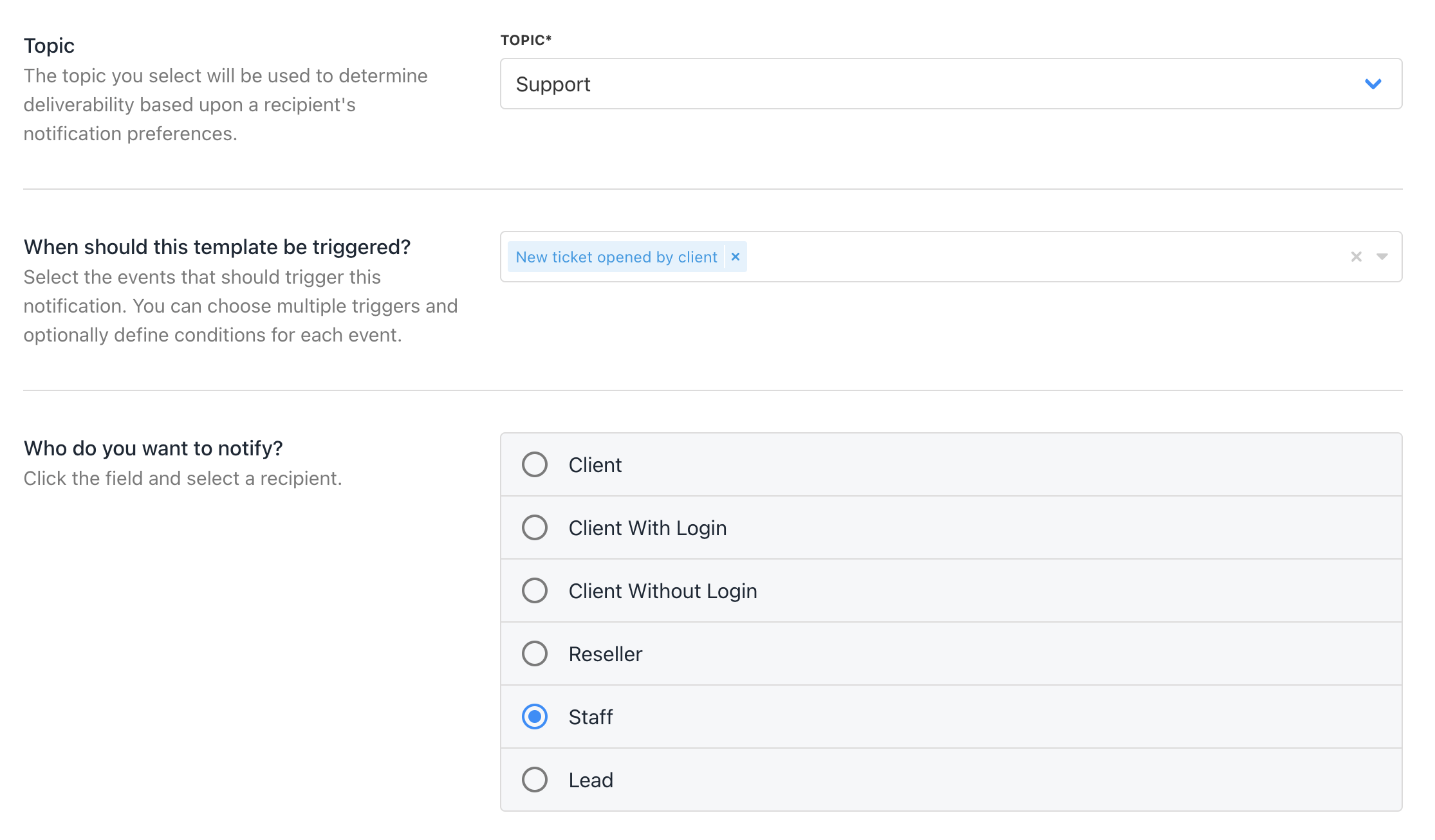
Choose topic, select trigger, and choose who to notify
- Customise Email Headers and Layout (optional).
- Add a subject and body using Twig syntax for personalisation, which is customisable.
- Click Save.
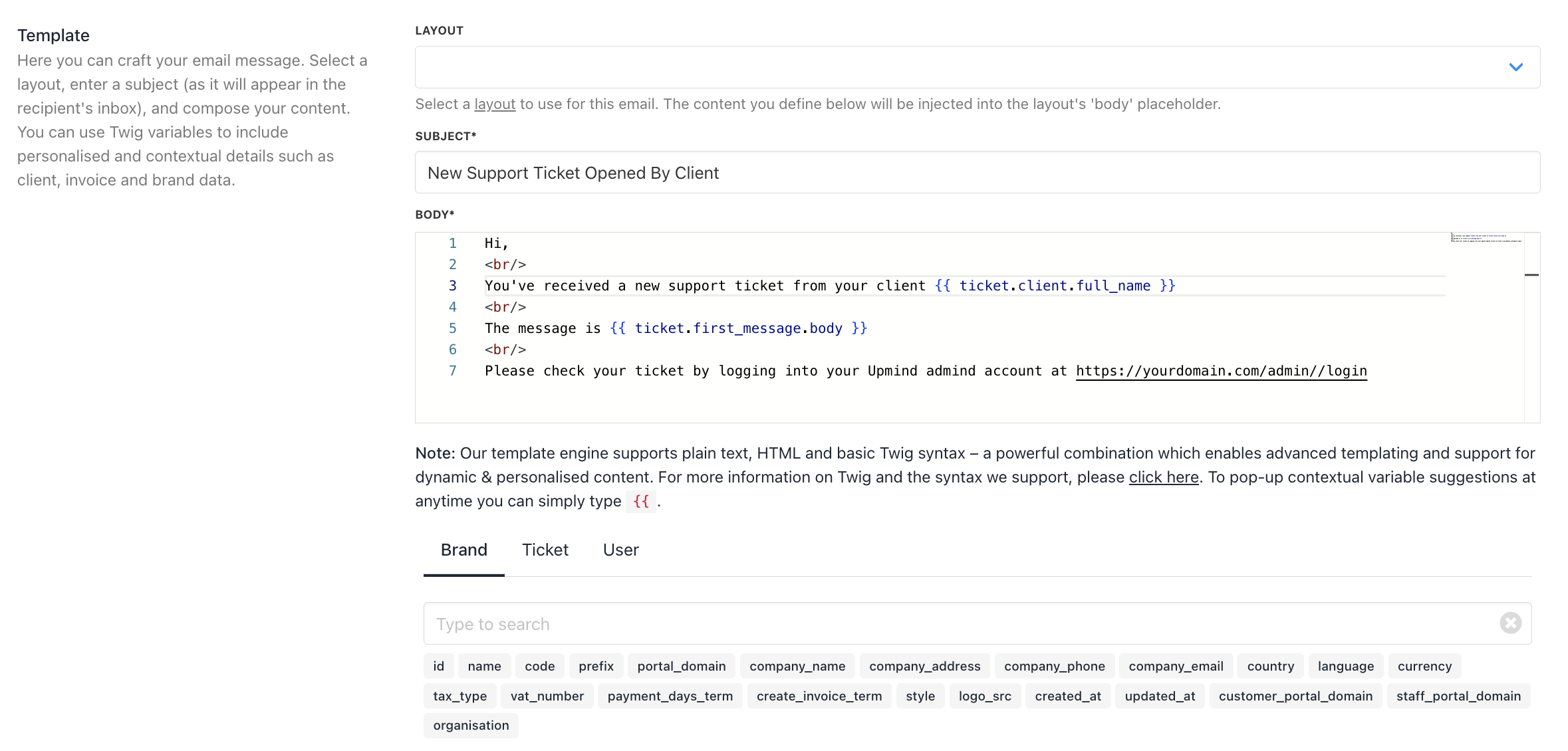
Add a subject, body, and click save
Avoiding Array Data IssuesWhen Twig renders as “Array,” it means data is incomplete—add the specific object. For example, use
{{ ticket.client.full_name }} instead of {{ ticket.client }}.