

Linking Direct Admin to Upmind
You should add each DirectAdmin server as a separate provision configuration to Upmind- On the sidebar, click Host Control > Web Servers> Add New. You can also select it from below.
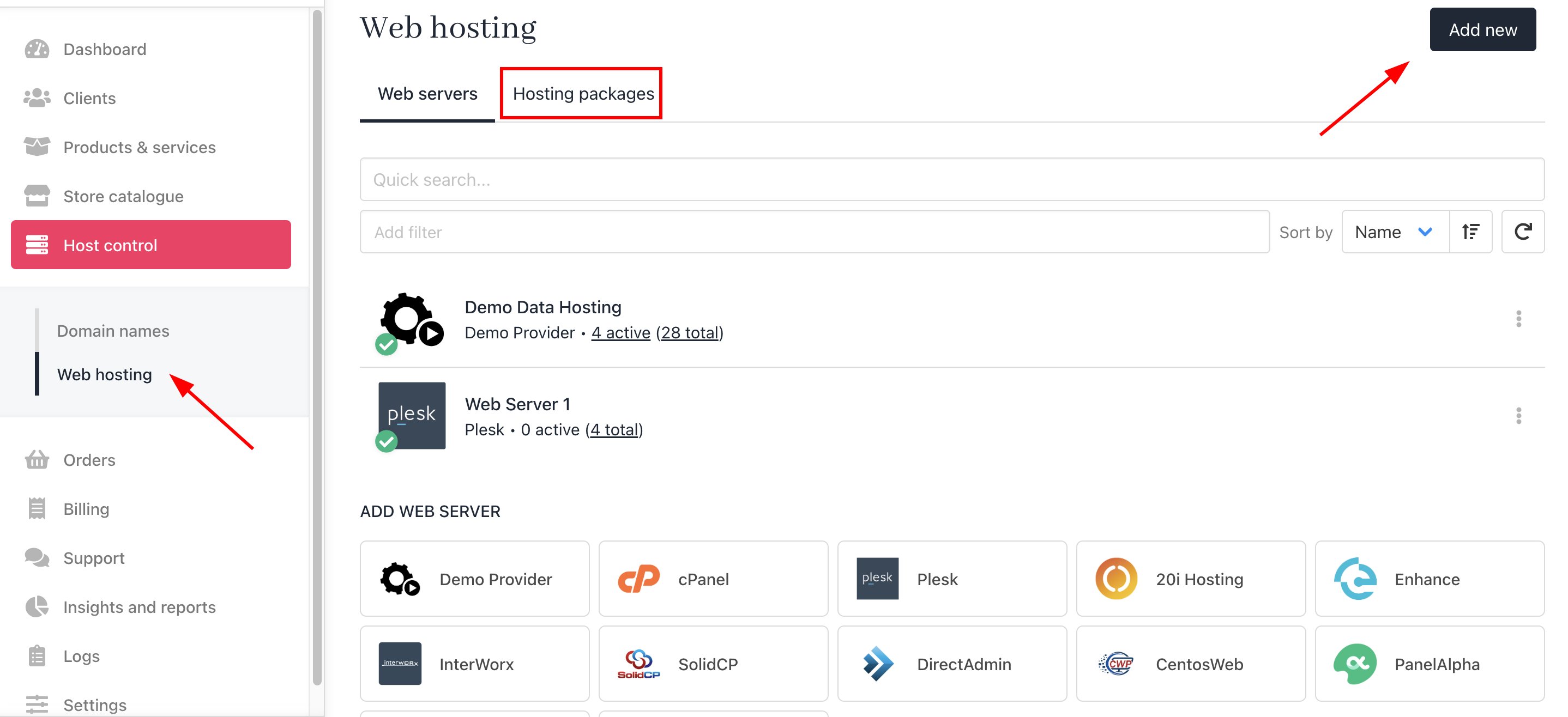
Host Control > Web Servers> Add New
- On the sidebar, go to Settings > Provision Configurations > Add New Configuration.
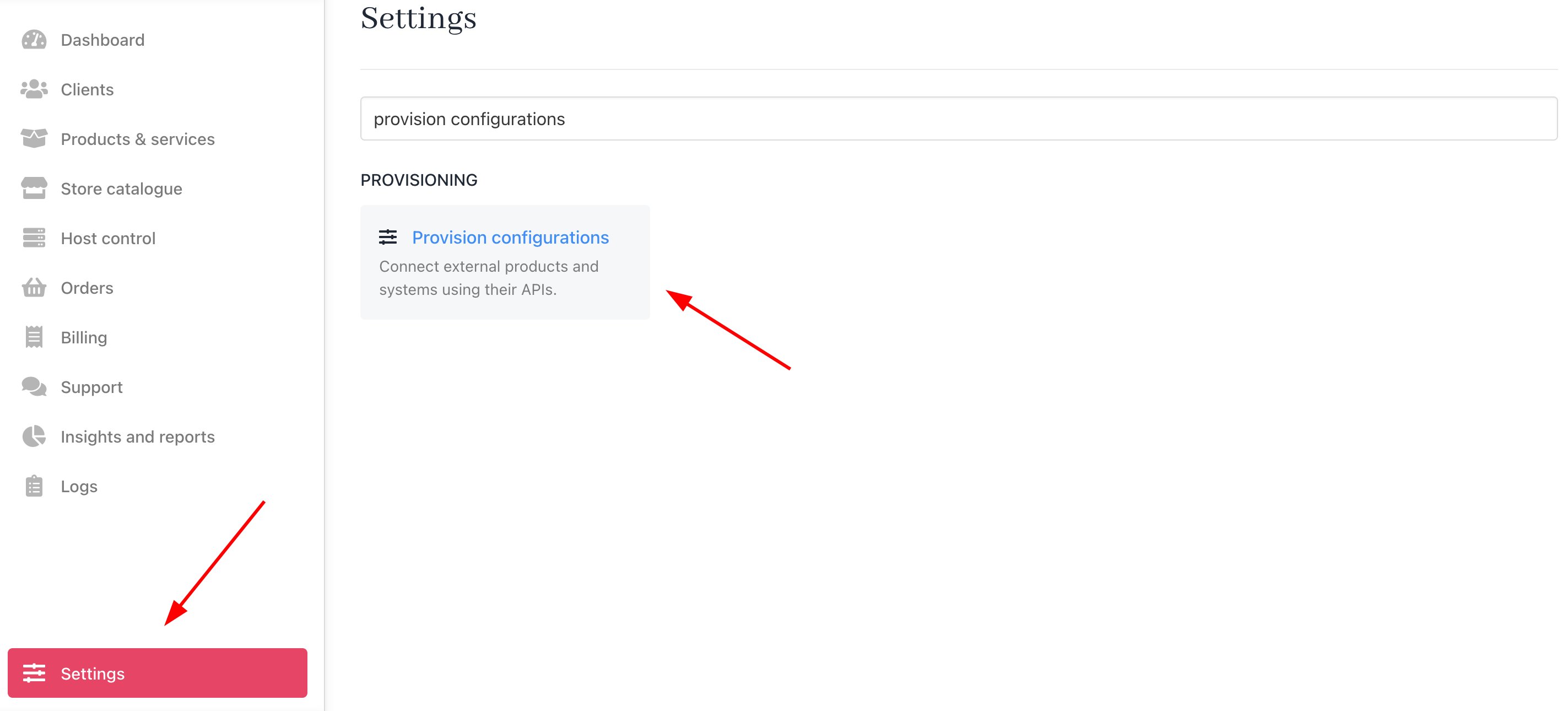
Settings > Provision Configurations > Add New Configuration
- Enter a server name. You may just want to use the DirectAdmin control server name or give it a more familiar name.
- Under the Provision Category of Web Hosting, choose DirectAdmin as the hosting panel type.
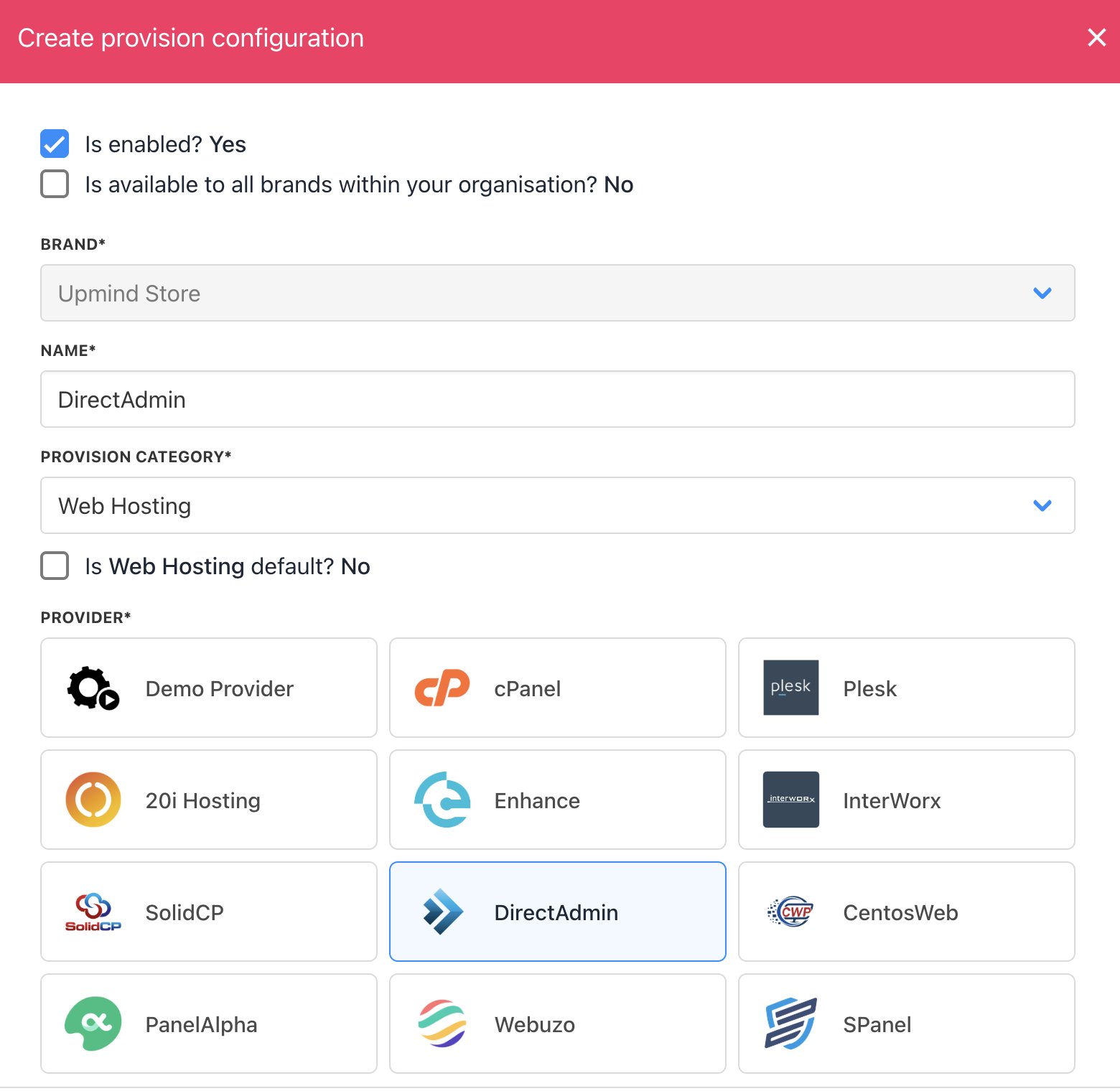
Enter name
- Enter your Hostname, Username, and Password.
- Click Create.
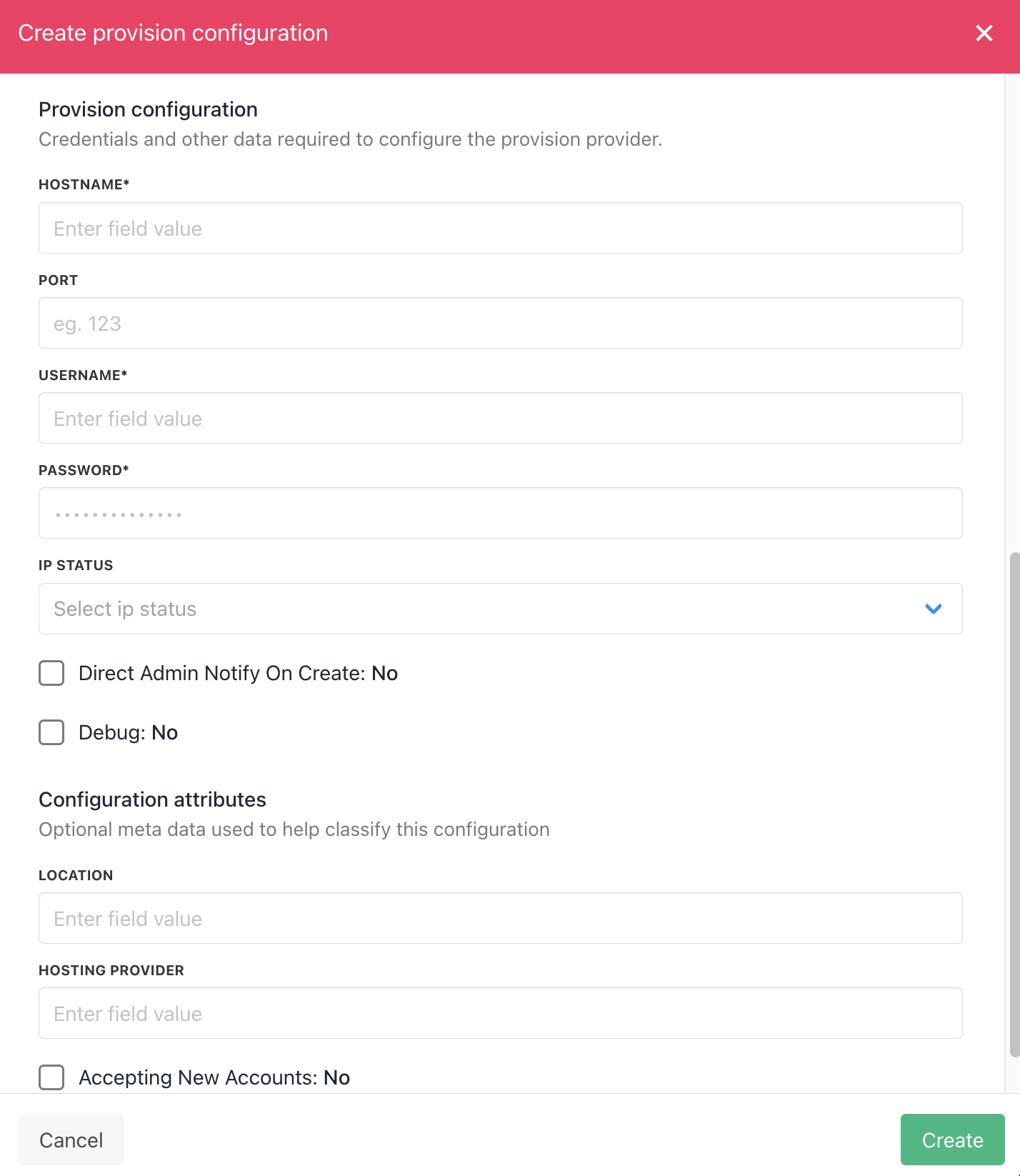
Enter details
Creating packages in DirectAdmin
You need to add a Package in DirectAdmin and add this as your package identifier in Upmind. To create a package on the DirectAdmin. You need to log in and follow this guide- Select Manage User Packages under the Account Manager option.
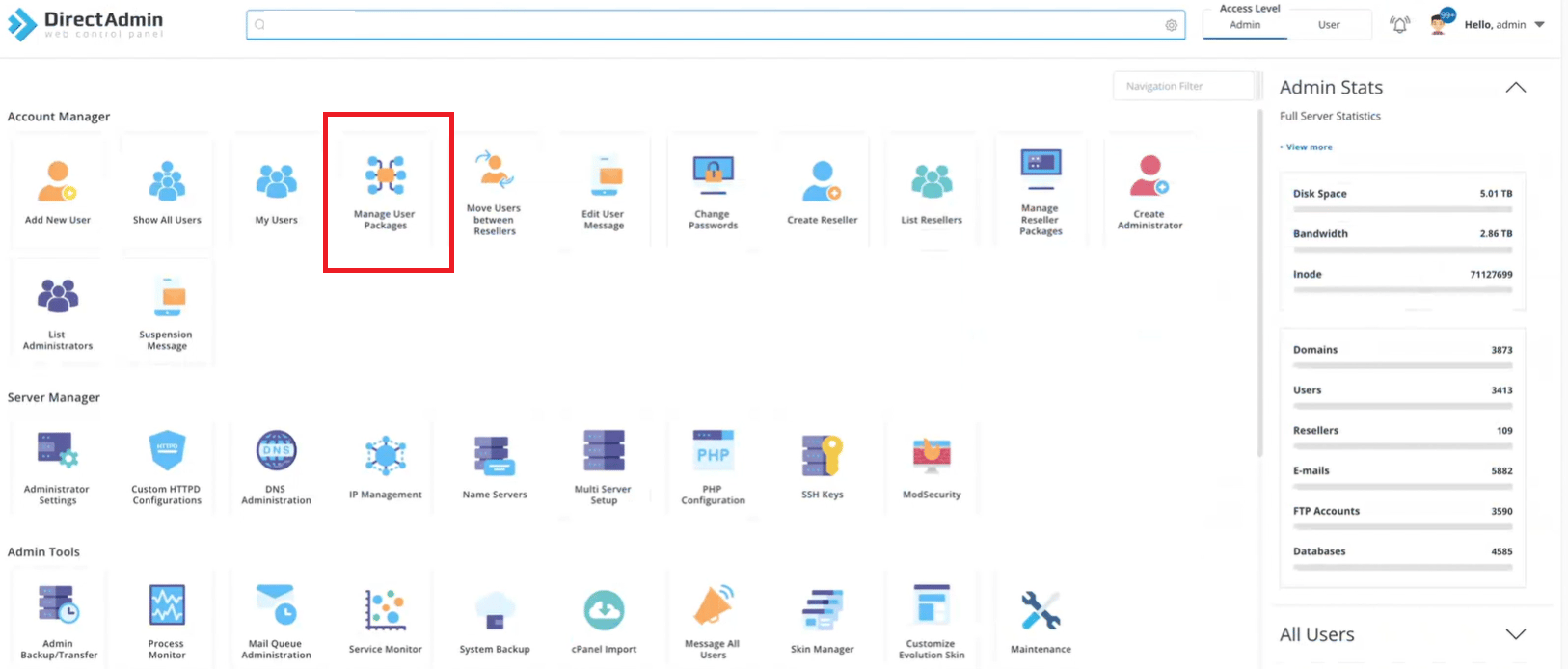
Create Package on DirectAdmin
- Then click Add Package in the right corner.

Manage User Package > Add Package
- Specify the limitation, set the package name, and click Save.
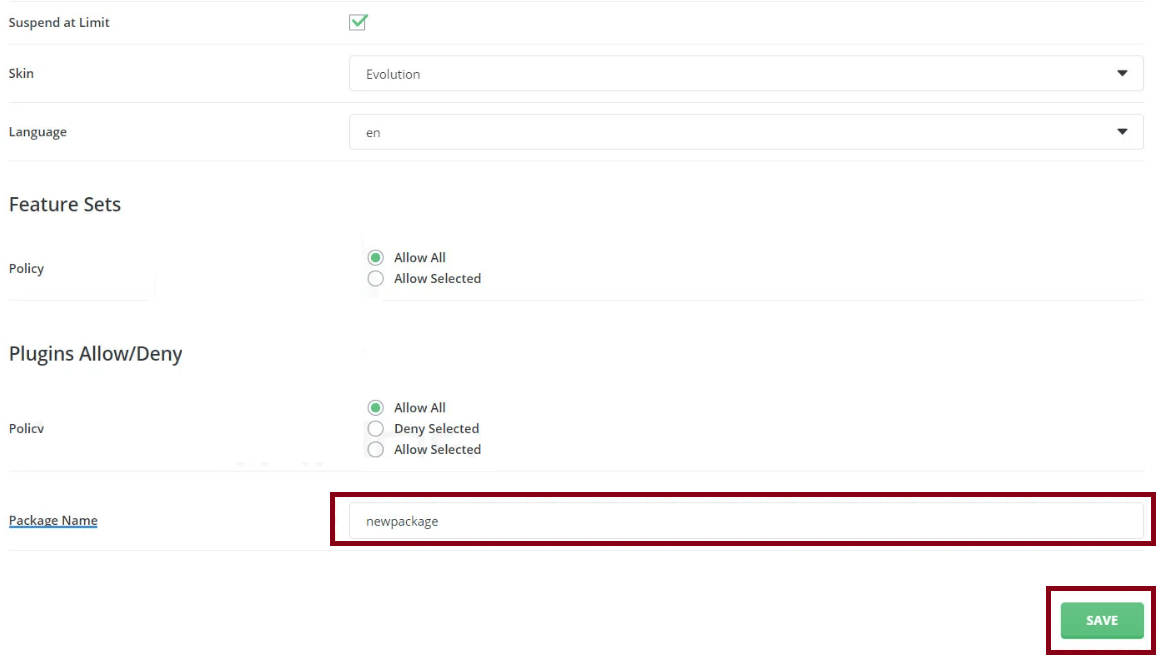
Set the Limitation and Package Name
Configure Upmind products
In your Upmind admin area, under Host control > Web hosting, click on the Hosting packages tab and click the Add new button to start configuring a new hosting package.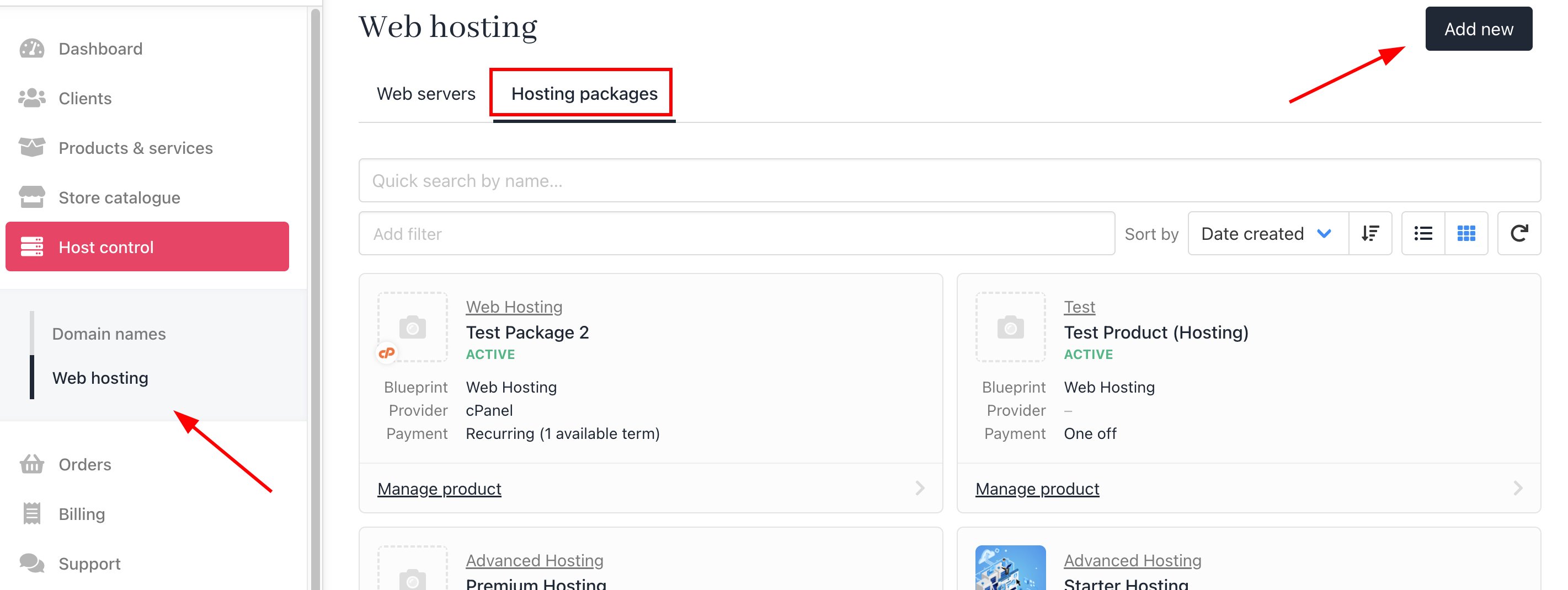
Host control > Web hosting > Add new
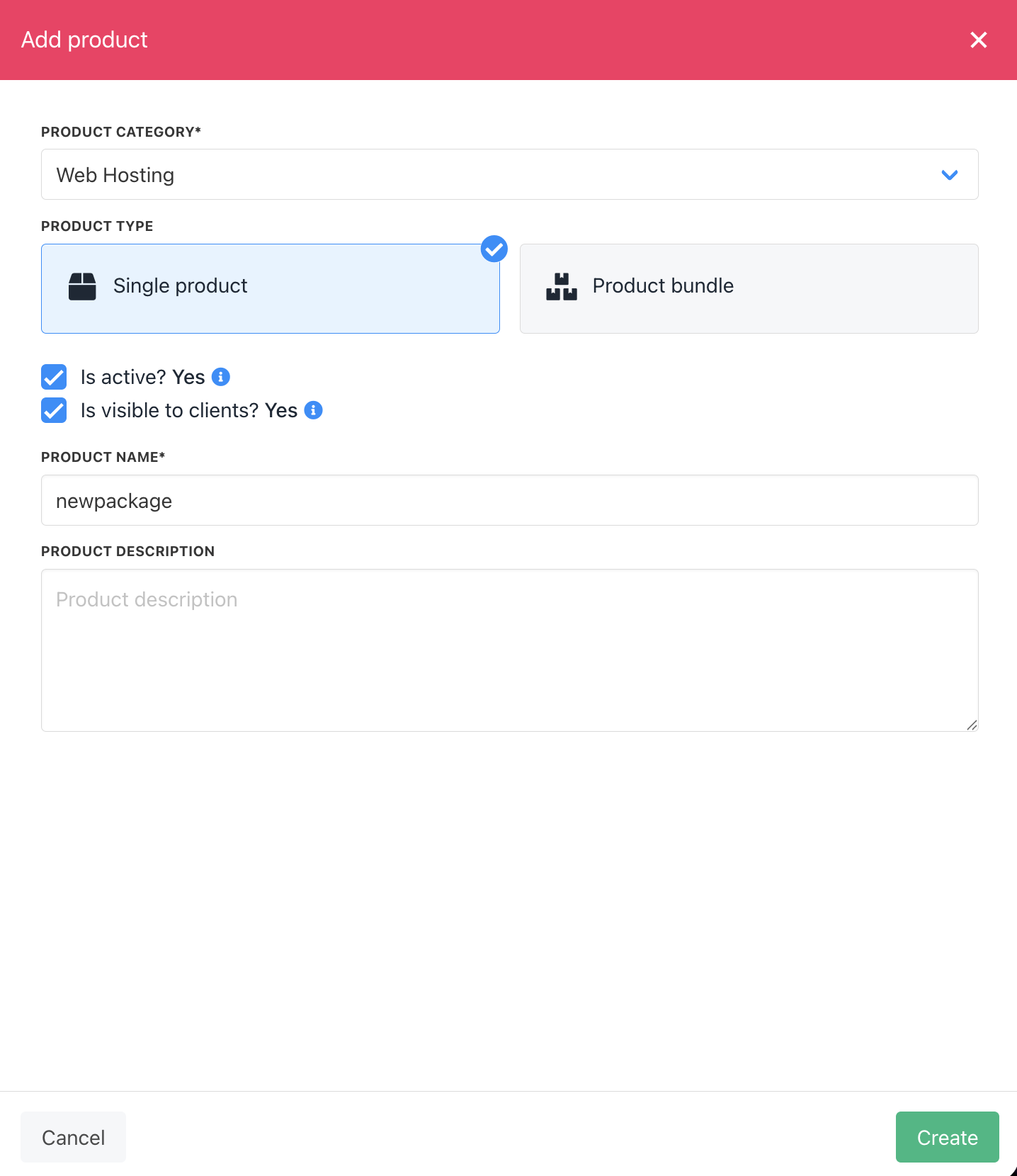
Create package
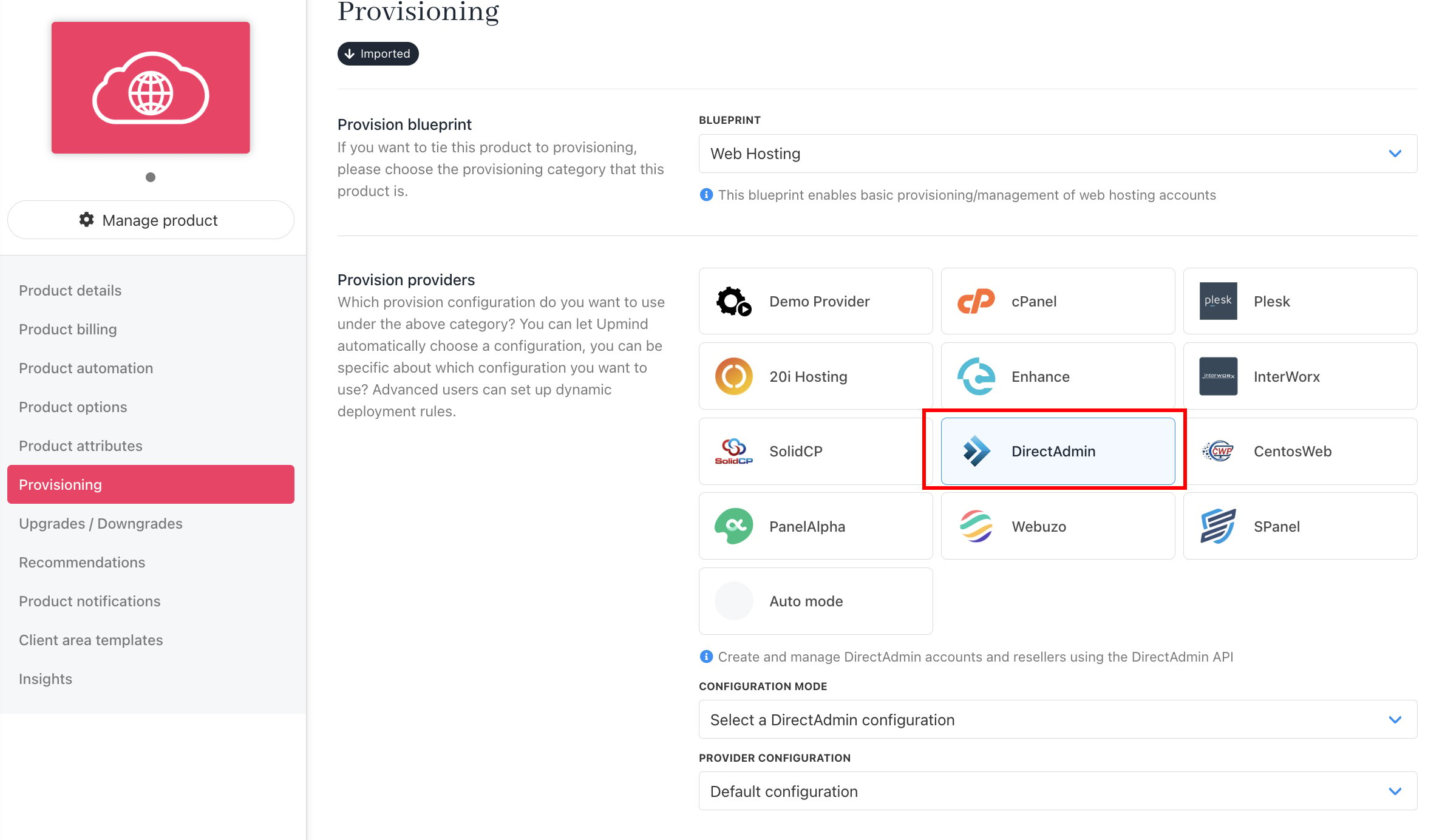
Set provision provider
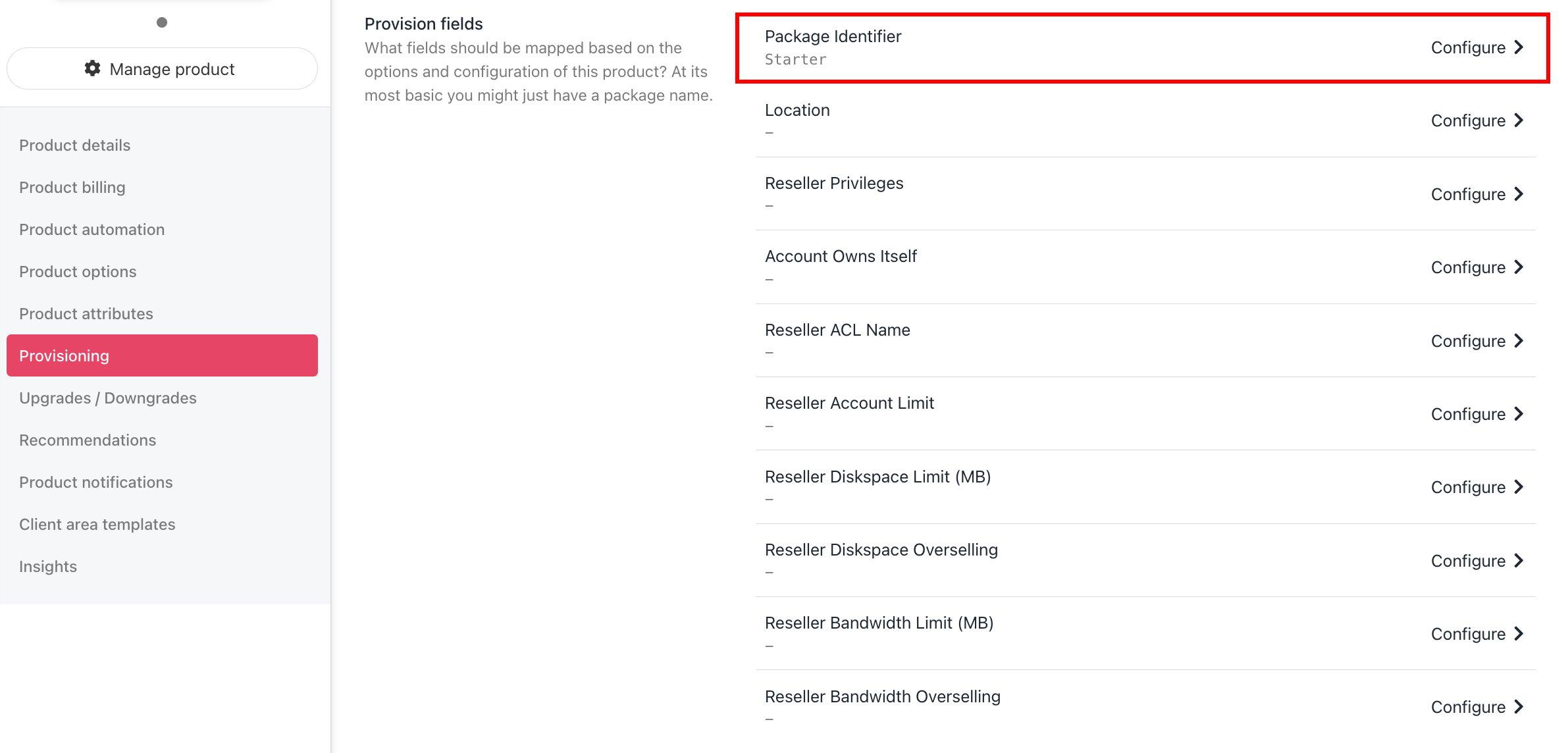
Set package identifier