

Enabling Amazon S3 export
- Log in to the Upmind Admin Panel.
- Navigate to Settings > Accounting under Miscellaneous.
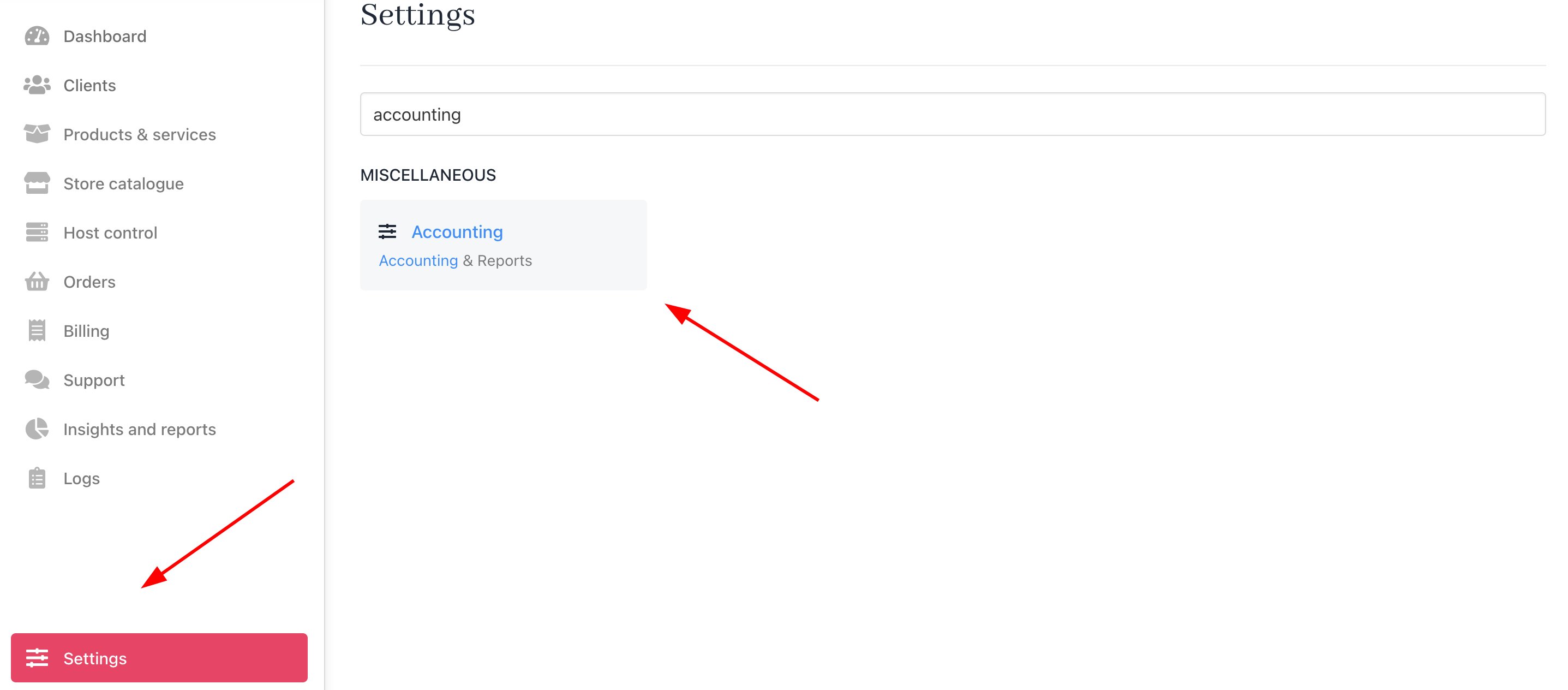
Settings > Miscellaneous > Accounting
- Enable External Storage Provider and Schedule Report Generation.
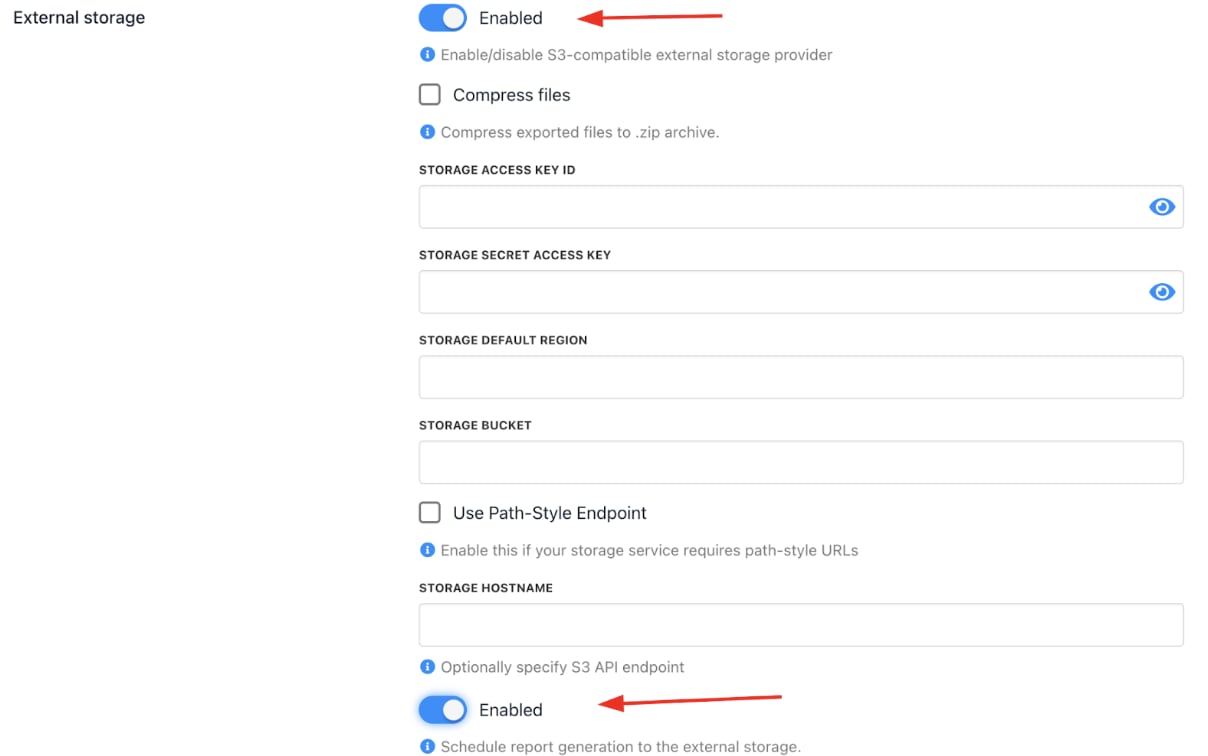
Enable settings
- Provide your Amazon S3 credentials:
- Storage Access Key ID
- Storage Secret Access Token
- Default Region
- Bucket Name
- Storage Hostname (Optional - S3 API endpoint)
- Schedule report exports by choosing frequency (daily, weekly) and selecting reports to include.
- Save changes.