

Obtain Google Measurement ID and API Secret
- Log in to your Google Analytics account at https://analytics.google.com.
- Go to Admin and under the Property column, select Data Streams.
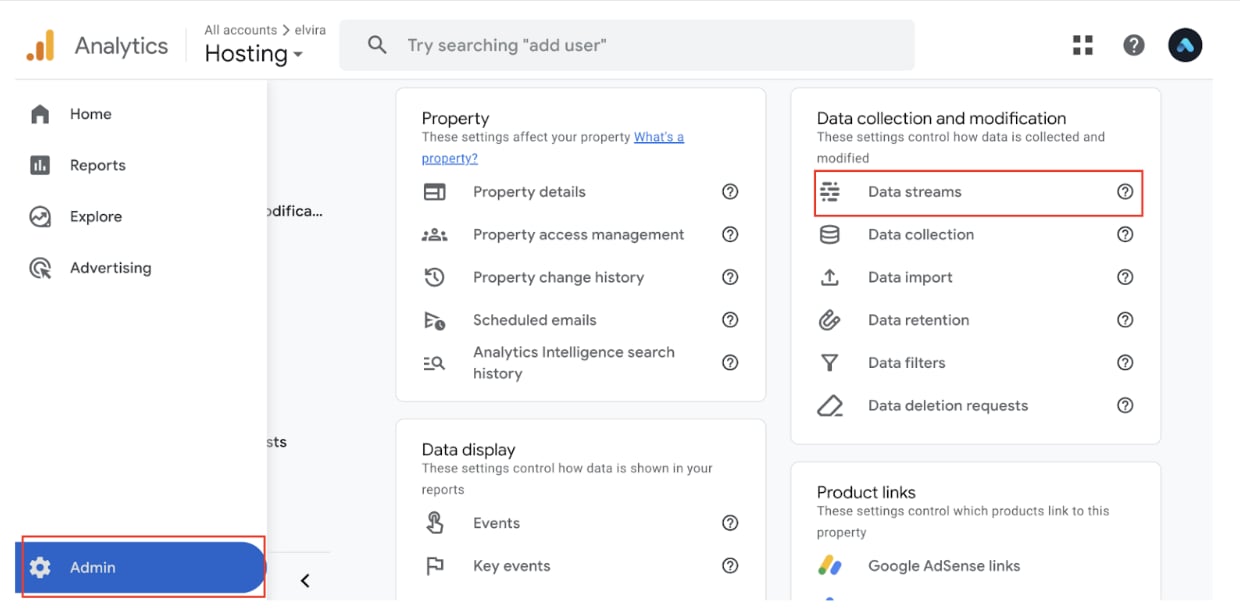
Admin > Data streams
- Choose an existing web data stream or create one by clicking Add Stream, entering your website URL, and naming the stream.
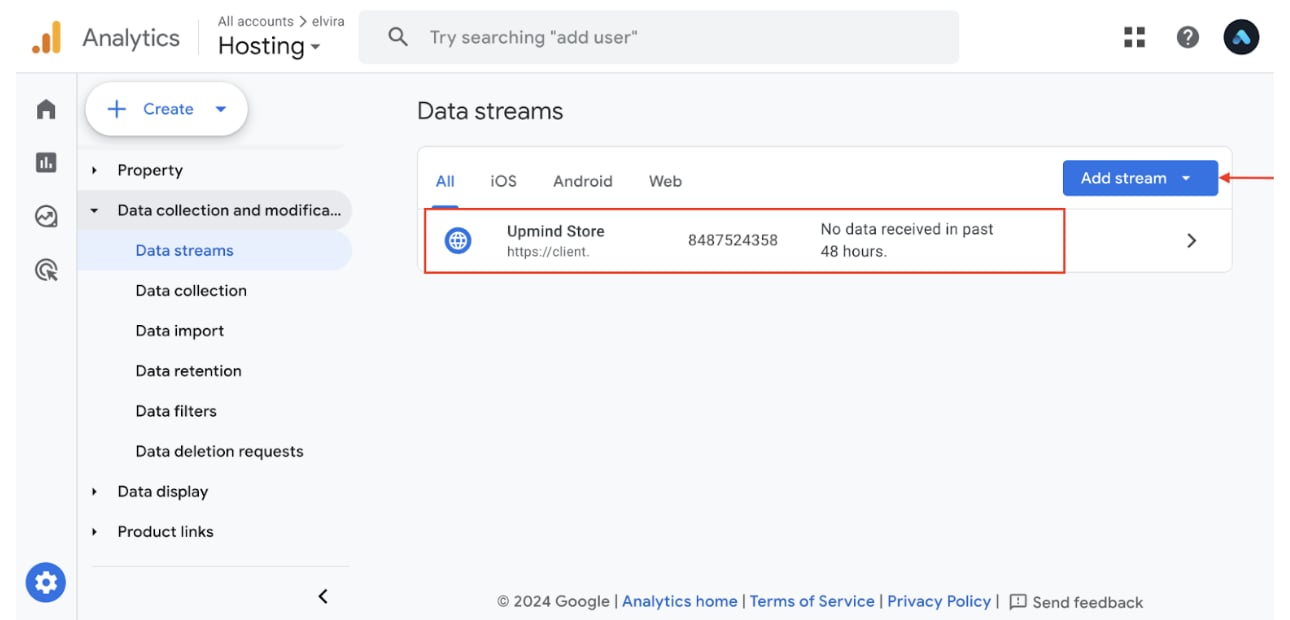
Add stream
- Locate the Measurement ID (formatted like G-XXXXXXXXXX) under stream details.
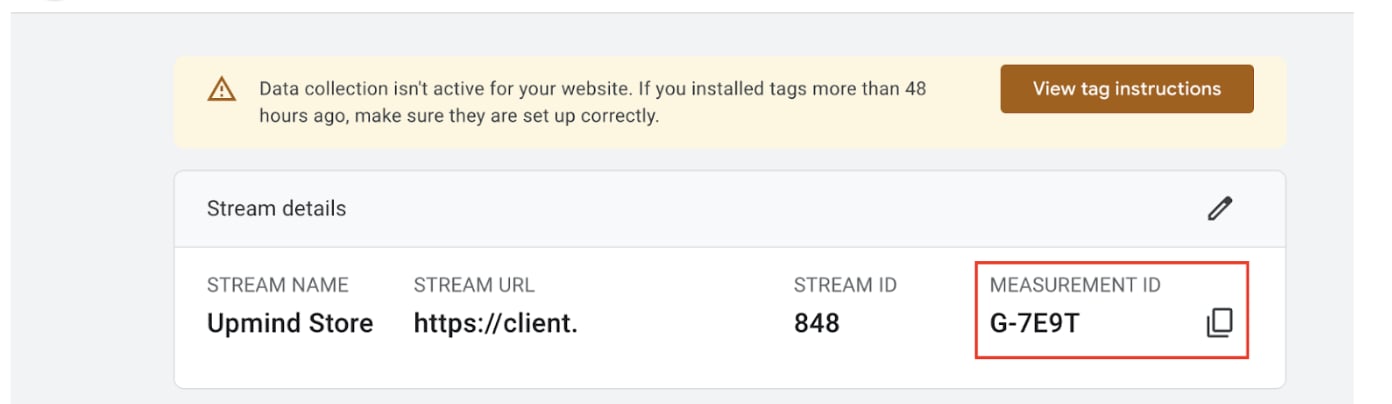
Copy measurement ID
- In the Events section of the stream detail page, click Measurement Protocol API Secrets.
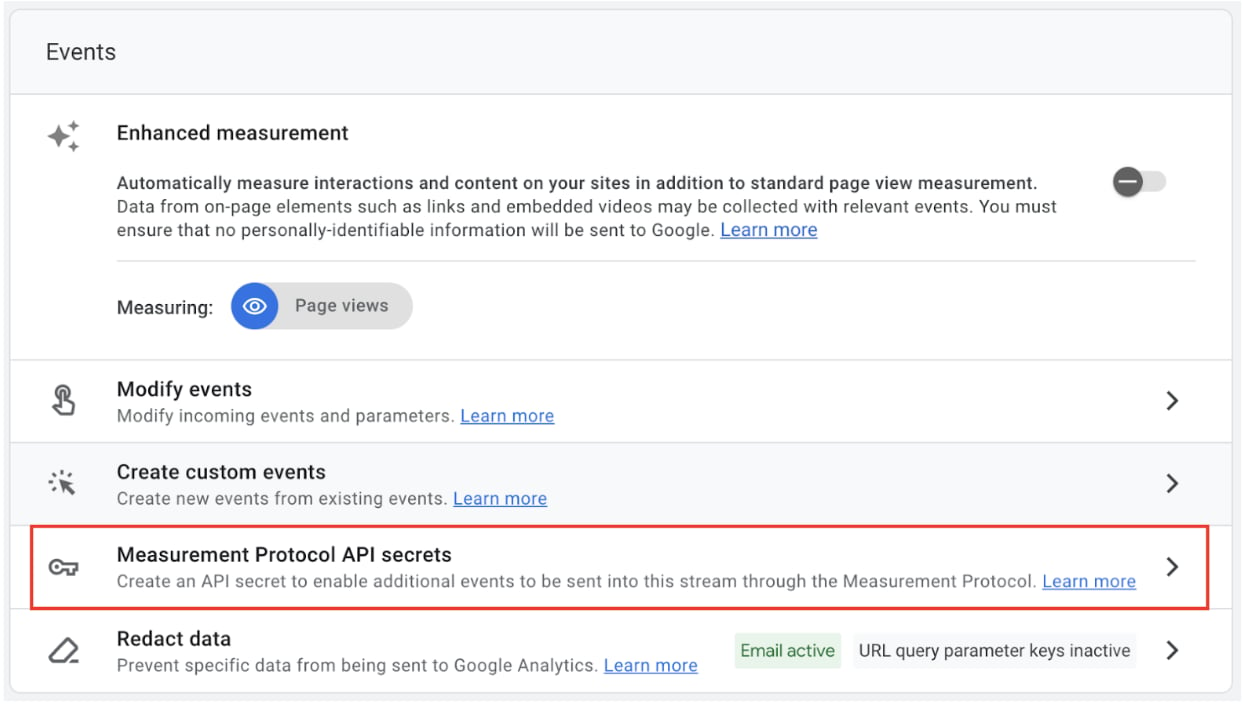
Measurement Protocol API Secrets
- Create a new API Secret and copy the generated key.
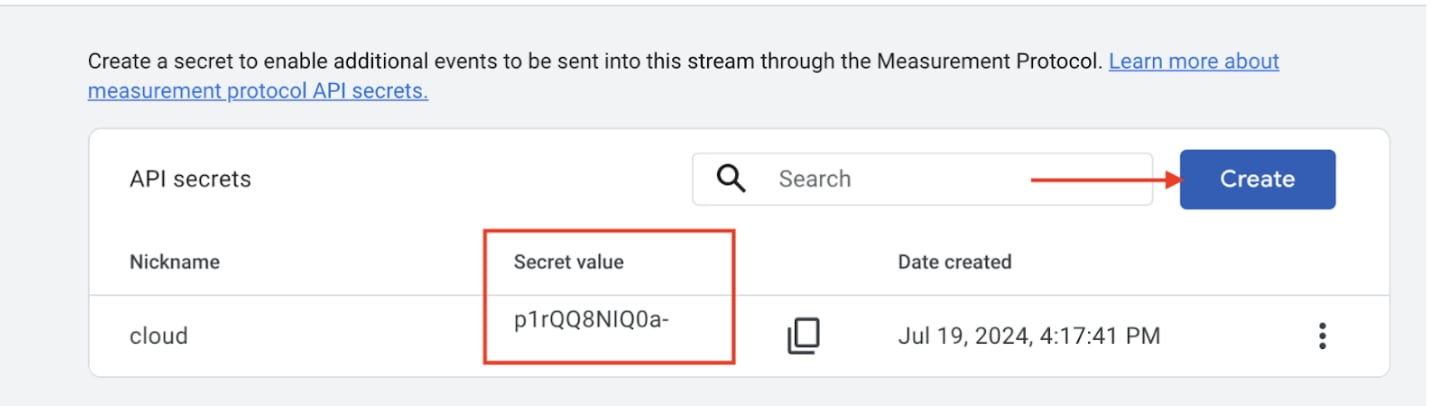
Copy API secret
Connect GA4 with Upmind
- Access your Upmind dashboard.
- Go to Settings > Analytics & Tracking.
- Paste the Google Measurement ID and API Secret into their respective input fields.
- Save your changes.
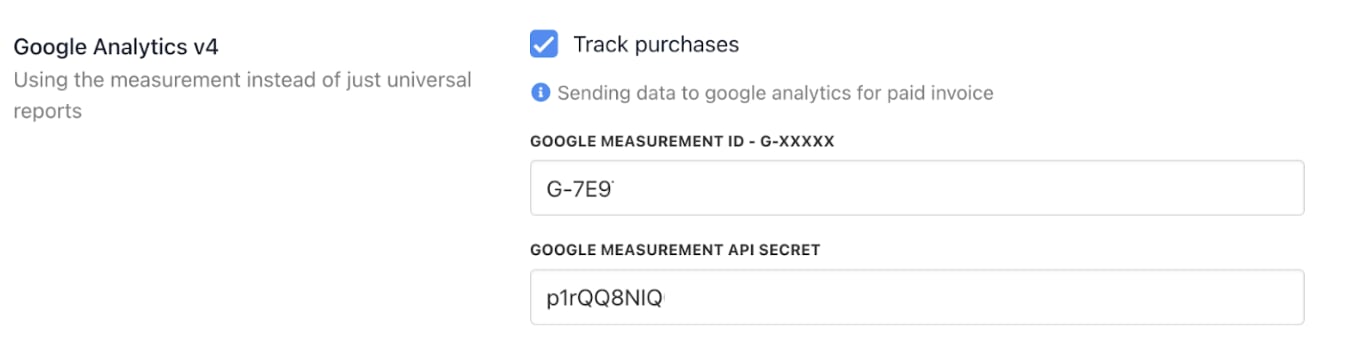
Paste the Google Measurement ID and API Secret