

Accessing analytics and tracking
- Log in to Upmind
- From the dashboard, go to
Settings. - Then, go to Analytics & Tracking under Miscellaneous.
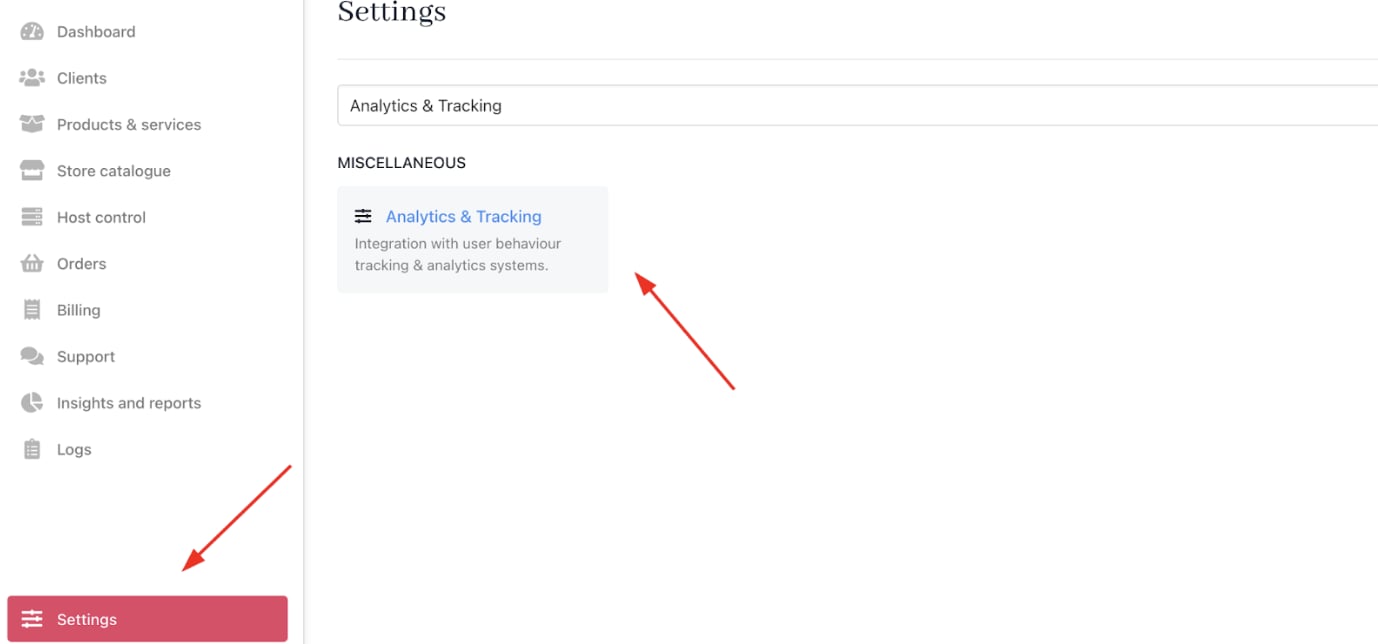
Settings > Miscellaneous > Analytics & Tracking
Google Tag Manager settings
You can configure Google Tag Manager (GTM) to deploy tracking tags and manage analytics scripts.- GTM Container ID: Enter your Google Tag Manager container ID here (e.g., “GTM-XXXX”). This identifies your GTM workspace and links Upmind with your tags and triggers. This GTM container ID is also required if you want to add .
- GTM Script URL (Optional): You can specify a custom script URL for your Google Tag Manager setup.
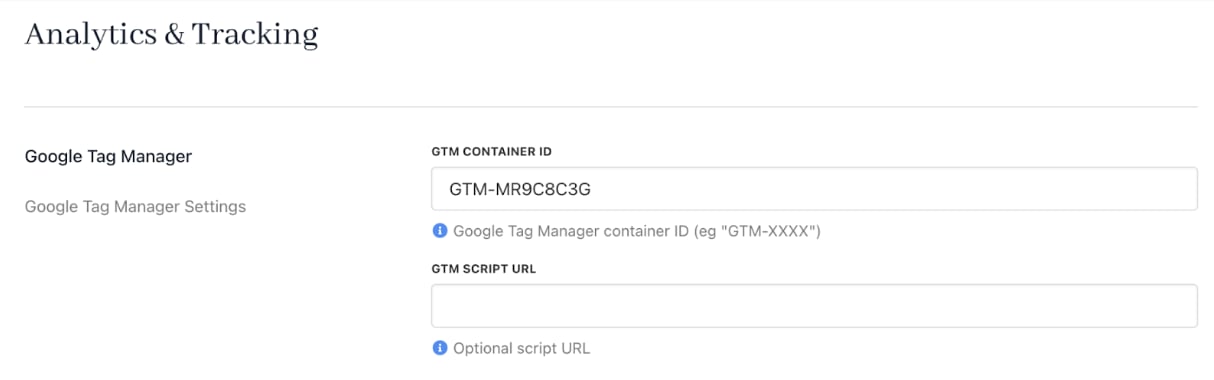
Google Tag Manager settings
Google Analytics v4 settings
You can connect Upmind with v4 to get detailed reports on user interactions and purchase behaviour.- Track Purchases: Enable or disable sending purchase data to Google Analytics.
- Google Measurement ID: Input your GA4 measurement ID (format: G-XXXXX). This ID directs Upmind’s data to your GA4 property for reporting.
- Google Measurement API Secret: Secure your integration by entering the Measurement API secret generated in Google Analytics. This authenticates server-side event data transmissions for more reliable tracking.
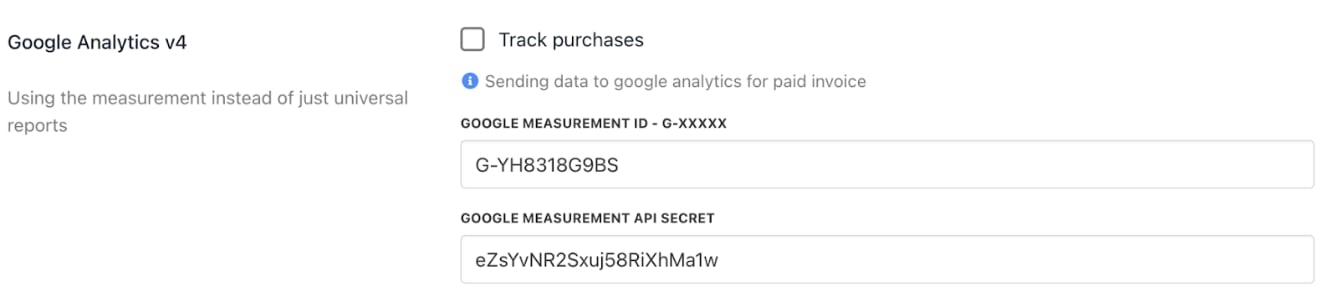
Google Analytics v4 settings
Other tracking settings
Fine-tune data handling and security with additional options. Hashing Salt: Add a salt value for hashing sensitive tracking data before it’s sent or stored. This preserves user privacy and meets data protection standards while maintaining tracking accuracy.
Tracking settings