

Steps to retrieve your GTM script URL
- Log in to
Google Tag Manager(go to ). - Sign in using your Google account credentials.
- Select the Container associated with the website or app you want to track from your GTM dashboard. If you have not created one, follow this .
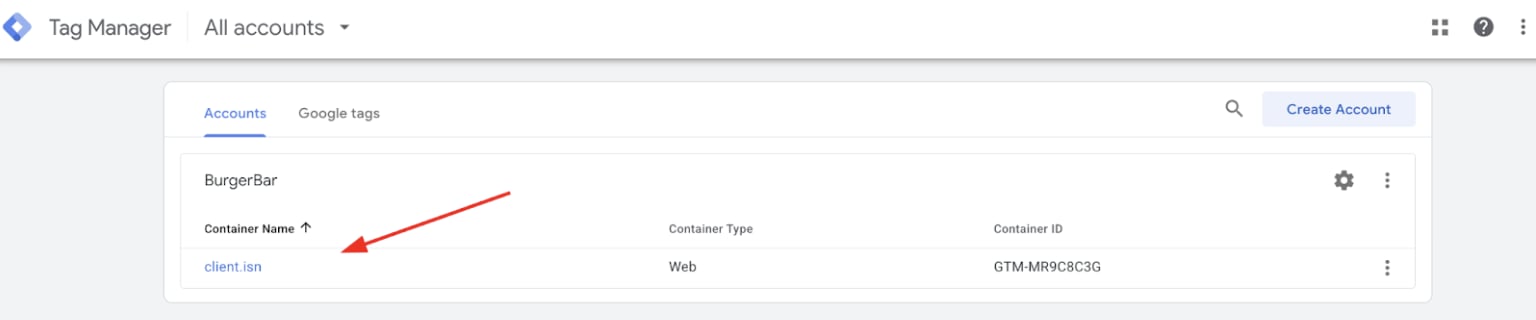
Select container
- Locate and click the Admin button in the top left corner of the screen. The
Adminarea contains settings for your account and containers.
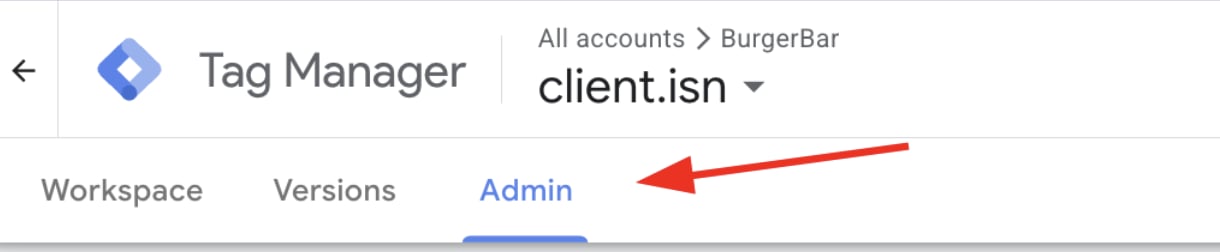
Select admin
- Under the
Containercolumn, click on Install Google Tag Manager. This opens a popup displaying the GTM installation code snippets needed on your website.
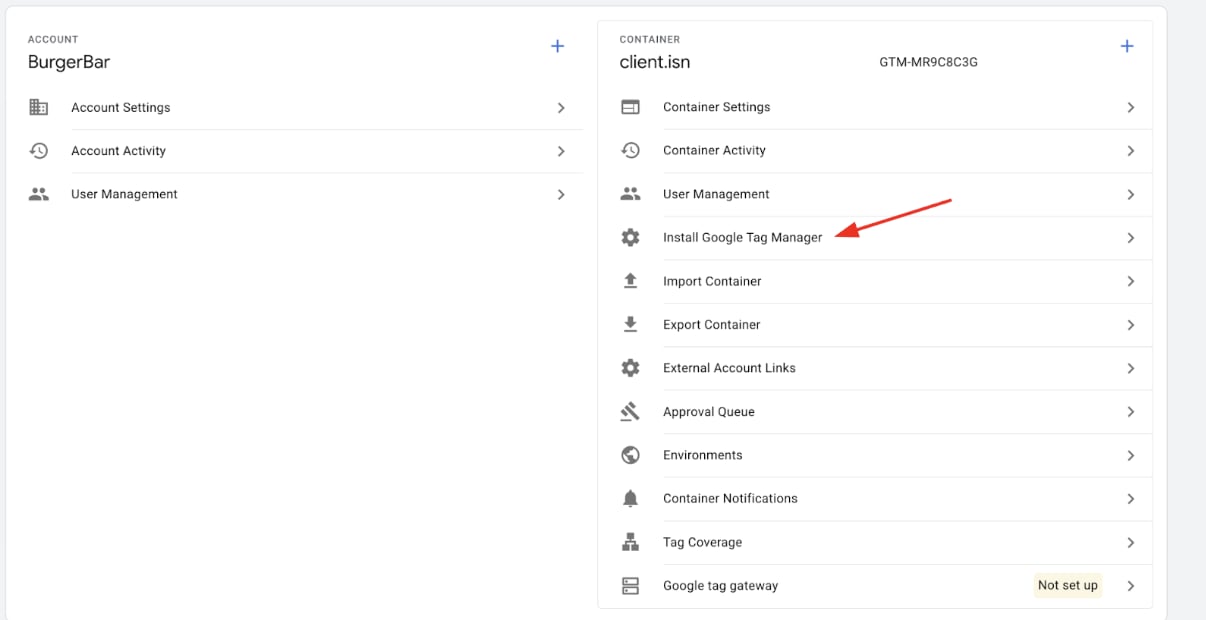
Install Google Tag Manager
- Identify the
GTM Script URL. Within the popup, you will see two pieces of JavaScript code.
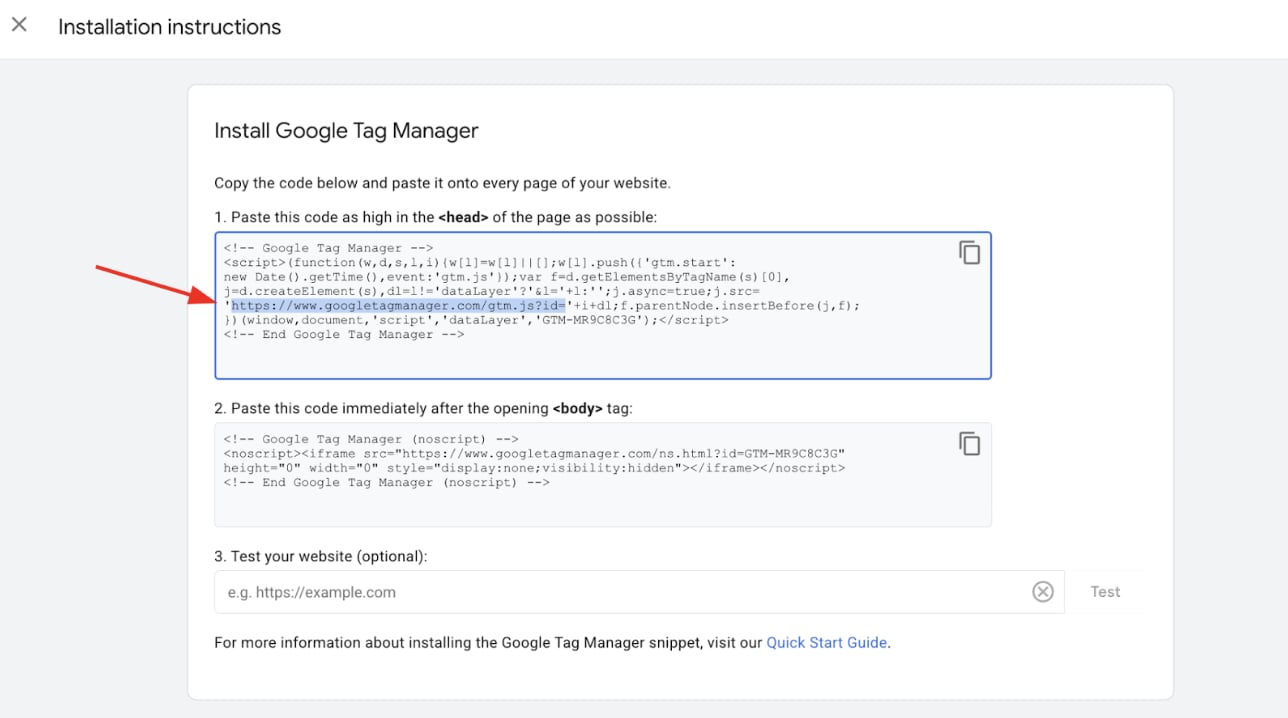
GTM Script URL
GTM-XXXXXX is your container ID and will differ for your account.
- Highlight the
GTM Script URLwithin the < script > tag and copy it to your clipboard.
How to use the GTM script URL in Upmind
- Log in to your Upmind admin panel.
- Navigate to Settings > Miscellaneous > Analytics & Tracking.
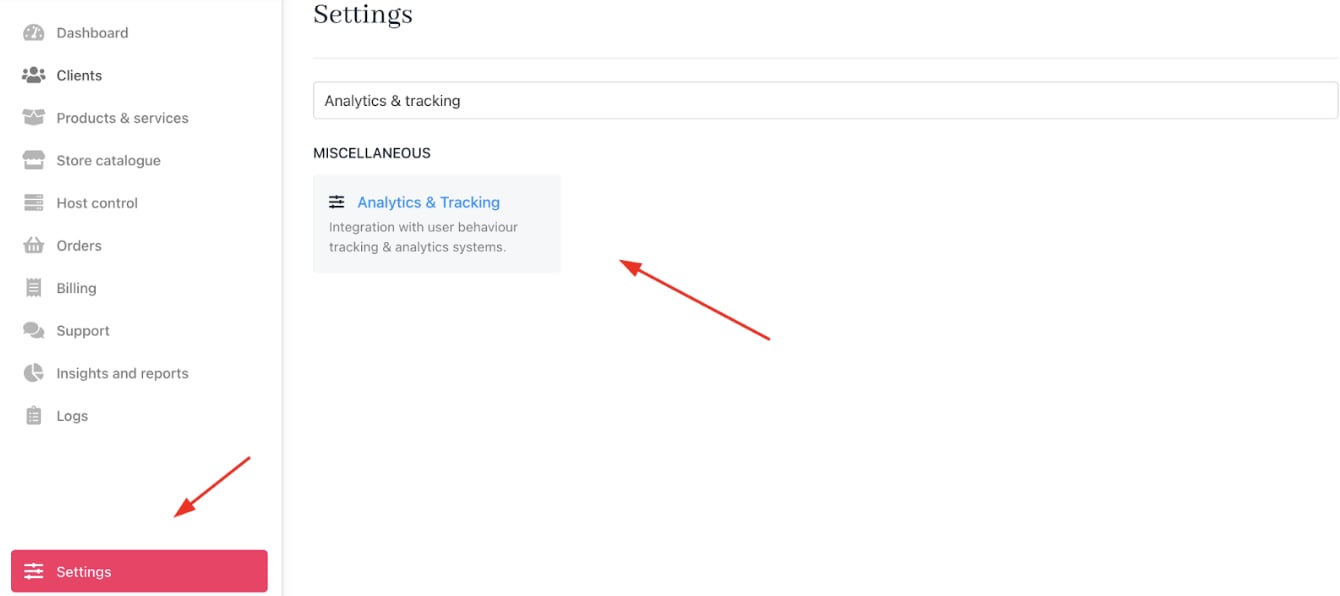
Settings > Miscellaneous > Analytics & Tracking
- Locate the
Google Tag Manager Settingssection. Paste the copied GTM script URL into the custom GTM Script URL field.
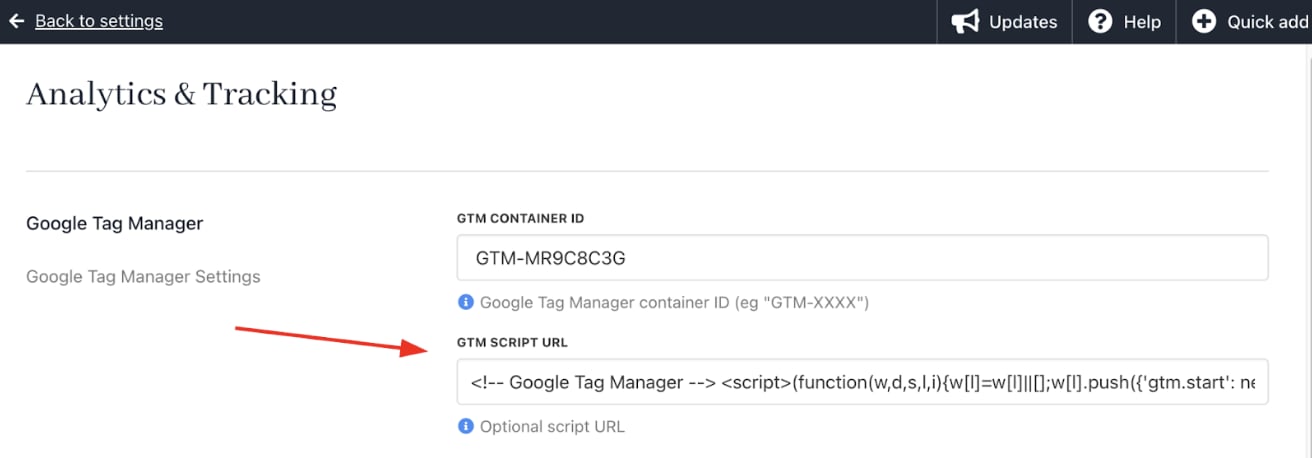
Paste the GTM Script URL
- Save your settings.