

Create a GTM Account and Container
-
Visit the
Google Tag Managerwebsite at https://tagmanager.google.com/. - Sign in with your Google account or create one if necessary.
- Set up a new container:
- Enter a descriptive name reflecting your Upmind store domain.
- Select the appropriate target platform: Web, iOS, Android, or AMP.
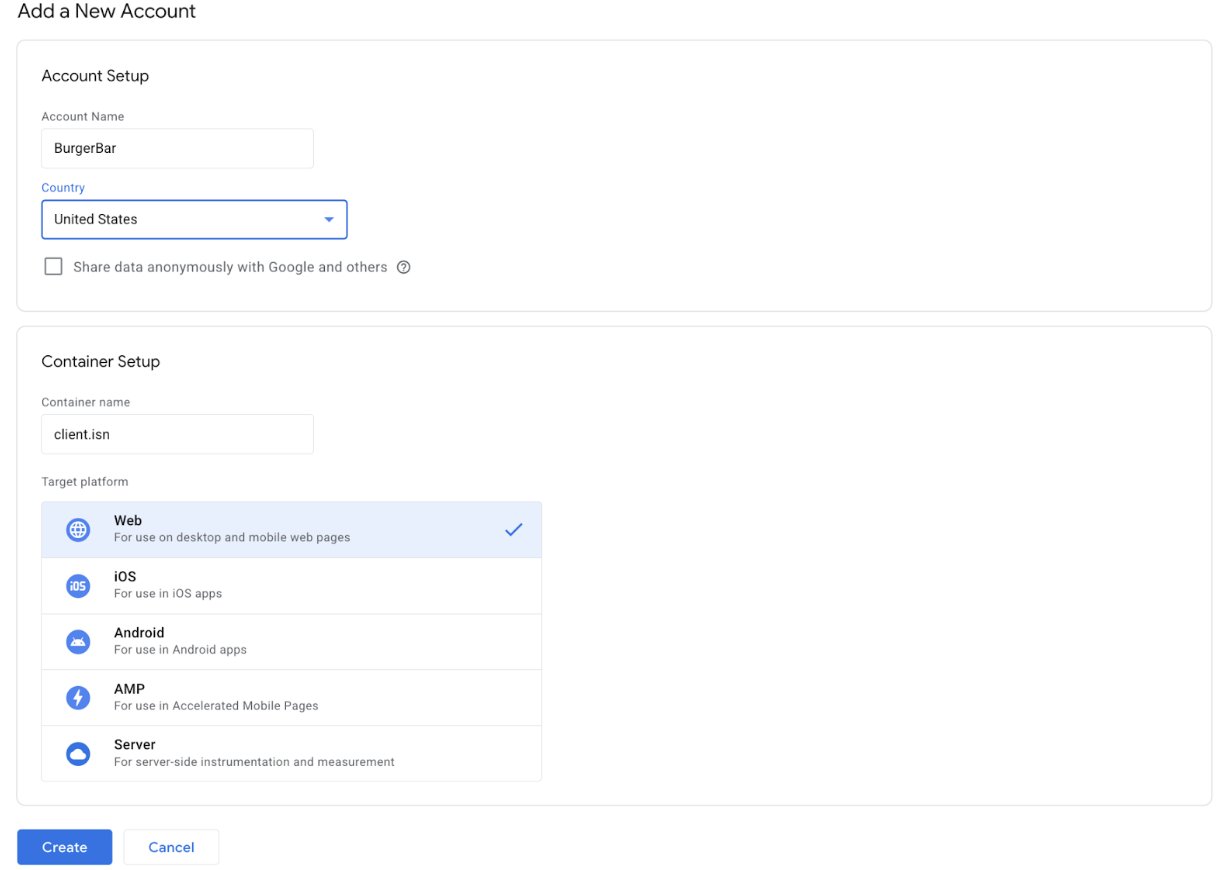
Configure details
- After container creation, copy the
GTM Container IDprovided (formatted like GTM-XXXXXXX).

GTM Container ID
Configure GTM in Upmind
- Log in to your Upmind admin panel.
- Navigate to Settings > Analytics & Tracking under Miscellaneous.
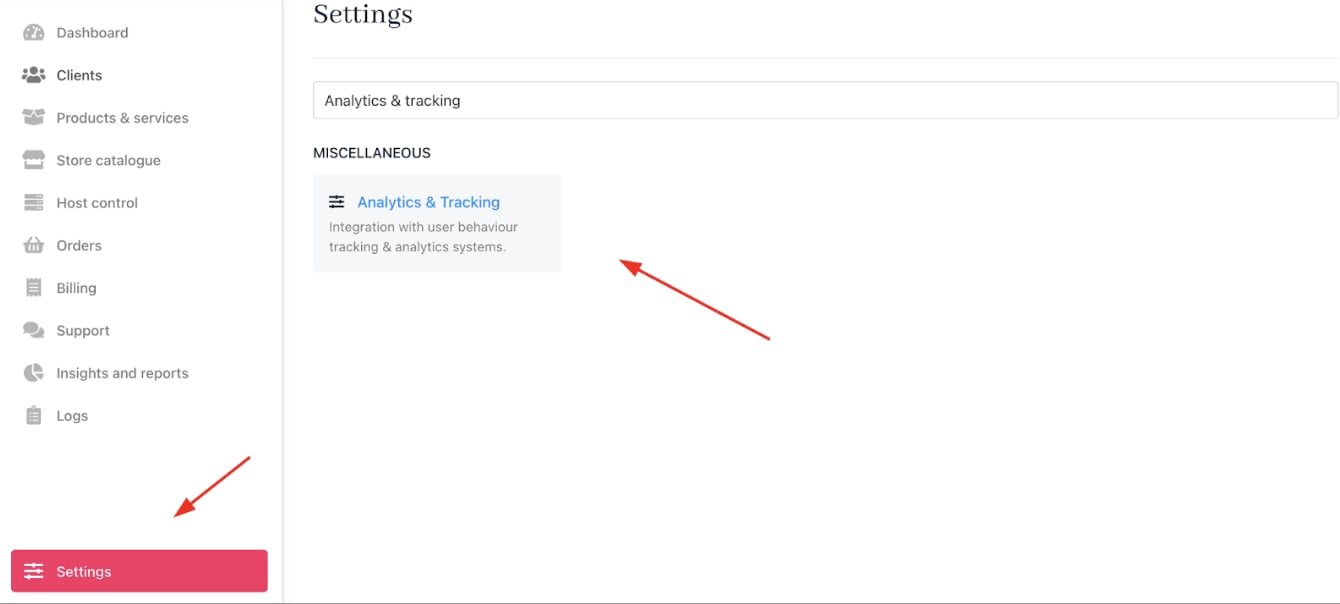
Settings > Miscellaneous > Analytics & Tracking
- Paste your GTM Container ID into the designated field.
- Save your settings.
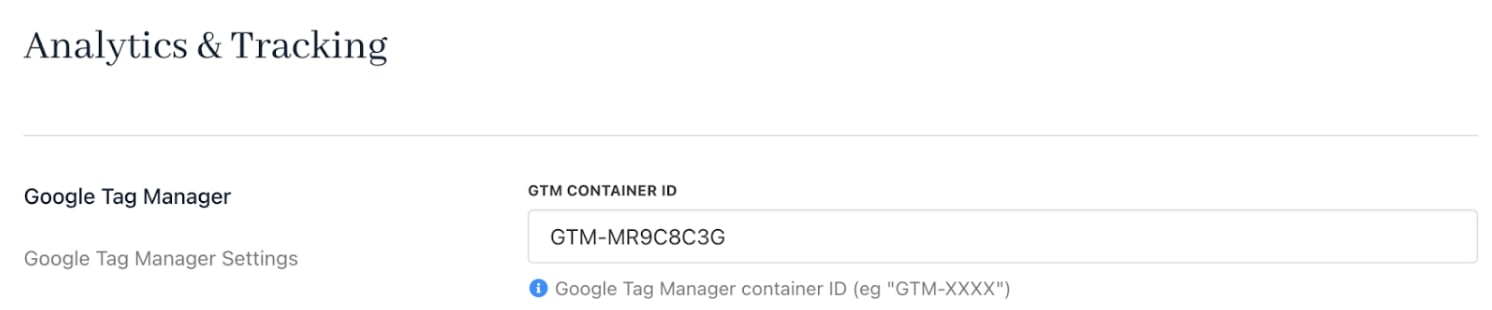
Paste the GTM Container ID