

Access domain search settings
- Log in to Upmind admin.
- Go to Settings > Miscellaneous > Provisioning.
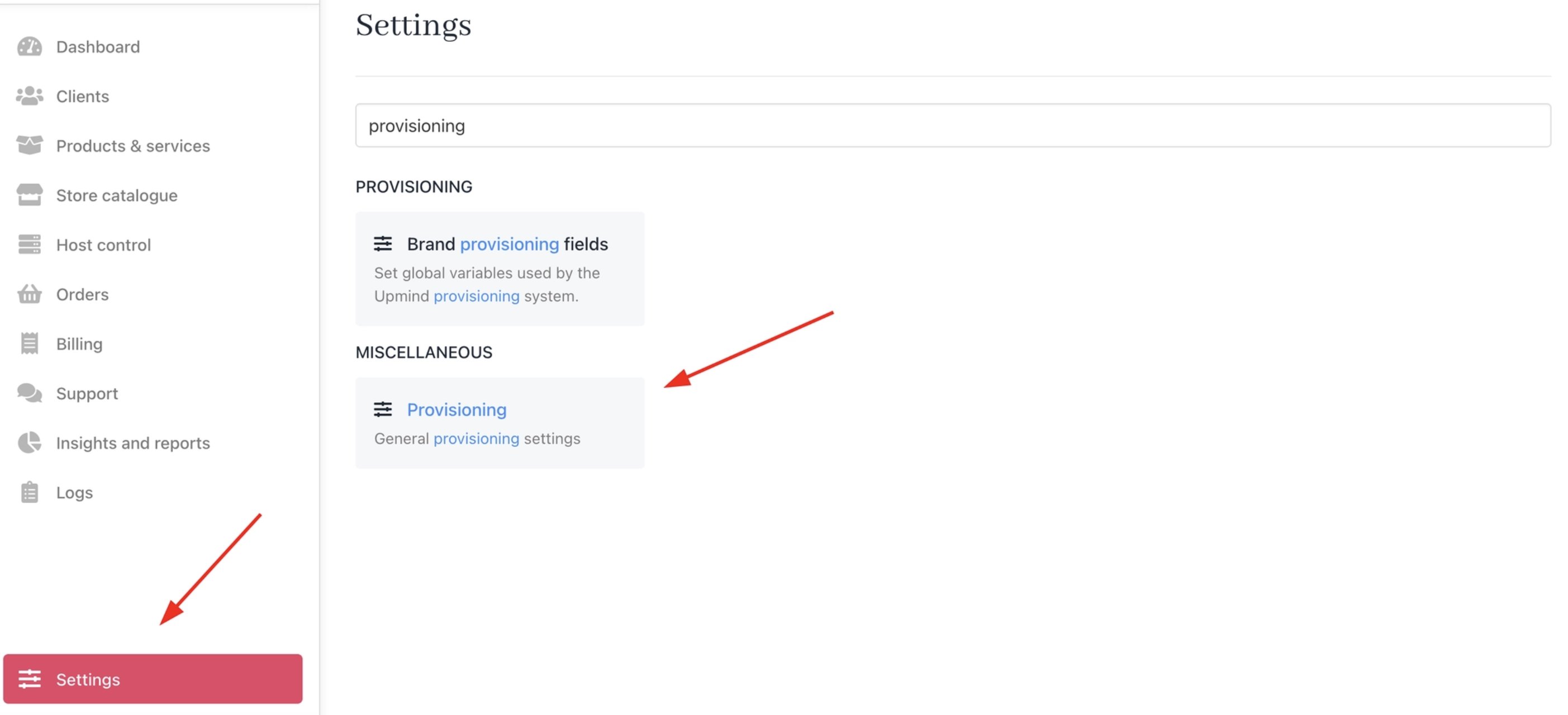
Settings > Miscellaneous > Provisioning
- Find the Domain Search Method section under Domain Names.
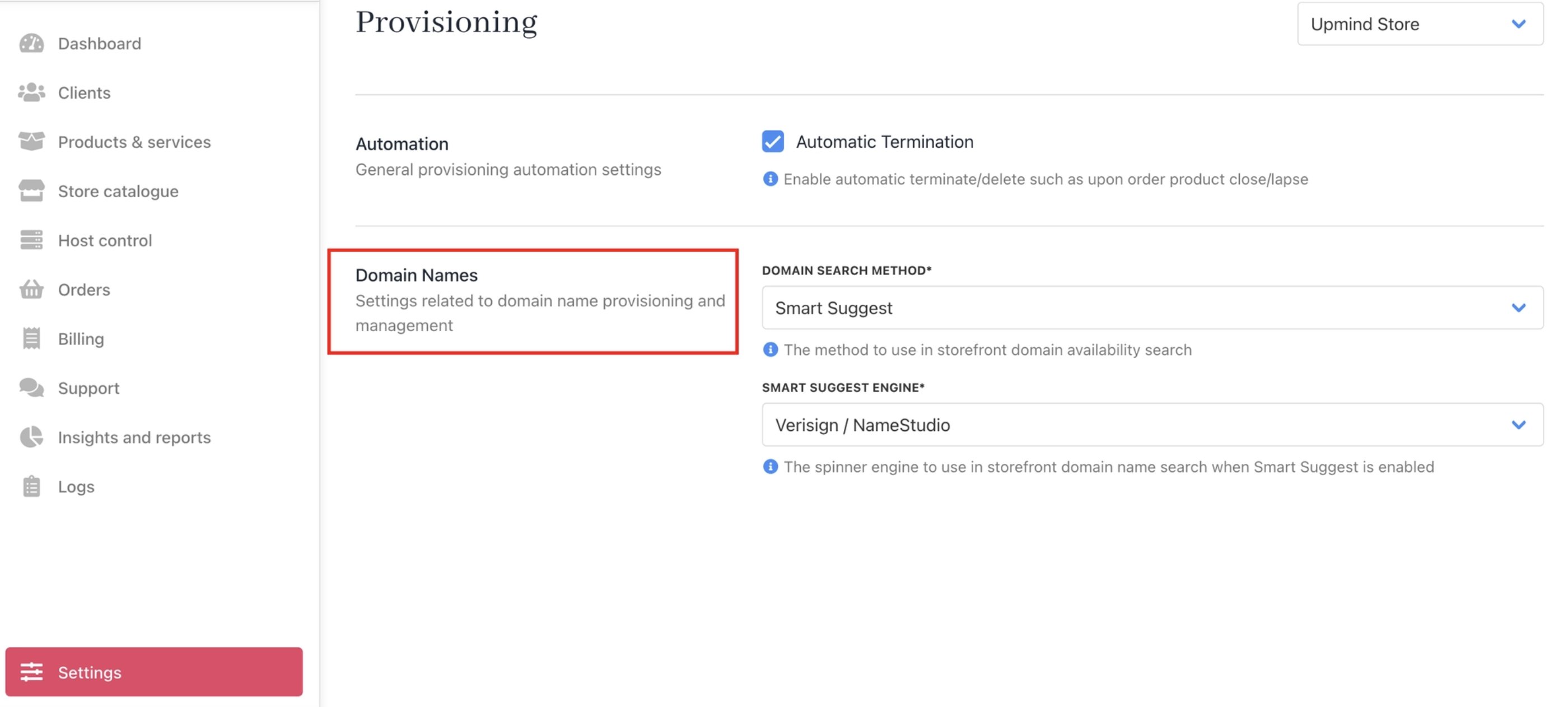
Domain Names
Choose the domain search method
Upmind offers two domain search methods:- Legacy Lookup
- Smart Suggest
Legacy lookup
Uses the traditional domain availability method. Checks real availability for each keyword as users type and returns domains that are available or taken, which they can register.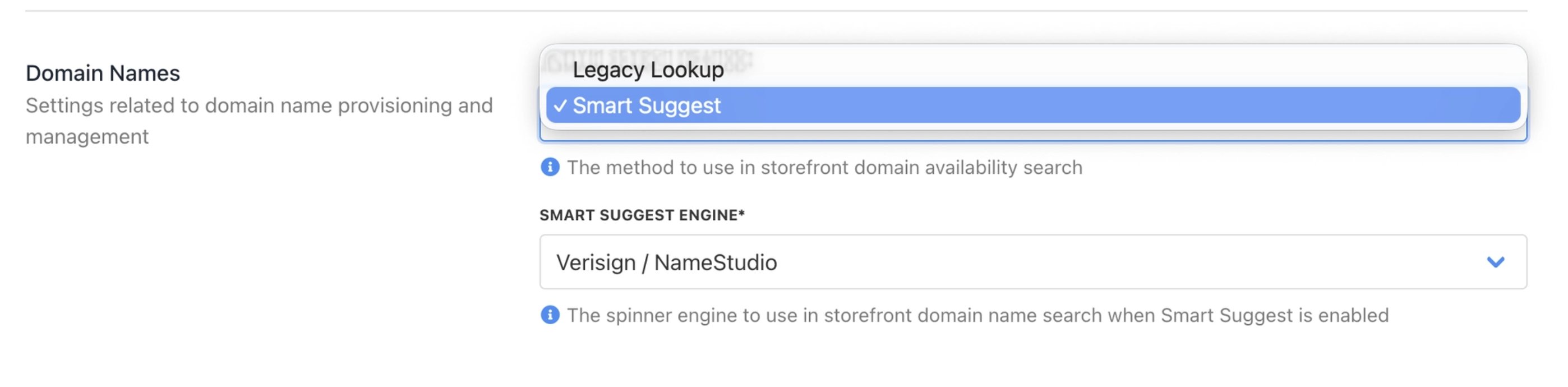
Legacy Lookup and Smart Suggest domain search methods
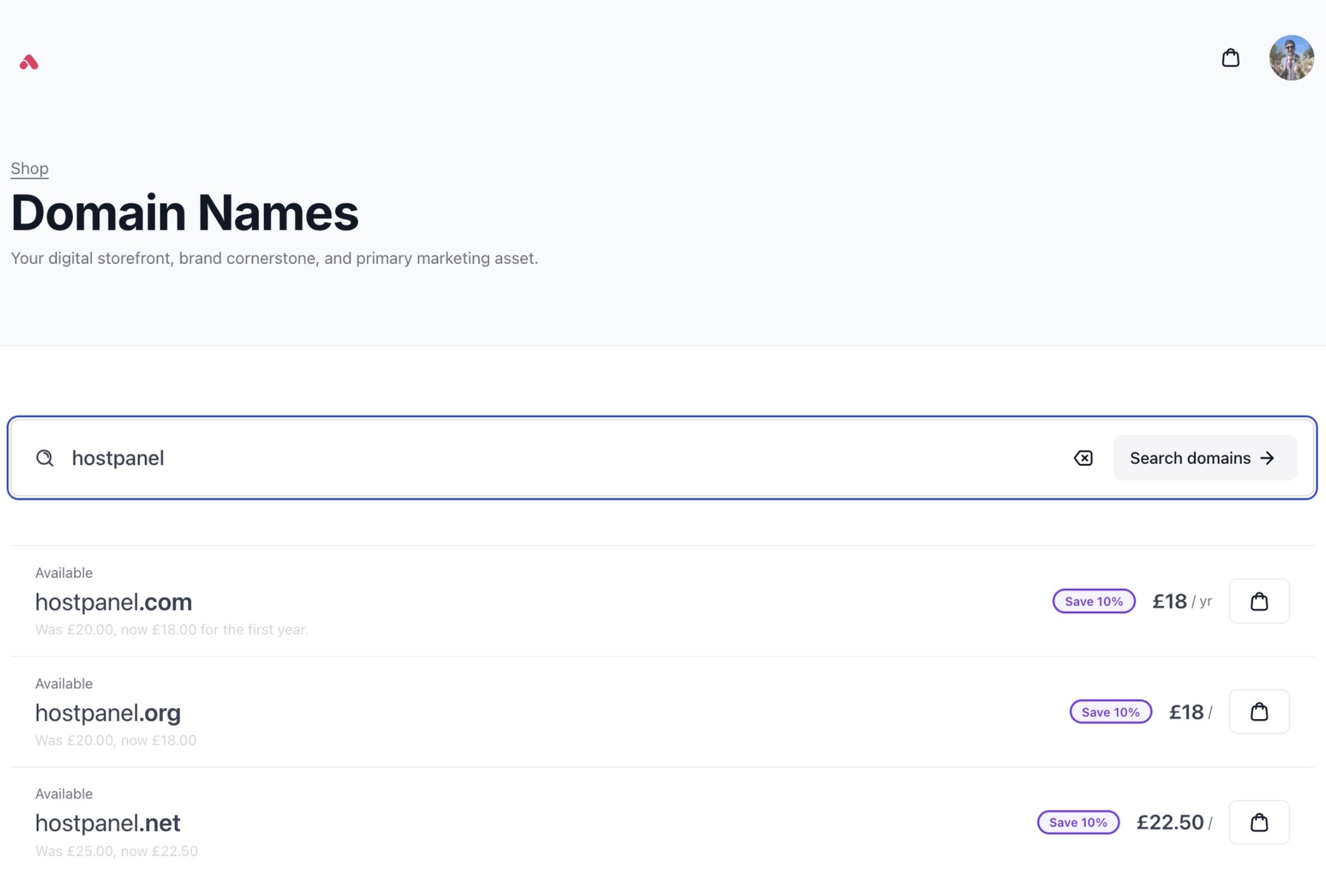
Legacy Lookup keyword search
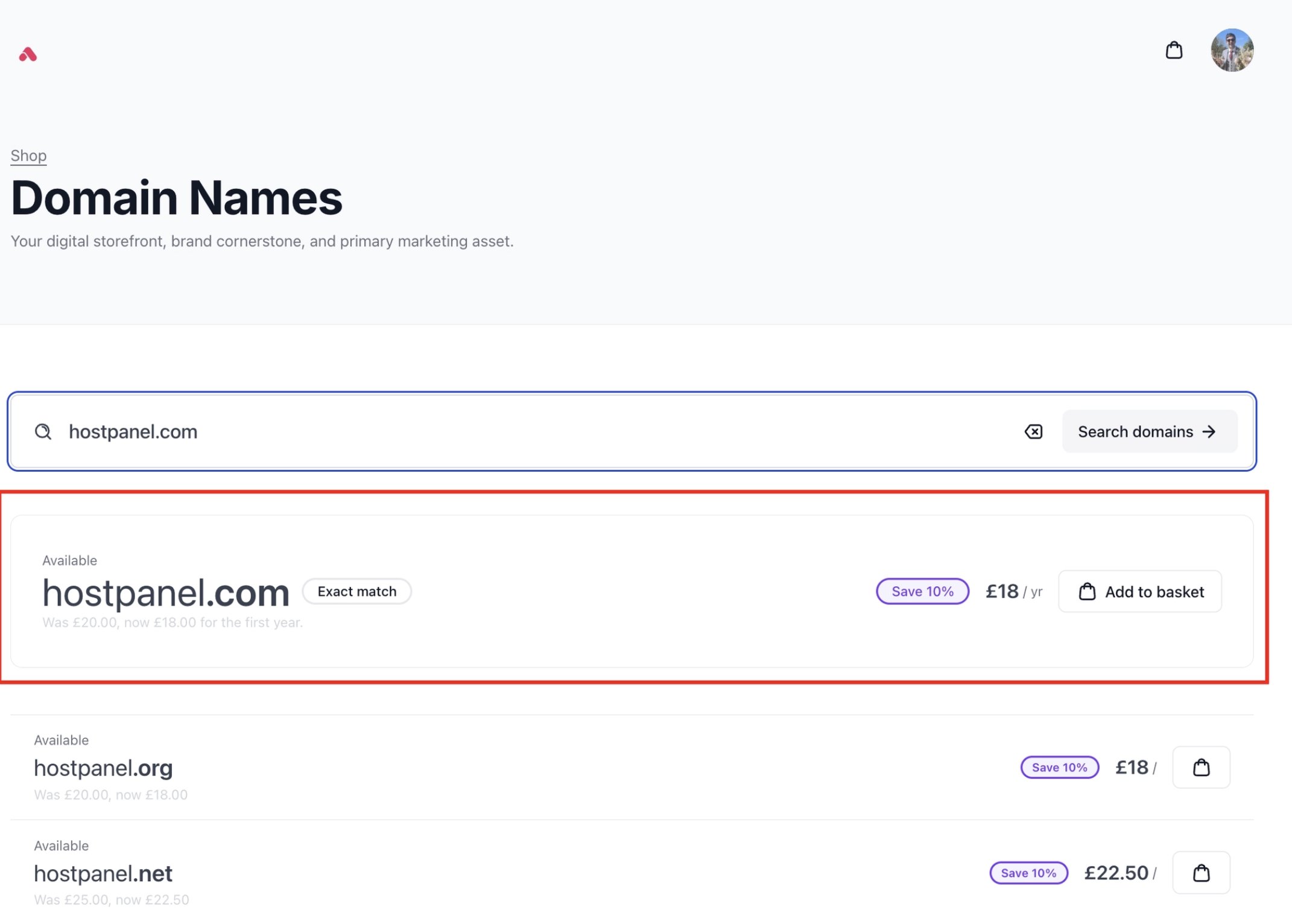
Legacy Lookup exact match
Smart suggest
Smart Suggest powers the New Domain Search Tool by connecting to external domain suggestion engines. Rather than simply checking whether a single domain is taken, it reads the search term, whether that’s a single keyword, a phrase, or even a full sentence, and intelligently generates a list of relevant, registrable domain ideas around it. It uses either Verisign’s “NameStudio” or Identity Digital’s “Domain Engine” to provide suggestions that load instantly with your Upmind pricing and promotions already applied, and defers true availability checks until the moment a user attempts to add a domain to their basket. Example: Smart Suggest “NameStudio” Keyword/Phrase Search “managed wordpress hosting” - A descriptive phrase that lets NameStudio surface creative, brand-ready domain suggestions beyond the obvious exact match. Example: Smart Suggest “NameStudio” Exact Match “managedwphosting.com” - Triggers an immediate full check on this specific domain, with NameStudio suggestions populating below.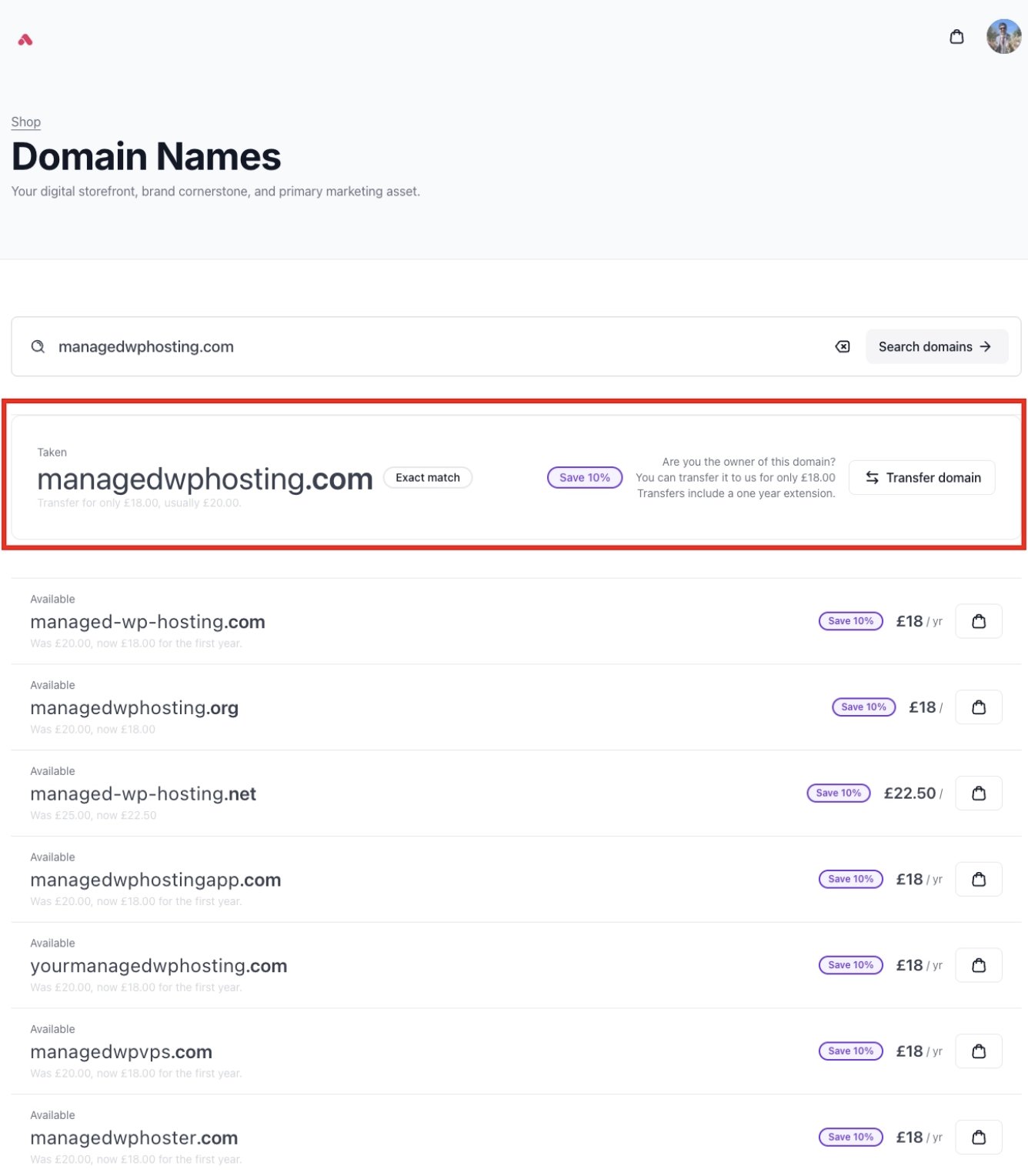
Smart Suggest NameStudio exact match
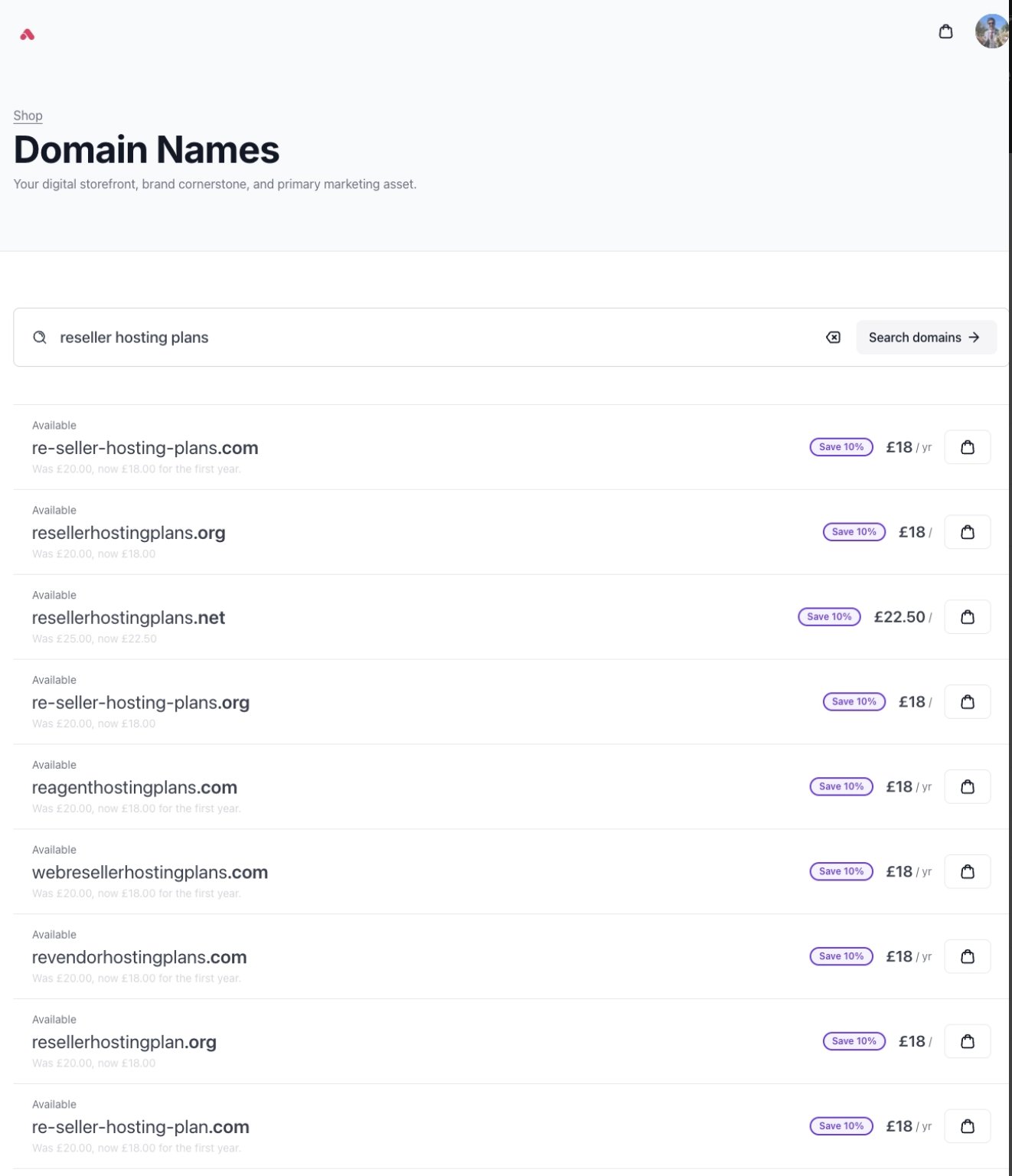
Smart Suggest Domain Engine keyword/phrase search
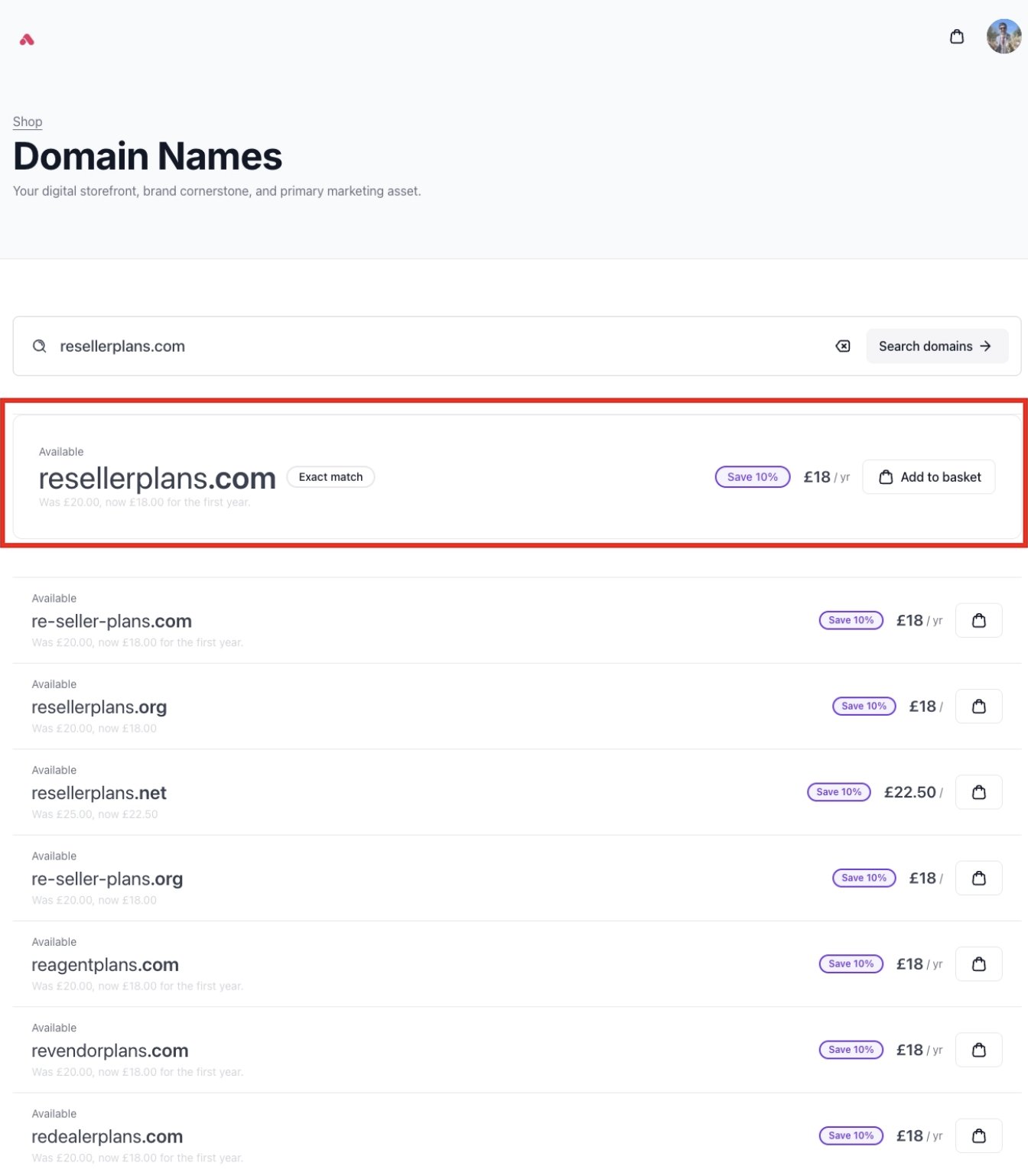
Suggest Domain Engine exact match
Selecting the domain suggestion engine
When Smart Suggest is active, you choose between two engines. Both deliver high-quality suggestions, and the difference is in how they generate them and what they prioritise.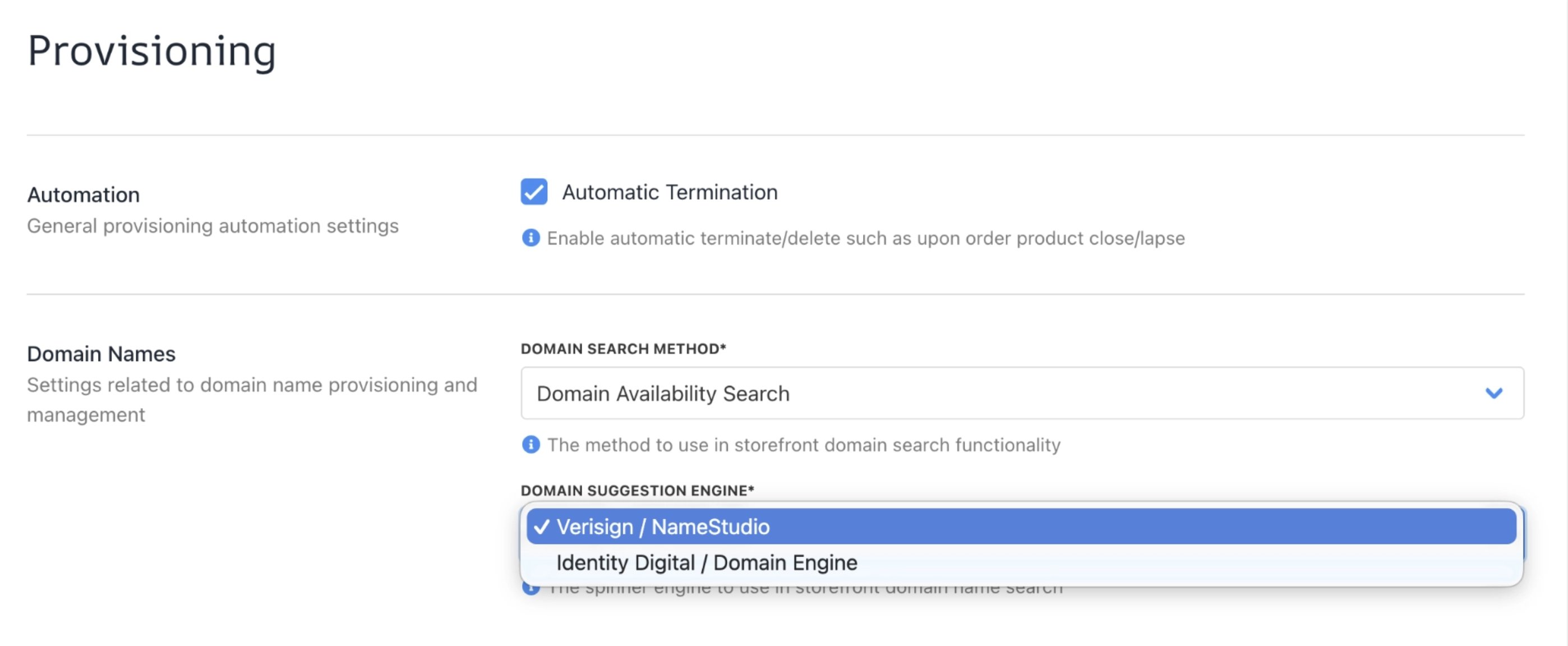
Domain Suggestion Engines
How it works
Search → See suggestions → Choose → Add to basket + Availability check → Checkout. Domain availability in Smart Suggest works in two stages: A fast soft check during search and a confirmed hard check at the basket.- Search — The customer enters a keyword, phrase, or description into the storefront search. If the customer types an exact domain (e.g., serverstack.net), the top result runs a full hard availability check immediately, giving a confirmed status right from the search.
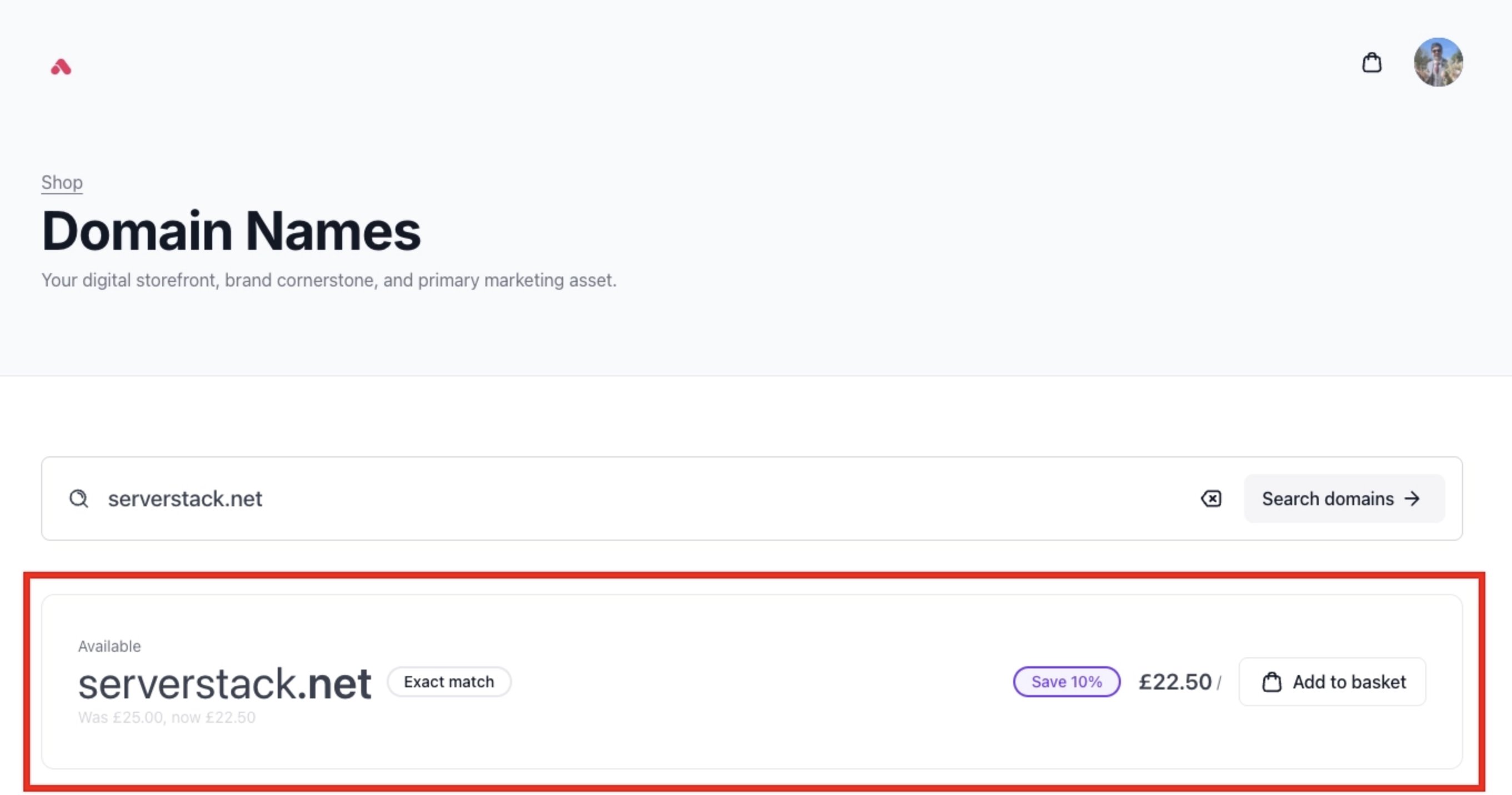
Smart Suggest NameStudio exact match
- See suggestions — The engine generates relevant domain ideas instantly. A soft availability check runs in the background to filter results and keep suggestions as accurate as possible.
- Choose — The customer browses suggestions and selects a domain they like.
- Add to basket — A hard availability check runs at this point. This is the final, confirmed verdict on whether the domain is available. In rare cases, this result may differ slightly from what appeared during the search. This is expected, as the search prioritises speed while the basket check prioritises accuracy. Two scenarios can occur at this stage:
- A domain shown as available to register may return as available to transfer: The domain status updates accordingly, and the customer is given the option to transfer it instead.
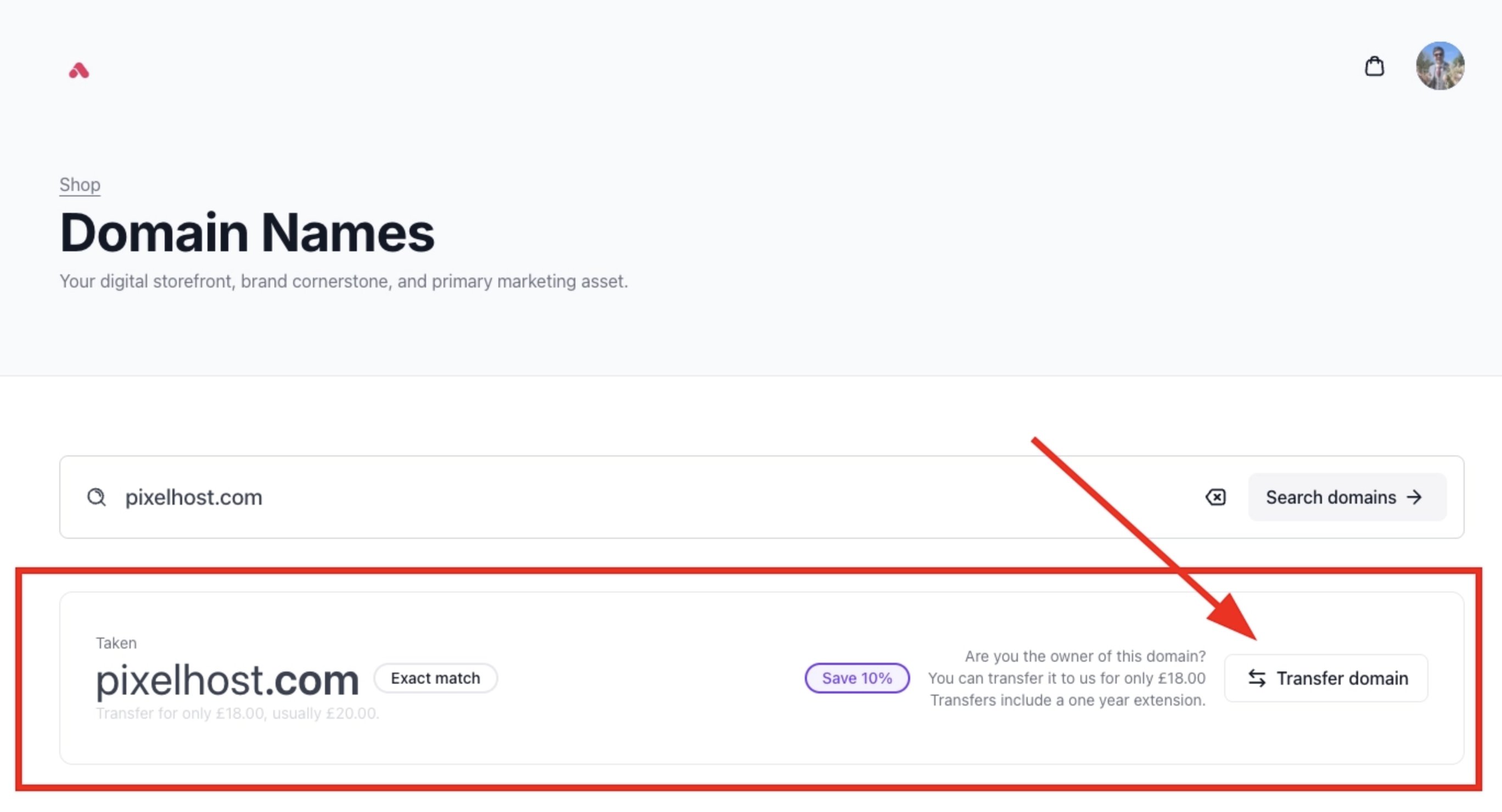
Available to transfer
- A domain shown as available to transfer may return as available to register: The status updates, and the customer can proceed with a fresh registration.
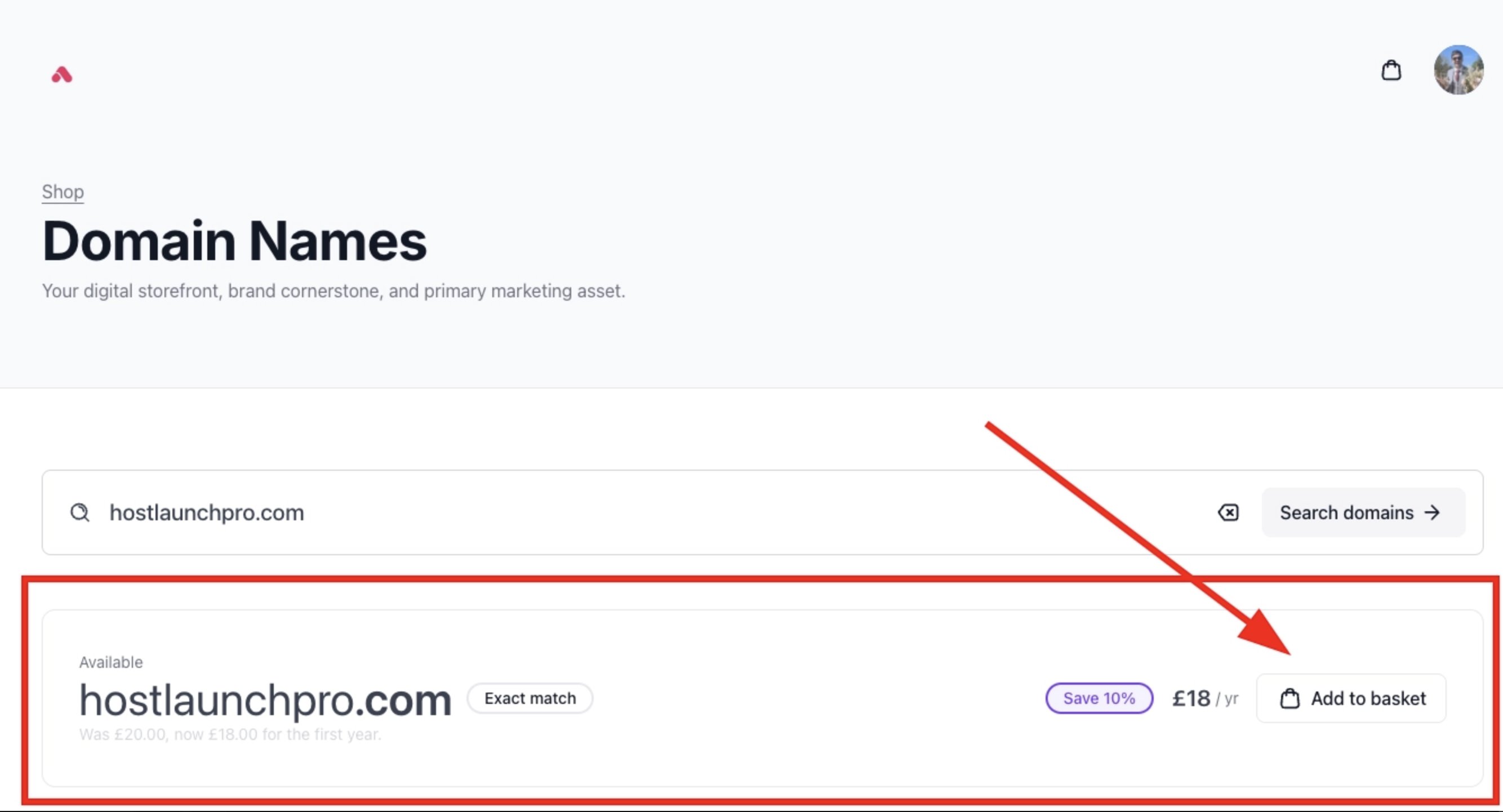
Available to register
- Checkout — The customer completes their purchase with a verified domain status confirmed at the basket stage.
Search results are reliable in most cases, but the basket-stage check is always the definitive one. This keeps the search experience fast without compromising accuracy at the point of registration.