

Navigate to your provisioning settings
-
Go to
Settings. -
Find the
Product Catalogue. If you already have the product, select it to check the provisioning options. If not, you can create a new product.
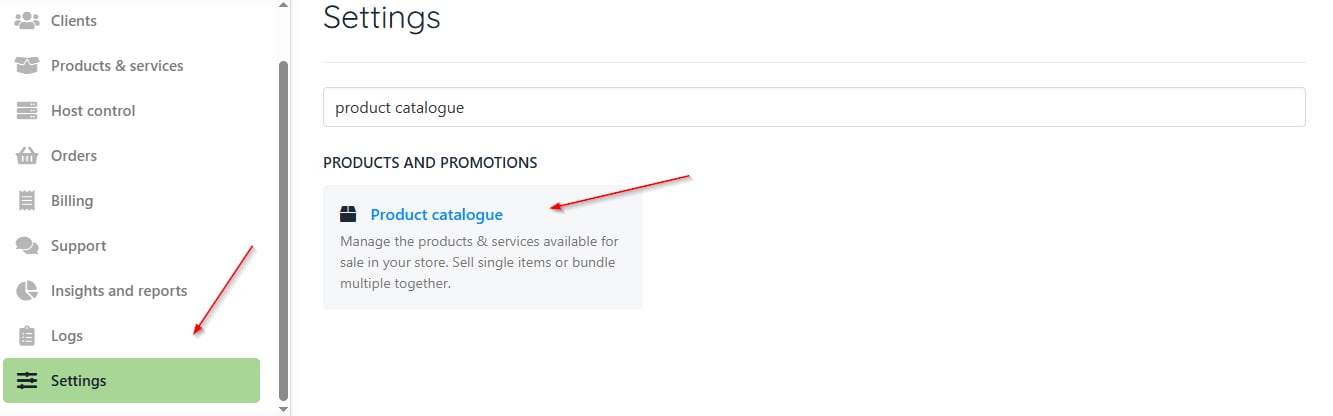
Product catalogue
- Next, choose the provisioning field. On the following screen, select the Provision Blueprint and Provision Providers.
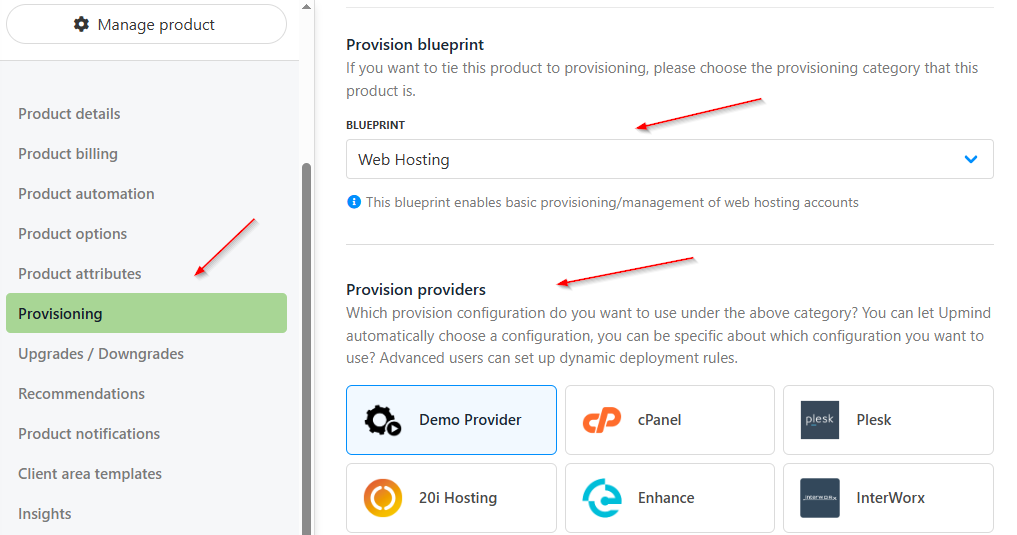
Provisioning under product
- Then, scroll down to find the Provision Fields. To configure the package identifier, ensure that it’s similar to your package name in cPanel.
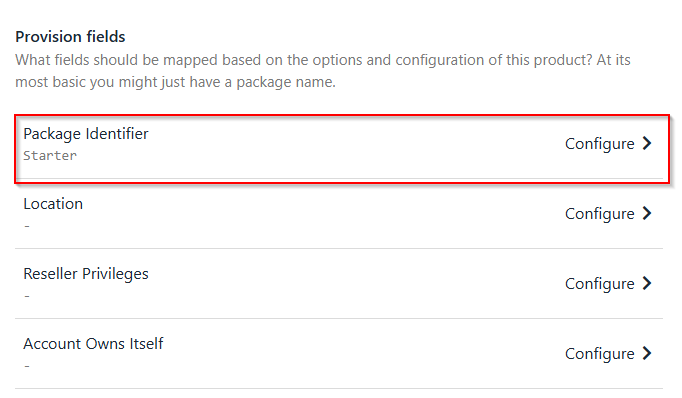
Provisioning field
Choose the provision fields
Fill up each part to set up the provisioning fields:- Package Identifier: Set this by creating a package in WHM or using an existing one. Make sure it matches the package name in cPanel.
- Reseller Privileges: Note that you cannot manage reseller privileges, ACL names, account limits, disk space, or bandwidth through WHM unless you have root access.
- Account Owns Itself
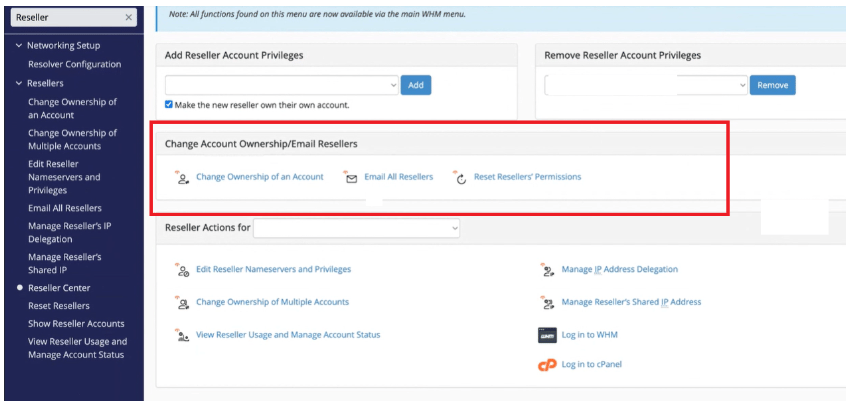
Change account ownership
- Reseller ACL Name
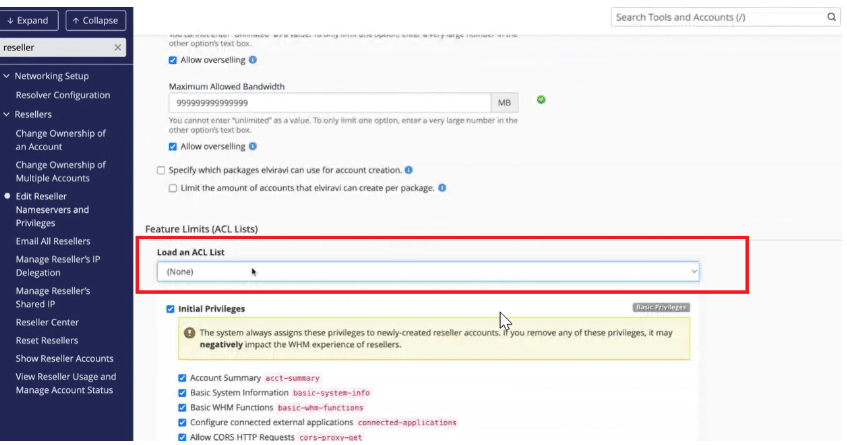
Reseller ACL (Access Control List)
- Reseller Account Limit
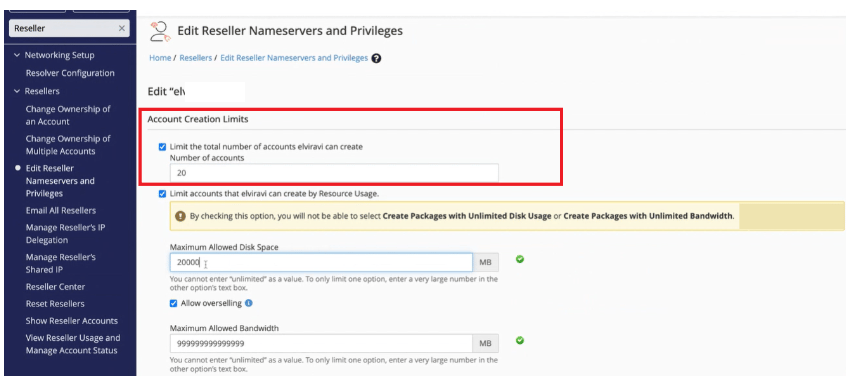
Reseller account creation limits
- Reseller Disk Space Limit (MB)
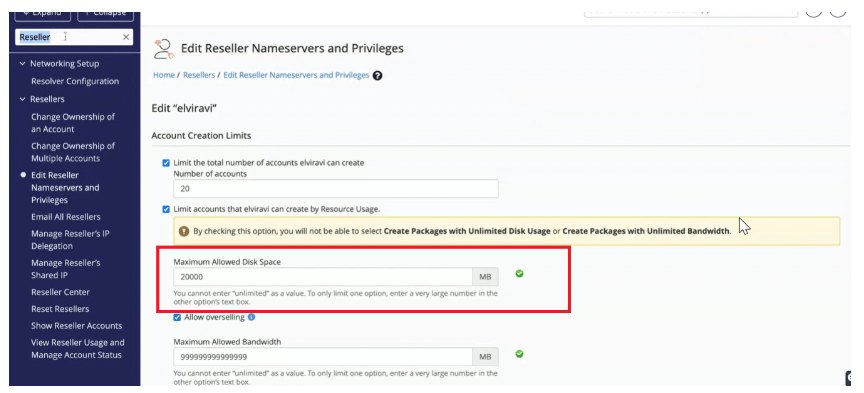
Reseller disk space limit (MB)
- Reseller Diskspace Overselling
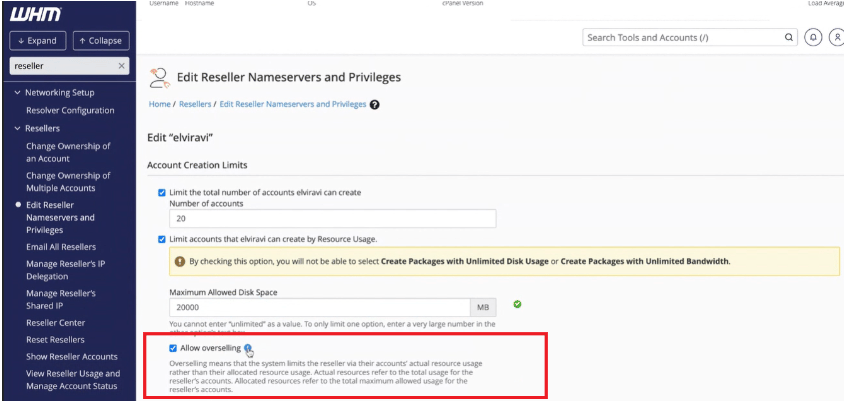
Reseller diskspace overselling
- Reseller Bandwidth Limit (MB)
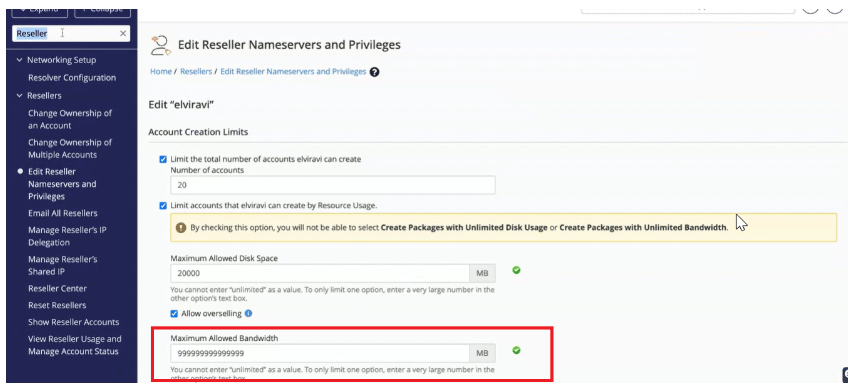
Reseller bandwidth limit (MB)
- Reseller Bandwidth Overselling