

- Reminder notifications
- Overdue status
- Service suspension
- Contract cancellation
- Final termination
Can this process be customised?
Yes. All timelines and actions are controlled from Subscription Options. You can adjust:- Reminder schedules
- Grace periods
- Suspension timing
- Cancellation timing
- Termination timing
Can automation be disabled for specific clients?
Yes. You can override automation rules at the client level. Client-level overrides are available under Automation Overrides. For more details, follow this guide.Notifications and reminders
How are payment reminders sent?
Upmind sends reminders based on the notification schedule configured in Subscription Options.- Log in to Upmind admin.
- Go to Settings > Subscription Options under Branding and Customisation.
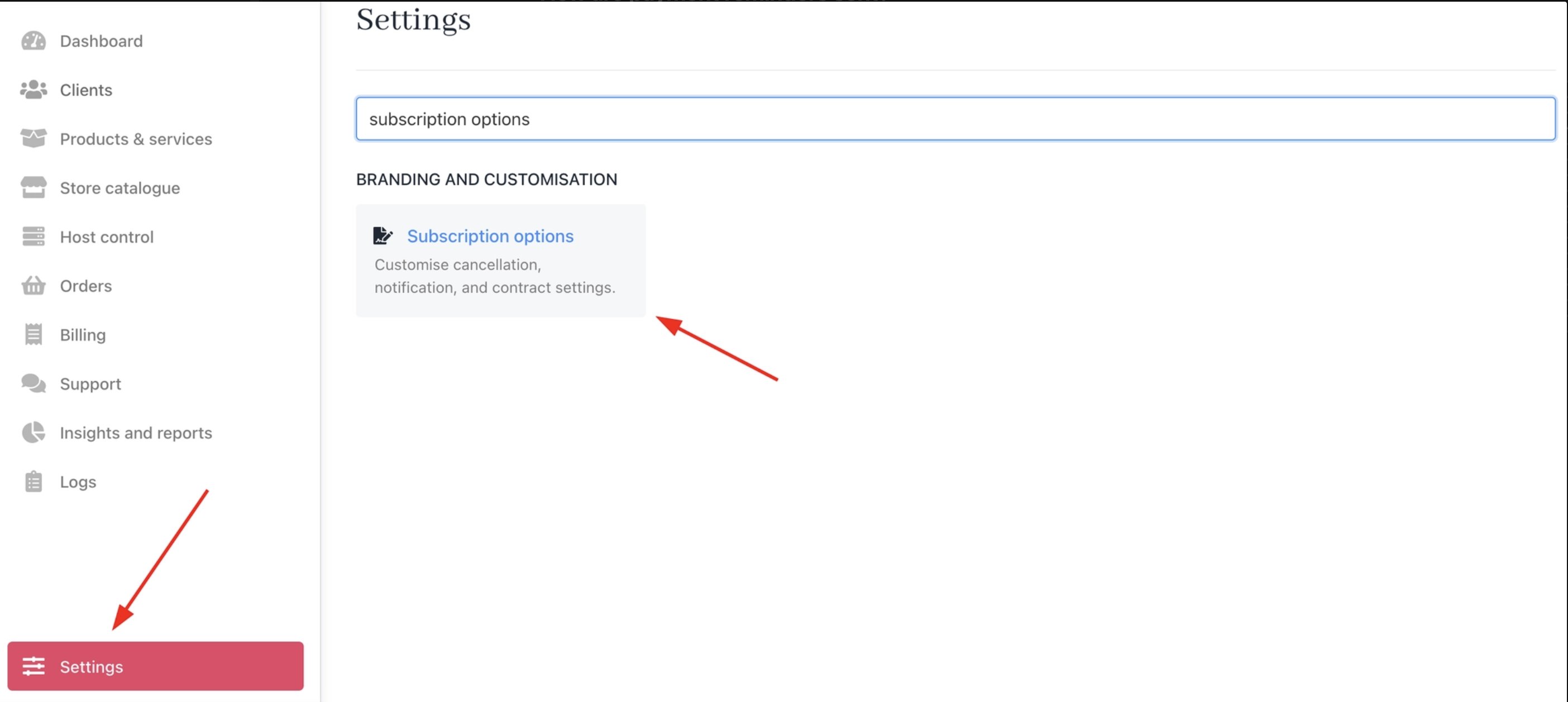
Settings > Branding and Customisation > Subscription Options
- Days’ Notice Before Invoice Due Date: Number of days before invoice due date to send reminder notifications.
- Overdue Reminder Interval Days: Interval in days between overdue notifications.
- Max Overdue Notifications: Maximum number of overdue reminders sent per invoice.
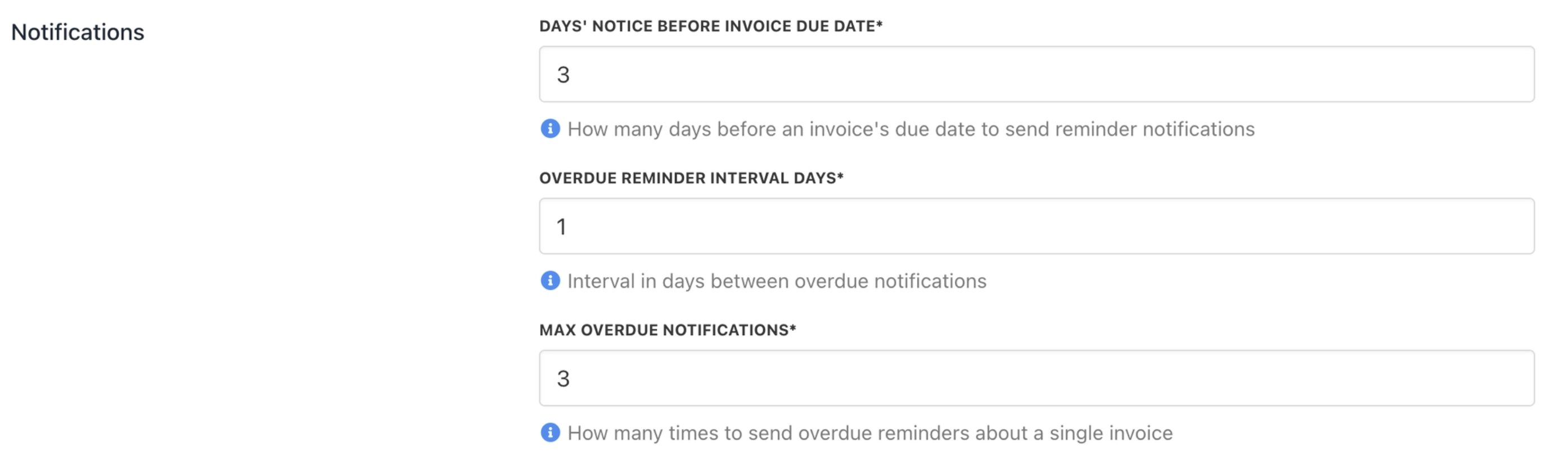
Notification reminders
What is the pre-termination notification?
Pre-termination Notification Interval: Sends a warning for the number of days before contract termination to send notification. Set to 0 for no notifications.
Pre-termination notification interval
Configure suspension, cancellation, and termination delays
When is a service suspended?
A service is suspended after the invoice becomes overdue and passes the configured suspension delay.- Overdue Contract Suspension Delay Days: Number of days an overdue contract waits before automatic suspension. Example: If set to 7, the service is suspended 7 days after the invoice becomes overdue.
When is a contract cancelled?
A contract is cancelled after the cancellation delay is reached.- Overdue Contract Cancellation Delay Days: Number of days an overdue contract waits before automatic cancellation. Example: If set to 14, the contract is cancelled 14 days after becoming overdue.
When is a contract terminated?
Termination is the final stage. It permanently closes the contract.- Overdue Contract Termination Delay Days: Number of days an overdue contract waits before automatic termination. Example: If set to 30, the contract is terminated 30 days after becoming overdue.
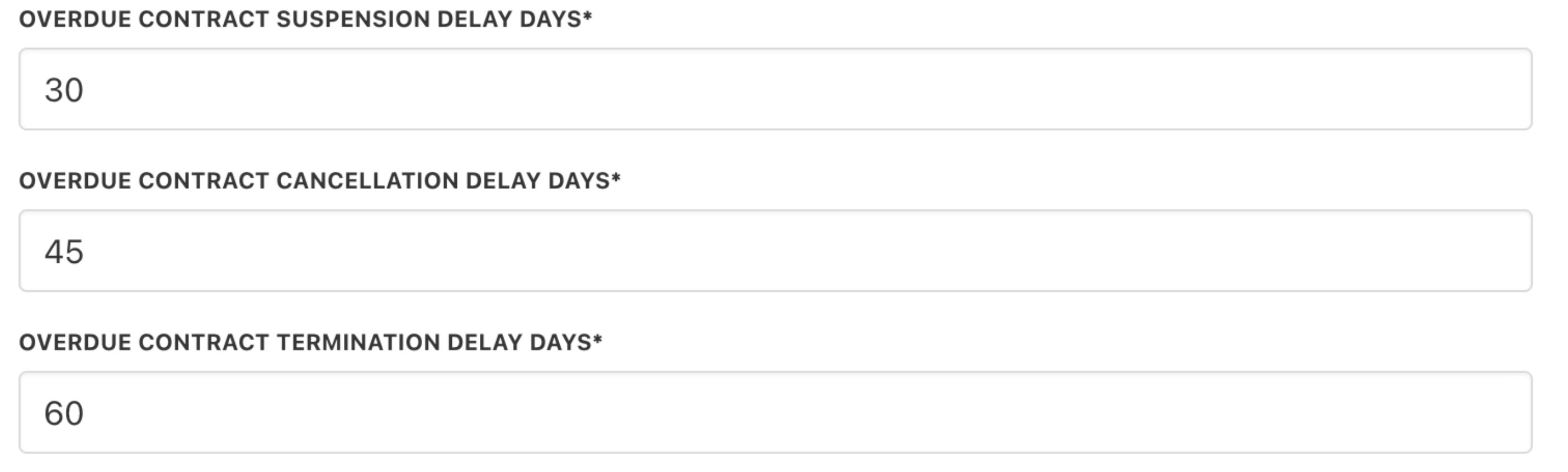
Contract delays
Do trial products follow the same rules?
Trial products use separate delay settings. Available options:- Overdue Contract Suspension Delay Days (Trial Products): Number of days a trial contract stays overdue before automatic suspension.
- Overdue Contract Cancellation Delay Days (Trial Products): Number of days a trial product contract stays overdue before automatic cancellation.
- Overdue Contract Termination Delay Days (Trial Products): Number of days a trial contract stays overdue before automatic termination.
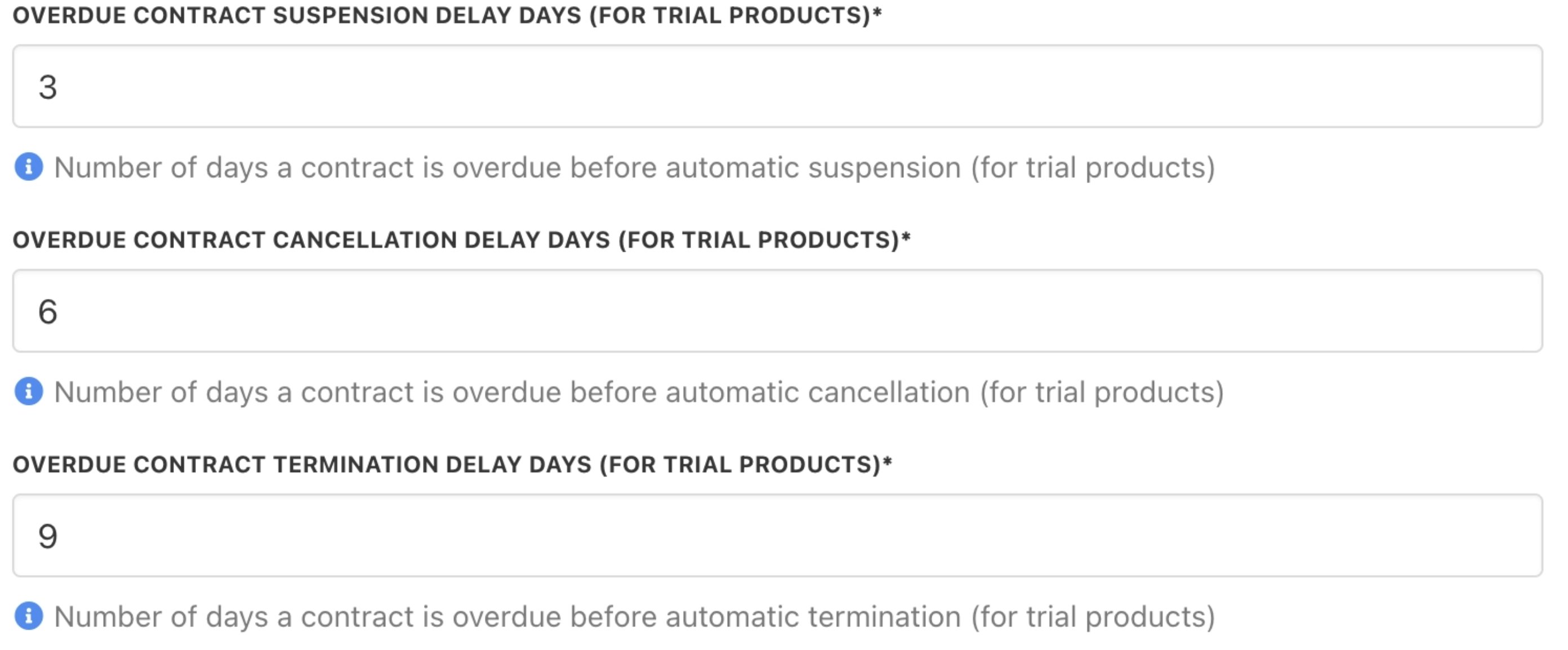
Contract delays (trial product)
Invoice and payment behaviour
Can clients manually generate recurring invoices?
Yes, but this can be restricted.- Restrict issuing manual recurring invoices: When on, it applies a day interval restriction. Blocks clients from manually issuing recurring invoices within that period.
- Manual Recurring Invoice Interval: Number of days before the due date when clients can manually create a recurring invoice.

Restrict manual issuing of recurring invoices
What happens if a client partially pays an invoice?
If partial payments or account credit are used, the remaining balance stays due. The service will still follow overdue rules for any unpaid amount. You can use the following to settle the remaining balance before suspension or cancellation occurs:- Account credit
- Wallet balance
- Manual payments
Troubleshooting scenarios
Why is a service still active even though the invoice is overdue
Possible reasons- Suspension delay has not been reached
- Automation overrides are enabled for the client
- The service is part of a custom workflow or exception
Why was a service suspended earlier or later than expected
This usually relates to the delay configuration. You can check:- Suspension delay days
- Cancellation delay days
- Termination delay days
How can I monitor unpaid subscriptions?
Use the Retention Dashboard to track:- Overdue subscriptions
- Cancellation risk
- Contract status changes