

Access business settings
- From the Upmind dashboard, go to Settings > Business settings under E-commerce Settings.
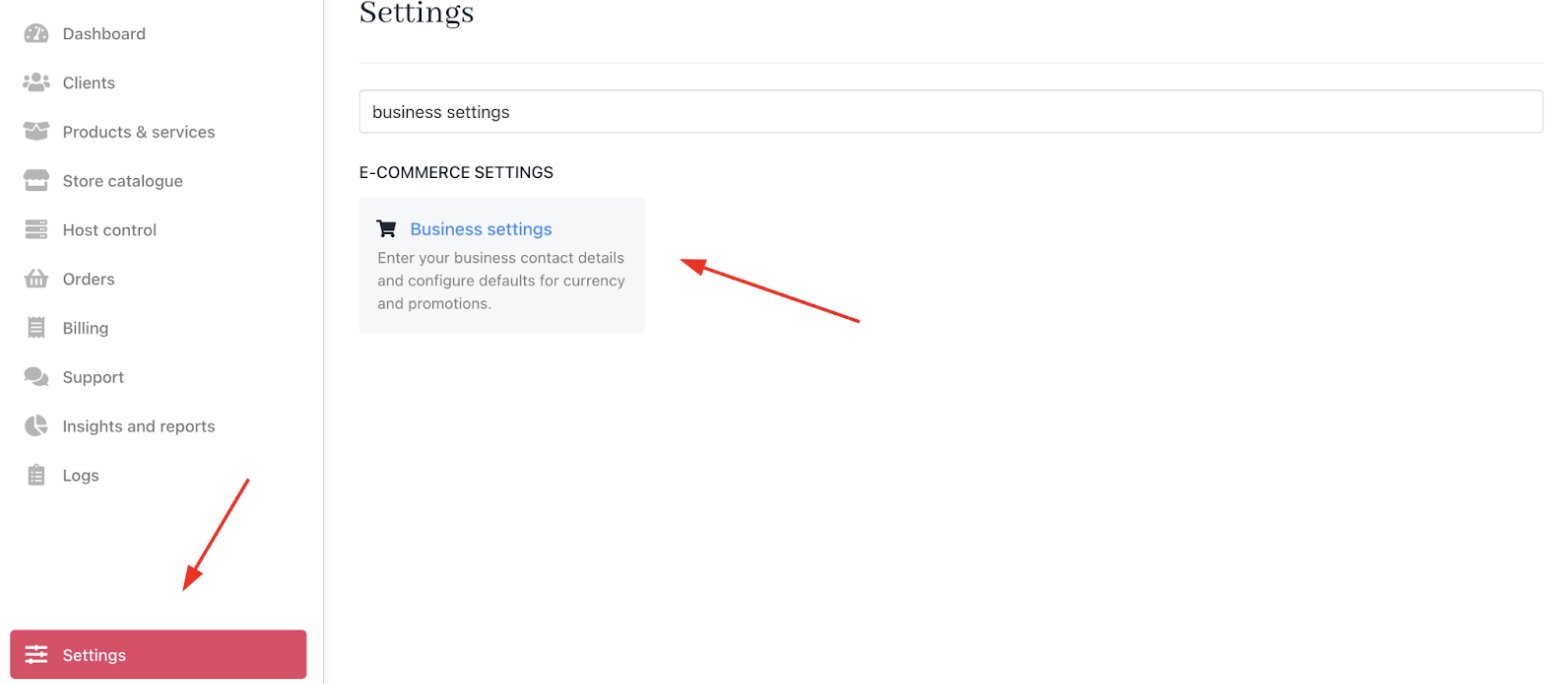
Settings > E-commerce settings > Business settings
Customise business settings
- Store Currency: Select your store’s base currency. Automatic currency conversions, if required to complete a transaction, are based on this selection.
After a first sale, the base currency can’t be changed. If only test orders exist, you can request a reset of client and order data to allow changing the brand’s base currency.

Set store currency
- Store Contact Details: You can add your store’s email and phone number. The email auto-fills with your account default.

Store contact details
- Store Address: Enter your legal business name and official address to appear on invoices.

Store address
- Applied Promotions: Enable this toggle to automatically apply promotions on eligible items. Disabling it requires clients to enter a promo code manually.

Applied promotions