

Managing guest checkout
- Log in to the Admin dashboard.
- Go to Settings > Order Options.
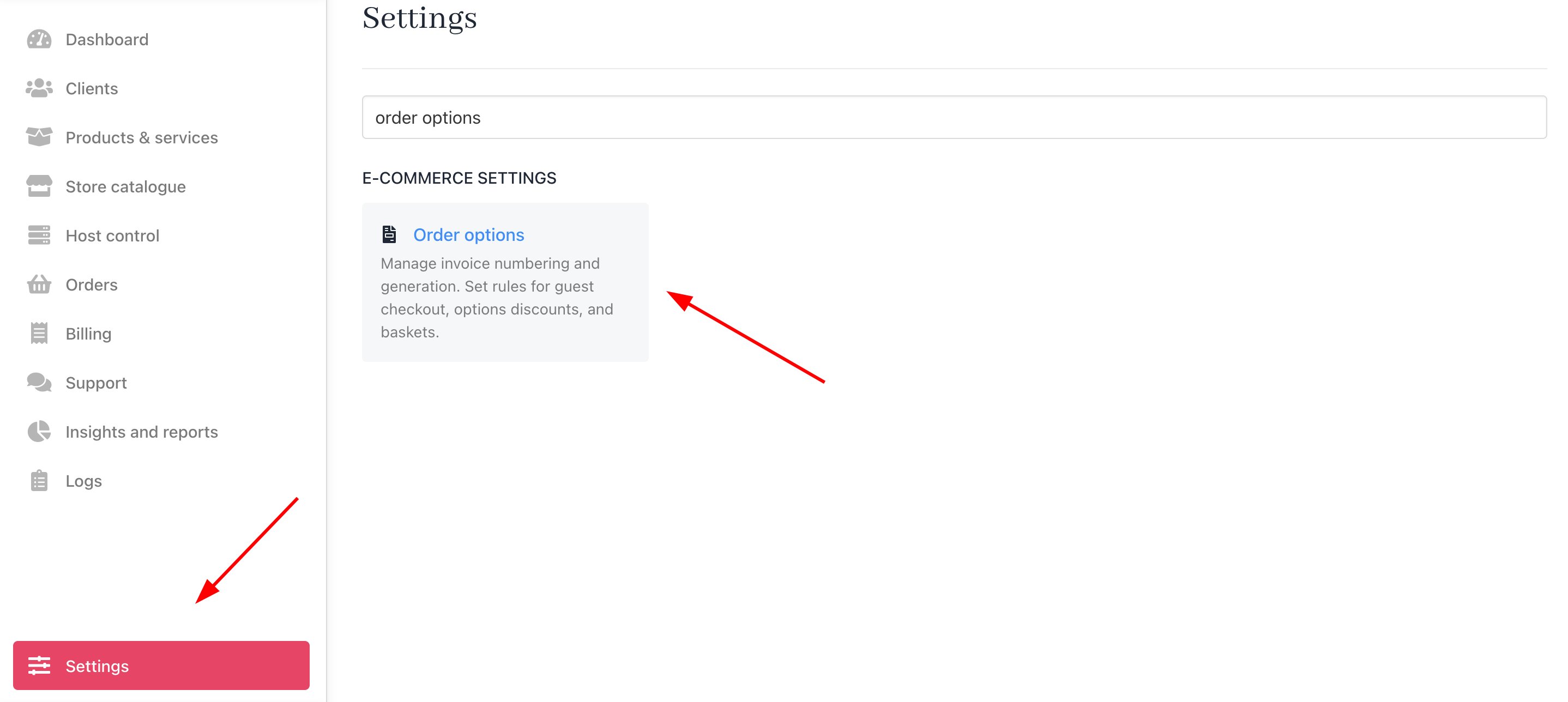
Settings > Order options
- Scroll down to the Guest Checkout heading.
- Click the toggle to the ON position to enable this feature.

Guest checkout toggle
Guest checkout flow
- The client selects the product they want to purchase and proceeds to the checkout page.
- Depending on the type of product being purchased, there are two different flows:
- One-time Products: Guests can proceed to checkout without creating an account. They’ll see the option “In a hurry? Checkout as a guest” on the checkout page.
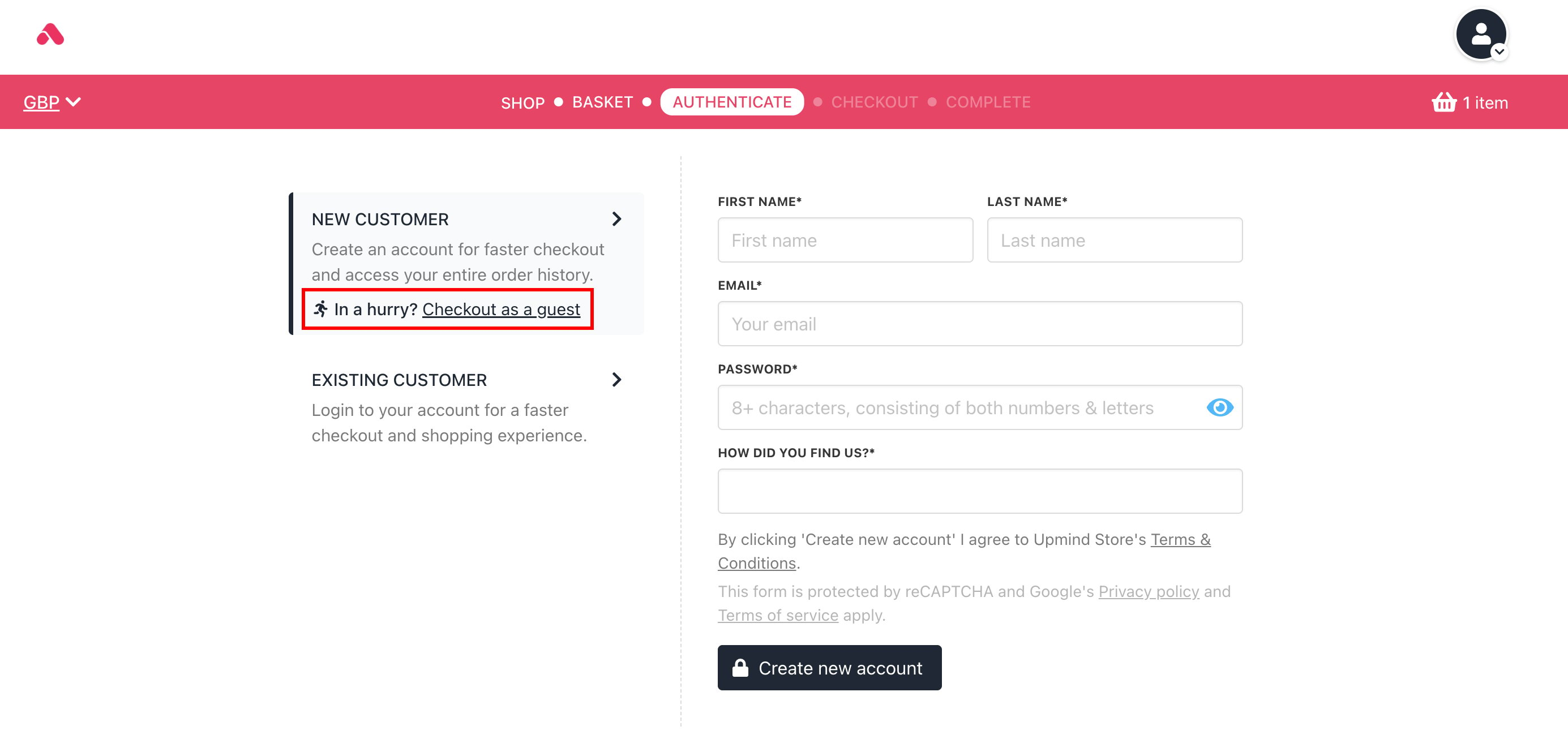
If the product is a one-time purchase
- Subscription Products: Clients need to either log in or create an account to proceed with checkout due to the recurring nature of the payments.
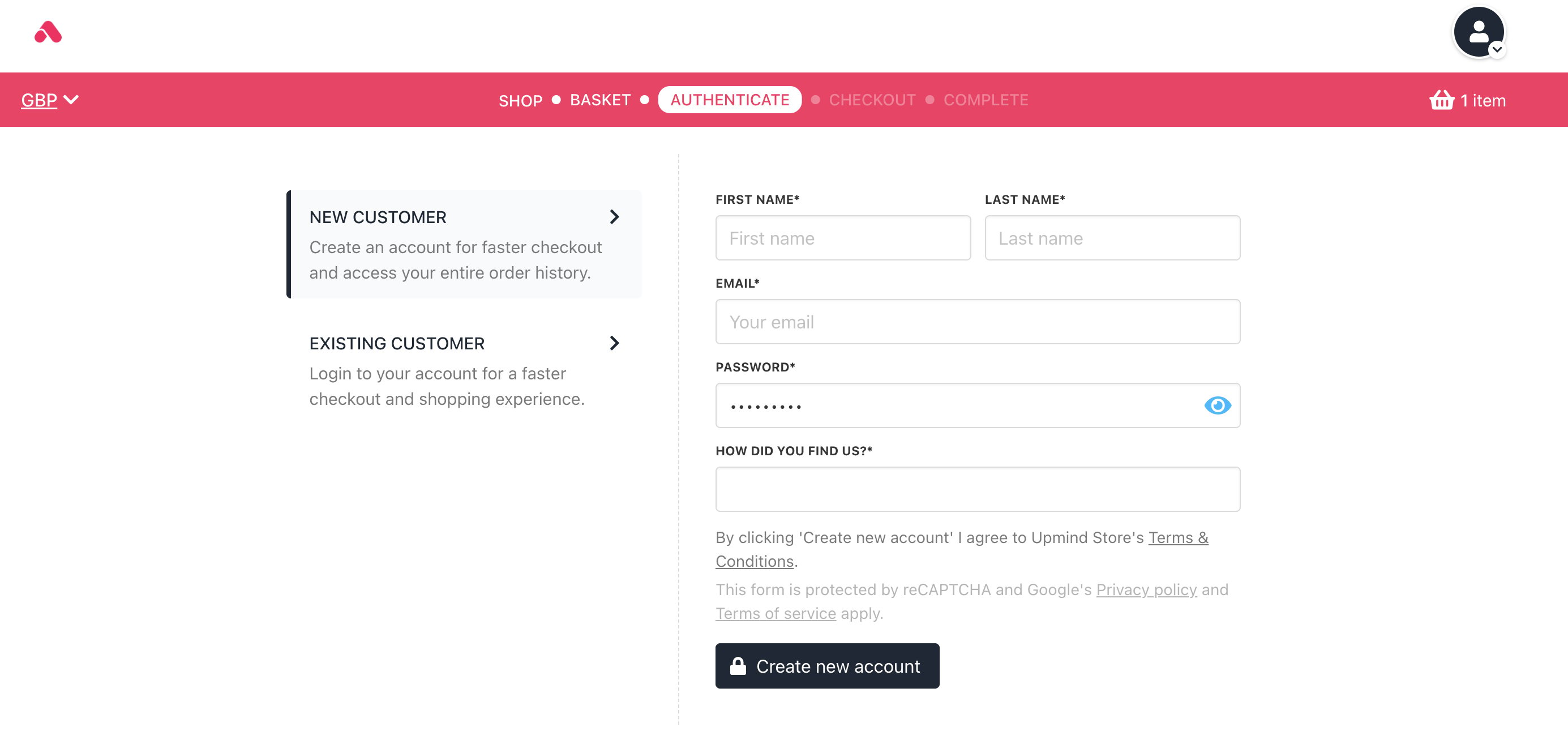
If the product is a subscription product