

Sending an email from the clients section
- Log in to your Upmind admin account.
- Click Clients in the left menu.
- Select the Clients List tab.
- Find and click the client’s name to open their profile.
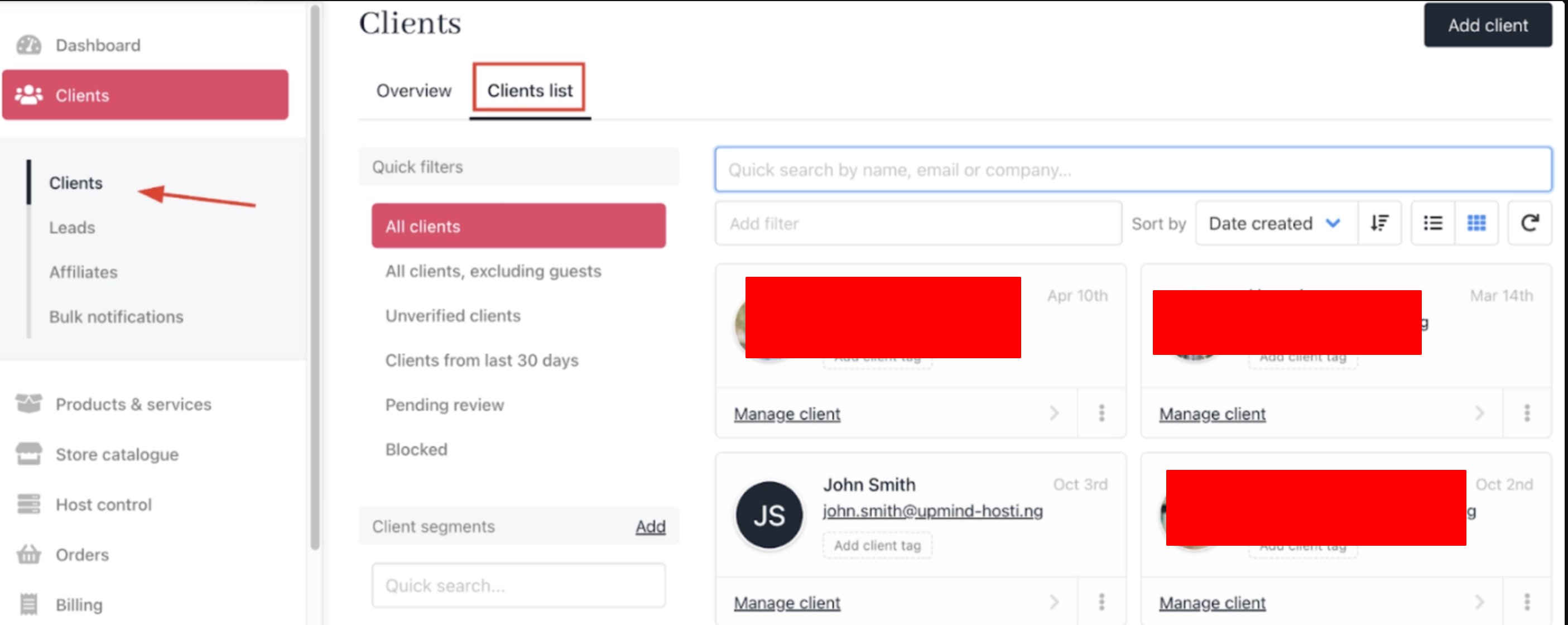
Select client
- Go to the Invoices section and select the relevant invoice.
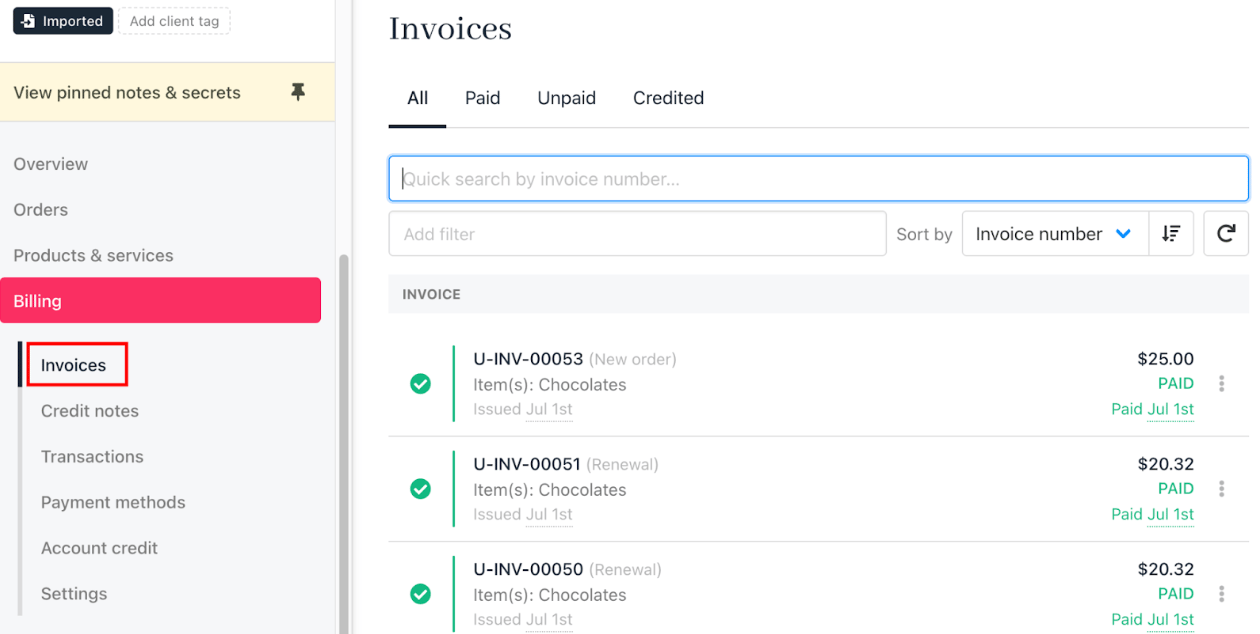
Invoices section
- Scroll down to Quick Actions and click Send email.

Send email
- Choose an existing one or create a new template for your message. Edit the subject and body as needed, using dynamic fields for personalisation.
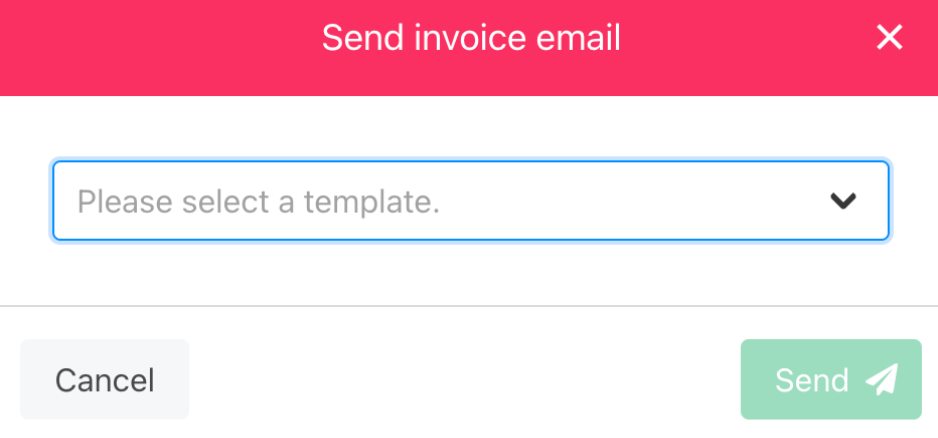
Send invoice email
- Click Send to deliver the message.
Sending an email from the orders section
- Log in to your Upmind admin account.
- Click Orders in the left menu.
- Select the Orders List tab.
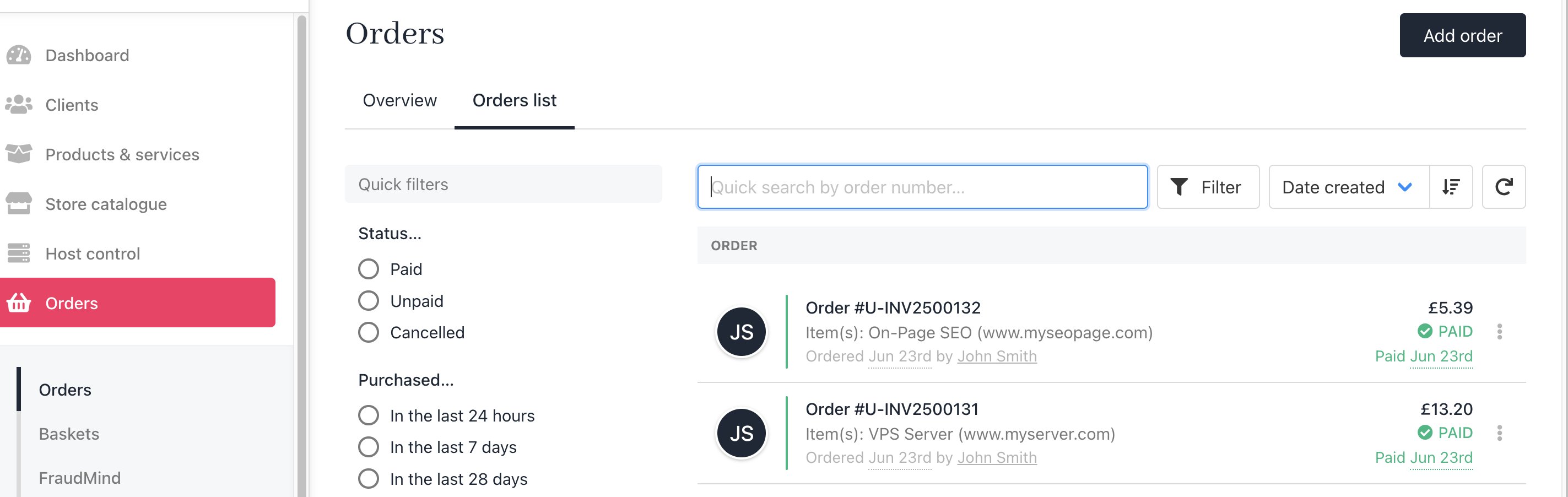
Orders list
- Use filters to locate the specific order.
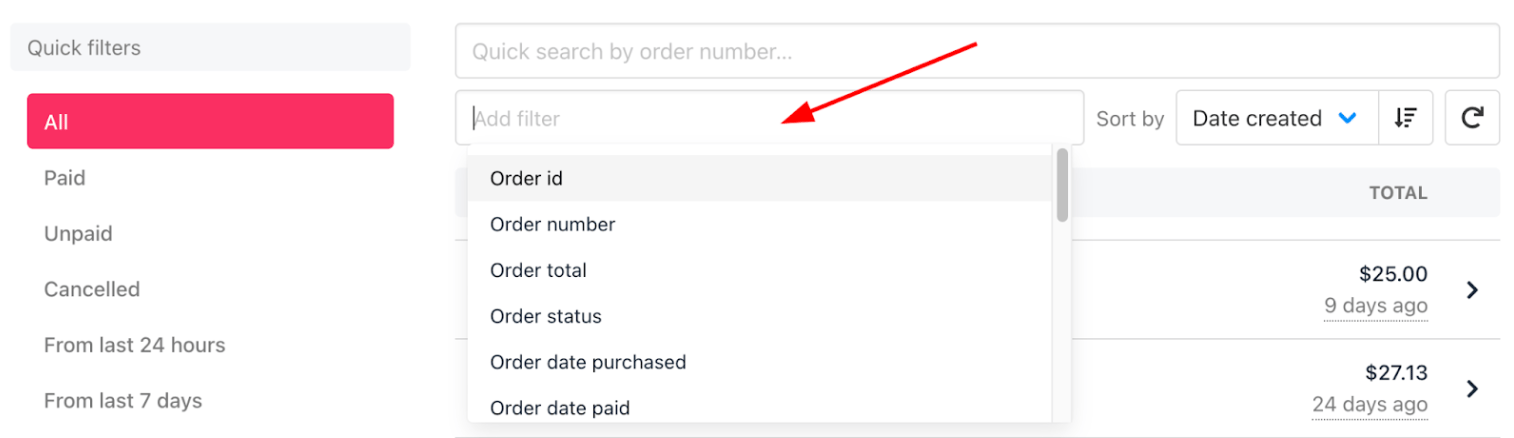
Order filters
- Click the order to open its details.
- Click View Invoice.
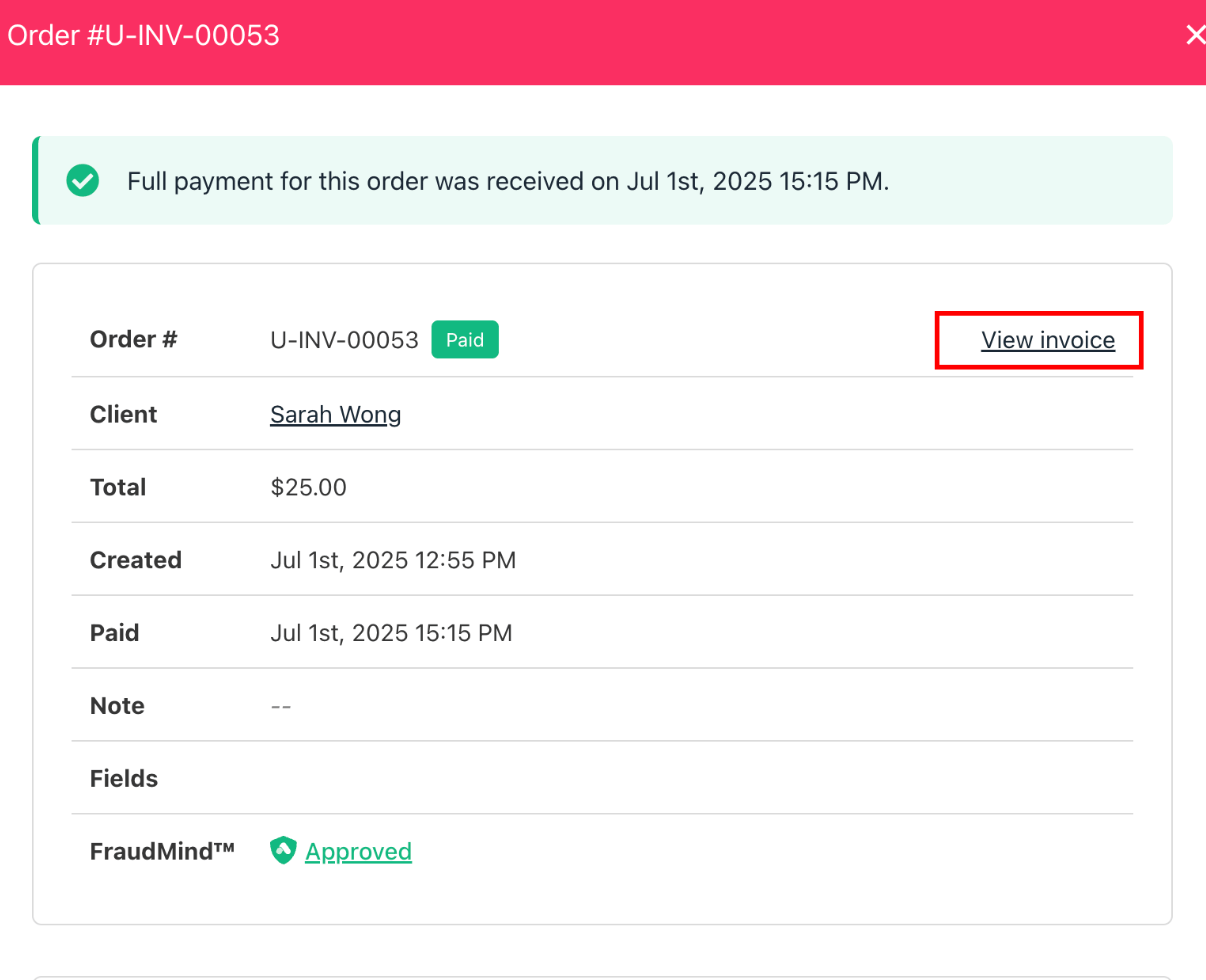
View invoice
- Click Go to the invoice.
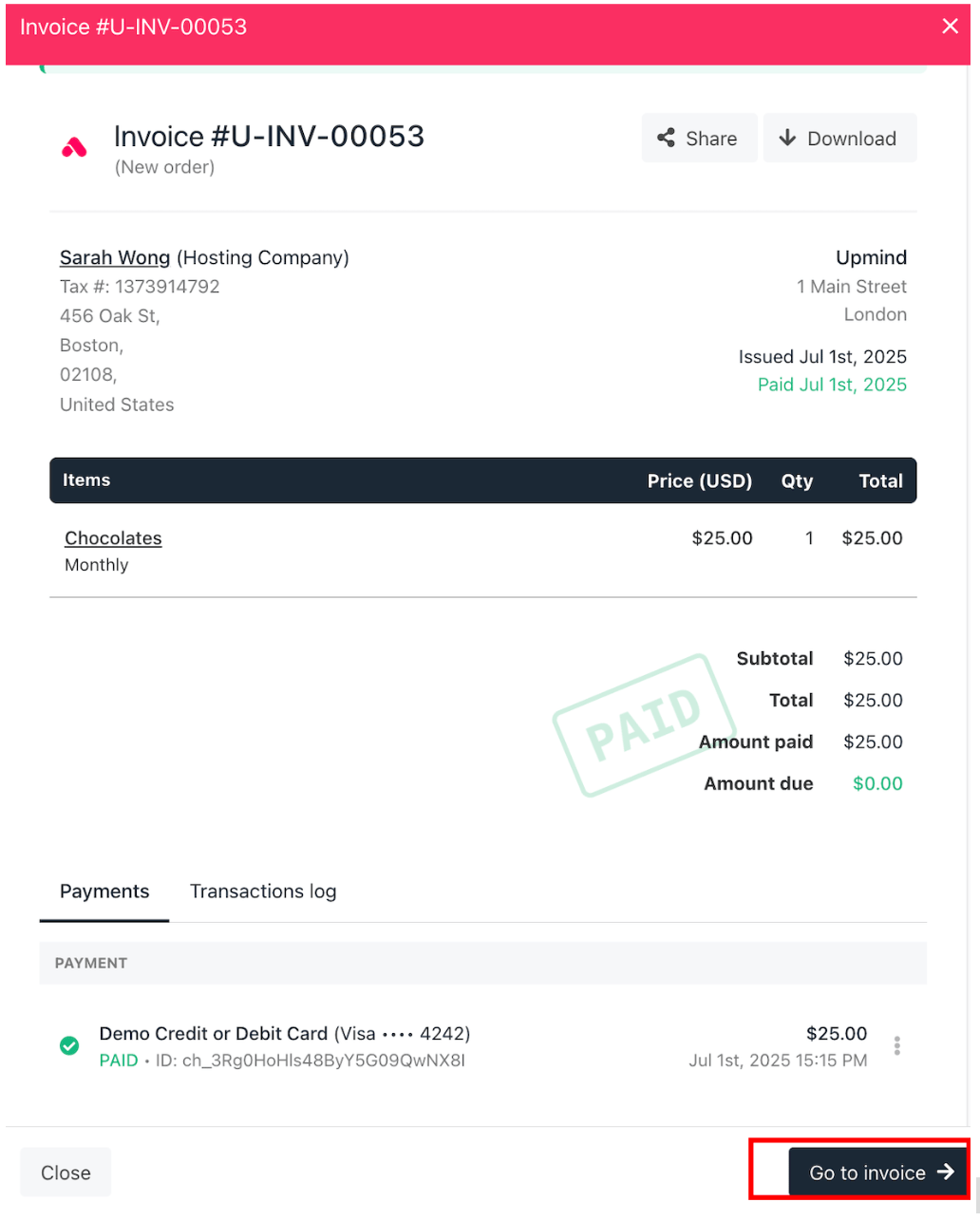
Go to invoice
- Scroll down to Quick Actions and click Send email.
- Select a template or create a new one, customise as needed, and send.