

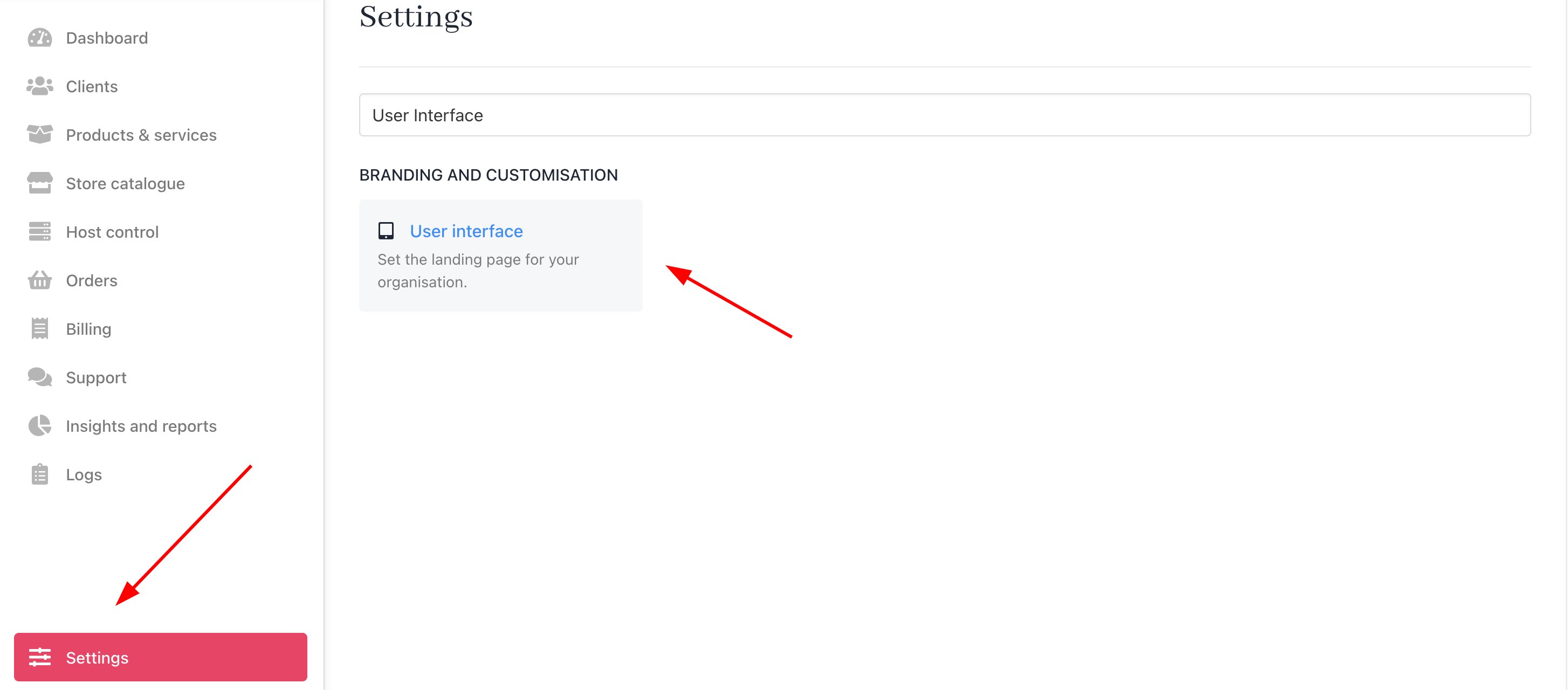
A number of customisations can be made to how your clients experience the client panel. These are handled in Settings > User Interface as follows.
Settings > User Interface

Changing default behaviour on login

You can select the following options when a client logs in to the dashboard.
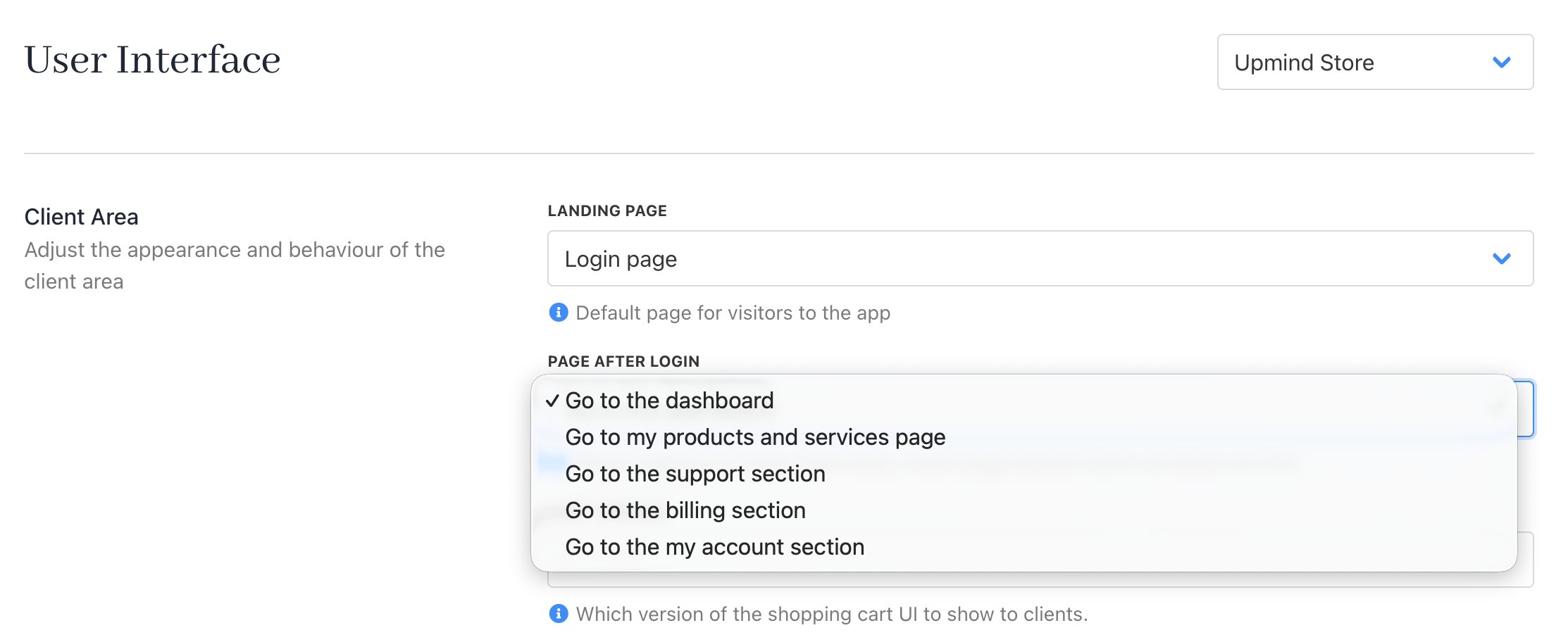
Page after login
DestinationDescription
Go to the dashboardLoads the client dashboard
Go to the products and services pageLoads the products and services page. If the client only has one product, it goes to that product directly.
Go to the support sectionLoads the support section
Go to the billing sectionLoads the billing section
Go to the my account pageLoads the my account page