

- Ensure you add the TLD correctly under Host Control > Domain Names > TLDs tab > Add New TLD, without duplicating any existing TLDs.
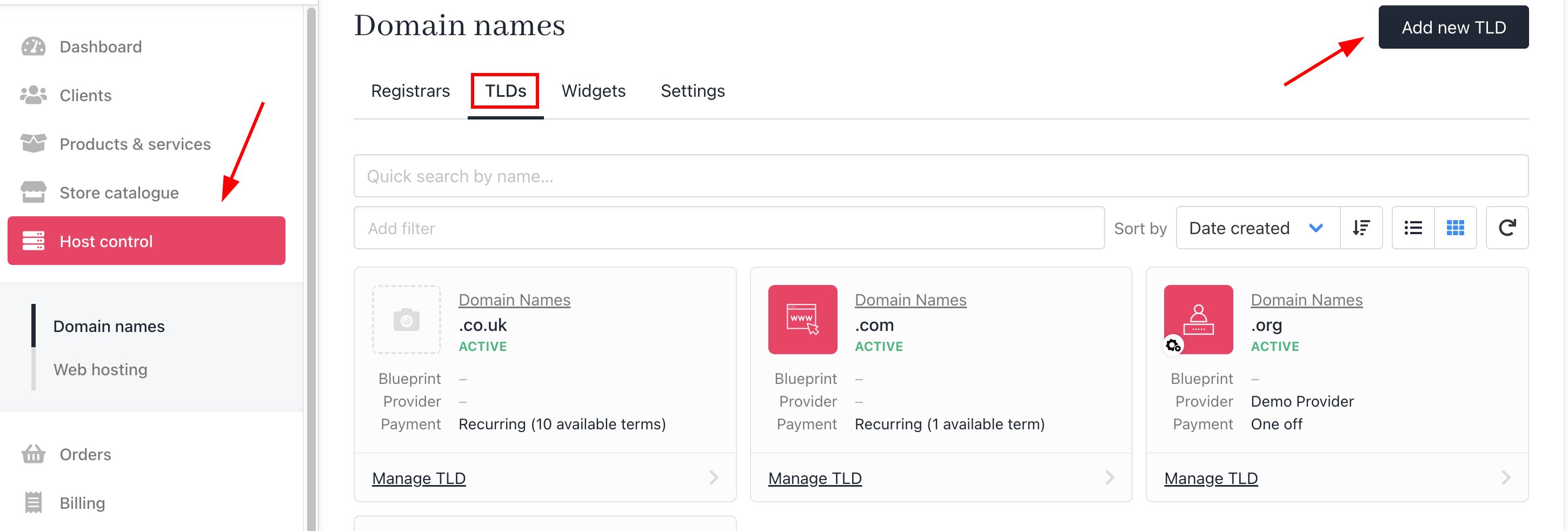
Host Control > TLDs > Add new TLD
- Ensure you’ve selected the Registrar, or you can choose Auto mode if the registrar is not yet supported and you need to manually activate it on the registrar.
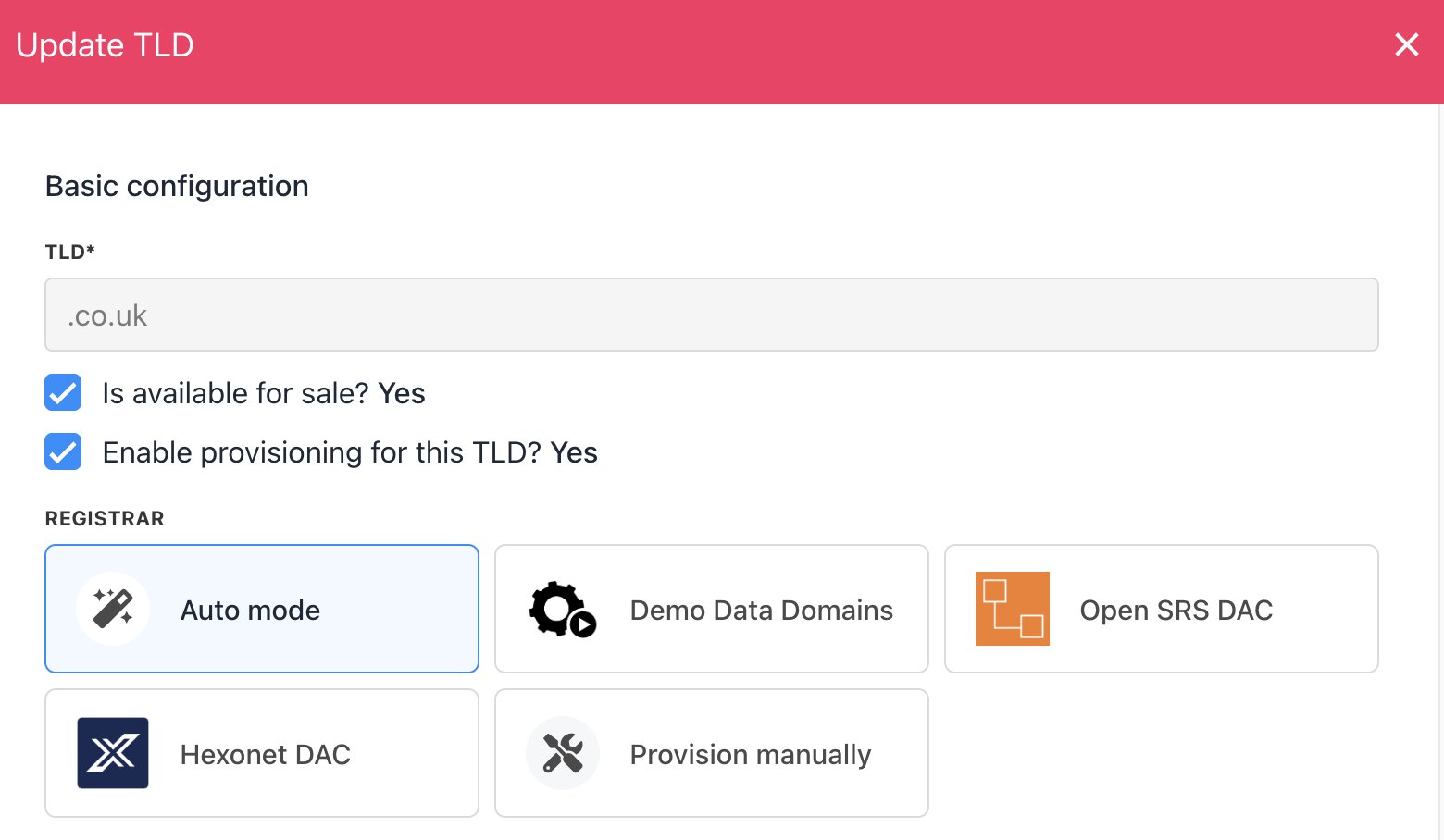
Select Registrar
- Ensure the price is set for your TLD. You can check this under Host Control or Product Catalogue/Store Catalogue.
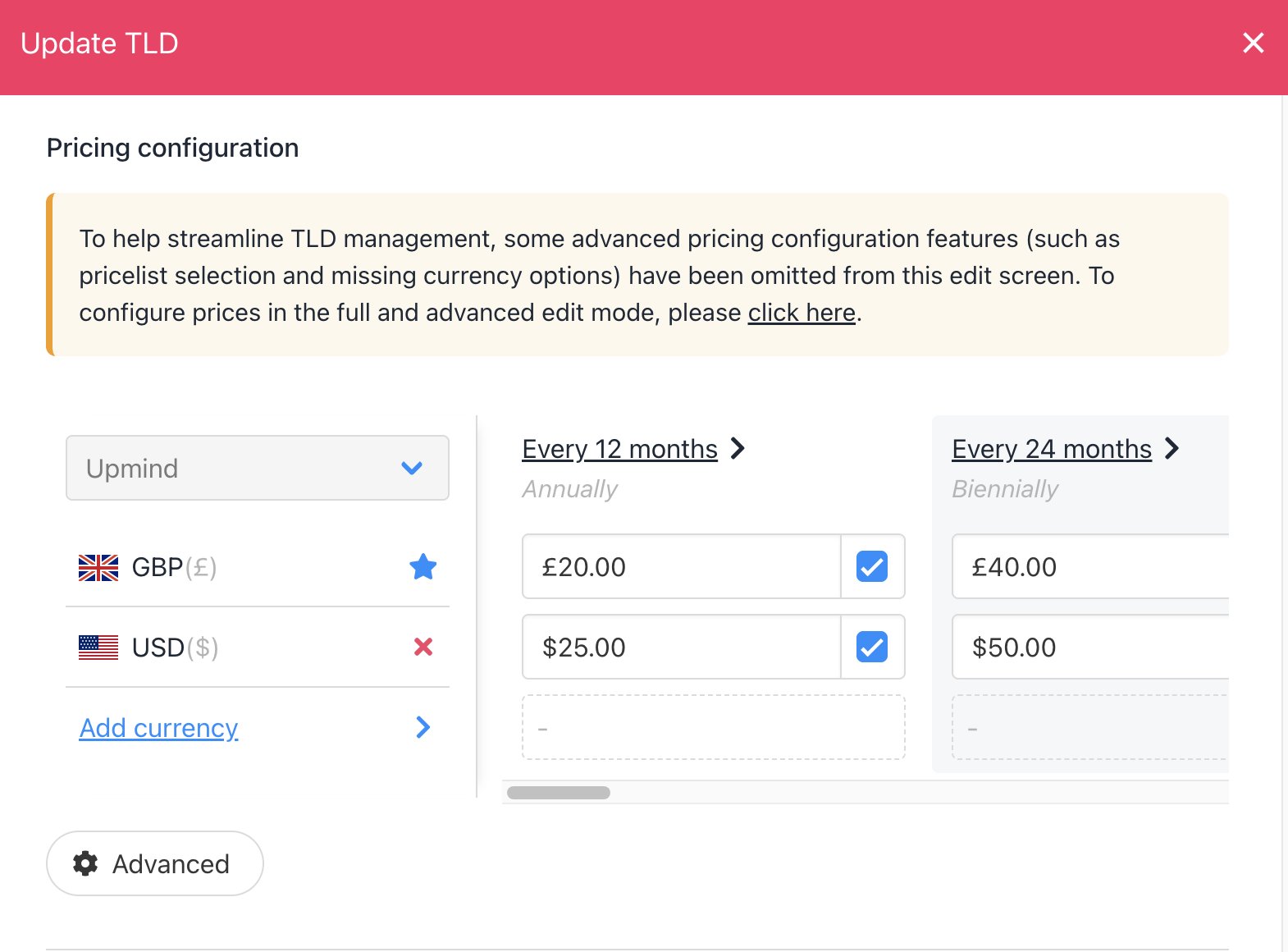
Check pricing from Host Control
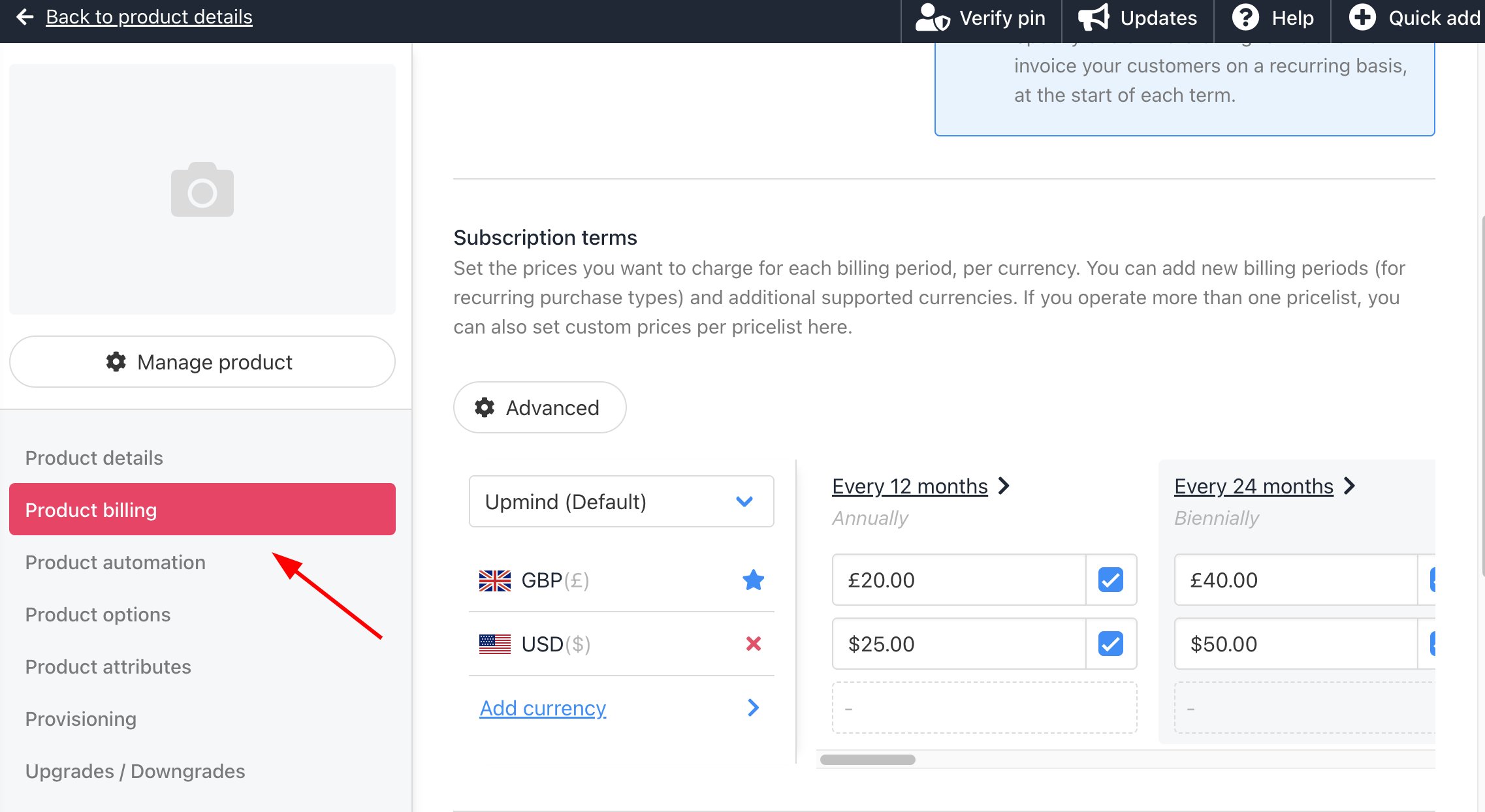
Check pricing from Product Catalogue
- Check if the Register and Transfer options are correctly configured under the Provisioning tab.
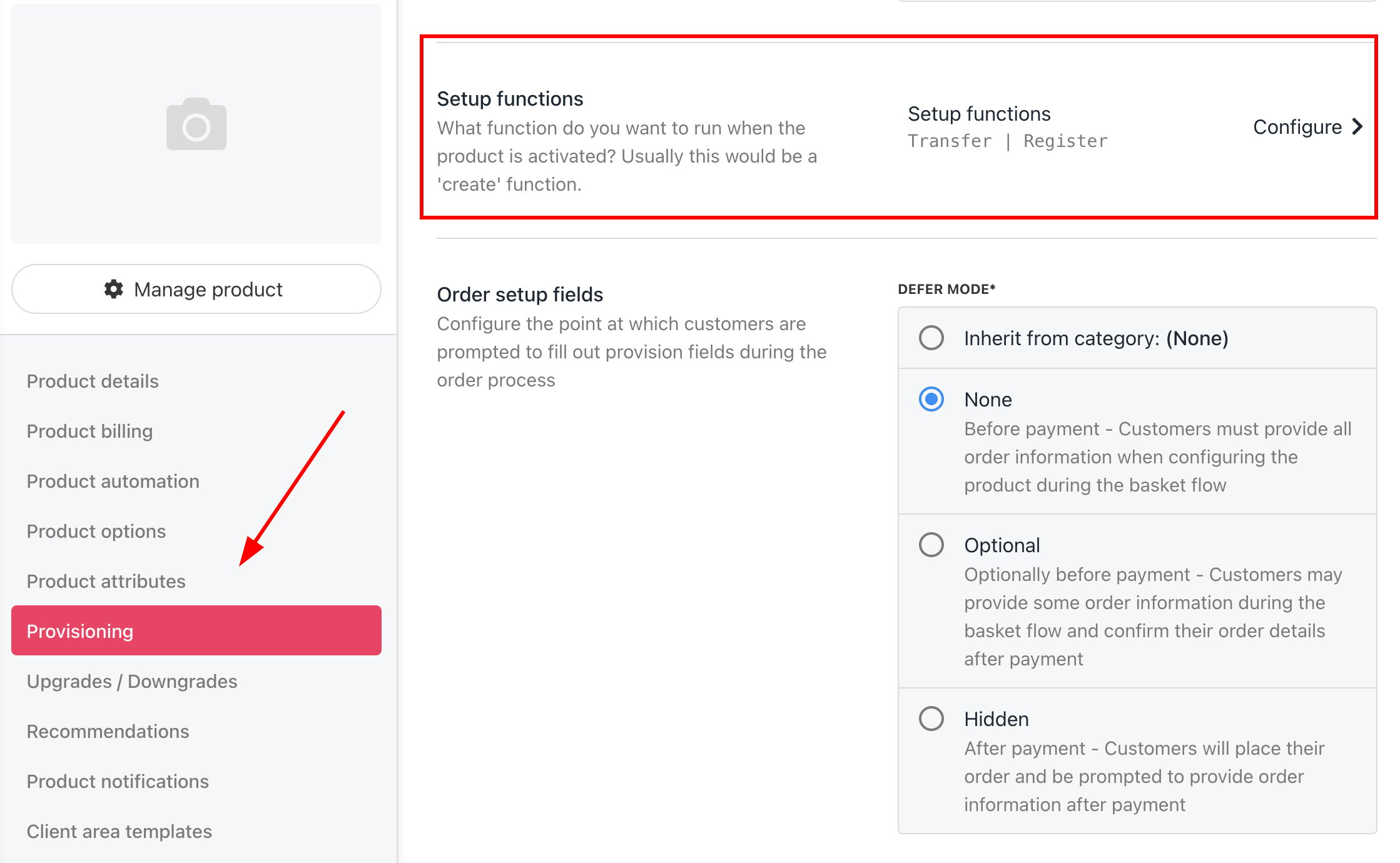
Check setup functions
- Ensure that you’ve completed the domain settings under Host Control > Domain Names > Settings.
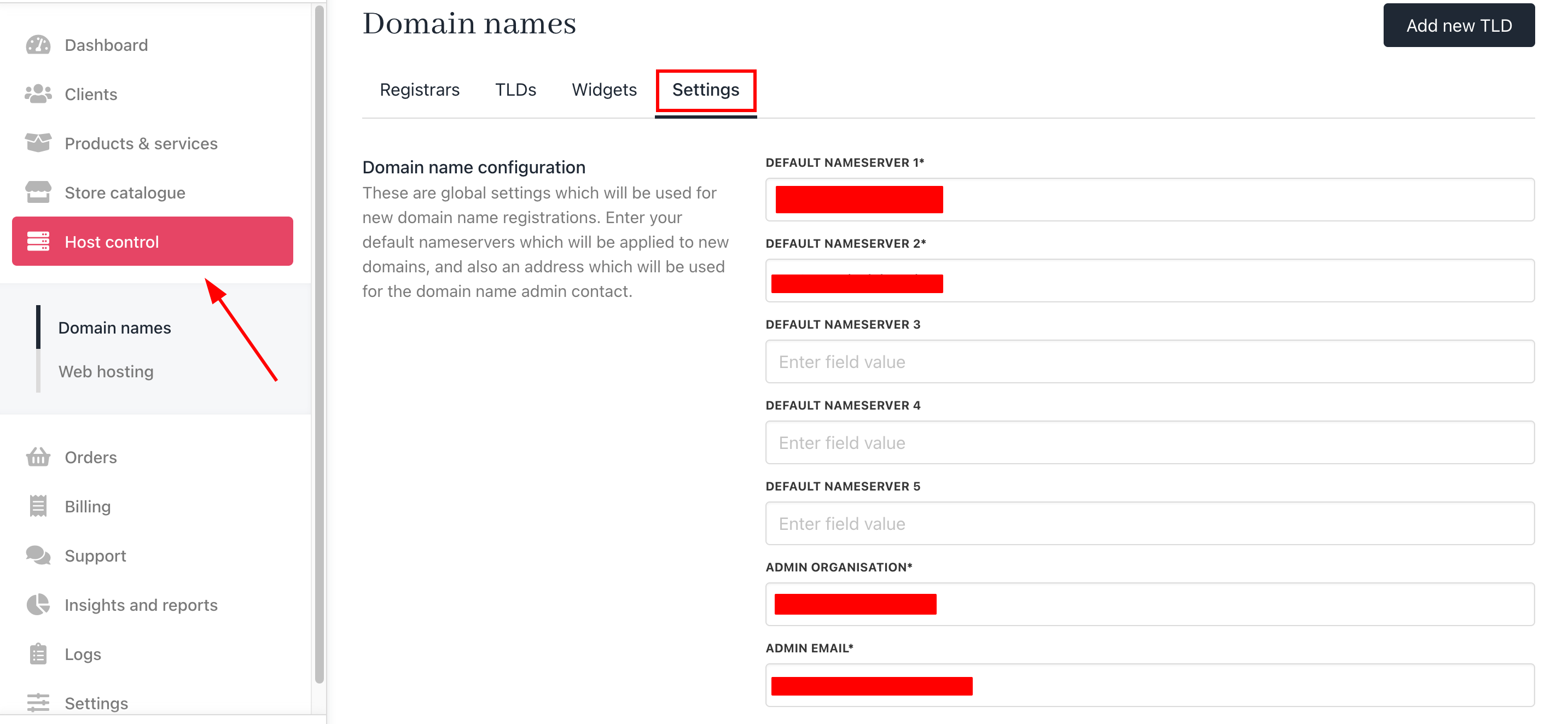
Host Control > Domain Names > Settings