

- Go to Settings > Product Catalogue.
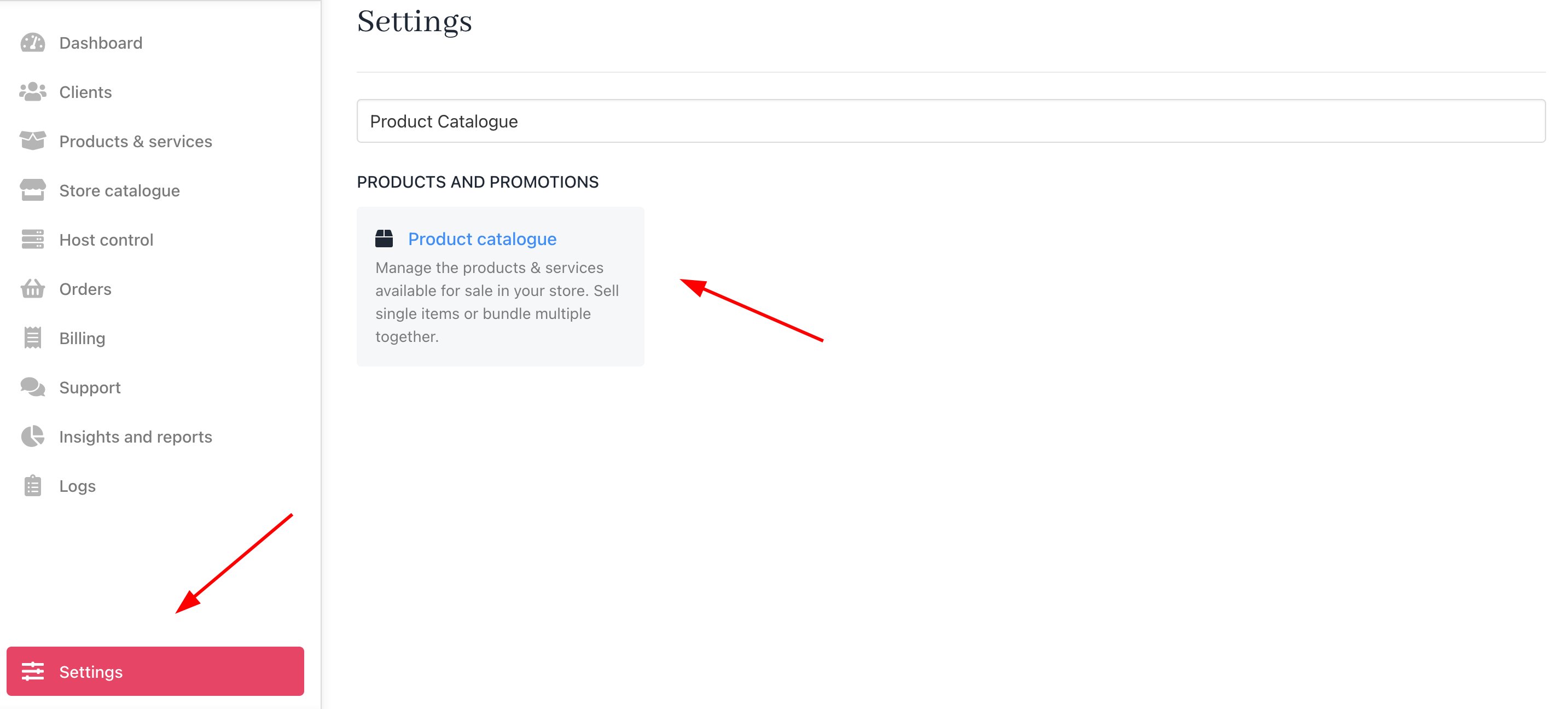
Settings > Product Catalogue
- Click on the Product options tab. Click Add new.
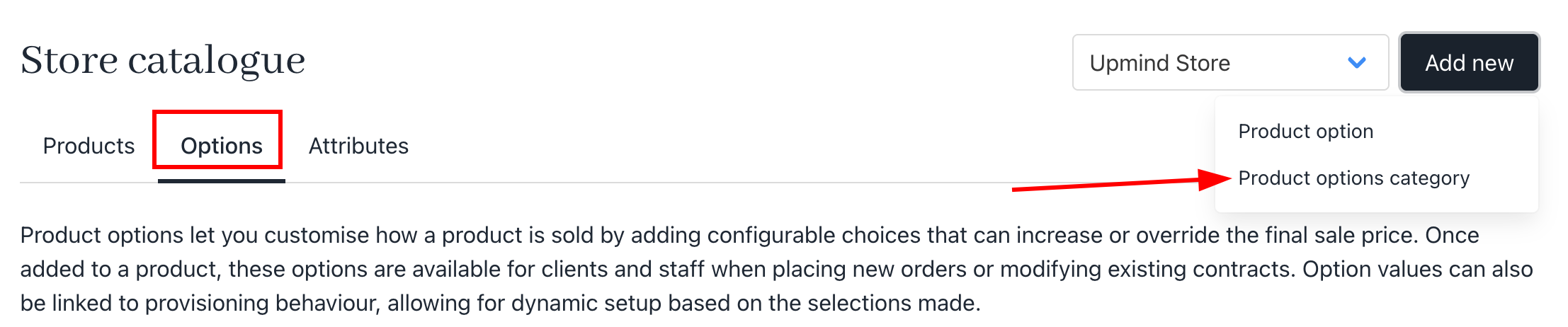
Add new product option
- Create a new product options category for domain setup. Tick the box for override price to manually adjust the transfer fee.
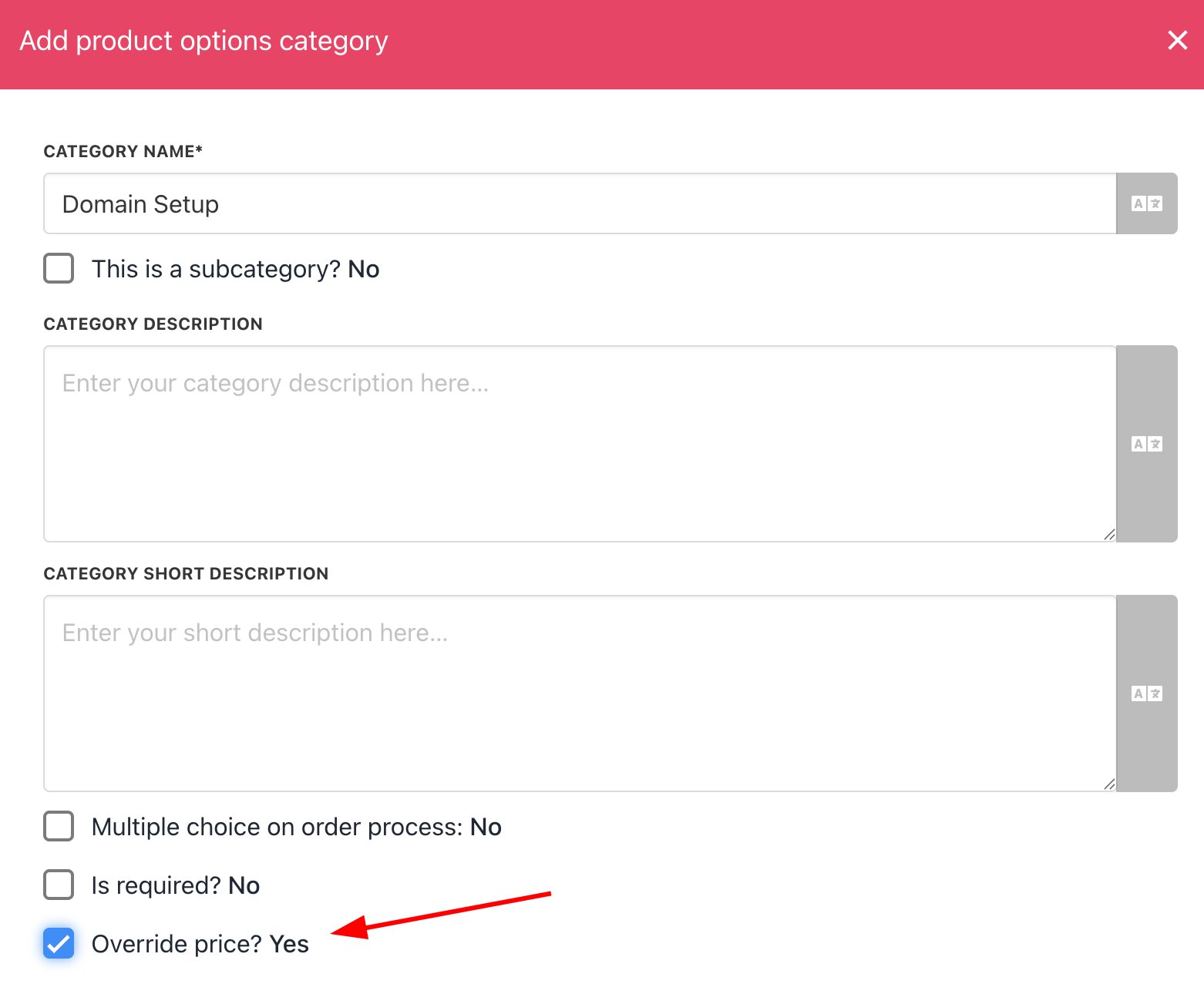
Add product options category
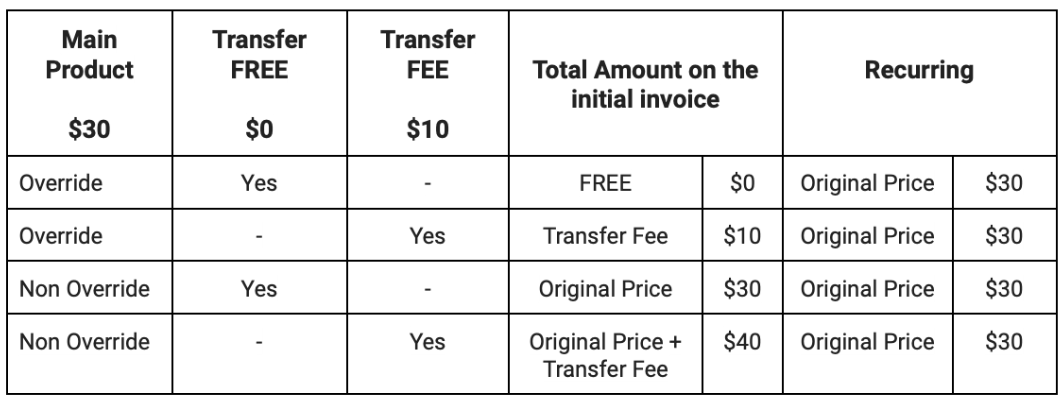
Transfer fee
- Add a new product option under the Domain Setup Category labelled Domain Transfer.
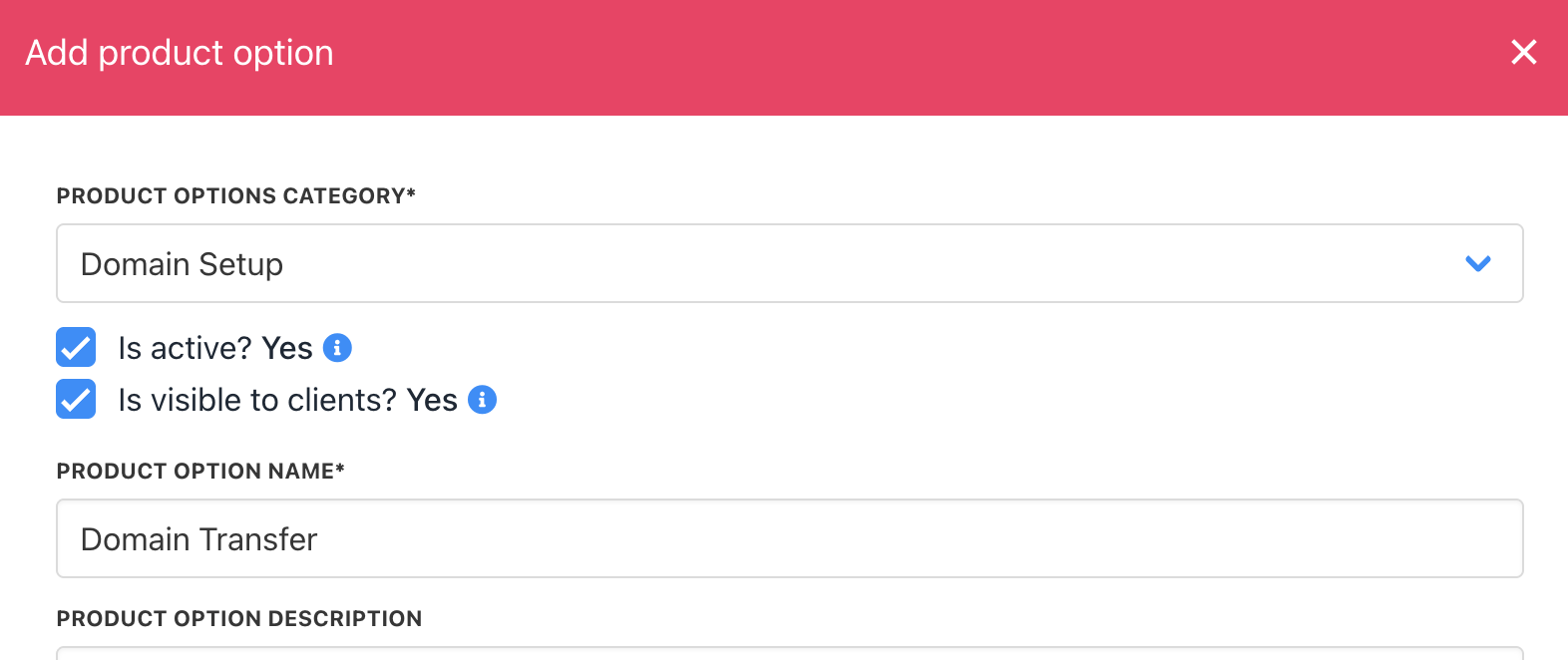
Add Product Option
- Set up the billing for the transfer option accordingly. For FREE domain transfers, you can set the billing to
0.
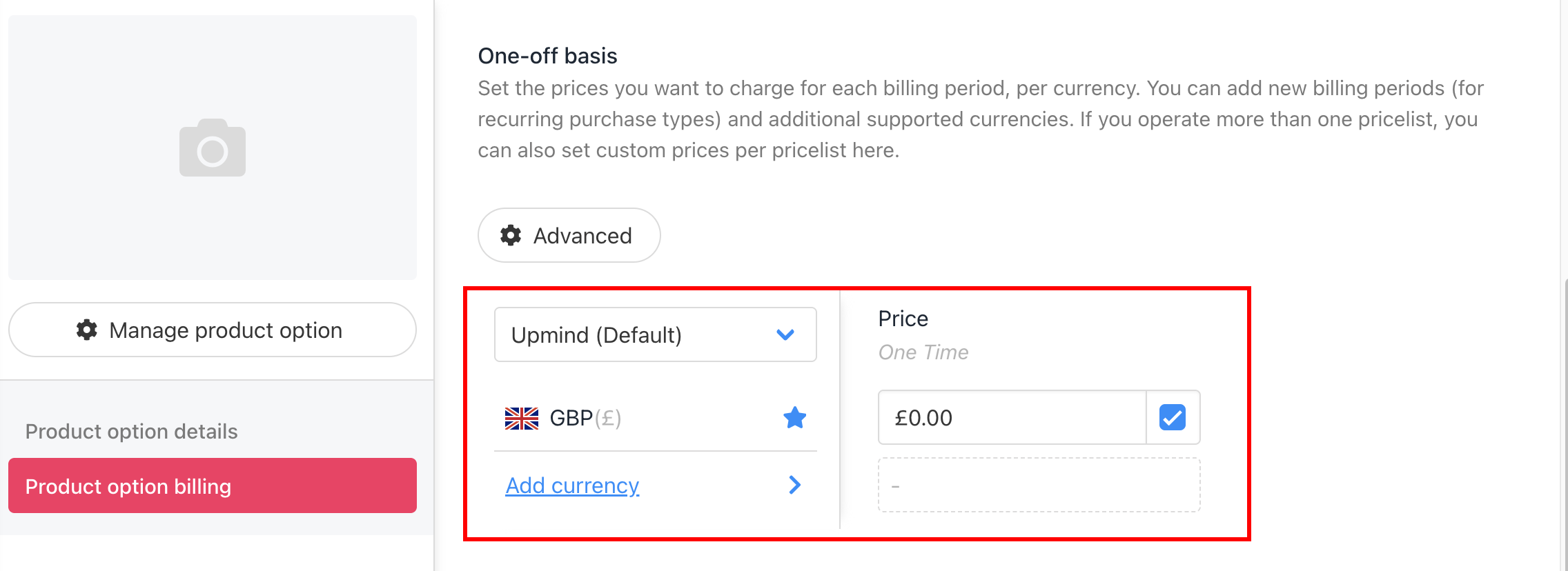
Set the price of the product option
- Go to the domain product, then select the Product option.
- Click Manage and add the transfer domain option that you have created. Hit save.
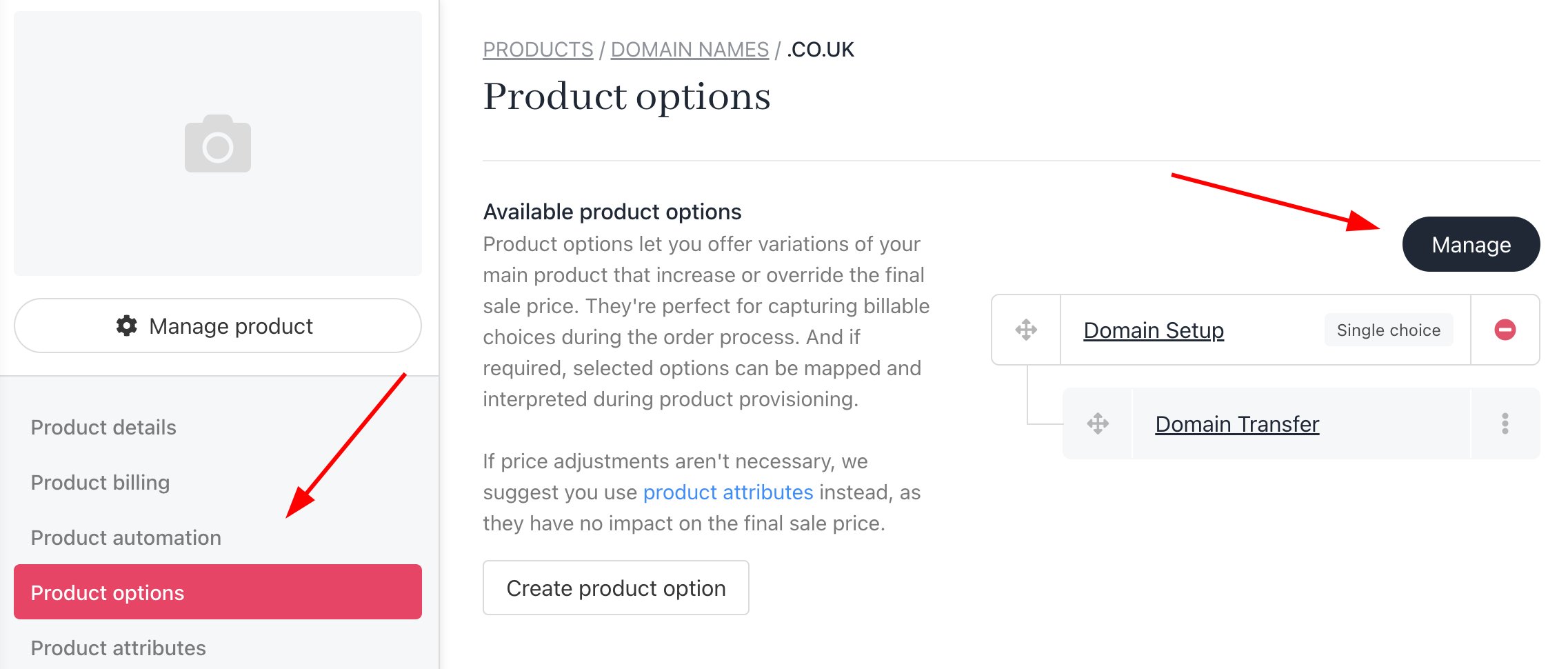
Manage and Add the New Product Option
- The free domain transfer will show on your store.
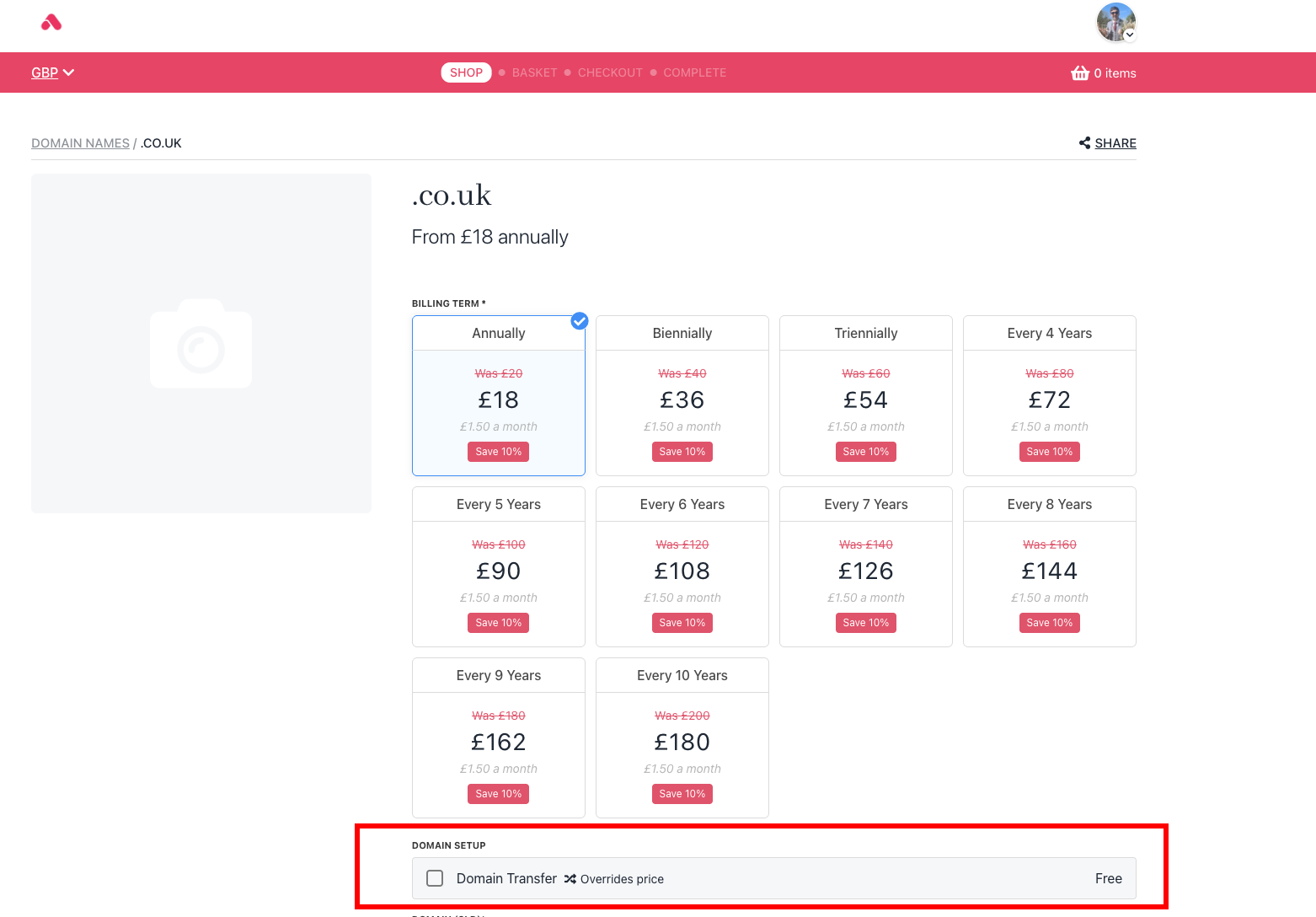
The Free Domain Transfer has been Successfully Set Up