

Events
Each webhook corresponds to a specific hook event (sometimes referred to as a trigger) by user actions (like staff login) or automated processes (such as recurring invoice payments). When triggered, your webhook code receives a hook code identifying the event (e.g., invoice_paid_hook) and a unique webhook event ID, which can be used to prevent duplicate processing.Payload
Upmind sends webhooks as HTTP POST requests with a JSON string payload in the request body. All payloads share a core structure and include a version property (default: V1) that defines their format. You can see an example of a V1 webhook payload here. Webhook payloads include the following data:- Unique event ID
- Hook category (e.g., client, invoice, subscription)
- Hook (event trigger)
- Date/Time
- Brand
- Actor (initiator, such as client or staff)
- Object (the main data, varies by category; for example, an invoice object)
Authentication
Each webhook endpoint is assigned a random secret used to authenticate incoming webhooks through a payload signature. Currently, this is the only supported authentication method, with more methods coming soon.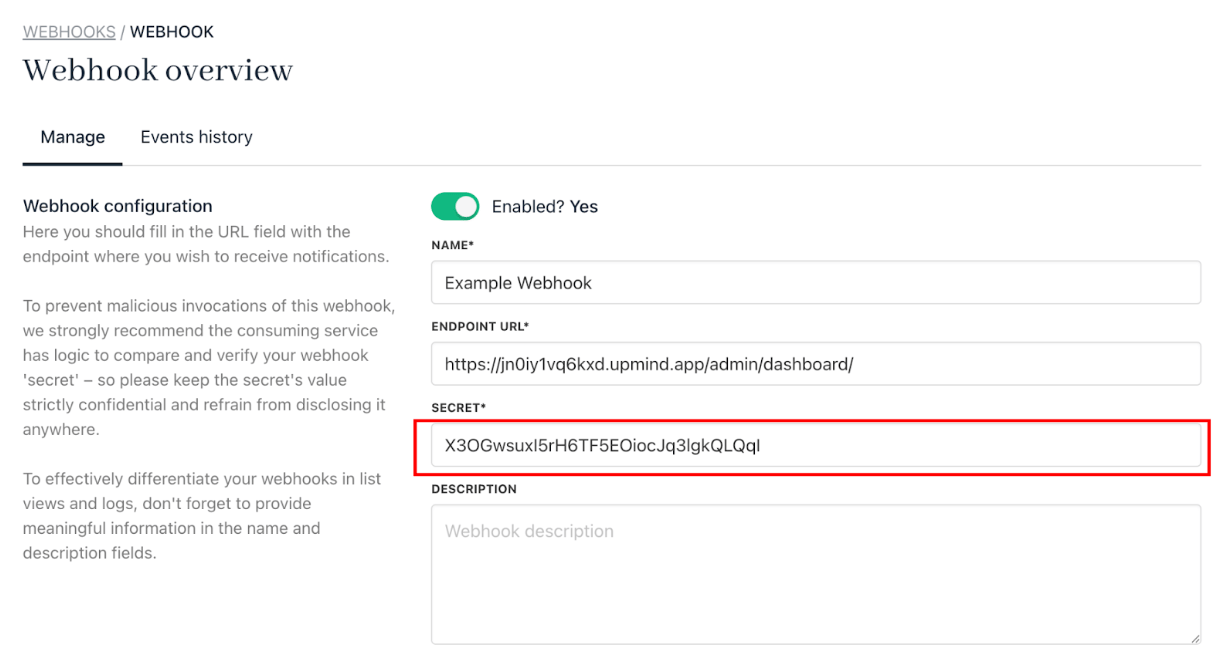
Authentication
Signature authentication
Each webhook request includes anX-Webhook-Signature header, a SHA-256 HMAC hash of the request body created using the endpoint secret. In your code, you can compute the same hash and compare it to the header value, proceeding only if they match.
PHP and Node.js Signature Validation Example:
PHP Example
Node.js Example
Response and reliability
- Success: Return an HTTP 200 status. Upmind will log the response and consider the event delivered.
- Authentication Failure: Return HTTP 401; the event remains available in logs for review.
- Other Failures: For unexpected errors, return HTTP 500. Upmind logs unsuccessful attempts for troubleshooting.