

Viewing staff login attempts
- Go to Settings > Staff Users.
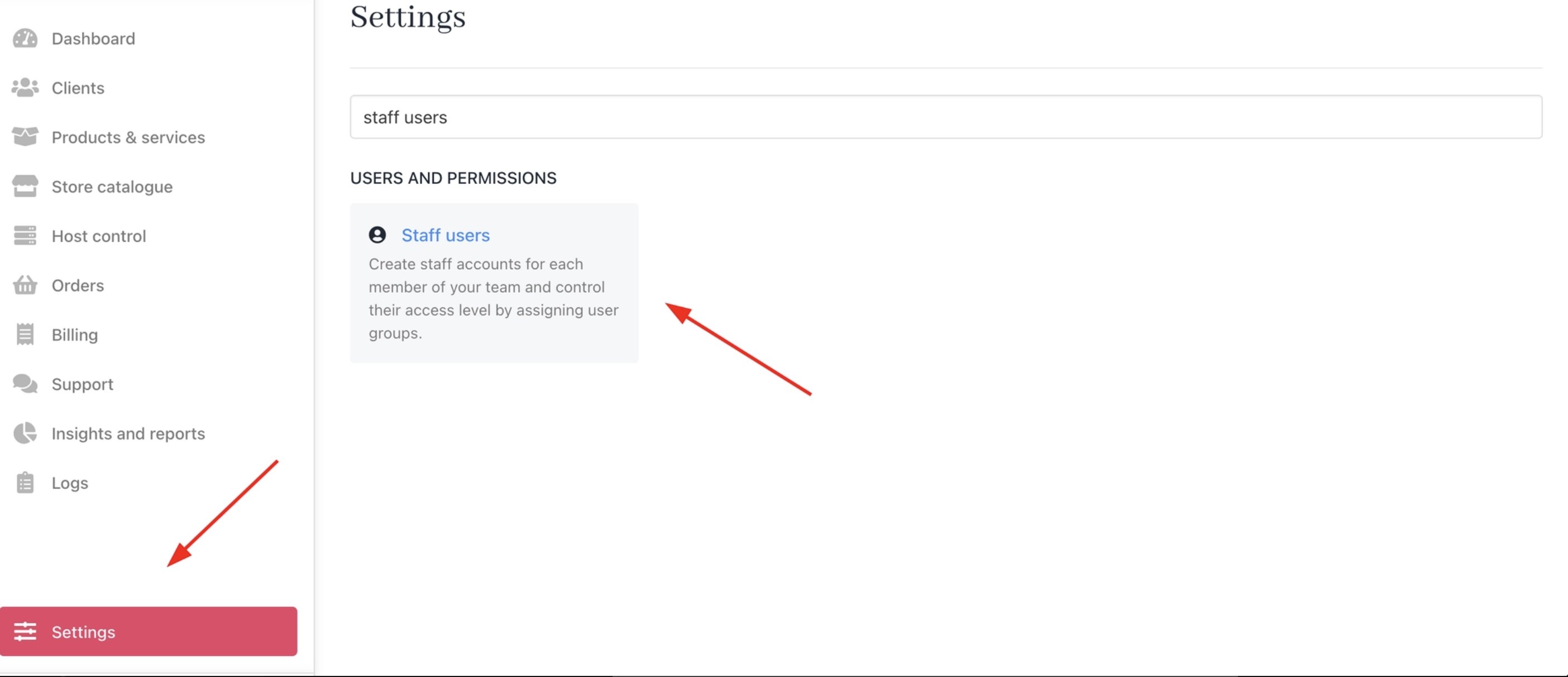
Settings > Staff Users
- Click the three dots next to the staff member and select Manage User.
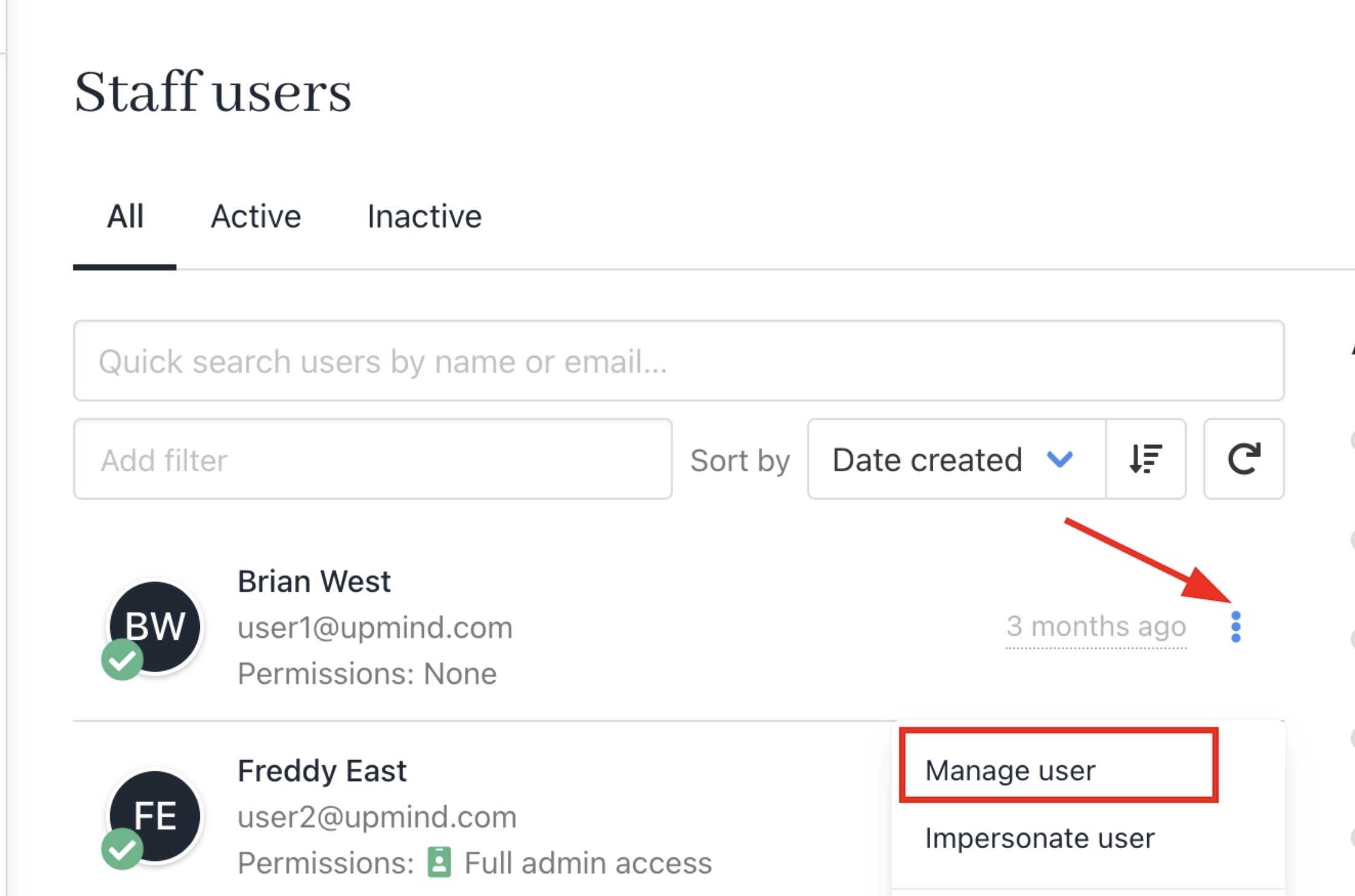
Manage user
- Navigate to Logs > Login Attempt Logs to view their sign-in history.
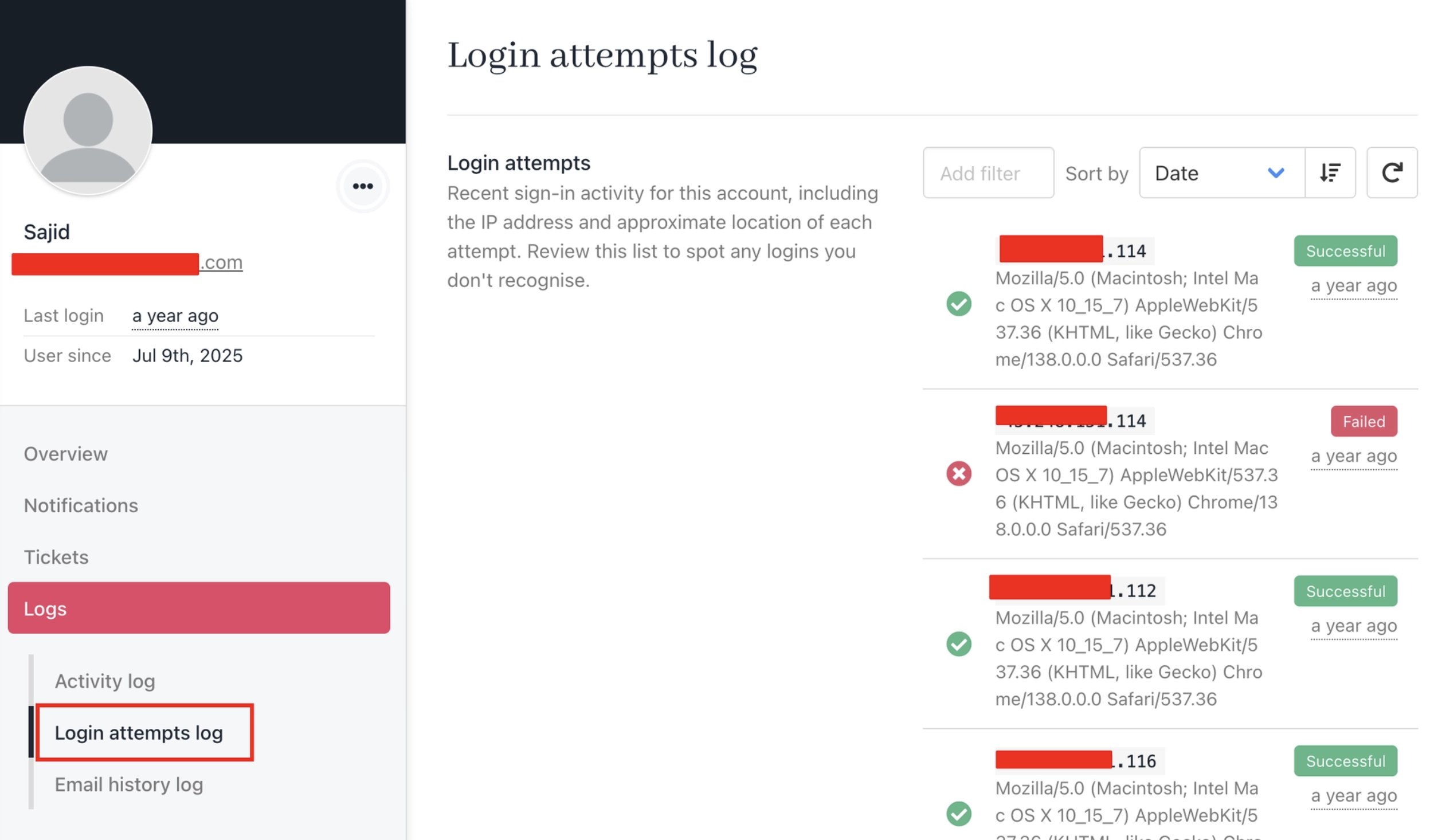
Logs > Login Attempt Logs (staff)
Viewing client login attempts
From the Admin area
- Go to Clients and select the client you want to review.
- Navigate to Logs > Login Attempt Logs to view their sign-in history.
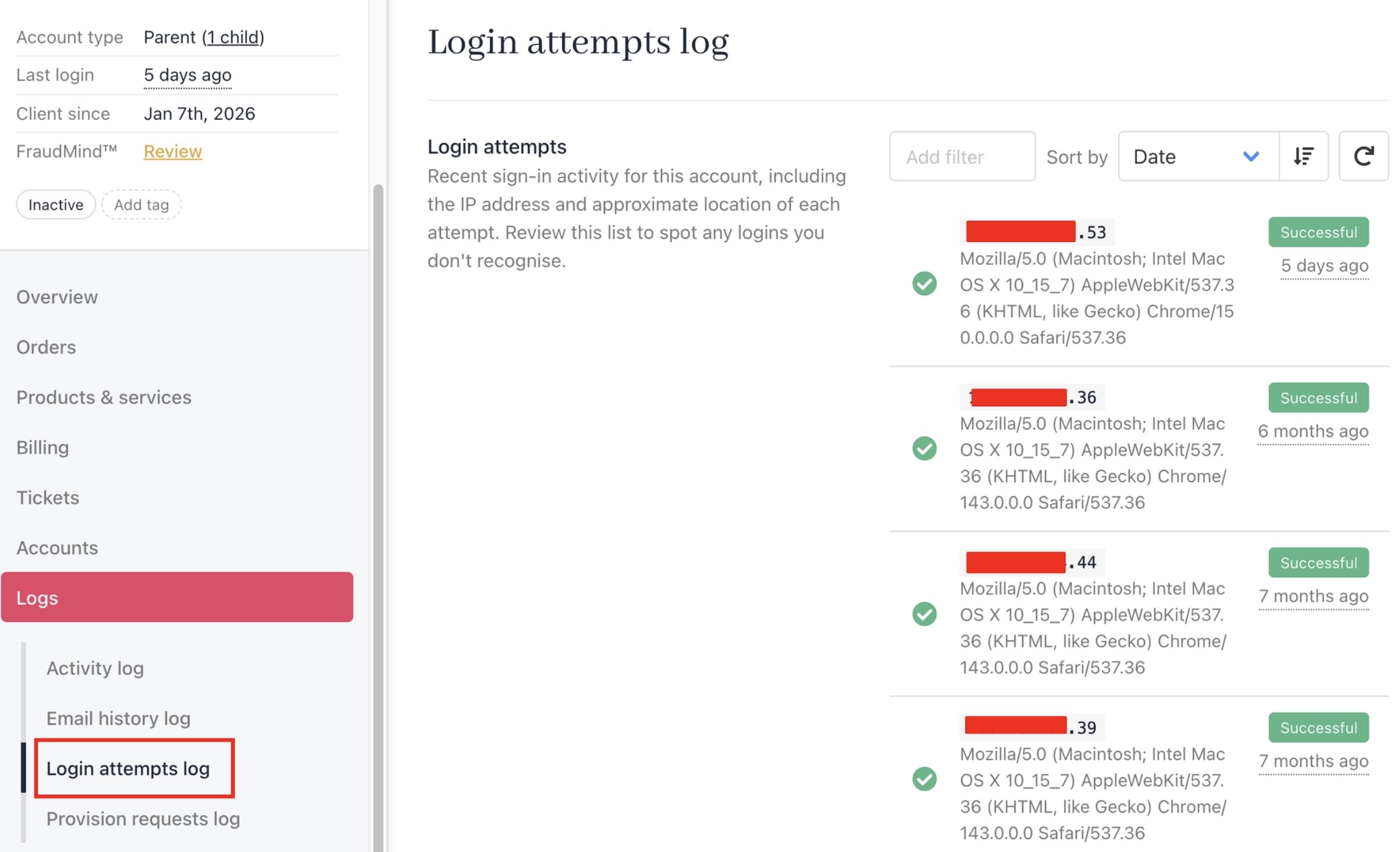
Logs > Login Attempt Logs (admin area)
From the Client area
Clients can also view their own login activity directly from their account.- Log in to the client area and go to My Account.
- Navigate to Logs > Login Attempt Logs to view recent sign-in activity.
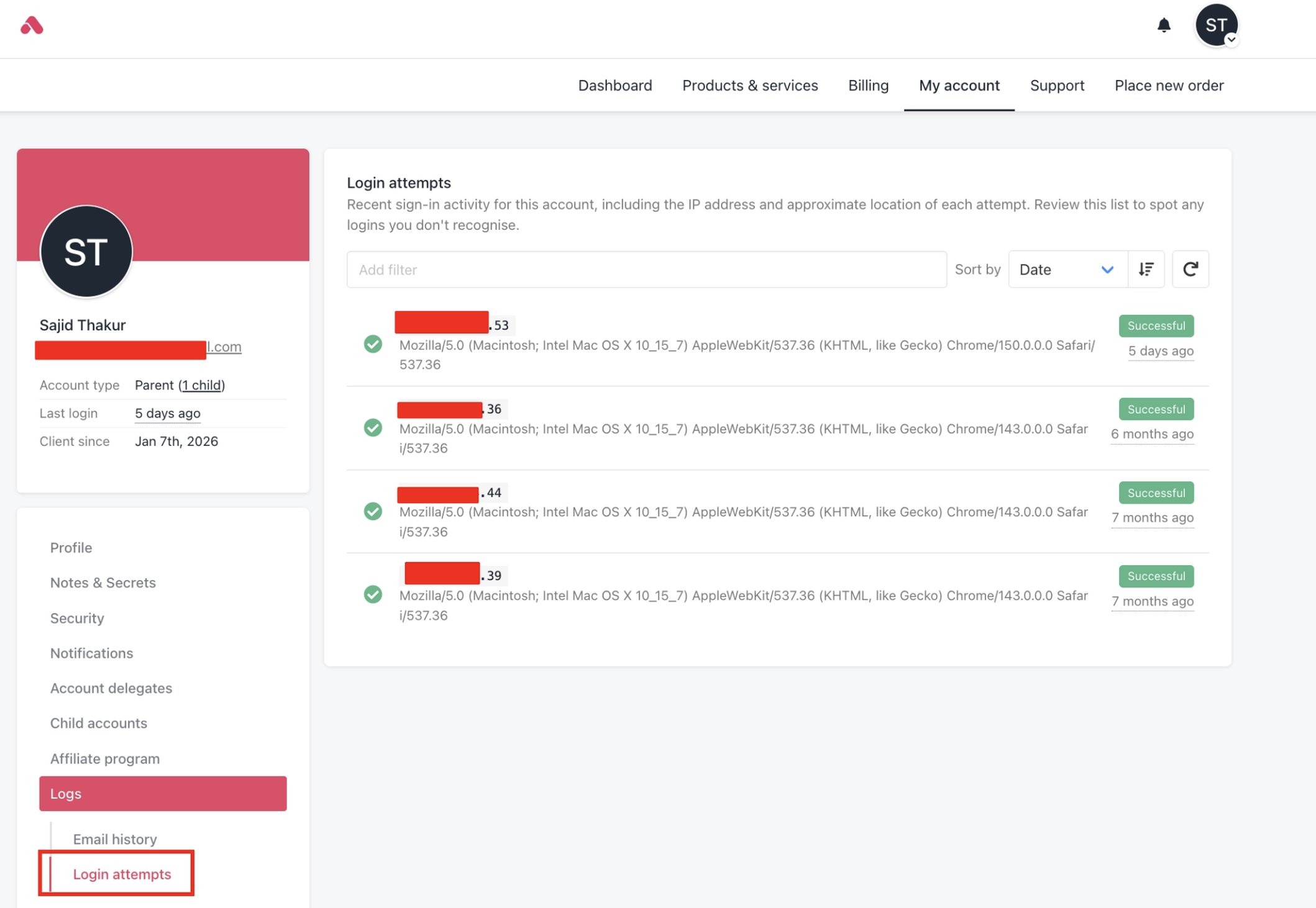
Logs > Login Attempt Logs (client area)