

Supported ispmanager licenses
Upmind supports the following ispmanager licenses for sale, which can be configured by name or license ID in the product setup:Getting ispmanager credentials
The provision configuration requires the Username and Password, both of which are the same credentials you use to log into your ispmanager account.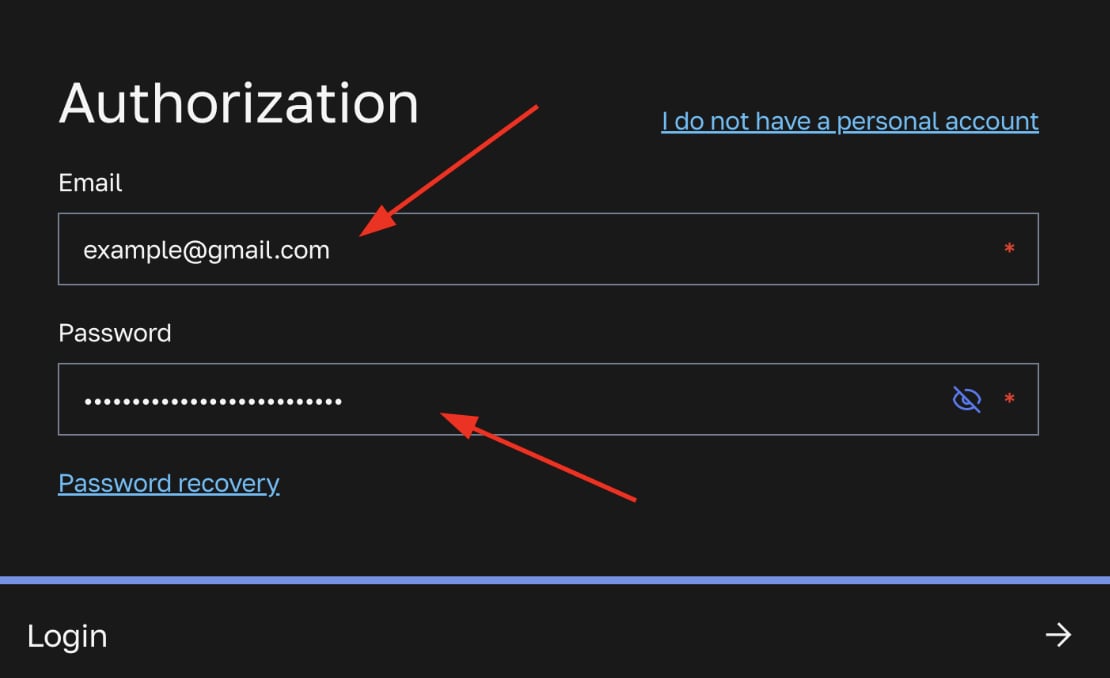
Username (email) and password
Configuring ispmanager provisioning in Upmind
- In Upmind, go to Settings > Provision Configurations.
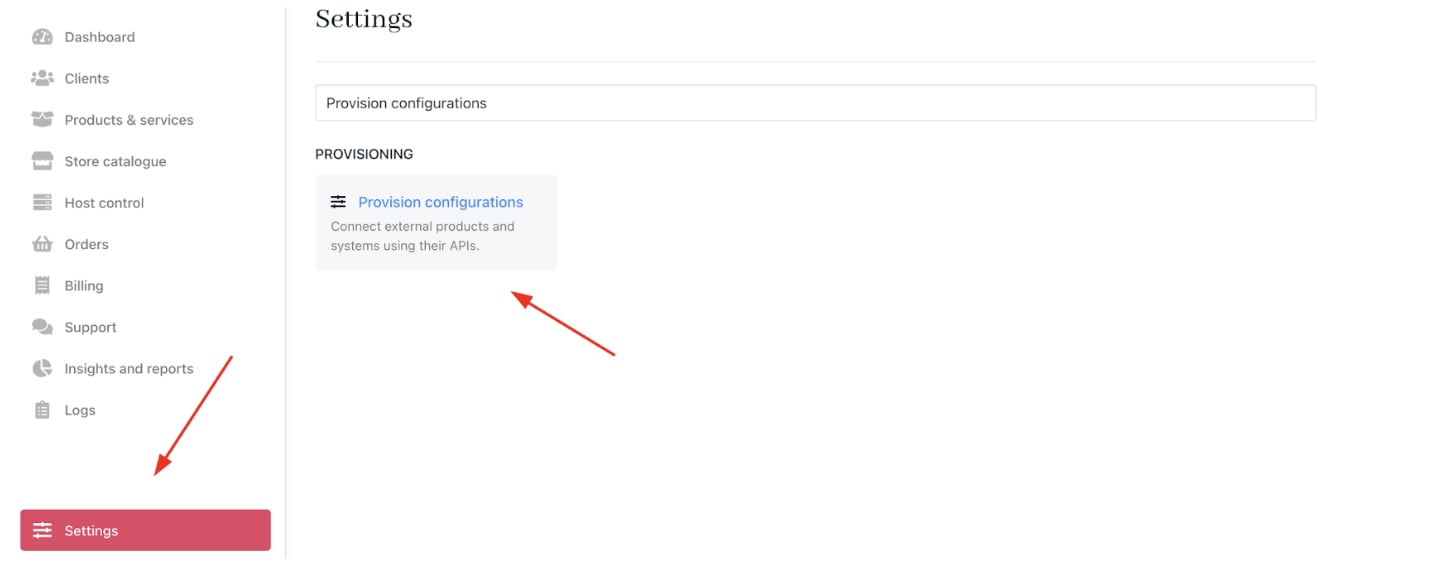
Settings > Provision configurations
- Click on Add New Configuration.

Add new configuration
- Provide a Name (e.g., ispmanager Licensing Provision).
- Select Software Licenses as the product type.
- Choose ispmanager as the provisioning provider.
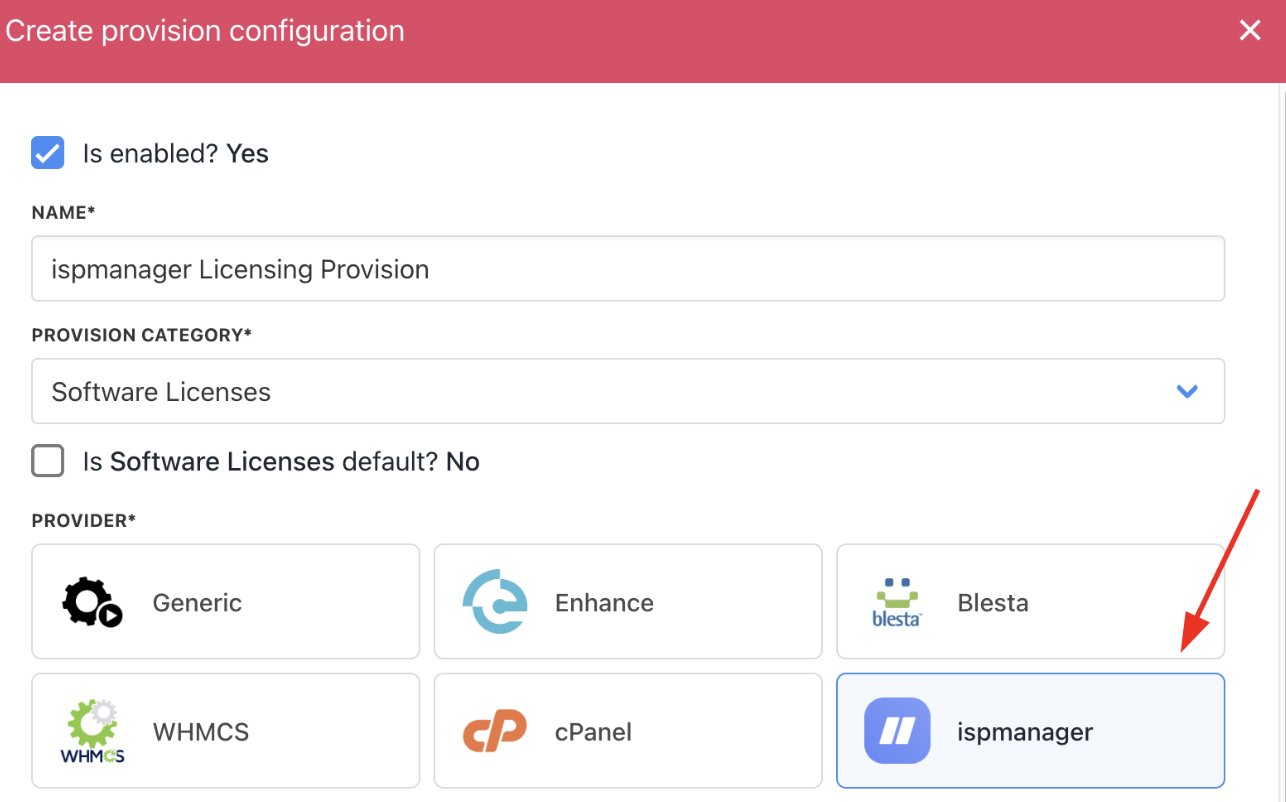
Choose ispmanager
- Complete the following details:
- Username: The user’s ispmanager account login.
- Password: The password for the ispmanager account.
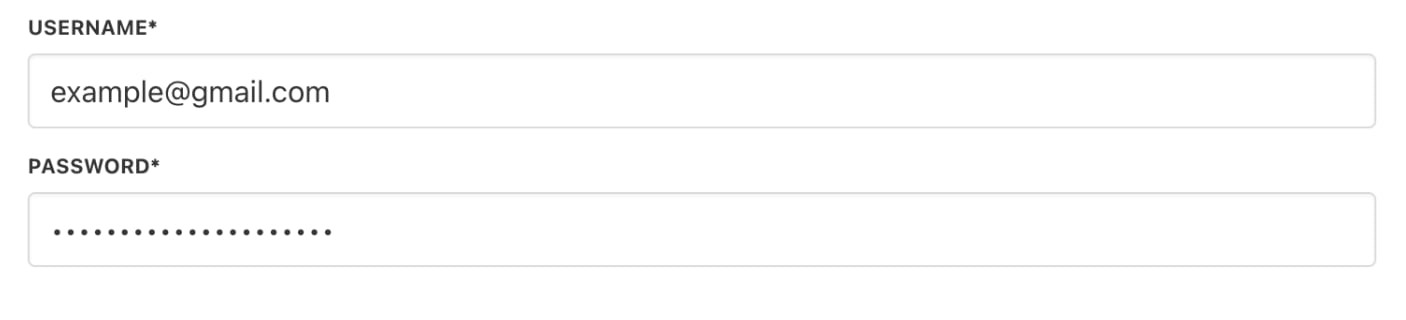
Fill in the details
- Click Create.
Creating ispmanager licensing products in Upmind
- Go to Store Catalogue > Products in Upmind.
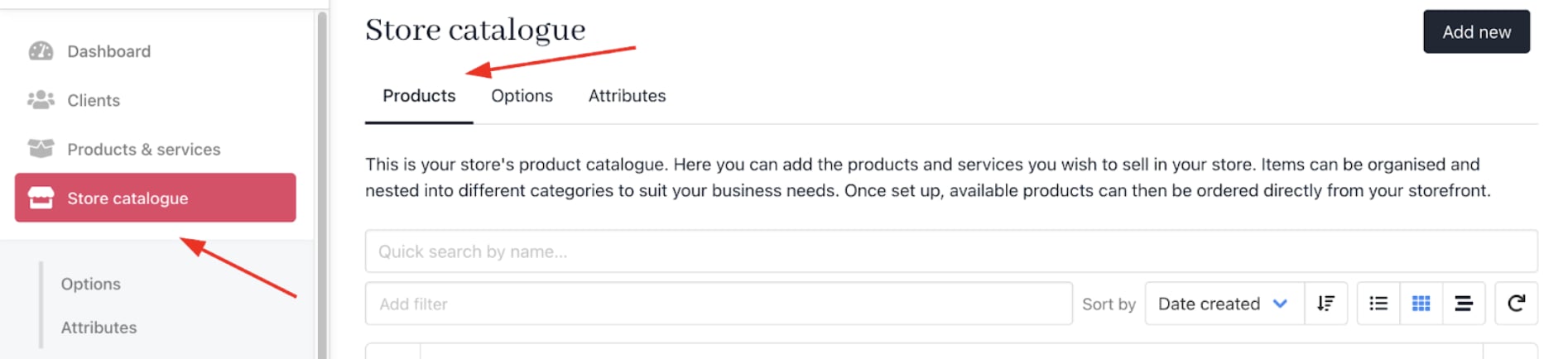
Store Catalogue > Products
- Click Add New.
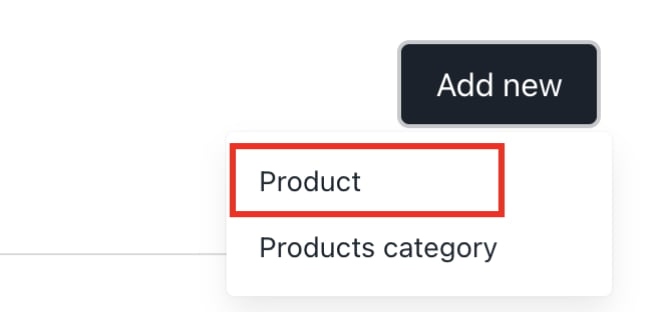
Add new
- Choose the category and fill in the details.
- Then click Create.
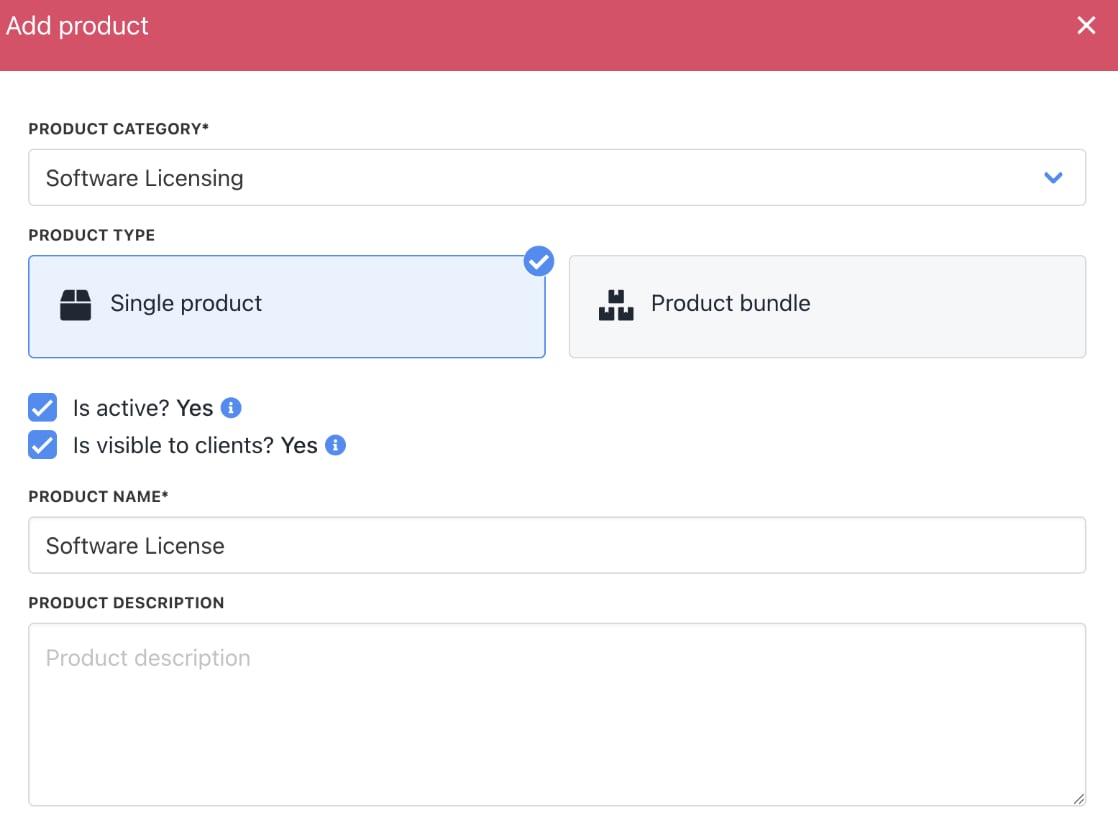
Fill in product details
- On
Provisioning, set the Provision Blueprint to Software Licenses.
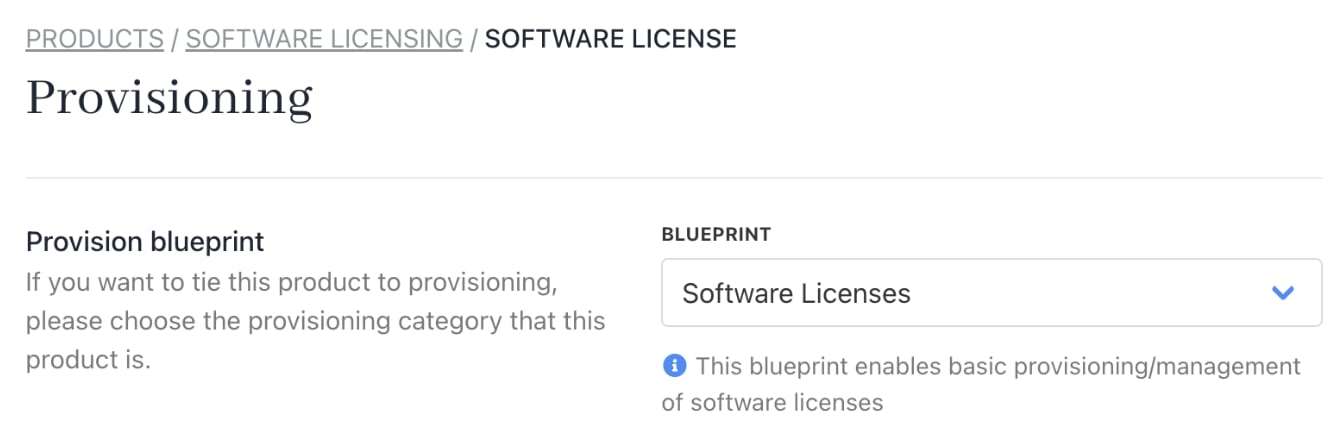
Provision blueprint
- Set the Provision Provider to ispmanager.
- Choose the Configuration Mode and Provider Configuration.
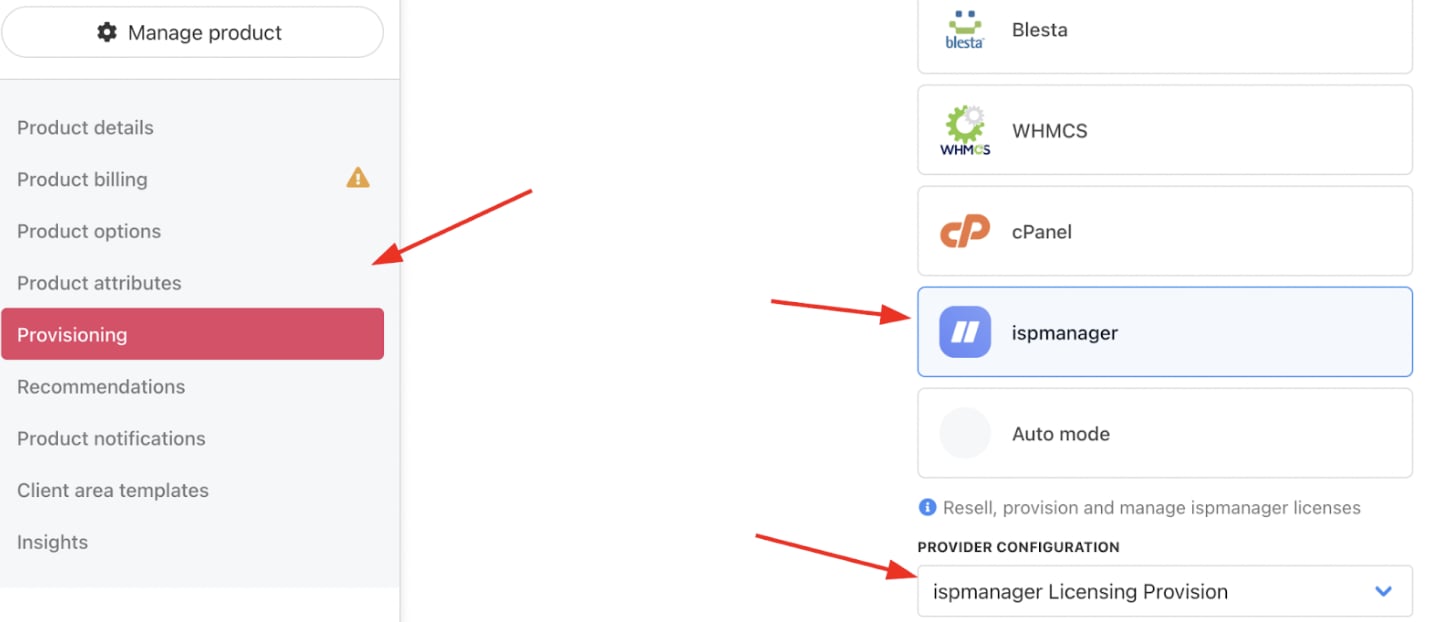
Set provision provider
- Enter the Package Identifier. Use either the license name (e.g., ispmanager 6 lite) or the license ID (e.g., 55227).

Complete other product details
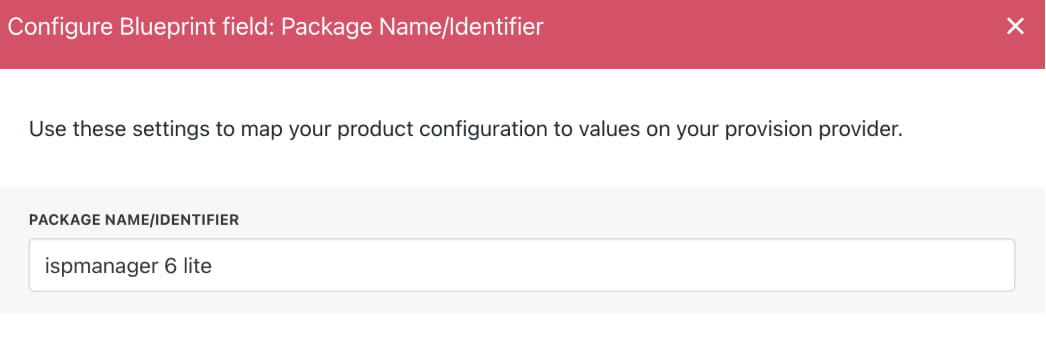
Enter package identifier
- Save the product.